Mitsubishi Electric MR-L650EN-GSL-A - User Manual
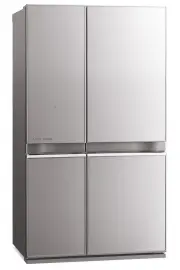
Mitsubishi Electric MR-L650EN-GSL-A Refrigerator – User Manual, read for free online in PDF format. We hope this helps you resolve any issues you may have. If you have further questions, please contact us through the contact form.


Table of Contents:
- Page 2 – Illustration of the MR-L710EN
- Page 3 – Vitamin Factory; ENERGY SAVING MODE; Page; Before use
- Page 4 – The types of danger that can result from improper; Mishandling can lead to serious injury; When installing your unit; WARNING; About using your refrigerator
- Page 5 – CAUTION
- Page 6 – The outside of the refrigerator and the; Connect the power supply; *Connect power supply soon after installing the refrigerator; Install the refrigerator in:; Installation; Use in hot spring areas; How to remove the energy label
- Page 7 – Prepare for earthquakes.; Do not damage the refrigerant; The support cover is stored inside; Adjustment and anchoring; Turn the adjustable supports until they touch the floor and; Bottom front of refrigerator
- Page 8 – Touching will cause the operable icons to light up.; Detail Setting; ECO icon mark
- Page 9 – To Cancel the Setting; Operation Example; Touch; Touch the icon to set
- Page 10 – Wrap food that have strong odors thoroughly before storage; Food that transfers odors easily; Do not close the door; If the door alarm sounds; Humidity of vegetable compartment; Tempered glass shelf
- Page 11 – Refrigerator Compartment; Tips for Energy Saving; Set Energy Saving Mode for automatic; Egg shelf; Adjustable to 2 positions; Adjustable pockets
- Page 12 – Making ice cubes; Pour water into each section of the ice tray,
- Page 13 – Rapid Cool; RAPID COOL; To cancel the setting; To Set
- Page 14 – RAPID FREEZE
- Page 15 – Energy; Energy Saving Mode
- Page 16 – Temperature Adjustment; At the time of purchase, the; Refrigerator/Freezer Compartment Temperature; Performing Temperature Adjustment
- Page 17 – How to remove and clean accessories; Power Plug; Replacing lamps in compartments
- Page 18 – Adjustable pocket Bottle pocket
- Page 19 – Other Issues; Power Outages; To Prevent Accidental Button Operation; To Reset Settings; To Cancel
- Page 23 – Troubleshooting; Sound
- Page 24 – Door; rost; Problem; Othe
- Page 25 – Accessories
- Page 27 – MEMO
- Page 28 – R600a REFRIGERANT WARNING; Leaking refrigerant can ignite and may damage the eyes.
Refrigerator-Freezers
OPERATING INSTRUCTIONS
SERIES MODEL
MR-L650EN
MR-L710EN
Please read this manual carefully and follow the information contained within. In particular, be sure to read the safety precautions before using this refrigerator.
Be sure to receive your copy of the warranty from the retailer and confirm that the purchase date and retailer name are written on the warranty.
Store this operating instruction manual and the warranty in a safe place.
This refrigerator was manufactured for refrigerating and freezing of foods in general households. For commercial use, please use a commercial refrigerator-freezer.
The principal plastic components indicate the material name to facilitate recycling.
It is strongly recommended to use only lukewarm water and a soft cloth when cleaning.
Cleaning agents can cause cracking to the plastic components of your refrigerator.
Cleaning Instruction - Important!
"Loading the manual" means you need to wait until the file loads and becomes available for online reading. Some manuals are very large, and the time they take to appear depends on your internet speed.
Summary
2 Function Overview Function Overview Illustration of the MR-L710EN This refrigerator is manufactured for refrigerating and freezing foods in general households. For industrial use, please use a commercial refrigerator-freezer. The photographs and illustrations contained in this manual are for the M...
Contents Contents Vitamin Factory The vitamins in vegetables are boosted by the LED. ENERGY SAVING MODE Use when you want to save power. When the temperature inside the refrigerator is stable, the power-saving operation is performed automatically. For your safety, please be sure to follow these inst...
4 For your safety, please be sure to follow these instructions For your safety, please be sure to follow these instructions The types of danger that can result from improper handling are explained in the sections below. ٹ The symbols illustrated below have the following meanings. Mishandling can lea...


