Page 2 - Page 2; Read This Manual; Owner’s Manual; CAUTION; NOTICE
Page 2 Read This Manual Inside you will find many helpful hints on how to use and maintain your Dehumidifier properly. A little preventive care on your part can save you a great deal of time and money over the life of your Dehumidifier. You’ll find many answers to common problems in the troubles...
Page 3 - Page 3; WARNING; SAFETY PRECAUTIONS
Page 3 Saf ety Precautions To prevent injury to the user or personal and property damage, these instructions must be followed. Incorrect operation due to ignoring of instructions may cause harm or damage. The level of risk is shown by the following indications. WARNING This sy m bol indicates a ...
Page 4 - Page 4
Page 4 Saf ety Precautions • Do not use in places where water m ay splash onto the unit. Water m ay enter the unit and degrade the insulation. It m ay cause an electric shock or fire. • Place the unit on a level, sturdy section of the floor. If the unit falls over, it m ay cause water to spill a...
Page 5 - Page 5; EXPLANATION OF SYMBOLS DISPLAYED ON THE UNIT
Page 5 Saf ety Precautions WARNING This symbol shows that this appliance used a flammable refrigerant. If the refrigerant is leaked and exposed to an external ignition source, there is a risk of fire. CAUTION This symbol shows that the operation manual should be read carefully. CAUTION This symb...
Page 6 - Page 6; Product overview; UNIT SPECIFICATIONS AND FEATURES
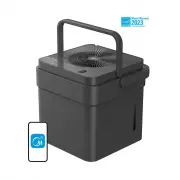
Page 6 Unit Specification s and F eatu res Product overview Accessories Fig. 1 Fig. 2 d r o C r e w o P e k a t n I ri A le n a P t n o r F Storage Channel Relief Holes Garden Hose Outlet Pump Hose Outlet (some models) Bucket Water Level Window Bucket Bucket Handle r a e R t n o r F Lock tabs Ai...
Page 7 - Page 7; SET UP INSTRUCTIONS
Page 7 Set Up Ins tructions SET UP INSTRUCTIONS Step 1: Separate dehumidifier & bucket from the nested shipping/storage position. Remove all packaging materials from the unit. Step 2: Rotate dehumidifier 90° and align the arrows on the two labels (one on the bucket and one on the dehumidifie...
Page 8 - Page 8; Positioning the Unit; INSTALLATION INSTRUCTIONS; Optional Caster Installation; block
Page 8 Ins tallation Ins tructions Positioning the Unit The dehumidifier should be placed in the area where dehumidification is desired most. Adjacent rooms in which dehumidification is also desired should allow adequate airflow in and out of the space containing the dehumidifier. • Do not use o...
Page 9 - Page 9; Additional Setup and Usage Information
Page 9 Ins tallation Ins tructions Additional Setup and Usage Information Scan this QR code with your mobile device to see a playlist of helpful videos about your new Cube Dehumidifier. Fig. 7 To remove the casters: 1. Use a flathead screwdriver to actuate the tab on the retaining block. 2. Remo...
Page 10 - Key Pad Features; OPERATING INSTRUCTIONS; Operating Instructions
Page 10 Key Pad Features NOTICE The appearance of the control panel on your unit may vary slightly. Functions will be similar. OPERATING INSTRUCTIONS Operating Instructions Power Button: Press this button to turn the unit On/Off. Connect: Holding the power button for 3 seconds will place the uni...
Page 12 - Other Features
Page 12 Error Codes: EH60 Auto Defrost When frost builds up on the evaporator coils, the compressor will cycle off and Auto Defrost function will run automatically. 3 minute compressor operation delay protection After the unit has stopped, it can not be restarted in the first 3 minutes to protec...
Page 13 - Removing Collected Water
Page 13 Oper ating Ins tructions Removing Collected Water There are three ways to remove collected water: 1. Lift the unit o ff the bucket and place it on a level surface. 1. Emptying the bucket • When the bucket reaches the set Fill Level, the unit’s display will show P2 regardless of power stat...
Page 16 - CARE AND CLEANING
Page 16 Turn the dehumidifier off and disconnect the plug from the power source before cleaning. Car e and Cleaning 1. Clean the Grill and Case • Use water and a mild detergent. Do not use bleach or abrasives. • Do not splash water directly onto the unit. Doing so may cause an electrical shock, ...
Page 17 - NESTING AND STORING INSTRUCTIONS
Page 17 Nes ting and St oring Ins tructions Fig. 18 NESTING AND STORING INSTRUCTIONS WARNING Make sure the bucket is empty before nesting the dehumidifier to avoid risk of electrical shock. NOTICE Make sure the power cord is properly tucked into the power cord storage channel on the back of the ...
Page 18 - TROUBLESHOOTING TIPS
Page 18 Before calling for service, review this list. It may save you time and money. This list includes common occurrences that are not the result of defectiveworkmanship or materials in this appliance. Problem What to check Unit does not start Make sure the dehumidifiers plug is connected firm...
Page 19 - DECLARATION OF CONFORMITY; APP INSTRUCTIONS
Page 19 App In structions We hereby declare that this Dehumidifier is in compliance with the essential requirements and other relevant provisions of Directive 1999/5/EC. 1. Supports operating systems: iOS 10+ or Android 5+. 2. In the event of a OS update, there may be a delay between the update ...
Page 20 - DOWNLOAD AND INSTALL THE APP
Page 20 Devices required to use the Smart Dehumidi fi er: 1. Smart Phone with compatible iOS or Android system. 2. Wireless Router 3. Smart Dehumidifier DOWNLOAD AND INSTALL THE APP SYSTEM OVERVIEW App Ins tructions Scan to download app. • You can also go to the Google Play or App Store and sear...
Page 21 - CREATE YOUR ACCOUNT
Page 21 App Ins tructions NOTICE • Make sure your smartphone is able to connect to the wireless network which will be used. • Make sure also that the device is not connecting to other networks in range. CREATE YOUR ACCOUNT • Make sure your smartphone is connected to your wireless router and your...
Page 22 - ADDITIONAL APP AND SMART HOME FUNCTIONS
Page 22 ADDITIONAL APP AND SMART HOME FUNCTIONS For additional instructions regarding the features of the app and Smart Home skill capabilities, scan the QR code below. App Ins tructions
Page 23 - Declaration of conformity; be slightly different. The actual shape shall prevail.
Declaration of conformity NOTE: All the illustrations in the manual are for explanation purpose only. Your unit may be slightly different. The actual shape shall prevail. Company will not be liable for any issues and problems caused by Internet, Wi-Fi/Wireless Router and Smart Devices. Please contac...