Micron 3200 - User Manual
Micron 3200 RAM & Storage – User Manual, read for free online in PDF format. We hope this helps you resolve any issues you may have. If you have further questions, please contact us through the contact form.
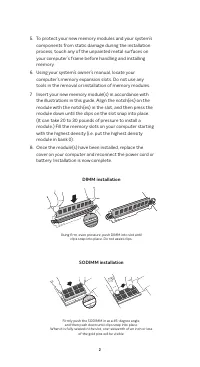
Table of Contents:
- Page 2 – DIMM installation
- Page 3 – Helpful hints & troubleshooting tips; If your system does not boot, check the following:; If you receive an error message or hear a series of beeps,; If you have any issues with installation, contact Crucial
- Page 4 – Helpful Memory Support Resources; North and South America; 安装指南
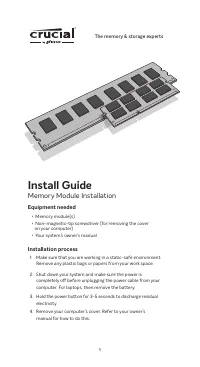
Install Guide
Memory Module Installation
Equipment needed
• Memory module(s)
• Non-magnetic-tip screwdriver (for removing the cover
on your computer)
• Your system’s owner’s manual
Installation process
1. Make sure that you are working in a static-safe environment.
Remove any plastic bags or papers from your work space.
2. Shut down your system and make sure the power is
completely off before unplugging the power cable from your
computer. For laptops, then remove the battery.
3. Hold the power button for 3-5 seconds to discharge residual
electricity.
4. Remove your computer’s cover. Refer to your owner’s
manual for how to do this.
1
The memory & storage experts
™
"Loading the manual" means you need to wait until the file loads and becomes available for online reading. Some manuals are very large, and the time they take to appear depends on your internet speed.
Summary
2 5. To protect your new memory modules and your system’s components from static damage during the installation process, touch any of the unpainted metal surfaces on your computer’s frame before handling and installing memory. 6. Using your system’s owner’s manual, locate your computer’s memory expa...
Helpful hints & troubleshooting tips If your system does not boot, check the following: 1. If you receive an error message or hear a series of beeps, your system may not be recognizing the new memory. Remove and reinstall the modules to ensure they are securely seated in the slots. 2. If your sy...
Helpful Memory Support Resources North and South America http://www.crucial.com/usa/en/support-memory EuropeUnited Kingdom: http://uk.crucial.com/gbr/en/support-memory European Union: http://eu.crucial.com/eur/en/support-memory France: http://www.crucial.fr/fra/fr/aide-memoire Italy: http://it.cruci...