Page 2 - CLOSE SUPERVISION IS
2 | MC-1000 | THE SOUS-VIDE COOKER DO NOT ALLOW CHILDREN TO OPERATE UNDER ANY CIRCUMSTANCES CLOSE SUPERVISION IS MANDATORY WHEN THE SOUS-VIDE COOKER IS USED NEAR CHILDREN.
Page 4 - C O N T E N T S
4 | MC-1000 | THE SOUS-VIDE COOKER C O N T E N T S ABOUT YOUR SOUS-VIDE COOKER 5 IMPORTANT SAFEGUARDS 6 PARTS IDENTIFICATION 9 SETUP 10 OPERATING INSTRUCTIONS 13 CLEANING INSTRUCTIONS 16 TROUBLESHOOTING 18 SPECIFICATIONS 22
Page 5 - I M P O R T A N T S A F E G U A R D S
THE SOUS-VIDE COOKER| MC-1000 | 5 When using the sous-vide cooker, basic safety precautions should always be followed:1. Read all instructions before operation. 2. DO NOT touch hot surfaces. 3. This appliance should not be used near children, or individuals with certain disabilities. 4. DO NOT ALLOW...
Page 7 - ABOUT YOUR SOUS-VIDE COOKER
THE SOUS-VIDE COOKER| MC-1000 | 7 Congratulations on the purchase of your new Sous-Vide Cooker and thank you for choosing MegaChef! The sous-vide immersion circulation cooker brings professional cooking techniques to your home. It offers complete control over the cooking process,unmatched by other c...
Page 8 - P A R T S I D E N T I F I C A T I O N
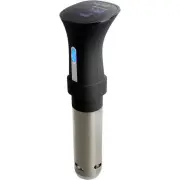
8 | MC-1000 | THE SOUS-VIDE COOKER 1 2 3 45 7 6 1. Touchscreen Control Panel 2. Scroll Wheel 3. Stainless Steel Pump Housing 4. Heating Element 5. Removable Pump Cap 6. Adjustable Ring Clip 7. Tightening Screw P A R T S I D E N T I F I C A T I O N
Page 9 - S E T U P
THE SOUS-VIDE COOKER| MC-1000 | 9 CHANGING TEMPERATURE UNITS Press and hold the button until a letter appears on the digital screen (F or C) to toggle between Fahrenheit and Celsius temperature units. CALIBRATING THE TEMPERATURE The temperature sensor on the cooker is extremely accurate and is calib...
Page 10 - SETTING THE TIMER
10 | MC-1000 | THE SOUS-VIDE COOKER SETTING THE TIMER 1. Press the button. The hours value will start blinking on the display to indicate that it can now be adjusted. 2. Using the scroll wheel, scroll up or down to set the desired hour value (from 0 to 99 hours). 3. Press the button to save the valu...
Page 11 - SETTING THE FLOW DIRECTION
THE SOUS-VIDE COOKER| MC-1000 | 11 1. Twist the pump cap clockwise to unlock it from the pump housing. 2. Position the openings on the side of the pump cap as desired. Insert the retaining tabs into the pump housing slots, then turn the cap counterclockwise to lock it in place. The cooker can circul...
Page 12 - OPERATING INSTRUCTIONS
12 | MC-1000 | THE SOUS-VIDE COOKER 1. Ensure that the cooker is unplugged from the power source. 2. Install the adjustable ring clip (6) on the side of your pot or container, then clamp it firmly in place with the tightening screw. OPERATING INSTRUCTIONS 3. Insert the cooker into the adjustable rin...
Page 15 - C L E A N I N G I N S T R U C T I O N S
THE SOUS-VIDE COOKER| MC-1000 | 15 1. Turn the pump housing (7) counter-clockwise to unlock it from the cooker body, then pull down to remove it. C L E A N I N G I N S T R U C T I O N S 2. Turn the pump cap (5) clockwise to unlock it from the pump housing, then pull down to remove it. 3. Clean the p...
Page 17 - T R O U B L E S H O O T I N G
THE SOUS-VIDE COOKER| MC-1000 | 17 T R O U B L E S H O O T I N G • THE COOKER WHISTLES This totally normal as it is caused by the motor, propeller and cooling fan. • THE COOKER MAKES A GRINDING NOISE The stainless steel pump housing is loose. Turn off the cooker, wait until it cools, then secure the...
Page 18 - S P E C I F I C A T I O N S
18 | MC-1000 | THE SOUS-VIDE COOKER S P E C I F I C A T I O N S • THE CONTROL PANEL /SCROLL WHEEL LIGHTS BLINK DURING OPERATION This is normal THERMAL POWER 800W MINIMUM TEMPERATURE 41°F (5°C) MAXIMUM TEMPERATURE 212°F (100°C) TEMPERATURE STABILITY ±1% MINIMUM WATER DEPTH 4.25” (11 CM) MINIMUM BATH ...