Maxx Air XXDUOSTAT - User Manual
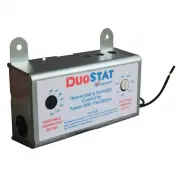
Maxx Air XXDUOSTAT Thermostat – User Manual, read for free online in PDF format. We hope this helps you resolve any issues you may have. If you have further questions, please contact us through the contact form.


DuoStat
Thermostat/Humidistat for Power Attic Ventilators
About Your New Duostat
The DuoStat is a Thermostat/Humidistat designed to control both the temperature and humidity in your attic by turning on/off
your new or existing Power Attic Ventilator according to adjustable temperature and humidity settings that you control.
During the hot summer months when attic temperatures climb dramatically, the DuoStat signals the Power Attic Ventilator to
turn on when the temperature in the attic reaches the thermostat setting. As the Ventilator fan exhausts the hot air, the
temperature in the attic begins to drop. When the temperature falls below your pre-determined setting, the DuoStat signals
the Power Ventilator to turn off. During winter months, when temperatures remain below freezing for long periods, moisture
begins to accumulate and freeze in the attic. Exhausting this moisture before it freezes can prevent damage to attic and
roofing components as well as attic contents. The humidity control on the DuoStat signals the Power Ventilator to turn on/off
when the humidity in the attics rises or falls below the humidity setting you have chosen.
Your DuoStat can control multiple Power Attic Ventilators (up to 3) or a single unit not to exceed 10 amps, 125 volts AC. We are sure
that you will enjoy the many years of properly controlled attic ventilation that your DuoStat will provide.
DuoStat Wiring Instructions
WARNING: Disconnect all electrical current to your Ventilator before installing DuoStat or attempting any other service work. If you
are unfamiliar with the installation of electrical wiring, secure the services of a qualified electrician. Remember that all electrical
connections must be in accordance with local codes, ordinances, and/or national electrical codes and standards.
1. Disconnect power supply to ventilator.
2. Remove the DuoStat cover. The inside of the DuoStat will
look like Diagram A (right).
3. Remove the housing.
4. Mount new housing to roof rafter. Use wood screws to
attach.
5. Attach the ground from incoming power supply to the
DuoStat ground screw. (Diagram B)
6. Connect one BLACK wire from DuoStat to the BLACK wire of
the incoming power supply.
7. Connect the other BLACK wire from DuoStat to the BLACK
motor wire.
8. Connect the WHITE wire from the power supply to the WHITE
motor wire.
For assistance please phone 800.433.1626
Monday through Friday, 8 a.m. - 5 p.m. CST
DuoStat
BLACK
LISTED
Temperature
Regulating
Equipment
POWER SUPPLY j
( 115-120V 60hz)
WHITE
DIAGRAM A: The Inside of the DuoStat
Humidity Control Dial
(1)
Ground
___.,._
/1\
Screw
\l/
DIAGRAM B: Wiring the DuoStat
0
ATIACH
GROUND
HERE
(1)
VENTAMATIC LTD., P.O. BOX 728, MINERAL WELLS, TEXAS 76068-0728 • PHONE: 800.433.1626 • FAX: 940.325.9311
"Loading the manual" means you need to wait until the file loads and becomes available for online reading. Some manuals are very large, and the time they take to appear depends on your internet speed.