Linksys RE6500 - User Manual

Linksys RE6500 Access Point – User Manual, read for free online in PDF format. We hope this helps you resolve any issues you may have. If you have further questions, please contact us through the contact form.
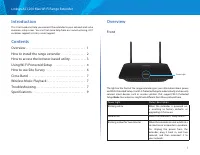
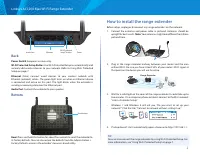
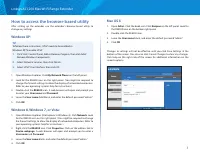
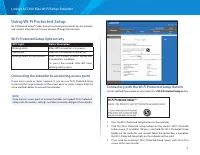
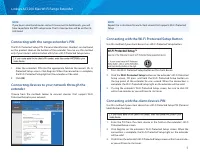
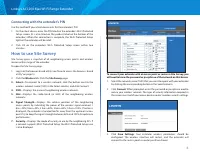
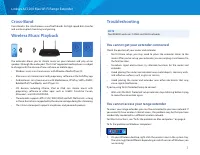
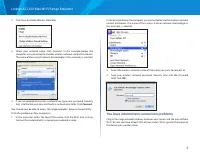
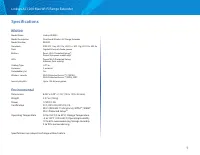

Table of Contents:
- Page 2 – Linksys AC1200 Max Wi-Fi Range Extender; Introduction; Front
- Page 3 – Back; Bottom; How to install the range extender
- Page 4 – How to access the browser-based utility; Mac OS X
- Page 5 – Using Wi-Fi Protected Setup; Wi-Fi Protected Setup light activity; Connecting the extender to an existing access point; Connecting with the Wi-Fi Protected Setup Button
- Page 6 – Connecting with the range extender’s PIN; Connecting with the client device’s PIN
- Page 7 – Connecting with the extender’s PIN; How to use Site Survey
- Page 8 – Wireless Music Playback; Troubleshooting; You cannot get your extender connected; You cannot access your range extender
- Page 9 – You have intermittent connection problems
- Page 10 – Specifications; Environmental
RE6500
User Guide
"Loading the manual" means you need to wait until the file loads and becomes available for online reading. Some manuals are very large, and the time they take to appear depends on your internet speed.
Was this manual helpful?
About this manual
- Brand
- Linksys
- Model
- RE6500
- Document type
- User Manual
- Category
- Access Point
- Language(s)
- English
- Pages
- 11
- File size
- 2.8 MB
- Format
Summary
1 Linksys AC1200 Max Wi-Fi Range Extender Introduction This User Guide can help you connect the extender to your network and solve common setup issues. You can find more help from our award-winning, 24/7 customer support at Linksys.com/support. Contents Overview . . . . . . . . . . . . . . . . . . ....
2 Linksys AC1200 Max Wi-Fi Range Extender Audio Jack Ethernet Power Wi-Fi Protected Setup™ button Back Power Switch European versions only. Wi-Fi Protected Setup Button Use Wi-Fi Protected Setup to automatically and securely add wireless devices to your network. Refer to Using Wi-Fi Protected Setup ...
3 Linksys AC1200 Max Wi-Fi Range Extender How to access the browser-based utility After setting up the extender use the extender’s browser-based utility to change any settings. Windows XP: TIP To follow these instructions, UPnP needs to be enabled inWindows XP. To enable UPnP: 1. Click Start, Contro...
Ask a question
Related manuals
More Linksys Access Points models
Other Linksys appliances
 Linksys AE1000 Manual
 Linksys AE1200 Manual
- Linksys AE2500 Manual
 Linksys AG241 Manual
 Linksys BEFCMU10 Manual
 Linksys BEFSR11, BEFSR41 Manual
 Linksys BEFSR41 Manual
 Linksys BEFSR81 Manual
 Linksys BEFSX41 Manual
 Linksys BEFVP41 Manual
 Linksys BEFW11S4 Manual
 Linksys CIT200 Manual
 Linksys CM100 Manual
 Linksys E1000 Manual
 Linksys E1200 Manual
 Linksys E1550 Manual
 Linksys E2000 Manual
 Linksys E2100L Manual
 Linksys E2500 Manual