LG WK9 - User Manual
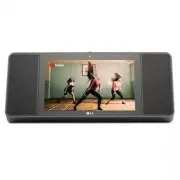
LG WK9 Portable Speaker – User Manual, read for free online in PDF format. We hope this helps you resolve any issues you may have. If you have further questions, please contact us through the contact form.


Table of Contents:
- Page 2 – Safety Information; CAUTION
- Page 4 – Symbols
- Page 5 – Getting Started; Troubleshooting; Table of Contents
- Page 6 – Unique features; The Google Assistant; Control smart home devices; Introduction; Symbol used in this manual; Caution
- Page 7 – Front; Note
- Page 9 – Setting up the Smart; Connecting the AC Adapter; Network connection
- Page 10 – Installing “Google Home” App; Requirements before set up; Google Home
- Page 12 – Basic Operations; Simple Operation Guide; Function
- Page 13 – How to use; Talk to the Google Assistant; Smart Home Control
- Page 14 – Voice command
- Page 15 – Using BLUETOOTH®; About BLUETOOTH; Listening to music stored on the; Pairing your unit and BLUETOOTH
- Page 17 – Other Operations; Turn off the microphone; Edit Smart Display name; Resetting
- Page 18 – Turn off the camera temporarily
- Page 19 – Connecting Google
- Page 20 – Troubleshooting; General; Problem
- Page 21 – Network; Application; Symptoms
- Page 22 – Trademarks and; When shipping the unit
- Page 23 – OPEN SOURCE; Android Things OPEN SOURCE
- Page 24 – Specifications
OWNER’S MANUAL
Please read this manual carefully before operating
your set and retain it for future reference.
MODEL
WK9
Copyright © 2018 LG Electronics Inc. All Rights Reserved
www.lg.com
MFL70441305
Smart Display with the Google Assistant
1811_Rev03
"Loading the manual" means you need to wait until the file loads and becomes available for online reading. Some manuals are very large, and the time they take to appear depends on your internet speed.
Was this manual helpful?
About this manual
- Brand
- LG
- Model
- WK9
- Document type
- User Manual
- Category
- Portable Speaker
- Language(s)
- English
- Pages
- 25
- File size
- 1.8 MB
- Format
Summary
1 Getting Started Getting Started 2 Getting Star ted 1 Safety Information CAUTION RISK OF ELECTRIC SHOCK DO NOT OPEN CAUTION: TO REDUCE THE RISK OF ELECTRIC SHOCK DO NOT REMOVE COVER (OR BACK) NO USER-SERVICEABLE PARTS INSIDE REFER SERVICING TO QUALIFIED SERVICE PERSONNEL. This lightning flash with ...
Getting Started 4 Getting Star ted 1 Symbols ~ Refers to alternating current (AC). 0 Refers to direct current (DC). Refers to class II equipment. 1 Refers to stand-by. ! Refers to “ON” (power). Refers to dangerous voltage.
Table of Contents 5 1 2 3 4 5 1 Getting Started 2 Safety Information 6 Unique features 6 Introduction 7 Front 8 Rear / Bottom 2 Connecting 9 Setting up the Smart Display 9 – Connecting the AC Adapter 9 – Network connection 10 – Installing “Google Home” App10 – Connecting to Wi-Fi 3 Operating 12 Basi...


