LG OLED97M3PUA - User Manual
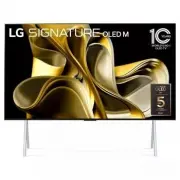
LG OLED97M3PUA TV – User Manual, read for free online in PDF format. We hope this helps you resolve any issues you may have. If you have further questions, please contact us through the contact form.


Table of Contents:
- Page 2 – Important Safety Instruction
- Page 3 – Warning! Safety instructions; CAUTION; Do not place the product and/or remote control in the following
- Page 5 – Note; Reading the User Guide; Images shown in this manual may differ from the actual product.; Optional Extras; Magic Remote Control; : A stand for placing the TV screen vertically on the floor; Wall mount; : A wall mount for fixing the TV screen to the wall; External device connection cable; : Cables for connecting external devices such as antennas to the TV; Before reading this manual; Understanding 60 GHz wireless
- Page 6 – Installing and Using; TV Screen; Front and top views
- Page 7 – Installing the TV Screen; Installing as a stand; Installing as a wall mount
- Page 8 – Installing Zero Connect Box; Choosing the Installation Location; Checking Wireless Signal Strength
- Page 9 – Recommended installation methods; When Installing in a Straight Line in Front of; wireless signal receiver of the TV screen; towards the top LED; Box is facing the; Adjust the sliding button on the Zero Connect Box; towards the top LED
- Page 10 – When Installing Beside the TV Screen; Adjust the sliding button on the Zero Connect Box to the; Center; When Installing Below the TV Screen; Box is aimed at; the viewer facing the TV screen; direction of the sliding button towards the viewer.; opposite
- Page 11 – When Installing Behind the TV Screen; the wireless receiver of the; Connecting External Terminals; Input button; Installing Antenna/Cable; HDMI
- Page 12 – IR Blaster; Caution; Using the TV; Using the power button; Press the; power button; ) located on the bottom of the TV briefly to turn; Using hands-free voice control; Press the remote control
- Page 13 – Managing; Protecting the OLED TV Screen; Other static screens or screens that repeat the same scene; Recommendations for Minimizing Image; When watching TV for extended periods, press the remote control; Running Pixel Cleaning
- Page 14 – Troubleshooting; Power and Screen; Bright Dots: dots that appear brighter than normal image; Zero Connect Box Connection; Clear any objects between the TV screen and the Zero Connect Box.
- Page 15 – Clear any objects in front of the TV screen.; Noise; considered a product defect or malfunction.; Clear any objects between the TV screen and the remote control.
- Page 19 – Regulatory
- Page 20 – NOTE TO CABLE/TV INSTALLER; ALWAYS use furniture that can safely support the television set.; Symbols; Refers to class II equipment.
- Page 24 – Model; LG Customer Information Center
ENGLISH
_in
dex
Printed in Korea
Copyright © 2023 LG Electronics Inc.
All Rights Reserved.
Please read this manual carefully before operating your set and retain it for
future reference.
OLED TV Usage and Management
Model : OLED97M3PUA
*MFL719463582306REV02*
"Loading the manual" means you need to wait until the file loads and becomes available for online reading. Some manuals are very large, and the time they take to appear depends on your internet speed.
Was this manual helpful?
About this manual
- Brand
- LG
- Model
- OLED97M3PUA
- Document type
- User Manual
- Category
- TV
- Language(s)
- English
- Pages
- 24
- File size
- 2.2 MB
- Format
Summary
2 Important Safety Instruction • Read these instructions. • Keep these instructions. • Heed all warnings. • Follow all instructions. • Do not use this apparatus near water. • Clean only with dry cloth. • Do not block any ventilation openings. Install in accordance with the manufacturer’s instruction...
3 Warning! Safety instructions CAUTION RISK OF ELECTRIC SHOCK DO NOT OPEN CAUTION : TO REDUCE THE RISK OF ELECTRIC SHOCK, DO NOT REMOVE COVER (OR BACK). NO USER-SERVICEABLE PARTS INSIDE. REFER TO QUALIFIED SERVICE PERSONNEL. This symbol is intended to alert the user to the presence of uninsulated “d...
5 Note Reading the User Guide The user guide consists of a ‘Quick User Guide,’ enclosed with your TV purchase, and an ‘Electronic User Guide,’ stored as a programme on the TV. Quick User Guide Contains safety precautions that must be complied with when using the TV, component installation methods, a...





