Page 2 - TABLE OF CONTENTS
TABLE OF CONTENTS 10 How to Install the Unit10 Window Requirements10 Storm Window Requirements11 Preparation of Chassis11 Unit Installation 13 OPERATION 13 Control Panel and Remote Control14 Wireless Remote Control15 Ventilation 15 Air Direction 15 Additional Features 3 SAFETY INSTRUCTIONS 3 IMPORTA...
Page 3 - READ ALL INSTRUCTIONS BEFORE USE; Your safety and the safety of others are very important.; WARNING; INSTALLATION; SAFETY INSTRUCTIONS; including the following:
SAFETY INSTRUCTIONS READ ALL INSTRUCTIONS BEFORE USE Your safety and the safety of others are very important. We have provided many important safety messages in this manual and on your appliance. Always read and follow all safety messages. This is the safety alert symbol. This symbol alerts you to p...
Page 4 - OPERATION
4 SAFETY INSTRUCTIONS ● When the power cord is to be replaced, replacement work shall be performed by authorized personnel only using only genuine replacement parts. ● Connect to a properly rated, protected, and sized power circuit to avoid electrical overload. ● Always plug into a grounded outlet. ...
Page 5 - GROUNDING INSTRUCTIONS
● If water enters the product, turn off the power at the main circuit, then unplug the product and call for service. ● If the product has been submerged, contact an LG Electronics Customer Information Center for instructions before resuming use. ● Unplug the product when unused for long periods. ● U...
Page 6 - CAUTION; SAVE THESE INSTRUCTIONS
6 SAFETY INSTRUCTIONS CAUTION To reduce the risk of minor or moderate injury to persons, malfunction, or damage to the product or property when using this product, follow basic precautions, including the following: INSTALLATION ● Take care when installing the product that exhaust or condensation doe...
Page 7 - Exterior Parts; PRODUCT OVERVIEW
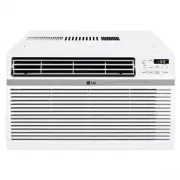
PRODUCT OVERVIEW Exterior Parts Interior Parts 1 Evaporator 2 Air Guide 34 Shround 5 Compressor 6 Condenser 7 Base Pan Power Cord 1 Control Panel 2 Remote Control 3 Air Filter 456 Front Grille Horizontal Air Deflector (Vertical Louver) Vertical Air Deflector (Horizontal Louver) 78 Cabinet Air Outlet...
Page 8 - Electrical Data
INSTALLATION Electrical Data Power cord may include a current interrupter device. TEST and RESET buttons are provided on the plug case. The device should be tested on TEST button and then the RESET button. If the TEST button does not trip or if the RESET button will not stay engaged, discontinue use...
Page 9 - Tools Needed
Parts Included (Appearance May Vary) Type 'A' Screws (11) Type 'B' Screws (5) Heatproof foam (2) (Adhesive backed) Right curtain panel Left curtain panel Foam strip (Non-adhesive) Foam-PE (2) (Adhesive backed) L bracket (3) Support bracket Tools Needed Phillips-head screwdriver Pencil Scissors or Cu...
Page 10 - Window Requirements; NOTE; How to Install the Unit
Window Requirements ● This unit is designed for installation in standard double hung windows with actual opening widths from 22" to 36". The top and bottom window sashes must open 13" from the bottom of the upper sash to the inside sill. 22" to 36" 13" min NOTE ● This product...
Page 11 - Preparation of Chassis
Unit Installation 1 Set the air conditioner in the window so that is centered. Place the air conditioner so that front edge of the bottom guide is against the back edge of the sill. Bring the window down so that the front edge of the upper guide is in front of the window. Make sure that air conditio...
Page 13 - Control Panel and Remote Control; Remote Control
OPERATION Control Panel and Remote Control Remote Control NOTE ● The feature may be changed according to the type of model. OPERATION 13 EN 1 Power Press to turn the air conditioner ON or OFF. 2 Fan Speed Press to set the fan speed to Low (F1), Medium (F2), or High (F3). 3 Delay ON/OFF TimerDelay ON...
Page 14 - Wireless Remote Control; Inserting Batteries
7 Clean Filter The Clean Filter LED lights up to notify you 8 Energy Saver In this mode the compressor and fan turn off when the set temperature is achieved. Approximately every 3 minutes the fan turns on to allow the unit sensor to accurately determine if more cooling is needed. 9 Timer Clear Cance...
Page 15 - Direction; Additional Features; Slinger Fan
Air Direction Ventilation Push the ventilation lever in to the closed position to maintain the best cooling performance. Pull the ventilation lever out to open the vent and draw fresh air into the room. of the air conditioner’s louvers. Direction levers of the vertical louvers to the left or right. ...
Page 16 - Cleaning the Air Conditioner; MAINTENANCE; Cleaning the Air Filter
MAINTENANCE 2 3 Gently shake the excess water from the filter. Cleaning the Air Conditioner ● Wipe the front grille and inlet grille with a cloth dampened in a mild detergent solution. ● Wash the cabinet with mild soap or detergent and lukewarm water, then polish using liquid appliance wax. NOTE ● ●...
Page 17 - Before Calling for Service; Normal Sounds You May Hear; TROUBLESHOOTING
TROUBLESHOOTING Before Calling for Service The appliance is equipped with an automatic error-monitoring system to detect and diagnose problems at an early stage. If the appliance does not function properly or does not function at all, check the following before you call for service. Normal Sounds Yo...
Page 20 - WARRANTY
WARRANTY WHAT THIS WARRANTY COVERS: LG Electronics U.S.A., Inc. (“LG”) warrants your LG Room Air Conditioner ("product") against defect in materials or workmanship under normal household use, during the warranty period set forth below, LG will, at its option, repair or replace the product. T...
Page 21 - FOR YOUR RECORDS
● Product where the original factory serial numbers have been removed, defaced or changed in any way. ● Repairs when product is used in other than normal and usual household use (e.g. rental, commercial ● The removal and reinstallation of the Product if it is installed in an inaccessible location. T...