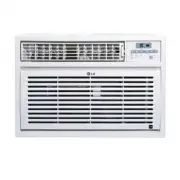
LG LW2412ER Air Conditioner – User Manual, read for free online in PDF format. We hope this helps you resolve any issues you may have. If you have further questions, please contact us through the contact form.
1
2
3
4
5
6
7
8
9
10
11
12
13
14
15
16
17
18
19
20
21
22
Table of Contents:
Page 2 – Before Operation
Page 11 – Tools needed; Location Requirements
Page 12 – Window Installation; Remove Packaging Materials; Unpack the Air Conditioner
Page 15 – Completing the Installation
Page 16 – POWER; Med; OPERATION MODE SELECTOR; before the air conditioner will turn off.
Page 17 – CAUTION; months of use, or when the remote control starts to lose power.; Power
Page 18 – Timer; To clear Timer delay program:
Page 19 – Normal Sounds
Page 20 – Cleaning the Air Filter; Cleaning the Front Panel
Loading the manual
LW1512ER,LW1812ER,LW2412ER
0010539272
"Loading the manual" means you need to wait until the file loads and becomes available for online reading. Some manuals are very large, and the time they take to appear depends on your internet speed.
Summary
Page 2 - Before Operation
Page 11 - Tools needed; Location Requirements
Parts supplied: Check that all parts are included in parts package. Gather the required tools and parts before starting installation. Read and follow the instructions provided with any tools listed here. Tools needed Phillips head screwdriver Flat-blade screwdriverScissorsLevel Socket wrench and soc...
Page 12 - Window Installation; Remove Packaging Materials; Unpack the Air Conditioner
Window Installation Window opening measurements: A B A. Width B. Height Remove Packaging Materials NOTE:The air conditioner must set upright for one hour before operating. Remove and dispose of/recycle packaging materials. Remove tape and glue residue from surfaces before turning on the air conditio...
Page 15 - Completing the Installation
Completing the Installation A B 1.Insert the foam seal behind the top of the lower window sash and against the glass of the upper window. A. Top of lower window sashB. Foam seal 2.Place the window lock bracket as shown. Use a1/8” drill bit to drill a starter hole through the hole in the window lock ...
Page 16 - POWER; Med; OPERATION MODE SELECTOR; before the air conditioner will turn off.
REMOTE CONTROLLER POWER Operation starts when this button is pressed and stops when you press the button again. FAN SPEED SELECTOR For increased power while cooling,select a higher fan speed. 3 steps:High Low. Med ON/OFF TIMER OPERATION MODE SELECTOR before the air conditioner will turn off. b. Pres...
Page 17 - CAUTION; months of use, or when the remote control starts to lose power.; Power
TEMPERATURE CONTROL REMOTE CONTROL SENSOR CAUTION The Remote Controller will not function properly if strong light strikes the sensor windowof the air conditioner or if there are obstacles between the Remote Controller and the airconditioner. Press the TEMP/TIME up arrow button to raise the temperat...
Page 18 - Timer; To clear Timer delay program:
To set the Timer for a 1-hour to 24-hour delay before the air conditioner is turnedoff (the air conditioner must be On): 1. Press TIMER. T LPHU2))LQGLFDWRUOLJKWRQWKHDLUFRQGLWLRQHUFRQWUROSDQHOZLOOÀDVK 2. Press the TEMP/TIME up or down arrow button to change the delay time from 1 hour to 24 hours. 3. ...
Page 19 - Normal Sounds
When your air conditioner is operating normally, you may hear sounds such as: Droplets of water hitting the condenser, causing a pinging or clicking sound. The water droplets help cool the condenser.Air movement from the fan. Clicks from the thermostat cycle. Vibrations or noise due to poor wall or ...
Page 20 - Cleaning the Air Filter; Cleaning the Front Panel
B. Front panel Your new air conditioner is designed to give you many years of dependable service. Thissection tells you how to clean and care for your air conditioner properly. filter helps remove dust, lint, and other particles from the air and is important for best cooling andoperating efficiency....