Page 2 - ENGLISH; Table of contents
3 3 10 2 ENGLISH Model/Serial record Basic safety precautions Parts and Features Starting Adjusting the temperatures and functions Adjusting the temperatures and display Operating the dispenser Setting the functions Shelf Freezer door bin Dairy corner Adjustable door bin Refrigerator gallon bin Refr...
Page 3 - Introduction; Date of purchase; Basic safety precautions; DANGER
Introduction 3 Model/Serial record The model and serial numbers are found on the inner case or back of refrigeratorcompartment of this unit. These numbers are unique to this unit and notavailable to others. You should record requested information here and retainthis guide as a permanent record of yo...
Page 4 - Read all instructions before using this appliance.; WARNING; When connecting the power; Use a dedicated outlet.; • Using several devices at one outlet may cause a fire.; WARNING; Wash hands after handling.; Do not extend or modify the length of the power plug.
ENGLISH Introduction 4 WARNING To reduce the risk of fire, electric shock, or personal injury when using yourproduct, basic safety precautions should be followed, including the following. Read all instructions before using this appliance. WARNING TIP-OVER HAZARD Use two or more people to move and in...
Page 5 - Wait for 5 minutes or longer when reconnecting the plug.
Introduction 5 Remove water or dust from the power plug and insert itwith the ends of the pins securely connected. Dust, water, a loose connection may cause a fire or electricshock. Do not use the power cord or the power plug if it isdamaged or if the holes of the outlet are loose. It may cause elec...
Page 6 - When using the refrigerator; It may cause serious injure.; Prevent children from entering the product.; It may cause explosion or fire.
ENGLISH Introduction 6 2. When using the refrigerator Do not place heavy or dangerous objects on therefrigerator. It may fall and cause injury, fire, electric shock when opening orclosing the door. Do not install the refrigerator in a damp place or a placewhere water drips or splashes, like near a s...
Page 7 - It may cause electric shock or fire.; Do not use combustible sprays (including cooking sprays,
Introduction 7 If your refrigerator is leaking, have it checked by anauthorized service technician before operating it. It may cause electric shock or fire. Turn off the refrigerator if you will not be using it for anextended period of time, or in the event of a severe electricalstorm. Press the POW...
Page 8 - Child entrapment generally results in death by suffocation.; Install the refrigerator on a solid and level floor.; It may cause electric shock or injury.; CAUTION; Doing so may cause injury.
ENGLISH Introduction 8 When disposing the refrigerator, remove the packingmaterials from the door or take off the doors but leave theshelves in place so that children may not easily climb inside. Child entrapment generally results in death by suffocation. This appliance is not intended for use by pe...
Page 9 - It may cause frostbite.; It may freeze the contents to break the bottle, causing injury.
Introduction 9 Do not touch food or containers in the freezer with wethands. It may cause frostbite. Do not put ice in a thin crystal cup or ceramic ware. The glass may shatter and present a hazard. When the electricity is off, remove ice from the ice bucket. If the power is off long enough, the ice...
Page 10 - Parts and Features; Do not put pets into the refrigerator.
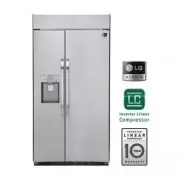
ENGLISH Introduction 10 Parts and Features Freezer Compartment Refrigerator Compartment Dairy Corner LED FunctionDisplay Board LED Lamp Automatic Icemaker Top Cover Shelf Shelf Door Rack Drawer (3) Lower Cover Shelf Shelf LED Lamp Filter Gallon bin Adjustable door bin Adjustable door bin Drawer(3) B...
Page 11 - Operation; Starting
Operation 11 Starting When your refrigerator is first installed, allow it to stabilize at normal operatingtemperatures for 2-3 hours prior to filling it with fresh or frozen foods. If operation is interrupted, wait 5 minutes before restarting. Adjusting the temperatures and functions Dispenser Push ...
Page 12 - LED Function display board
ENGLISH Operation 12 1 2 3 4 5 6 7 8 9 10 11 12 POWER Power on/off. Press and hold the POWER button for 3 seconds to turn the power on oroff. And you can turn on the refrigerator with same way. QUICK FREEZING When the QUICK FREEZING button is pressed, the display will indicate the selectedfunction h...
Page 13 - Adjust freezer; Adjusting the temperatures and display; NOTE
Operation 13 Adjust freezer temperature Adjust refrigerator temperature To adjust the temperature in the freezercompartment, press the FRZ.TEMP. button tocycle through the range of available settings. To adjust the temperature in the refrigeratorcompartment, press the REF.TEMP. button tocycle throug...
Page 14 - spilling and splashing.; Operating the dispenser
ENGLISH Operation 14 Dispensing crushed ice Dispensing cubed ice Press the DISPERNSER SELECTION button repeatedly untilthe crushed ice icon illuminates. Press the Dispenser Push Switch with a glass or othercontainer to dispense crushed ice. Press the DISPERNSER SELECTION button repeatedly untilthe c...
Page 15 - Setting the functions
Operation 15 15 Setting the Child Lock Setting the door alarm Resetting the filter indicator Activating Quick Freezing Press the button for the desired function to view and select other settings. Press and hold the CHILD LOCK button for three seconds tolock the dispenser and all of the other control...
Page 16 - The POWER button will turn off all electrical power to the unit.; Automatic; After dispenser
ENGLISH Operation 16 16 Power on/off The POWER button will turn off all electrical power to the unit. Press and hold the POWER button for 3 seconds to turn off thepower. When the power is off, the indicator light is off. It meansyou don’t have to turn off power at the circuit breaker or wallreceptac...
Page 17 - Ice is lumped together; If ice is not used frequently, it may lump together.; Power failure
Operation 17 Ice is lumped together When ice is lumped together, take the ice lumps out of the ice storage bin,break them into small pieces, and then place them into the ice storage binagain. When the icemaker produces too small or lumped together ice, the amountof water supplied to the ice maker ma...
Page 18 - Doing so may damage the icemaker or the containers may burst.
ENGLISH Operation 18 Throw away the first few batches of ice (about 24 cubes) and water(about 7 glasses) first made after refrigerator installation. The first ice and water may include particles or odor from the feed water pipeor feed water box. This is also necessary if the refrigerator has not bee...
Page 19 - Shelf; Hold the front part of the shelf and lift it up; Freezer door bin; Store small packaged frozen food.
Operation 19 Shelf The shelves in your refrigerator are adjustable tomeet your individual storage needs. How to use 1. Hold the front part of the shelf and lift it up slightly. 2. While holding the shelf, tilt the shelf to pull it out. Make sure that shelves are level from one side tothe other. Fail...
Page 20 - Adjustable door bins; You can store dairy goods like butter, cheese etc.; How to
ENGLISH Operation 20 Adjustable door bins You can store small packaged refrigerated food or beverages such as milk, canneddrinks, etc. The door adjustable bins are removable for easy cleaning and adjustment. How to use You must remove the dairy corner beforedisassembling the adjustable door bin. To ...
Page 21 - Refrigerator gallon bin; For storing larger containers, such as gallons of milk.; Refrigerator/Freezer drawers; Hold the front handle of the drawer and pull it out until it stops.
Operation 21 Refrigerator gallon bin For storing larger containers, such as gallons of milk. How to use Hold the bin with both hands, lift up and pull out. How to disassemble Hold the bin with both hands and click itinto place, one side at a time. How to reassemble Refrigerator/Freezer drawers For c...
Page 22 - How to replace the water filter
ENGLISH Operation 22 How to disassemble How to replace the water filter It is recommended that you replace the water filter: - Approximately every six months. - When the water filter indicator turns on. - When the water dispenser output decreases. - When the ice cubes are smaller than normal. 1. Rem...
Page 23 - - Take the new water filter out of its packing and
Operation 23 2. Replace with a new water filter. - Take the new water filter out of its packing and remove the protective cover from the o-rings. Withwater filter tabs in the horizontal position, push thenew water filter into the manifold hole until it stops. - Rotate the water filter up into positi...
Page 24 - Suggestion on food storage; Food storage guide; Store small packed frozen food.
ENGLISH Suggestion on food storage 24 Food storage guide (Refer to identification of parts) Store various frozen foods such as meat, fish, ice cream,frozen snacks, etc. Store small packed frozen food. Temperature is likely to increase as door opens. Thetemperature in the door racks is likely to incr...
Page 25 - Tightly wrap food or store it in a container with a lid.; Freezer
Suggestion on food storage 25 Food storage guide Store fresh food in the refrigerator compartment. How food is frozen and thawedis an important factor in maintaining its freshness and flavor. Do not store food that spoils quickly, such as bananas and melons, at lowtemperatures. Allow hot food to coo...
Page 26 - Care and maintenance; General information; enough for air to get in. This stops odor and mold from building up.
ENGLISH Care and maintenance 26 General information If you choose to leave the refrigerator on while you are away, follow these steps toprepare your refrigerator before you leave.1. Use up any perishables and freeze other items.2. Turn off the icemaker and empty the ice bin. If you choose to turn th...
Page 27 - Cleaning; Exterior
Care and maintenance 27 Cleaning Regular cleaning is recommended. Wash all compartments in a baking soda solutionor a mild detergent and warm water. Rinse and dry. Please verify that the power cord is not damaged or overheated. Also verify the powerplug is inserted completely into power outlet. Alwa...
Page 28 - Smart Diagnosis; refrigerator door again after closing all door to activate it.; Hold the mouthpiece of your phone in front of the; - Check whether the microphone of the handset is facing; How to use; button pressed until the display screen goes off.
ENGLISH Care and maintenance 28 Smart Diagnosis Should you experience any problems with your refrigerator, it has the capability oftransmitting data via your telephone to the LG service center. This gives you thecapability of speaking directly to our trained specialists. The specialist records the d...
Page 29 - Troubleshooting guide; COOLING; Refrigerator and
Care and maintenance 29 Troubleshooting guide COOLING Before conducting troubleshooting, make sure that the following basic requirementsare met: Service Flow Water Supply Water Pressure Operating Ambient Temperature Limits Electrical Ratings 0.5 gpm (1.9 lpm) Potable Water 40-120 psi (138 - 827 kPa)...
Page 30 - Doors are not closed completely.; Cooling System
ENGLISH Care and maintenance 30 Refrigerator is replacing an oldermodel. Refrigerator was recently pluggedin or power restored. Door opened often or a largeamount of food / hot food wasadded. Doors are not closed completely. Refrigerator is installed in a hotlocation. Condenser / back cover is clogg...
Page 31 - Refrigerator was recently installed.; Refrigerator or
Care and maintenance 31 Refrigerator was recently installed. Air vents are blocked. Doors are opened often or for longperiods of time. Unit is installed in a hot location. A large amount of food or hot foodwas added to either compartment. Doors not closed correctly. Temperature control is not setcor...
Page 32 - Doors not closed correctly.; Interior moisture
ENGLISH Care and maintenance 32 ENGLISH Doors are opened often or for longperiods of time. Doors not closed correctly. Weather is humid. Defrost cycle recently completed. Food is not packaged correctly. When the doors are opened often or forlong periods of time, warm, humid airenters the compartment...
Page 33 - Door is not closing properly.
Care and maintenance 33 COOLING/ICE & WATER Food with high water content wasplaced near an air vent. Refrigerator temperature control isset incorrectly. Refrigerator is installed in a coldlocation. Rearrange items with high water contentaway from air vents. If the temperature is too cold, adjust...
Page 34 - Water filter has been exhausted.; Icemaker is not
ENGLISH Care and maintenance 34 34 Demand exceeds ice storagecapacity. House water supply is notconnected, valve is not turned onfully, or valve is clogged. Water filter has been exhausted. Low house water supply pressure. Reverse Osmosis filtration systemis used. Tubing connecting refrigerator toho...
Page 36 - Not dispensing
ENGLISH Care and maintenance 36 Doors are not closed completely. Infrequent use of the dispenser. The delivery chute is clogged withfrost or ice fragments. The dispenser display is locked. Ice bin is empty. Ice will not dispense if any of therefrigerator doors are left open. Infrequent use of the ic...
Page 37 - Icemaker not turned on.
Care and maintenance 37 Refrigerator was recently installedor icemaker recently connected. Icemaker not turned on. The ice detecting sensor isobstructed. The refrigerator is not connectedto a water supply or the supplyshutoff valve is not turned on. Icemaker shutoff (arm or sensor)obstructed. Revers...
Page 38 - The dispenser panel is locked.
ENGLISH Care and maintenance 38 New installation or water linerecently connected. The dispenser panel is locked. The dispenser is not set for waterdispensing. Refrigerator or freezer doors arenot closed properly. Water filter has been recentlyremoved or replaced. Tubing connecting refrigerator tohou...
Page 39 - Ice has bad taste
Care and maintenance 39 Water supply contains mineralssuch as sulfur. Icemaker was recently installed. Ice has been stored for too long. The food has not been storedproperly in either compartment. The interior of the refrigeratorneeds to be cleaned. The ice storage bin needs to becleaned. A water fi...
Page 41 - NOISE
Care and maintenance 41 NOISE The defrost control will click whenthe automatic defrost cycle beginsand ends. The thermostat control(or refrigerator control on somemodels) will also click whencycling on and off. Normal Operation Clicking Rattling noises may come from theflow of refrigerant, the water...
Page 42 - Normal Operation
ENGLISH Care and maintenance 42 If the side or back of the refrigeratoris touching a cabinet or wall, some ofthe normal vibrations may make anaudible sound. To eliminate the noise, make sure that thesides and back cannot vibrate against anywall or cabinet. Vibrating Water running into the drain pand...
Page 43 - Refrigerator is not leveled properly.
Care and maintenance 43 PARTS & FEATURES Food packages are blocking the dooropen. Ice bin, crisper cover, pans, shelves,door bins, or baskets are out ofposition. The doors were removed duringproduct installation and not properlyreplaced. Refrigerator is not leveled properly. The door hinges are ...
Page 44 - The following occurrences are normal.; Noise; Occurrence; Door open
ENGLISH Care and maintenance 44 It is Normal... The following occurrences are normal. Noise Occurrence When you hear Tick or Clicksound When you hear Duddle-lunk, Bla-dunk, or Varrooom When you hear sound ofwater flowing When you hear the sound ofair moving like Valoosh orZZZZip or Whooosh whenclosi...
Page 47 - Register your product Online!
For inquires or comments, visit www.lg.com or call; 1-800-243-0000 USA, Consumer User 1-888-865-3026 USA, Commercial User 1-888-542-2623 CANADA www.lg.com Register your product Online! LG Customer Information Center