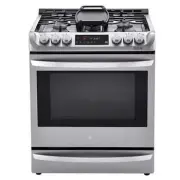
Page 2 - TABLE OF CONTENTS
2 TABLE OF CONTENTS TABLE OF CONTENTS 3 PRODUCT FEATURES 4 IMPORTANT SAFETY INSTRUCTIONS 12 PRODUCT OVERVIEW 12 Parts12 Accessories 13 INSTALLATION 13 Product Specifications13 Before Installing the Range14 Installing the Range16 Optional Rear Filler17 Providing Adequate Gas Supply18 Connecting the R...
Page 3 - PRODUCT FEATURES
3 PRODUCT FEATURES ENGLISH PRODUCT FEATURES Multiple Gas Burner Sizes Choose a burner to fit the size of your cookware.Cooking multiple items at once is possible by using different burners at the same time. Self Clean & EasyClean ® Useful for easy cleaning.
Page 4 - IMPORTANT SAFETY INSTRUCTIONS; WARNING; TO REDUCE THE RISK OF TIPPING, THE APPLIANCE MUST BE SECURED
4 IMPORTANT SAFETY INSTRUCTIONS IMPORTANT SAFETY INSTRUCTIONS Read and follow all instructions when using the range to prevent the risk of fire, electric shock, personal injury, or damage. This guide does not cover all possible conditions that may occur. Always contact your service agent or manufact...
Page 5 - IMPORTANT SAFETY NOTICE
5 IMPORTANT SAFETY INSTRUCTIONS ENGLISH • Do not rest large, heavy items such as whole turkeys on the open oven door. The range could tip forward and cause injury. • Reengage the anti-tip device after pulling the range out for cleaning, service, or any other reason. • Failure to follow these instruc...
Page 7 - INSTALLATION SAFETY PRECAUTIONS; use with either type of gas. See the installation instructions.
7 IMPORTANT SAFETY INSTRUCTIONS ENGLISH INSTALLATION SAFETY PRECAUTIONS Have the installer show you the location of the range gas shut-off valve and how to shut it off if necessary. WARNING • Make sure your range is properly installed and grounded by a qualified installer, according to the installat...
Page 8 - SURFACE BURNERS; Off
8 IMPORTANT SAFETY INSTRUCTIONS WARNING • To shut off the gas supply to the range, close the range gas shutoff valve by turning it clockwise. Adapter( 1 / 2 "-14 NPT) 1 / 2 " Adapter Pressure regulator Range gas shut-off valve Gas Flow into Range Installer: Inform the consumer of the locatio...
Page 9 - CAUTION
9 IMPORTANT SAFETY INSTRUCTIONS ENGLISH CAUTION • Be sure that all surface controls are set in the Off position prior to supplying gas to the range. • Never leave the surface burners unattended at high flame settings. Boilovers may cause smoke and greasy spillovers that may ignite. • Always turn the...
Page 10 - BROILER; COOK MEAT AND POULTRY THOROUGHLY; OVEN
10 IMPORTANT SAFETY INSTRUCTIONS BROILER Always use a broiler pan and a grid for excess fat and grease drainage. This will help to reduce splatter, smoke, and flare-ups. WARNING When using your broiler, the temperature inside the oven will be extremely high. Take caution to avoid possible burns by: ...
Page 11 - ENERGY SAVING TIPS; SAVE THESE INSTRUCTIONS
11 IMPORTANT SAFETY INSTRUCTIONS ENGLISH WARNING • Do not line oven walls or bottom with aluminum foil or allow them to contact exposed heating elements in the oven. Doing so could create a fire hazard or cause damage to the range. • Do not use the oven for storage. Items stored in the oven can catc...
Page 12 - PRODUCT OVERVIEW; Parts
12 PRODUCT OVERVIEW PRODUCT OVERVIEW Parts Gasket Oven mode knob Model & serial number plate Storage drawer Cooktop controller Oven door Cooktop Accessories Included Accessories Standard rack (3ea) Griddle (1ea) Rear filler (1ea) Owner’s manual (1ea) Anti-tip kit Anti-tip (1ea) Screws (6ea) Anch...
Page 13 - INSTALLATION; Product Specifications; Oven Range Models; Before Installing the Range; In the Commonwealth of Massachusetts
13 INSTALLATION ENGLISH INSTALLATION Product Specifications The appearance and specifications listed in this manual may vary due to constant product improvements. Oven Range Models LSD4913 Description Dual Fuel Range Electrical requirements 4.2 kW 120/240 VAC or 3.2 kW 120/208 VAC Exterior Dimension...
Page 14 - Installing the Range; Unpacking and Moving the Range; Choosing the Proper Location
14 INSTALLATION Installing the Range Unpacking and Moving the Range CAUTION • You should use two or more people to move and install the range. (Excessive Weight Hazard) Failure to do so can result in back or other injury. • Do not use the door handles to push or pull the range during installation or...
Page 15 - Dimensions and Clearances
15 INSTALLATION ENGLISH Dimensions and Clearances NOTE Save for the use of the local electrical inspector. 36" (91.4 cm) 29.8" (75.7 cm) 24" (60.9 cm) Cabinet Cabinet opening A Acceptable gas pipe and electrical outlet area 3" (7.6 cm) 24" (60.9 cm) 3" (7.6 cm) 25" (63.5 ...
Page 16 - Installing the Anti-tip Device; Optional Rear Filler; Installing the Rear Filler
16 INSTALLATION Installing the Anti-tip Device Anti-tip bracket Wall plate Screw must enter wood or concrete The anti-tip bracket is packaged with an installation template. The instructions include necessary information to complete the installation. Read and follow the range installation instruction...
Page 17 - Providing Adequate Gas
17 INSTALLATION ENGLISH Providing Adequate Gas Supply Your range is designed to operate at a pressure of 5" of water column on natural gas or 10" of water column on LP.Make sure you are supplying your range with the type of gas for which it is configured.This range is convertible for use on ...
Page 18 - Connecting the Range to Gas
18 INSTALLATION Connecting the Range to Gas Shut off the range gas supply valve before removing the old range and leave it off until the new hook-up has been completed.Because hard piping restricts movement of the range, the use of a CSA International-certified flexible metal appliance connector sho...
Page 19 - Connecting Electricity; Electrical Requirements; Connecting the Power Cord
19 INSTALLATION ENGLISH Connecting Electricity Electrical Requirements This appliance must be installed and grounded on a branch circuit by a qualified technician in accordance with the National Electrical code ANSI/NFPA NO. 70 - latest edition.All wiring should conform to Local and NEC codes. This ...
Page 22 - Assembling the Surface; Checking Ignition of the; Electric Ignition
22 INSTALLATION Assembling the Surface Burners CAUTION Do not operate the burners without all parts in place. Place the burner caps and heads on the cooktop. Make sure that the caps and heads are placed in the correct locations. There is one small, one medium, one large, one oval(center), and one ex...
Page 23 - Checking Operation of Bake / Broil; Adjusting Air Shutters (for LP; Leveling the Range
23 INSTALLATION ENGLISH Checking Operation of Bake / Broil Burners To check ignition of the Bake burner, follow the steps below: 1 Remove all packing materials from inside the oven cavity. 2 Turn oven mode knob to select Bake . 350 °F appears in the display. 3 Press Start . It may take between 30 an...
Page 24 - OPERATION; Gas Surface Burners; Before Use
24 OPERATION OPERATION Gas Surface Burners Before Use Read all instructions before using. Make sure that all burners are properly placed. Make sure that all grates are properly placed before using the burner. CAUTION Do not operate the burner for an extended period of time without cookware on the gr...
Page 25 - Burner Locations; Setting the Flame Size
25 OPERATION ENGLISH Burner Locations Your gas range cooktop has four or five sealed gas burners, depending on the model. These can be assembled and separated. Follow the guide below. 1 4 2 3 1 Medium and Large Burners The medium and large burners are the primary burners for most cooking. These gene...
Page 26 - In Case of Power Failure; Using a Wok
26 OPERATION In Case of Power Failure In case of a power failure, you can light the gas surface burners on your range with a match.Surface burners in use when an electrical power failure occurs will continue to operate normally. 1 Hold a lit match to the burner, then push in the control knob. 2 Turn...
Page 27 - Using Stove-Top Grills; Using the Griddle
27 OPERATION ENGLISH Using Stove-Top Grills Do not place stove-top grills on the burner. CAUTION Do not use stove top grills on the surface burners. Using a stove top grill on the surface burner will cause incomplete combustion and can result in exposure to carbon monoxide levels above allowable cur...
Page 28 - The Oven
28 OPERATION The Oven Before Use Read all instructions before using. Make sure the electrical power cord and the gas valve are properly connected. Confirm the correct usage of the range for the type of food you will cook. Make sure you know how to use the oven (temperature setting, time setting and ...
Page 29 - Control Panel Overview
29 OPERATION ENGLISH 1 Smart Diagnosis TM • Use during the Smart Diagnosis feature. 2 Cook Time Press the button to set the desired amount of time for food to cook. The oven shuts off when the set cooking time runs out. 3 Start Time Press the button to set the delayed timed cook. The oven starts at ...
Page 30 - Changing Oven Settings; Clock
30 OPERATION Changing Oven Settings Clock The clock must be set to the correct time of day in order for the automatic oven timing functions to work properly. 1 Set the oven mode knob to the Off position. 2 Press Clock . CLO shows in the display. 3 Press plus(+) or minus(-) to select the desired time...
Page 31 - Settings
31 OPERATION ENGLISH Timer On/Off The Timer On/Off serves as an extra timer in the kitchen that beeps when the set time has run out. It does not start or stop cooking.The Timer On/Off feature can be used during any of the oven control functions. Setting the Timer 1 Set the oven mode knob to the Off ...
Page 32 - Lockout
32 OPERATION Adjusting the Oven Thermostat Your new oven may cook differently from the one it replaced. Use your new oven for a few weeks to become more familiar with it before changing the temperature settings. If after familiarizing yourself with the new oven, you still think that it is too hot or...
Page 34 - Removing and Replacing the Oven
34 OPERATION Removing and Replacing the Oven Racks CAUTION • Replace the oven racks before turning the oven on to prevent burns. • Do not cover the racks with aluminum foil, or any other material, or place anything on the bottom of the oven. Doing so will result in poor baking performance and may da...
Page 35 - Convection Mode
35 OPERATION ENGLISH Convection Mode The convection system uses a fan to circulate the heat evenly within the oven. Improved heat distribution allows for even cooking and excellent results while cooking with single or multiple racks. Setting the Convection Function (example, 375 °F) 1 Turn the oven ...
Page 36 - Recommended Baking and Roasting Guide
36 OPERATION Recommended Baking and Roasting Guide Baking results will be better if baking pans are centered in the oven as much as possible. If cooking on multiple racks, place the oven racks in the positions shown. Rack and Pan Placement Single rack baking Rack Multiple rack baking Rack (Position ...
Page 37 - Broil
37 OPERATION ENGLISH Broil The Broil function uses intense heat from the upper heating element to cook food. Broiling works best for tender cuts of meat, fish, and thinly cut vegetables. Some models may feature a hybrid broiler consisting of an inner broiler that utilizes a carbon heating element wh...
Page 38 - Recommended Broiling Guide
38 OPERATION Recommended Broiling Guide The size, weight, thickness, starting temperature, and your preference of doneness will affect broiling times.This guide is based on meats at refrigerator temperature. For best results when broiling, use a pan designed for broiling. Food Quantity and/or Thickn...
Page 39 - Warm
39 OPERATION ENGLISH Tips for BroilingBeef • Steaks and chops should always be allowed to rest for five minutes before being cut into and eaten. This allows the heat to distribute evenly through the food and creates a more tender and juicy result. • Pieces of meat that are thicker than two inches sh...
Page 40 - Remote Start
40 OPERATION Remote Start If the appliance is registered on a home Wi-Fi network, this function starts or stops the pre-heating function of the appliance. Follow the instructions on page 41 to register the appliance on the network. Set the oven mode knob to the Remote Start position to use the funct...
Page 41 - SMART FUNCTIONS; LG ThinQ Application; LG ThinQ Application Features
41 SMART FUNCTIONS ENGLISH SMART FUNCTIONS LG ThinQ Application This feature is only available on models with the f or logo. The LG ThinQ application allows you to communicate with the appliance using a smartphone. LG ThinQ Application Features Smart Diagnosis™ This function provides useful informat...
Page 42 - Installing the LG ThinQ Application; Open Source Software Notice
42 SMART FUNCTIONS NOTE • The wireless network name (SSID) should be a combination of English letters and numbers. (Do not use special characters.) • Smartphone user interface (UI) may vary depending on the mobile operating system (OS) and the manufacturer. • If the security protocol of the router i...
Page 43 - FCC Notice (For transmitter
43 SMART FUNCTIONS ENGLISH FCC Notice (For transmitter module contained in this product) This equipment has been tested and found to comply with the limits for a Class B digital device, pursuant to Part 15 of the FCC Rules. These limits are designed to provide reasonable protection against harmful i...
Page 44 - Smart DiagnosisTM Feature; Using LG ThinQ to Diagnose Issues
44 SMART FUNCTIONS Smart Diagnosis™ Feature This feature is only available on models with the c or d icon. Use this feature to help you diagnose and solve problems with your appliance. NOTE • For reasons not attributable to LGE’s negligence, the service may not operate due to external factors such a...
Page 45 - MAINTENANCE; Removing and Replacing the; Cleaning Burner Heads/Caps; After Cleaning the Burner Heads/
45 MAINTENANCE ENGLISH MAINTENANCE CAUTION • Do not clean this appliance with bleach. • To prevent burns, wait until the cooktop has cooled down before touching any of its parts. • Always wear gloves when cleaning the cooktop. Removing and Replacing the Gas Surface Burners Grates and burner heads/ca...
Page 46 - Burner Grates; Cleaning the Burner Grates; Cleaning the Cooktop Surface; Oven Air Vents; Control Panel
46 MAINTENANCE Burner Grates The range consists of three separate professional- style grates. For maximum stability, these grates should only be used when in their proper position. The center grate can be interchanged from front to back. Side grate Side grate Center grate NOTE Do not operate a burne...
Page 47 - Front Manifold Panel and Knobs; Cleaning the Exterior; Painted and Decorative Trim; Oven Door
47 MAINTENANCE ENGLISH Front Manifold Panel and Knobs It is best to clean the manifold panel after each use of the range. For cleaning, use a damp cloth and mild soapy water or a 50/50 solution of vinegar and water. For rinsing, use clean water and polish dry with a soft cloth. CAUTION • Do not use ...
Page 48 - Door Care Instructions; Oven Racks; EasyClean
48 MAINTENANCE CAUTION Do not use harsh cleaners or harsh abrasive cleaning materials on the outside of the oven door. Doing so can cause damage. Don’t hand clean oven door gasket Do hand clean door Door Care Instructions Most oven doors contain glass that can break. CAUTION • Do not close the oven ...
Page 49 - When to Use EasyClean; Cleaning Tips
49 MAINTENANCE ENGLISH When to Use EasyClean ® Suggested Cleaning Method Example of Oven Soiling Soil Pattern Types of Soils Common Food Items That Can Soil Your Oven EasyClean ® Small drops or spots Cheese or other ingredients Pizza Light splatter Fat/grease Steaks, broiled Fish, broiled Meat roast...
Page 51 - Self Clean; Before Starting Self Clean; Setting Self Clean
51 MAINTENANCE ENGLISH Self Clean The Self Clean cycle uses extremely hot temperatures to clean the oven cavity. While running the Self Clean cycle, you may notice smoking or an odor. This is normal; especially if the oven is heavily soiled.During Self Clean, the kitchen should be well ventilated to...
Page 52 - Setting Self Clean with a Delayed
52 MAINTENANCE CAUTION Do not force the oven door open when the lock icon is displayed. The oven door remains locked until the oven temperature has cooled. Forcing the door open will damage the door. Setting Self Clean with a Delayed Start 1 Remove all racks and accessories from the oven. 2 Turn the...
Page 53 - Changing the Oven Light; Removing and Replacing; Removing the Door
53 MAINTENANCE ENGLISH Changing the Oven Light The oven light is a standard 40-watt appliance bulb. It turns on when the oven door is open. When the oven door is closed, press Light to turn it on or off. WARNING • Make sure that the oven and bulb are cool. • Disconnect the electrical power to the ra...
Page 54 - Removing the Drawer; Replacing the Drawer
54 MAINTENANCE Removing the Drawer CAUTION Disconnect the electrical power to the range at the main fuse or circuit breaker panel. Failure to do so can result in severe personal injury, death, or electrical shock. Most cleaning can be done with the drawer in place; however, the drawer may be removed...
Page 55 - TROUBLESHOOTING; FAQs
55 TROUBLESHOOTING ENGLISH TROUBLESHOOTING FAQs What types of cookware are recommended for use with the cooktop? • The pans must have a flat bottom and straight sides. • Only use heavy- gauge pans. • The pan size must match the amount of food to be prepared and the size of the surface element. • Use...
Page 57 - Before Calling for Service
57 TROUBLESHOOTING ENGLISH Before Calling for Service Before you call for service, review this list. It may save you time and expense. The list includes common occurrences that are not the result of defective workmanship or materials in this appliance. Symptoms Possible Cause / Solutions Top burners...
Page 66 - MEMO
Page 67 - MANUAL DEL PROPIETARIO; COCINA DOBLE; ADVERTENCIA
ESPAÑOL MFL68920525_11 MANUAL DEL PROPIETARIO COCINA DOBLE COMBUSTIBLE Lea detenidamente el manual del propietario antes de poner el aparto en funcionamiento y consérvelo a mano en todo momento para su referencia. • No almacene ni use gasolina ni ningún otro tipo de vapores o líquidos inflamables ce...
Page 68 - ÍNDICE
2 ÍNDICE ÍNDICE 3 CARACTERÍSTICAS DEL PRODUCTO 4 INSTRUCCIONES IMPORTANTES DE SEGURIDAD 12 DESCRIPCIÓN GENERAL DEL PRODUCTO 12 Piezas12 Accesorios 13 INSTALACIÓN 13 Especificaciones del producto13 Antes de instalar la cocina14 Instalación de la cocina16 Barra Trasera Opcional17 Cómo brindar el sumin...
Page 69 - CARACTERÍSTICAS DEL PRODUCTO
3 CARACTERÍSTICAS DEL PRODUCTO ESPAÑOL CARACTERÍSTICAS DEL PRODUCTO Varios tamaños de quemadores de gas Elija un quemador que coincida con el tamaño de su batería de cocina.Es posible cocinar varias cosas a la vez si utiliza más de un quemador. Autolimpieza e EasyClean ® Útiles para una limpieza sen...
Page 70 - INSTRUCCIONES IMPORTANTES DE SEGURIDAD; DISPOSITIVO DE SEGURIDAD ANTIVUELCO; PARA REDUCIR EL RIESGO DE VUELCO, EL ELECTRODOMÉSTICO DEBE ESTAR
4 INSTRUCCIONES IMPORTANTES DE SEGURIDAD INSTRUCCIONES IMPORTANTES DE SEGURIDAD Lea y siga todas las instrucciones cuando utilice la cocina para evitar riesgos de incendios, descargas eléctricas, lesiones personales o daños. Esta guía no incluye todas las situaciones posibles que podrían ocurrir. Si...
Page 71 - AVISO IMPORTANTE DE SEGURIDAD
5 INSTRUCCIONES IMPORTANTES DE SEGURIDAD ESPAÑOL • No se pare ni se siente sobre la puerta del horno. La cocina podría inclinarse y usted podría sufrir lesiones con líquidos calientes derramados, alimentos calientes o la cocina misma. • No coloque objetos grandes y pesados, como pavos enteros, sobre...
Page 73 - PRECAUCIONES DE SEGURIDAD PARA LA INSTALACIÓN
7 INSTRUCCIONES IMPORTANTES DE SEGURIDAD ESPAÑOL PRECAUCIONES DE SEGURIDAD PARA LA INSTALACIÓN Pida que el instalador le muestre el lugar de la válvula que corta el gas de la cocina y cómo apagarla si fuera necesario. ADVERTENCIA • Haga que un instalador calificado instale y conecte a tierra su coci...
Page 74 - QUEMADORES DE SUPERFICIE
8 INSTRUCCIONES IMPORTANTES DE SEGURIDAD ADVERTENCIA • Si desea cerrar el paso del gas a la estufa, cierre la válvula de la tubería principal de gas girándola hacia la derecha. Adaptador ( 1 / 2 "-14 NPT) 1 / 2 " Adaptador Regulador de presión Válvula de corte de gas Flujo de gas a la estufa...
Page 75 - PRECAUCIÓN
9 INSTRUCCIONES IMPORTANTES DE SEGURIDAD ESPAÑOL PRECAUCIÓN • Asegúrese de que todos los controles de superficie estén en la posición Off antes de suministrar gas a la cocina. • Nunca deje los quemadores de superficie sin supervisión en ajustes de altas temperaturas. Las salpicaduras o los derrames ...
Page 76 - ASADOR; MODO CORRECTO DE COCINAR CARNES Y AVES; HORNO
10 INSTRUCCIONES IMPORTANTES DE SEGURIDAD ASADOR Siempre use una asadera con rejilla para drenar el exceso de grasa. Esto ayuda a reducir las salpicaduras, el humo y las llamaradas ocasionales. ADVERTENCIA Al usar el asador, la temperatura interior del horno será muy elevada. Tome precauciones para ...
Page 77 - SUGERENCIAS PARA AHORRAR ENERGÍA; GUARDE ESTAS INSTRUCCIONES
11 INSTRUCCIONES IMPORTANTES DE SEGURIDAD ESPAÑOL ADVERTENCIA • No recubra las paredes internas del horno ni el fondo con papel de aluminio ni permita que entren en contacto con elementos calentadores expuestos en el horno. Esto podría causar riesgo de incendio o daños a la cocina. • No utilice el h...
Page 78 - DESCRIPCIÓN GENERAL DEL PRODUCTO; Piezas
12 DESCRIPCIÓN GENERAL DEL PRODUCTO DESCRIPCIÓN GENERAL DEL PRODUCTO Piezas Junta Perilla de modo del horno Placa de modelo y número de serie Cajón de almacenamiento Controlador de la placa de cocción Puerta del horno Placa de cocción Accesorios Accesorios incluidos Estante estándar (3 c/u) Parrilla...
Page 79 - INSTALACIÓN; Especificaciones del producto; Modelos de cocinas con horno LSD4913; Antes de instalar la cocina; En el Commonwealth de Massachusetts
13 INSTALACIÓN ESPAÑOL INSTALACIÓN Especificaciones del producto La apariencia y las especificaciones detalladas en este manual podrían variar debido a mejoras constantes en el producto. Modelos de cocinas con horno LSD4913 Descripción Cocina doble combustible Requisitos eléctricos 4.2 kW 120/240 VA...
Page 80 - Elección de la ubicación adecuada; Instalación de la cocina; Desembalaje y traslado de la cocina
14 INSTALACIÓN Elección de la ubicación adecuada No instale la cocina donde podría estar sujeta a fuertes corrientes de aire. Debe sellar todas las aberturas del piso o la pared que están detrás de la cocina. Asegúrese de que las aberturas alrededor de la base de la cocina que brindan aire fresco pa...
Page 81 - Dimensiones y espacios libres
15 INSTALACIÓN ESPAÑOL Dimensiones y espacios libres NOTA Guarde para el uso del inspector eléctrico local. 36" (91,4 cm) 29,8" (75,7 cm) 24" (60,9 cm) Gabinete Hueco en el gabinete A Área aceptable para la tubería de gas y la toma de corriente. 3" (7,6 cm) 24" (60,9 cm) 3" (...
Page 82 - Instalación del dispositivo antivuelco; Barra Trasera Opcional; Instalar Barra Trasera
16 INSTALACIÓN Instalación del dispositivo antivuelco Soporte antivuelco Placa de pared El tornillo debe atravesar la madera o el hormigón Se incluye un soporte antivuelco con una plantilla de instalación. Las instrucciones incluyen la información necesaria para completar la instalación. Lea y siga ...
Page 83 - Cómo brindar el suministro
17 INSTALACIÓN ESPAÑOL Cómo brindar el suministro adecuado de gas Su cocina está diseñada para funcionar con una presión de 5" de columna de agua a gas natural o 10" de columna de agua a LP.Asegúrese de suministrar a su cocina el tipo de gas para el cual está configurada.Esta cocina es conve...
Page 84 - Conexión de la cocina al gas
18 INSTALACIÓN Conexión de la cocina al gas Corte el suministro de gas a la cocina con la válvula antes de retirar la cocina antigua y déjela de ese modo hasta que se haya completado la instalación nueva.Debido a que las tuberías rígidas restringen el movimiento de la cocina, se debe utilizar un con...
Page 85 - Conexión de la electricidad; Requisitos eléctricos; Conexión del cable de alimentación
19 INSTALACIÓN ESPAÑOL Conexión de la electricidad Requisitos eléctricos Un técnico calificado debe instalar este electrodoméstico e incluir una conexión a tierra en un circuito derivado, de acuerdo con el Código Eléctrico Nacional ANSI/NFPA N.° 70, en su edición más reciente.Todo el cableado debe c...
Page 86 - Conexión con cable de 3 hilos:; Conexión con cable de 4 hilos:
20 INSTALACIÓN Conexión con cable de 3 hilos: Cable de alimentación ADVERTENCIA • El hilo del medio (neutro o tierra), que es blanco, de un cable de alimentación de 3 hilos o un conducto de 3 hilos se debe conectar al poste medio del bloque de bornes principal. Los dos hilos restantes del cable de a...
Page 88 - Ensamblaje de los; Verificación de encendido de; Encendido eléctrico; Ajuste del quemador de superficie en
22 INSTALACIÓN Ensamblaje de los quemadores de superficie PRECAUCIÓN No haga funcionar los quemadores sin todas las piezas colocadas. Coloque las tapas de los quemadores y los cabezales sobre la placa de cocción. Asegúrese de que las tapas y los cabezales estén en las ubicaciones correctas. Hay un j...
Page 89 - Verificación de funcionamiento de los; Ajuste de los obturadores de aire (para; Nivelación de la cocina
23 INSTALACIÓN ESPAÑOL Verificación de funcionamiento de los quemadores para hornear / asar Para verificar el encendido del quemador para hornear, siga los pasos a continuación: 1 Retire todos los materiales de embalaje del interior de la cavidad del horno. 2 Gire la perilla de modo del horno hasta ...
Page 90 - FUNCIONAMIENTO; Quemadores de superficie a; Antes de usar
24 FUNCIONAMIENTO FUNCIONAMIENTO Quemadores de superficie a gas Antes de usar Lea todas las instrucciones antes de usar. Asegúrese de que todos los quemadores estén ubicados adecuadamente. Asegúrese de que todas las rejillas estén bien colocadas antes de usar el quemador. PRECAUCIÓN No haga funciona...
Page 91 - Ubicaciones de los quemadores; Ajuste del tamaño de llama
25 FUNCIONAMIENTO ESPAÑOL Ubicaciones de los quemadores La placa de cocción de su cocina de gas tiene cuatro o cinco quemadores a gas sellados, según el modelo. Estos se pueden ensamblar y separar. Siga la guía a continuación. 1 4 2 3 1 Quemadores mediano y grande Los quemadores mediano y grande son...
Page 92 - En caso de apagón; Batería de cocina para la superficie de
26 FUNCIONAMIENTO En caso de apagón En caso de corte de energía eléctrica, puede encender los quemadores de superficie de su cocina con una cerilla.Los quemadores de superficie que estaban en uso al producirse el apagón seguirán funcionando normalmente. 1 Sostenga una cerilla encendida cerca del que...
Page 93 - Uso de las rejillas en superficie; Uso de la parrilla
27 FUNCIONAMIENTO ESPAÑOL Uso de las rejillas en superficie No coloque rejillas sobre el quemador. PRECAUCIÓN No use rejillas sobre los quemadores de superficie. Si usa una rejilla sobre el quemador de superficie, la combustión sería incompleta, lo que generaría niveles de monóxido de carbono superi...
Page 94 - El horno
28 FUNCIONAMIENTO El horno Antes de usar Lea todas las instrucciones antes de usar. Asegúrese de que el cable de alimentación y la válvula de gas estén bien conectados. Confirme el uso correcto de la cocina para el tipo de alimento que desee cocinar. Asegúrese de saber cómo usar el horno (configurac...
Page 95 - Descripción general del panel de control
29 FUNCIONAMIENTO ESPAÑOL Descripción general del panel de control Hold 3 seconds 1 2 3 4 5 6 7 10 8 9 1 Smart Diagnosis TM • Uso durante la función Smart Diagnosis. 2 Cook Time (Tiempo de cocción) Presione el botón para configurar la cantidad de tiempo que se desea cocinar la comida. El horno se ap...
Page 96 - Cambio de las configuraciones; Configuraciones mínimas y máximas
30 FUNCIONAMIENTO Cambio de las configuraciones del horno Clock (Reloj) El reloj se debe configurar en la hora correcta del día para que las funciones automáticas del temporizador del horno funcionen de manera adecuada. 1 Coloque la perilla de modo del horno en la posición Off . 2 Presione Clock . C...
Page 100 - Extracción y colocación de los
34 FUNCIONAMIENTO Extracción y colocación de los estantes del horno PRECAUCIÓN • Coloque los estantes del horno antes de encenderlo para evitar quemaduras. • No cubra los estantes con papel de aluminio ni ningún otro material, ni coloque nada sobre el fondo del horno. Si lo hace, podría generar un p...
Page 101 - Modo de convección
35 FUNCIONAMIENTO ESPAÑOL Modo de convección El sistema de convección usa un ventilador para hacer circular el calor de manera pareja dentro del horno. La distribución de calor mejorada permite una cocción uniforme y resultados excelentes mientras cocina con uno o más estantes. Configuración de la f...
Page 102 - Guía de recomendaciones para
36 FUNCIONAMIENTO Guía de recomendaciones para hornear y rostizar Los resultados del horneado serán mejores si las bandejas están centradas en el horno lo mejor posible. Si se cocina en varios estantes del horno, colóquelos en la posición que se ilustra. Colocación de estantes y bandejas Horneado en...
Page 104 - Guía de recomendaciones para asar
38 FUNCIONAMIENTO Guía de recomendaciones para asar El tamaño, el peso, el espesor, la temperatura inicial y su preferencia de cocción afectarán el tiempo de asado.Esta guía se basa en carnes a temperatura de refrigerador. Para obtener mejores resultados al asar, use una bandeja especial para asar. ...
Page 107 - FUNCIONES; Aplicación LG ThinQ; Funciones de la aplicación LG ThinQ; Antes de usar la aplicación LG ThinQ
41 FUNCIONES INTELIGENTES ESPAÑOL FUNCIONES INTELIGENTES Aplicación LG ThinQ Esta característica solo está disponible en el modelo con el logo f o . La aplicación LG ThinQ le permite comunicarse con el electrodoméstico usando un teléfono inteligente. Funciones de la aplicación LG ThinQ Smart Diagnos...
Page 108 - Instalación de la aplicación LG ThinQ; Información del aviso de software de
42 FUNCIONES INTELIGENTES NOTA • La interfaz del usuario (UI) del teléfono inteligente puede variar según el sistema operativo (OS) y el fabricante. • Puede que la configuración de red falle si el protocolo de seguridad del router está en WEP . Cambie el protocolo de seguridad por otro (es recomenda...
Page 109 - Aviso de la FCC (para el
43 FUNCIONES INTELIGENTES ESPAÑOL Aviso de la FCC (para el módulo transmisor contenido en este producto) Este equipo fue probado y se determinó que cumple con los límites para los dispositivos digitales de Clase B, en conformidad con la parte 15 de las normas de la FCC. Estos límites están diseñados...
Page 110 - Función Smart DiagnosisTM; Uso de LG ThinQ para diagnosticar
44 FUNCIONES INTELIGENTES Función Smart Diagnosis™ Esta función solo está disponible en los modelos con el icono c o d . Utilice esta función como ayuda para diagnosticar y resolver problemas con su electrodoméstico. NOTA • Por motivos no atribuibles a la negligencia de LGE, es posible que el servic...
Page 111 - MANTENIMIENTO; Retiro y colocación de los; Limpieza de las tapas/los cabezales; Después de la limpieza de las tapas/los
45 MANTENIMIENTO ESPAÑOL MANTENIMIENTO PRECAUCIÓN • No limpie este electrodoméstico con blanqueador. • Para evitar quemaduras, espere hasta que la placa de cocción se haya enfriado antes de tocarla. • Siempre utilice guantes para limpiar la placa de cocción. Retiro y colocación de los quemadores de ...
Page 112 - Limpieza de la superficie de la placa de
46 MANTENIMIENTO Rejillas de los quemadores La cocina incluye tres rejillas profesionales independientes. Para lograr la estabilidad máxima, estas rejillas solo se deben usar en la posición correcta. La rejilla central se puede intercambiar del frente a la parte posterior. Rejilla lateral Rejilla la...
Page 113 - Perillas y panel del múltiple delantero; Limpieza del exterior; Reborde decorativo y pintado; Puerta del horno
47 MANTENIMIENTO ESPAÑOL Perillas y panel del múltiple delantero Es mejor limpiar el panel del múltiple cada vez después de usar el horno. Para limpiarlo, use un paño húmedo y una solución de agua jabonosa suave o una solución mitad agua y mitad vinagre. Para enjuagar, use agua limpia y lustre con u...
Page 114 - Instrucciones para el cuidado; Estantes del horno
48 MANTENIMIENTO PRECAUCIÓN No use limpiadores fuertes ni materiales abrasivos de limpieza en el exterior de la puerta del horno. Si lo hace, puede dañarlo. No limpie manualmente la junta de la puerta del horno No limpie manualmente la puerta Instrucciones para el cuidado de la puerta La mayoría de ...
Page 115 - Cuándo usar EasyClean; Consejos de limpieza; Guía de instrucciones de EasyClean
49 MANTENIMIENTO ESPAÑOL Cuándo usar EasyClean ® Método sugerido de limpieza Ejemplo de suciedad en el horno Forma de la suciedad Tipos de suciedad Alimentos comunes que pueden ensuciar el horno EasyClean ® Gotitas o manchitas Queso u otros ingredientes Pizza Salpicadura leve Grasa/aceite Bistecs, a...
Page 117 - Antes de comenzar la autolimpieza; Ajuste de autolimpieza
51 MANTENIMIENTO ESPAÑOL Self Clean (Autolimpieza) El ciclo de Autolimpieza usa temperaturas sumamente altas para limpiar la cavidad del horno. Mientras se ejecute el ciclo de Autolimpieza, es posible que perciba humo u olor. Esto es normal, especialmente si el horno está muy sucio.Durante el ciclo ...
Page 118 - Configuración de Autolimpieza con; Durante la Autolimpieza
52 MANTENIMIENTO PRECAUCIÓN No fuerce la puerta del horno para abrirla cuando vea el icono del candado. La puerta permanece trabada hasta que baja la temperatura del horno. Si abre la puerta a la fuerza, se dañará. Configuración de Autolimpieza con inicio retardado 1 Quite todos los estantes y los a...
Page 119 - Cambio de la luz del horno; Remoción y reemplazo de la; Remoción de la puerta
53 MANTENIMIENTO ESPAÑOL Cambio de la luz del horno La luz del horno es una bombilla estándar para electrodomésticos de 40 vatios. Se enciende cuando se abre la puerta del horno. Cuando la puerta del horno está cerrada, presione el botón Light para encenderla o apagarla. ADVERTENCIA • Asegúrese de q...
Page 120 - Colocación de la puerta; Reemplazo del cajón
54 MANTENIMIENTO Colocación de la puerta 1 Tome firmemente ambos lados de la puerta desde la parte superior. 2 Con la puerta en el mismo ángulo que la posición de remoción, apoye la hendidura de los brazos de las bisagras en el borde inferior de las ranuras de las bisagras. Las muescas de los brazos...
Page 121 - SOLUCIÓN DE; PREGUNTAS FRECUENTES
55 SOLUCIÓN DE PROBLEMAS ESPAÑOL SOLUCIÓN DE PROBLEMAS PREGUNTAS FRECUENTES ¿Qué tipo de batería de cocina se recomienda para usar con la placa de cocción? • Las sartenes deben tener fondo plano y laterales rectos. • Use solamente sartenes gruesas. • El tamaño de la sartén debe coincidir con la cant...
Page 123 - Antes de llamar al servicio técnico
57 SOLUCIÓN DE PROBLEMAS ESPAÑOL Antes de llamar al servicio técnico Antes de llamar para solicitar servicio, revise esta lista. Puede ahorrarle tiempo y gastos. La lista incluye sucesos comunes que no son consecuencia de problemas de fabricación ni de los materiales de este aparato. Síntomas Causas...