Page 2 - TABLE OF CONTENTS
TABLE OF CONTENTS 2 3 IMPORTANT SAFETY INSTRUCTIONS 3 READ ALL INSTRUCTIONS BEFORE USE 3 WARNING 6 CAUTION 7 PRODUCT OVERVIEW 7 Product Features 13 INSTALLATION 13 Before Installing 14 Choosing the Proper Location 17 Removing/Assembling Handles 18 Removing/Assembling Doors and Drawers 23 Connecting ...
Page 3 - IMPORTANT SAFETY INSTRUCTIONS; READ ALL INSTRUCTIONS BEFORE USE; Safety Messages; WARNING; Installation
3 IMPORTANT SAFETY INSTRUCTIONS ENGLISH IMPORTANT SAFETY INSTRUCTIONS READ ALL INSTRUCTIONS BEFORE USE Safety Messages Your safety and the safety of others are very important. We have provided many important safety messages in this manual and on your appliance. Always read and follow all safety mess...
Page 4 - Operation
4 IMPORTANT SAFETY INSTRUCTIONS • Do not bend or pinch the power cord excessively or place heavy objects on it.• When positioning the appliance, ensure the supply cord is not trapped or damaged.• Do not locate multiple portable socket-outlets or portable power supplies at the rear of the appliance. ...
Page 5 - Maintenance
5 IMPORTANT SAFETY INSTRUCTIONS ENGLISH • Do not store explosive substances such as aerosol cans with a flammable propellant in this appliance.• Do not damage the refrigerant circuit.• This appliance incorporates an earth connection for functional purposes.• Connect to potable water supply only. - I...
Page 6 - SAVE THESE INSTRUCTIONS; Risk of Fire and Flammable Materials; CAUTION
6 IMPORTANT SAFETY INSTRUCTIONS SAVE THESE INSTRUCTIONS Risk of Fire and Flammable Materials CAUTION CAUTION • To reduce the risk of minor or moderate injury to persons, malfunction, or damage to the product or property when using this product, follow basic precautions, including the following: Inst...
Page 7 - PRODUCT OVERVIEW; Product Features; Exterior
7 PRODUCT OVERVIEW ENGLISH PRODUCT OVERVIEW Product Features The images in this guide may be different from the actual components and accessories, which are subject to change by the manufacturer without prior notice for product improvement purposes. Exterior † This feature is only available on some ...
Page 8 - Interior
8 PRODUCT OVERVIEW i Freezer Frozen food compartment Interior † This feature is only available on some models. Standard Door / InstaView Door Model:
Page 12 - Product Specifications
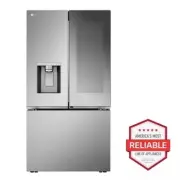
12 PRODUCT OVERVIEW Product Specifications The appearance and specifications listed in this manual may vary due to constant product improvements. Electrical requirements: 115 V, 60 Hz Min. / Max. water pressure: 20 - 120 psi (138 - 827 kPa) Model Description Net weight LRYDS3106* Standard-depth, Ins...
Page 13 - INSTALLATION; Before Installing; Installation Overview
13 INSTALLATION ENGLISH INSTALLATION Before Installing Installation Overview Please read the following installation instructions first after purchasing this product or transporting it to another location. a Unpacking the Refrigerator b Choosing the Proper Location c Disassembling/Assembling d Connec...
Page 14 - Unpacking the Refrigerator; Choosing the Proper; Water; Electricity; Flooring; Ambient Temperature
14 INSTALLATION Unpacking the Refrigerator WARNING • Use two or more people to move and install the refrigerator. Failure to do so can result in back injury or other injury. • The refrigerator is heavy. Protect the floor when moving the refrigerator for cleaning or service. Always pull the refrigera...
Page 15 - Dimensions and Clearances
15 INSTALLATION ENGLISH Dimensions and Clearances • Check the dimensions of the appliance and the installation path to ensure there is sufficient room to move the refrigerator through doors or narrow openings. • If an opening is too narrow to fit the refrigerator through, remove the refrigerator doo...
Page 17 - Handles; Removing Refrigerator Handles
17 INSTALLATION ENGLISH Removing/Assembling Handles These instructions are for models which ship with the handles assembled. For models shipped with the handles disassembled, follow the instructions included in the handle package.• Tools Needed - Units shipped with disassembled handles: 3/32" an...
Page 18 - Doors and Drawers; Removing the Hinge Cover
18 INSTALLATION 2 Place the handle on the door by fitting the handle footprints over the mounting fasteners and tightening the set screws b with a 3/32 in. Allen wrench.• For models shipped with the handles assembled, use a 1/8 in. Allen wrench. Removing/Assembling Doors and Drawers If the entrance ...
Page 19 - Removing the Right Refrigerator
19 INSTALLATION ENGLISH 3 Rotate the hinge lever i counterclockwise. Lift the top hinge j free of the hinge lever latch k . CAUTION • When lifting the hinge free of the latch, be careful that the door does not fall forward. 4 Lift the door from the middle hinge pin and remove the door. CAUTION • Pla...
Page 20 - Assembling Freezer Drawers
20 INSTALLATION WARNING • Be careful of sharp hinges on both sides of the drawer. • When you lay the drawer down, be careful not to damage the floor. • Do not sit or stand on the freezer drawer.• To prevent accidents, keep children and pets away from the drawer. Do not leave the drawer open. If the ...
Page 21 - Assembling the Right Refrigerator
21 INSTALLATION ENGLISH 2 Grasp the drawer on each side and hook the drawer supports into the rail tabs located on both sides. CAUTION • Do not hold the handle when removing or replacing the drawer. The handle may come off, causing personal injury. 3 Lower the door into its final position and insert...
Page 22 - Assembling the Left Refrigerator
22 INSTALLATION 2 Fit the hinge a over the hinge lever latch b and slot it into place. Rotate the lever c counterclockwise to secure the hinge. 3 Connect all the wire harnesses d . Screw in the ground wire e . NOTE • The number of wire harnesses may vary depending on the model. • Ground wire is only...
Page 23 - Assembling the Hinge Cover; Connecting Refrigerator to; Before Beginning; Supplies Needed
23 INSTALLATION ENGLISH NOTE • Disassembling/Assembling the Water Lines e Collet f Tube g Insert line h Clip • Gently press the collet and insert the tube until only one line shows on the tube. Assembling the Hinge Cover Position the hinge cover in its place. Insert and tighten the cover screws. Con...
Page 24 - Connecting Water Line to
24 INSTALLATION it may already have the required fittings at either end. • If your existing copper water line has a flared fitting at the end, purchase an adapter (available at plumbing supply stores) to connect the water line to the refrigerator OR cut off the flared fitting with a tube cutter and ...
Page 25 - Leveling and Door; Leveling; Door Alignment; Refrigerator Type A
25 INSTALLATION ENGLISH c ¼ in. Compression Nut d Ferrule (sleeve) e Refrigerator Connection 6 Turn the water on at the shutoff valve.• Tighten any connections that leak. CAUTION • Check to see if leaks occur at the water line connections. • Make sure the house water valve is fully open. If it is no...
Page 26 - Turning on the Power; Position the Refrigerator
26 INSTALLATION the height. Turn the nut to the right to raise the door or to the left to lower it. Right Refrigerator Door The right refrigerator door does not have an adjustable nut.If the space between the doors is uneven, follow the instructions below to align the right door: 1 Lift up both the ...
Page 27 - OPERATION; Before Use; Checklist
27 OPERATION ENGLISH OPERATION Before Use Checklist Clean the refrigerator. Clean the refrigerator thoroughly and wipe off all dust that accumulated during shipping. CAUTION • Do not scratch the refrigerator with a sharp object or use a detergent that contains alcohol, a flammable liquid or an abras...
Page 28 - Control Panel; Control Panel Features; Refrigerator Control Panel
28 OPERATION Control Panel Depending on the model, some of the following functions may not be available.The actual control panel may differ from model to model. Control Panel Features Refrigerator Control Panel † This feature is only available on some models. a Refrigerator Indicates the set tempera...
Page 31 - Dispenser Control Panel; Sabbath Mode; Using the Sabbath Mode; Ice and Water Dispenser; Before Using the Ice and Water
31 OPERATION ENGLISH Dispenser Control Panel Type A • Select the desired dispenser mode from the buttons on the dispenser control panel. From left to right, the icons indicate cubed ice a , water b , and crushed ice c . Press the dispenser switch with a glass or other container to dispense cubed ice...
Page 32 - Using the Ice and Water Dispenser; Before Using the In-Door Ice Bin
32 OPERATION CAUTION • When dispensing ice from the dispenser, do not use a fragile container. • Do not hang on to or place heavy objects on the refrigerator’s dispenser. NOTE • The dispenser will not operate when either of the refrigerator doors is open. • If discolored ice is dispensed, check the ...
Page 33 - Detaching the In-Door Ice Bin; Assembling the In-Door Ice Bin; Automatic Icemaker; Before Using the In-Door Icemaker
33 OPERATION ENGLISH the ice bin when the icemaker is turned OFF for more than a few hours.The ice passage may become blocked with frost if only crushed ice is used. Remove the frost that accumulates by removing the ice bin and clearing the passage with a rubber spatula. Dispensing cubed ice can als...
Page 34 - Before Using the Freezer Icemaker
34 OPERATION NOTE • To increase ice production, use the Ice Plus function. The function increases both ice making and freezing capabilities. In-Door Icemaker a Auto Shutoff (feeler arm) Before Using the Freezer Icemaker This feature is only available on some models.The feature may vary depending on ...
Page 35 - Freezer Icemaker (Craft Ice; Using the Freezer Ice Bin
35 OPERATION ENGLISH NOTE • This automatic freezer icemaker produces 20-30 cubes at a time, 1.3-1.7 lbs within a 24 hour period if conditions are favorable. This amount may vary according to the environment (ambient temperature around the appliance, frequency of the door being opened, amount of food...
Page 36 - Normal Sounds You May Hear; Storing Food; Food Storage Tips; How to Store Food
36 OPERATION CAUTION - If you have both Craft Ice and Mini Cubed Ice , the bin for the Craft Ice must be located on the left and the bin for the Mini Cubed Ice on the right. • If you are not using the icemaker, remove the ice bin to create more space inside the freezer. • The pad attached to the bot...
Page 37 - Storing Frozen Food; Freezing; Packaging; Crisper Drawers; Using the Humidity Controlled
37 OPERATION ENGLISH • Fruit - Do not wash or hull fruit until it is ready to be used. Sort and keep fruit in original container in a crisper, or store in completely closed paper bag on refrigerator shelf. • Leafy Vegetables - Remove store wrapping, trim or tear off bruised and discolored areas, was...
Page 38 - Removing/Assembling the; Glide‘N’Serve; Using the Glide‘N’Serve; Detaching/Assembling the
38 OPERATION • Fruit lets moist air out of the crisper for best storage of fruit. Removing/Assembling the Humidity Controlled Crispers 1 To remove, pull the crisper out to full extension, lift the front up, and pull straight out. 2 Lift the front of the cover up with both hands until it detaches fro...
Page 39 - Refrigerator Shelves; Using the Folding Shelf; Detaching/Assembling Shelves
39 OPERATION ENGLISH 2 To assemble, slightly tilt up the front, insert the drawer into the frame and push it back into place. Refrigerator Shelves The shelves in the refrigerator are adjustable to meet individual storage needs.Adjusting the shelves to fit items of different heights will make finding...
Page 40 - InstaView Compartment; Compartment; Door Bins; Detaching/Assembling Door Bins
40 OPERATION 6 Lower the front of the shelf so that the hooks drop into the slots. CAUTION • Make sure that shelves are level from one side to the other. Failure to do so may result in the shelf falling or spilled food. InstaView This feature is only available on some models. InstaView Compartment K...
Page 41 - Using the Durabase
41 OPERATION ENGLISH 2 To assemble the bin, slide it in above the desired support and push down until it snaps into place. CAUTION • Regularly detach and wash the storage bins and shelves; they can become easily contaminated by food. • Do not apply excessive force while detaching or assembling the s...
Page 42 - SMART FUNCTIONS; LG ThinQ Application; LG ThinQ Application Features; Installing LG ThinQ Application and; Models with QR Code
42 SMART FUNCTIONS SMART FUNCTIONS LG ThinQ Application This feature is only available on models with Wi-Fi.The LG ThinQ application allows you to communicate with the appliance using a smartphone. LG ThinQ Application Features † This feature is only available on some models. • Smart Learner † - Pro...
Page 43 - Radio Equipment Specifications
43 SMART FUNCTIONS ENGLISH • The surrounding wireless environment can make the wireless network service run slowly. • If the distance between the appliance and the wireless router is too far, the signal becomes weak. It may take a long time to connect or fail to install the application. • If the app...
Page 44 - Smart Grid Function
44 SMART FUNCTIONS the party responsible for compliance could void the user’s authority to operate the equipment. FCC RF Radiation Exposure Statement This equipment complies with FCC radiation exposure limits set forth for an uncontrolled environment. This transmitter must not be co- located or oper...
Page 45 - Temporary Appliance Load Reduction; Smart Diagnosis; Feature; Using LG ThinQ to Diagnose Issues
45 SMART FUNCTIONS ENGLISH company as long as product performance is maintained.If the refrigerator receives a Demand Response signal, the refrigerator will operate in Delay Appliance Load (DAL) or Temporary Appliance Load Reduction (TALR) mode. Delay Appliance Load (DAL) The refrigerator responds t...
Page 46 - Using Audible Diagnosis to
46 SMART FUNCTIONS Using Audible Diagnosis to Diagnose Issues Follow the instructions below to use the audible diagnosis method.• Launch the LG ThinQ application and select the Smart Diagnosis feature in the menu. Follow the instructions for audible diagnosis provided in the LG ThinQ application. 1 ...
Page 47 - MAINTENANCE; Cleaning
47 MAINTENANCE ENGLISH MAINTENANCE Cleaning WARNING • Use non-flammable cleaner. Failure to do so can result in fire, explosion, or death. CAUTION • Do not use an abrasive cloth or sponge when cleaning the interior and exterior of the refrigerator. • Do not place your hand on the bottom surface of t...
Page 48 - Replacing the Air Filter; Water Filter; Before Replacing the Water Filter
48 MAINTENANCE vents. Do not remove the panel covering the condenser coil area. Air Filter This feature is only available on some models. Replacing the Air Filter Replace the Air Filter:• Approximately every six months.• When the Air Filter indicator lights up. • Use replacement air filter: LT120F 1...
Page 49 - Replacing the Water Filter
49 MAINTENANCE ENGLISH • Do not install if water pressure exceeds 120 psi (827 kPa). If your water pressure exceeds 80 psi, you must install a pressure limiting valve. Contact a plumber if uncertain how to check your water pressure. • Do not install where water hammer conditions may occur. If water ...
Page 51 - Performance Data Sheet
51 MAINTENANCE ENGLISH Performance Data Sheet Model: LT1000P, LT1000PC, LT1000PCSNSF System Trade Name Code: MDJ64844601The concentration of the indicated substances in water entering the system was reduced to a concentration less than or equal to the permissible limit for water leaving the system a...
Page 53 - TROUBLESHOOTING; FAQs; Frequently Asked Questions
53 TROUBLESHOOTING ENGLISH TROUBLESHOOTING FAQs Frequently Asked Questions Q: What are the best temperature settings for my refrigerator and freezer? A: The default setting for the refrigerator is 37° Fahrenheit (3° Celsius). The default setting for the freezer is 0° Fahrenheit (-18° Celsius). Adjus...
Page 54 - Before Calling for Service; Cooling
54 TROUBLESHOOTING Before Calling for Service Review this section before calling for service; doing so will save you both time and money. Cooling Problem Possible Cause & Solution Refrigerator is not cooling or has no power. The refrigerator control is set to OFF (some models). • Turn the contro...
Page 61 - Noises
61 TROUBLESHOOTING ENGLISH Noises The interior of the refrigerator is covered with dust or soot. The refrigerator is located near a fire source, such as a fireplace, chimney, or candle. • Make sure that the refrigerator is not located near a fire source, such as a fireplace, chimney or candle. Probl...
Page 62 - Error Codes
62 TROUBLESHOOTING Wi-Fi Error Codes Problem Possible Cause & Solution Trouble connecting appliance and smartphone to Wi-Fi network The password for the Wi-Fi network was entered incorrectly. • Delete your home Wi-Fi network and begin the connection process again. Mobile data for your smartphone...
Page 63 - LIMITED WARRANTY; USA; TERMS AND CONDITIONS; THIS LIMITED WARRANTY DOES NOT COVER:
63 LIMITED WARRANTY ENGLISH LIMITED WARRANTY USA TERMS AND CONDITIONS ARBITRATION NOTICE: THIS LIMITED WARRANTY CONTAINS AN ARBITRATION PROVISION THAT REQUIRES YOU AND LG ELECTRONICS (“LG”) TO RESOLVE DISPUTES BY BINDING ARBITRATION INSTEAD OF IN COURT, UNLESS YOU CHOOSE TO OPT OUT. IN ARBITRATION, ...
Page 64 - PROCEDURE FOR RESOLVING DISPUTES:
64 LIMITED WARRANTY • Damage or failure of the Product to perform during power failures and interrupted or inadequate electrical service. • Damage or failure of the Product caused by leaky or broken water pipes, frozen water pipes, restricted drain lines, inadequate or interrupted water supply or in...
Page 67 - Canada
67 LIMITED WARRANTY ENGLISH Canada TERMS AND CONDITIONS ARBITRATION NOTICE: THIS LIMITED WARRANTY CONTAINS AN ARBITRATION PROVISION THAT REQUIRES YOU AND LG TO RESOLVE DISPUTES BY BINDING ARBITRATION INSTEAD OF IN COURT, UNLESS THE LAWS OF YOUR PROVINCE OR TERRITORY DO NOT PERMIT THAT, OR, IN OTHER ...
Page 72 - For inquiries or comments,
LG Customer Information Center Register your product Online! www.lg.com For inquiries or comments, visit www.lg.com or call: 1-800-243-0000 U.S.A. 1-888-542-2623 CANADA