Page 3 - TABLE OF CONTENTS
3 TABLE OF CONTENTS 4 SAFETY INSTRUCTIONS 4 READ ALL INSTRUCTIONS BEFORE USE 4 WARNING 7 CAUTION 8 PRODUCT OVERVIEW 8 Product Features 12 INSTALLATION 12 Before Installing 13 Choosing the Proper Location 15 Removing/Assembling the Handles 16 Removing/Assembling the Doors and Drawers 21 Connecting th...
Page 4 - SAFETY INSTRUCTIONS; READ ALL INSTRUCTIONS BEFORE USE; Safety Messages; WARNING; Installation
4 SAFETY INSTRUCTIONS SAFETY INSTRUCTIONS READ ALL INSTRUCTIONS BEFORE USE Safety Messages Your safety and the safety of others are very important. We have provided many important safety messages in this manual and on your appliance. Always read and follow all safety messages. All safety messages wi...
Page 5 - Operation
5 SAFETY INSTRUCTIONS ENGLISH • Do not place the refrigerator in direct sunlight or expose it to the heat from heating appliances such as stoves or heaters. • Do not bend or pinch the power cord excessively or place heavy objects on it. Operation • This appliance is intended to be used in household ...
Page 6 - Maintenance
6 SAFETY INSTRUCTIONS • Do not use electrical appliances inside the food storage compartments of the appliance, unless they are of the type recommended by the manufacturer. • Do not store explosive substances such as aerosol cans with a flammable propellant in this appliance.• DO NOT place fingers i...
Page 7 - Risk of Fire and Flammable Materials; CAUTION; SAVE THESE INSTRUCTIONS
7 SAFETY INSTRUCTIONS ENGLISH Risk of Fire and Flammable Materials CAUTION CAUTION • To reduce the risk of minor or moderate injury to persons, malfunction, or damage to the product or property when using this product, follow basic precautions, including the following: Installation • Do not install ...
Page 8 - PRODUCT OVERVIEW; Product Features; Exterior
8 PRODUCT OVERVIEW PRODUCT OVERVIEW Product Features The images in this guide may be different from the actual components and accessories, which are subject to change by the manufacturer without prior notice for product improvement purposes. Exterior a Control Panel Sets the refrigerator temperature...
Page 9 - Interior
9 PRODUCT OVERVIEW ENGLISH Interior Standard Door: LRFXC2406* Door-in-Door: LRFDS3006*
Page 11 - Product Specifications
11 PRODUCT OVERVIEW ENGLISH j Glide’N’Serve Store food items at a different temperature than the regular refrigerator area. k Automatic Icemaker (Freezer) Dispenses ice automatically. l Ice Bin If a large amount of ice is needed, transfer the ice in the in-door ice bin to an ice storage bin in the f...
Page 12 - INSTALLATION; Before Installing; Installation Overview
12 INSTALLATION INSTALLATION Before Installing Installation Overview Please read the following installation instructions first after purchasing this product or transporting it to another location. a Unpacking the Refrigerator b Choosing the Proper Location c Disassembling/Assembling d Connecting the...
Page 13 - Unpacking the Refrigerator; Choosing the Proper; Water; Electricity; Flooring; NOTE; Ambient Temperature
13 INSTALLATION ENGLISH Unpacking the Refrigerator WARNING • Use two or more people to move and install the refrigerator. Failure to do so can result in back injury or other injury. • The refrigerator is heavy. Protect the floor when moving the refrigerator for cleaning or service. Always pull the r...
Page 14 - Dimensions and Clearances
14 INSTALLATION Dimensions and Clearances • Check the dimensions of the appliance and the installation path to ensure there is sufficient room to move the refrigerator through doors or narrow openings. • If an opening is too narrow to fit the refrigerator through, remove the refrigerator doors. See ...
Page 15 - Removing/Assembling the; Removing the Refrigerator Handles
15 INSTALLATION ENGLISH Removing/Assembling the Handles When moving the refrigerator through a narrow opening, removing the doors is preferred.The appearance of the handles may vary from what is shown. WARNING • When assembling or disassembling the refrigerator handles, grasp the handle firmly to av...
Page 16 - Assembling the Freezer Drawer; Removing the Hinge Cover
16 INSTALLATION Assembling the Freezer Drawer Handle 1 Assemble the mounting fasteners a at both ends of the handle with a ¼ in. Allen wrench. 2 Place the handle on the door by fitting the handle footprints over the mounting fasteners and tightening the set screws b with a ⅛ in. Allen wrench. Removi...
Page 17 - Removing the Right Refrigerator
17 INSTALLATION ENGLISH 2 Pull out the water supply lines f . Disconnect all the wire harnesses g . Unscrew the ground wire h . 3 Rotate the hinge lever i counterclockwise. Lift the top hinge j free of the hinge lever latch k . CAUTION • When lifting the hinge free of the latch, be careful that the ...
Page 18 - Removing the Freezer Drawers
18 INSTALLATION CAUTION • Place the door, inside facing up, on a nonscratching surface. Removing the Freezer Drawers The Pullout Drawer located above the freezer drawer is not shown for clarity. WARNING • Use two or more people to remove and install the refrigerator doors and freezer drawer. • Be ca...
Page 20 - Assembling the Right Refrigerator; Assembling the Left Refrigerator
20 INSTALLATION Assembling the Right Refrigerator Door CAUTION • Install the right-side door first. 1 Make sure that the plastic sleeve is inserted in the bottom of the door. Lower the door onto the middle hinge pin as shown in the figure. 2 Fit the hinge a over the hinge lever latch b and slot it i...
Page 21 - Assembling the Hinge Cover; Connecting the Water Line; Before Beginning
21 INSTALLATION ENGLISH 4 Push the water supply lines into the hole on the top case and pull it through the backplate. 5 Hold the water supply connection and gently push in the collet d to connect the water supply line as shown. Insert the tube at least 5/8 inch (15 mm) into the connector. Insert th...
Page 22 - Water Line Installation Instructions
22 INSTALLATION Water Pressure You will need a cold water supply. If the water pressure from the reverse osmosis system is less than 20 psi or 138 kPa or 1.4 kgf/cm 2 (takes more than 4 seconds to fill a cup of 7 oz or 198 cc capacity):• Check to see if the sediment filter in the reverse osmosis sys...
Page 25 - Leveling and Door; Leveling; Door Alignment (Standard Door; Left Refrigerator Door
25 INSTALLATION ENGLISH Leveling and Door Alignment Leveling The refrigerator has two front leveling legs. Adjust the legs to alter the tilt from front-to-back or side- to side. If the refrigerator seems unsteady, or the doors do not close easily, adjust the refrigerator’s tilt using the instruction...
Page 26 - Right Refrigerator Door; Turning on the Power; Position the Refrigerator
26 INSTALLATION Right Refrigerator Door The right refrigerator door does not have an adjustable nut.If the space between the doors is uneven, follow the instructions below to align the right door: 1 With one hand, lift up both the inner and outer door sections of the right door to raise them at the ...
Page 27 - OPERATION; Before Use; Checklist
27 OPERATION ENGLISH OPERATION Before Use Checklist Clean the refrigerator. Clean the refrigerator thoroughly and wipe off all dust that accumulated during shipping. CAUTION • Do not scratch the refrigerator with a sharp object or use a detergent that contains alcohol, a flammable liquid or an abras...
Page 28 - Control Panel; Control Panel Features
28 OPERATION Control Panel Depending on the model, some of the following functions may not be available.The actual control panel may differ from model to model. Control Panel Features a Ice Plus This function increases both ice making and freezing capabilities.Press the Ice Plus button to illuminate...
Page 30 - Sabbath Mode; Ice and Water Dispenser; Using the Ice and Water Dispenser
30 OPERATION Sabbath Mode • Sabbath mode is used on the Jewish Sabbath and holidays. • To activate the Sabbath mode: - To turn Sabbath mode on, touch the display to activate it, then press and hold the Freezer and Wi-Fi buttons for 3 seconds until sb appears in the display. - Sabbath mode automatica...
Page 31 - Locking the Ice and Water; Ice Compartment; Detaching the In-Door Ice Bin; Assembling the In-Door Ice Bin
31 OPERATION ENGLISH Locking the Ice and Water Dispenser Press and hold the Lock button for three seconds to lock the dispenser and all the control panel functions. Follow the same instructions to unlock. Ice Compartment CAUTION • Keep hands and tools out of the ice compartment door and dispenser ch...
Page 32 - Automatic Icemaker; Freezer Icemaker
32 OPERATION CAUTION • Avoid touching the auto shutoff (feeler arm) when replacing the ice bin. See the label on the ice compartment door for details. Automatic Icemaker In-Door Icemaker a Icemaker b Power Switch c Auto Shutoff (feeler arm) NOTE • Ice is made in the automatic in-door icemaker and se...
Page 33 - Craft Ice; Turning the Automatic Icemaker; Storing Food; Food Storage Tips
33 OPERATION ENGLISH Craft Ice TM a Feeler Arm b Power Switch CAUTION • Do not insert spherical ice into the in-door ice bin, as it can damage the ice and water dispenser. NOTE • Following installation or water filter replacement, the first few batches of ice may be semicircular or contain air bubbl...
Page 34 - Storing Frozen Food; Freezing; Packaging
34 OPERATION Storing Frozen Food Check a freezer guide or a reliable cookbook for further information about preparing food for freezing or food storage times. Freezing Your freezer will not quick-freeze a large quantity of food. Do not put more unfrozen food into the freezer than will freeze within ...
Page 35 - Humidity Controlled; Using the Humidity Controlled
35 OPERATION ENGLISH • Wash food before storing it in the refrigerator. Vegetables should be washed, and food packaging should be wiped down to prevent adjacent foods from being contaminated. • If the refrigerator is kept in a hot and humid place, frequent opening of the door or storing a lot of veg...
Page 36 - Glide‘N’Serve; Using the Glide‘N’Serve; Detaching/Assembling the; Refrigerator Shelves; Using the Folding Shelf
36 OPERATION 4 Line up the tabs on the Door-in-Door case with the slots on the door and push down until it snaps into place. NOTE • This feature is only available on some models. Glide‘N’Serve Using the Glide‘N’Serve This function provides storage space with a variable temperature control that can k...
Page 37 - Detaching the Shelf
37 OPERATION ENGLISH Detaching the Shelf 1 Tilt up the front of the shelf and lift the shelf straight up. 2 Pull the shelf out. Assembling the Shelf 1 Tilt the front of the shelf up and guide the shelf hooks into the slots at a desired height. 2 Lower the front of the shelf so that the hooks drop in...
Page 38 - InstaView Compartment
38 OPERATION InstaView Door-in-Door This feature is only available on some models.The InstaView Door-in-Door compartment allows for easy access to commonly used food items.Knock twice on the glass to turn the LED light inside the InstaView on or off. The LED light turns off automatically after 10 se...
Page 39 - Door Bins; Detaching/Assembling the Door; Using the Durabase
39 OPERATION ENGLISH Door Bins Detaching/Assembling the Door Bins The door bins are removable for easy cleaning and adjustment. 1 To remove the bin, simply lift the bin up and pull straight out. 2 To replace the bin, slide it in above the desired support and push down until it snaps into place. CAUT...
Page 40 - SMART FUNCTIONS; LG SmartThinQ Application
40 SMART FUNCTIONS SMART FUNCTIONS LG SmartThinQ Application This feature is only available on models with the a or b logo. The LG SmartThinQ application allows you to communicate with the appliance using a smartphone. Before Using LG SmartThinQ Application 1 Use a smartphone to check the strength o...
Page 41 - Wireless LAN Module Specifications
41 SMART FUNCTIONS ENGLISH • Remote Control - Control the Refrigerator Temperature, Fresh Air Filter and Ice Plus from the smartphone app. • Push Messages - If the door remains open for more than ten minutes, you will receive a push message. When Ice Plus is finished, you will receive a push message...
Page 42 - IC Radiation Exposure Statement; Open Source Software Notice; Smart Grid Function; Smart Grid Application Features; Temporary Appliance Load Reduction
42 SMART FUNCTIONS IC Radiation Exposure Statement This equipment complies with IC radiation exposure limits set forth for an uncontrolled environment.This equipment should be installed and operated with a minimum distance of 20 cm (7.8 inches) between the antenna and your body. NOTE • THE MANUFACTU...
Page 43 - Override Smart Grid Mode; Smart DiagnosisTM Function; Smart DiagnosisTM through the
43 SMART FUNCTIONS ENGLISH • TALR mode is automatically deactivated after the received duration (max. 10 minutes), or when you override the Smart Grid function. The mode is immediately deactivated and the refrigerator returns to its normal state when the door is opened or closed, or the dispenser is...
Page 45 - MAINTENANCE; Cleaning; General Cleaning Tips
45 MAINTENANCE ENGLISH MAINTENANCE Cleaning WARNING • Use non-flammable cleaner. Failure to do so can result in fire, explosion, or death. CAUTION • Do not use an abrasive cloth or sponge when cleaning the interior and exterior of the refrigerator. • Do not place your hand on the bottom surface of t...
Page 46 - Air Filter; Replacing the Fresh Air Filter; Water Filter; Before Replacing the Water Filter
46 MAINTENANCE Air Filter Replacing the Fresh Air Filter Replace the Fresh Air Filter:• Approximately every six months.• When the Replace Filter g icon turns on. • Use replacement air filter: LT120F 1 Rotate the filter cover counterclockwise to release the tabs, and remove the cover. 2 Remove the fi...
Page 47 - Replacing the Water Filter
47 MAINTENANCE ENGLISH CAUTION • Do not install where water hammer conditions may occur. If water hammer conditions exist you must install a water hammer arrester. Contact a plumbing professional if you are uncertain how to check for this condition. • Do not install on hot water supply lines. The ma...
Page 50 - TROUBLESHOOTING; FAQs; Frequently Asked Questions
50 TROUBLESHOOTING TROUBLESHOOTING FAQs Frequently Asked Questions Q: What are the best temperature settings for my refrigerator and freezer? A: The default setting for the refrigerator is 37° Fahrenheit (3° Celsius). The default setting for the freezer is 0° Fahrenheit (-18° Celsius). Adjust these ...
Page 51 - Before Calling for Service; Cooling
51 TROUBLESHOOTING ENGLISH Before Calling for Service Review this section before calling for service; doing so will save you both time and money. Cooling Problem Possible Cause & Solution Refrigerator and Freezer section are not cooling. The refrigerator control is set to OFF (some models). • Tu...
Page 59 - Noises
59 TROUBLESHOOTING ENGLISH Noises The interior of the refrigerator is covered with dust or soot. The refrigerator is located near a fire source, such as a fireplace, chimney, or candle. • Make sure that the refrigerator is not located near a fire source, such as a fireplace, chimney or candle. Probl...
Page 61 - LIMITED WARRANTY; FOR USA; TERMS AND CONDITIONS; THIS LIMITED WARRANTY DOES NOT COVER:
61 LIMITED WARRANTY ENGLISH LIMITED WARRANTY FOR USA TERMS AND CONDITIONS ARBITRATION NOTICE: THIS LIMITED WARRANTY CONTAINS AN ARBITRATION PROVISION THAT REQUIRES YOU AND LG TO RESOLVE DISPUTES BY BINDING ARBITRATION INSTEAD OF IN COURT, UNLESS YOU CHOOSE TO OPT OUT. IN ARBITRATION, CLASS ACTIONS A...
Page 62 - PROCEDURE FOR RESOLVING DISPUTES:
62 LIMITED WARRANTY • Damage resulting from operating the product in a corrosive atmosphere or contrary to the product owner’s manual. • Damage or failure to the Product caused by accidents, pests and vermin, lightning, wind, fire, floods, acts of God, or any other causes beyond the control of LG. •...
Page 64 - FOR CANADA
64 LIMITED WARRANTY FOR CANADA TERMS AND CONDITIONS ARBITRATION NOTICE: THIS LIMITED WARRANTY CONTAINS AN ARBITRATION PROVISION THAT REQUIRES YOU AND LG TO RESOLVE DISPUTES BY BINDING ARBITRATION INSTEAD OF IN COURT, UNLESS THE LAWS OF YOUR PROVINCE OR TERRITORY DO NOT PERMIT THAT, OR, IN OTHER JURI...
Page 69 - For inquiries or comments,
LG Customer Information Center Register your product Online! www.lg.com For inquiries or comments, visit www.lg.com or call: 1-800-243-0000 U.S.A. 1-888-542-2623 CANADA
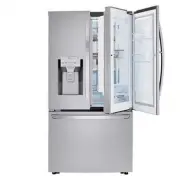




 LG LRFCC23D6S User Manual
 LG LRFCS25D3S User Manual
 LG LRFCS29D6S User Manual
 LG LRFCS2503S User Manual
 LG LRFDC2406S User Manual
 LG LRFDS3016D User Manual
 LG LRFDS3016S User Manual
 LG LRFGC2706S User Manual
 LG LRFLC2706S User Manual
 LG LRFLS3206S User Manual
 LG LRFOC2606S User Manual