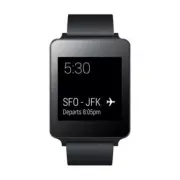
Page 3 - User Guide; ENGLISH
User Guide ENGLISH Notice: Open Source Software To obtain the corresponding source code under GPL, LGPL, MPL and other open source licences, please visit http://opensource.lge.com/ All referred licence terms, disclaimers and notices are available for download with the source code.
Page 4 - Table of contents
2 Table of contents ABOUT ANDROID WEAR ......................................4 New to Android Wear FAQS ................................4Phones & tablets that work with Android Wear ...5 LG G Watch Hardware .........................................6 LG G Watch tech specs ...........................
Page 6 - ABOUT ANDROID WEAR; New to Android Wear FAQS
4 ABOUT ANDROID WEAR Here are answers to some questions you may have about your new watch. Do I need to download apps on my watch? No, your favorite apps on your phone will work with Android Wear automatically. You do not need to download a whole new set of apps. Do I need to install new apps on my ...
Page 7 - Phones & tablets that work with Android Wear
5 How do I control the cards that show up on my watch? You can choose which cards and notifications show up on your watch by changing your notification settings and Google Now settings . Why do I need a phone to use my watch? Your watch gets access to the Internet through your phone or tablet. Witho...
Page 8 - LG G Watch tech specs; LG G Watch Hardware
6 Here's a guide to the hardware features of the LG G Watch. Display Microphone Buckle Reset Button Charging Terminals Charging Cradle LG G Watch tech specs OS Android Wear Screen 1.65” 280 x 280 IPS LCD Dimensions 37.9 x 46.5 x 9.95 mm Weight 63 g Battery 400 mAh Processor CPU 1.2 GHz Wireless BT 4...
Page 9 - Charge your LG G Watch
7 Charge your LG G Watch Place the LG G Watch on the charging cradle, matching each charging terminal (line up the gold pins). Make sure the cradle is connected to a power outlet. 1. 2. • The power adapter varies by country or region. • Use only the approved cradle, power adapter and micro USB cable...
Page 10 - What comes with LG G Watch
8 What comes with LG G Watch The LG G Watch comes with the following: G Watch Micro USB cable Charging cradle Power adapter A Quick Start Guide and Safety & Warranty booklet are also included.If any item is damaged or missing, contact the place where you purchased the watch.Use only approved acc...
Page 11 - Turn LG G Watch on or off
9 Turn LG G Watch on or off Turn the watch on Connect the charging cradle to a power outlet and place the G Watch on it. The device will turn on automatically. You can also press the reset button using a pen or paperclip. Press and hold the button for 2 seconds. Turn the watch off 1 If your screen i...
Page 12 - SET UP ANDROID WEAR; Pair your watch with your phone; Features you should turn on
10 SET UP ANDROID WEAR Pair your watch with your phone Your watch is meant to work together with your Android phone, so you'll need to pair them. If you’re pairing your watch for the first time, make sure your phone is connected to mobile data or Wi-Fi. You need a data connection to complete setup. ...
Page 13 - Different ways to pair your watch; Get to know your watch; Useful info when you need it through cards
11 • Turn on Google Now for info when you need it without searching. For example, see today’s weather, check your flight status, and find out if there’s traffic on the way to work. • Turn on Location for navigation, local suggestions (like restaurants and traffic), and more. • Turn on contact recogn...
Page 14 - Getting around on your watch
12 Ask questions & do everyday tasks with voice You can also search and do a variety of tasks on your watch using just your voice. Just say “Ok Google” or touch the watch face, and you can ask questions (“How tall is the Empire State Building?”), set reminders (“Remind me to call mom tonight”), ...
Page 15 - See useful info through cards; See card details and take action; Swipe away cards when you’re done
13 2. See useful info through cards You’ll see cards peeking out from the bottom of your screen throughout the day. You’ll have cards for notifications like text messages and reminders, and for useful information like traffic and weather. The most important cards will show up first. To view cards, s...
Page 16 - See a menu of things you can do; Watch navigation tips
14 3 Say your question or task. Try saying: “How do you say hello in French?” or “Remind me to buy milk when I get home.” Learn more about questions and tasks that work with Android Wear . 6. See a menu of things you can do You can also see a menu of things you can do, right on your watch: 1 If your...
Page 18 - What you can do with Android Wear; Get stuff done; Read & reply to messages; Travel; Get quick answers
16 What you can do with Android Wear Here’s some helpful info on how to get around your watch: Get stuff done • Set reminders • Take notes • Set alarms & timers • Use the stopwatch • Check your schedule • Control music Learn more about getting stuff done . Read & reply to messages • Read and...
Page 19 - Keep track of your fitness
17 • Look up words • Check stocks • Convert between units • Solve math problems • Find out about events • Look up random facts Learn more about getting quick answers . Keep track of your fitness • See how many steps you take each day • Set simple goals for steps Learn more about tracking your fitnes...
Page 20 - Set reminders & take notes; START USING ANDROID WEAR
18 What you can do with Android Wear Get stuff done with reminders, alarms, notes & more You can set reminders and alarms, take notes, check your schedule, and more, all from your watch. Check out the examples below to learn about some of the things Android Wear can do for you. Language availabi...
Page 21 - Set alarms and timers
19 Set alarms and timers Set an alarm You can speak to your watch to set an alarm. You can also set an alarm on your watch through the onscreen menu. Your watch and phone alarms are separate. When you add an alarm on your watch, it won’t show up on your phone, and the other way around.When an alarm ...
Page 23 - Track packages; Enjoy your music
21 Check your schedule Check your schedule Your upcoming events will show up automatically as a card. You can also speak to your watch or use the onscreen menu to pull up your calendar. Speak to see schedule 1 Make sure the watch is awake. 2 Say “Ok Google.” You’ll see a white screen with a red “g.”...
Page 24 - Read & reply to emails
22 Read & reply to messages You can read and reply to texts and emails, see who’s calling, and more. Check out the examples below to learn about some of the things Android Wear can do for you. Language availability for voice tips Most of the tips below work if your language is set to English, Fr...
Page 25 - Read and reply to texts & messages
23 Reply to an email Your email will show up as a card. When you swipe from right to left you can take different actions such as archive or reply. If you are using Gmail, you can learn more about how Gmail works with Android Wear . Read and reply to texts & messages You can use your your favorit...
Page 26 - See calls
24 See calls See incoming calls Incoming calls will show up on your watch. To answer: 1 Swipe the green button from right to left, towards the center of the screen. 2 Use your phone to speak with the caller. To send the caller to voicemail: Swipe the red button from left to right, towards the center...
Page 28 - Get quick answers on weather, sports & more
26 Get quick answers on weather, sports & more You can get the upcoming weather, translate greetings into many languages, convert currency, and more. Check out the examples below to learn about some of the things Android Wear can do for you. Language availability for voice tips Most of the tips ...
Page 31 - Track your fitness
29 See upcoming events You can speak to your watch to look up events, such as upcoming holidays. Speak to see events 1 Make sure the watch is awake. 2 Say “Ok Google.” You’ll see a white screen with a red “g.” 3 Say the following: • "When is sunset?" • “When is Thanksgiving?” Look up random ...
Page 32 - Show or hide Fit cards; See an estimate of how many steps you've taken today; Set goals for daily steps
30 Show or hide Fit cards On your watch, you'll see Fit cards with summaries of how many steps you've taken today. You can dismiss these cards at any time by swiping them from left to right.When you hide a Fit card, you won't see a new one until 5 p.m. or the next day. Turn off Fit cards entirely: 1...
Page 33 - Android Wear tips & tricks; Dim the screen with your palm; Silence your phone automatically when using your watch; Speak to get to Settings
31 6 Scroll down and touch Daily step goal. 7 Scroll and touch the goal you want. Android Wear tips & tricks Here are some tips and tricks for using your watch: Dim the screen with your palm To quickly dim your screen, just put your palm completely over the screen until it vibrates. Stop your wa...
Page 34 - Speak to do simple tasks; Google apps that work with Android Wear; Use Google Now with Android Wear; Customize your Google Now cards
32 Speak to do simple tasks You can see a menu of simple tasks on your watch, and anything in this list can also be said aloud. For example, once you’re on the menu you can touch “Start stopwatch.” To do the same thing with your voice, just say “Ok Google, start stopwatch” from most screens. To see ...
Page 35 - Google Now cards that work with Android Wear; Use Hangouts with Android Wear
33 1 Open the Google Search app on your phone. 2 Pull down on the first Google Now cards you see. 3 You’ll know that your cards are being updated when the line below the search box start changing colors. Google Now cards that work with Android Wear • Stocks • Weather • Reminders • Sports • Traffic •...
Page 36 - Manage notifications; How notifications work; SETTINGS
34 Manage notifications Most notifications you see on your phone will also show up on your watch. These include notifications for missed calls, texts, event reminders, and more. When you get a notification, your watch will only vibrate; it won't make a sound. How notifications work Your watch uses t...
Page 37 - Turn off phone sounds when using your watch; Manage battery life; Check remaining battery life; Change your watch face
35 Turning off Google Now cards: If you don’t want to see any Google Now cards, you have to t urn off Google Now on your phone. When you listen to music on your phone, you’ll always see the music card with options to pause and play. You can’t turn this card off. Turn off phone sounds when using your...
Page 40 - Change the apps you use for voice actions; Turn airplane mode on or off
38 Change the apps you use for voice actions You can set which apps you use for different voice actions. For example, you can change the app you use for setting alarms or for sending messages. 1 On your phone, open the Android Wear app . 2 On the bottom half of the screen under “Voice actions,” you’...
Page 42 - Reset your watch to factory settings
40 Reset your watch to factory settings By resetting your watch to its factory settings, you will erase all data stored on the watch. This data cannot be restored. This data includes your active notifications and cards, fitness data, any installed third party apps and any data they have stored, and ...
Page 43 - My watch won’t pair with my phone; TROUBLESHOOT ANDROID WEAR
41 My watch won’t pair with my phone If your watch won’t pair with your phone, try the following troubleshooting solutions: • Check that your phone or tablet is running Android 4.3 or above. You can visit http://g.co/WearCheck from your phone to check compatibility. • Make sure your phone is next to...
Page 44 - “Cannot connect to Internet” error
42 “Cannot connect to Internet” error If you’re trying to pair your watch with your phone and you see this error, try the solutions below. Your watch will continue to try and pair with your phone, so after each step check your watch to see if the error message is gone. • If you have an Internet conn...