Page 2 - IMPORTANT SAFETY INFORMATION
2 IMPORTANT SAFETY INFORMATION Basic Safety Precautions ........................................3CFC Disposal ..........................................................4How to Connect Electricity ......................................5 PARTS AND FEATURES Special Features ...............................
Page 3 - BASIC SAFETY PRECAUTIONS; DANGER
3 BASIC SAFETY PRECAUTIONS This guide contains many important safety messages. Always read and obey allsafety messages. w This is the safety alert symbol. It alerts you to safety messages that inform you of hazards that can kill or hurt you or others or cause damage to the product. All safety messag...
Page 4 - Risk of Child Entrapment
4 BASIC SAFETY PRECAUTIONS (CONT.) • Do not use drier to dry the inside, nor light a candle to remove odor. • Install in places away from the fire such as the place where flammable gas is leaked. • This appliance is not intended for use by persons (including children) with reduced physical, sensory ...
Page 5 - HOW TO CONNECT ELECTRICITY; WARNING; Electrical Shock Hazard; Do not use an adapter plug.; Some models have LED interior lighting and; USE OF EXTENSION CORDS; SAVE THESE INSTRUCTIONS
5 HOW TO CONNECT ELECTRICITY IMPORTANT: Please read carefully. w WARNING Electrical Shock Hazard For personal safety, this appliance must be properly grounded. Have the wall outlet and the circuit checked by a qualified electrician to make sure the outlet is properly grounded. RECOMMENDED GROUNDING ...
Page 6 - SPECIAL FEATURES; This guide covers several dierent models.
6 SPECIAL FEATURES CONTROL PANEL LED DISPLAY SCREEN Simple electronic controls are user-friendly. The LEDscreen shows refrigerator and freezer temperatures,displays water filter status, dispenser information, andmore. ICE PLUS When this feature is activated, the freezer section willrun at the coldes...
Page 7 - KEY PARTS AND COMPONENTS; Special Features
7 KEY PARTS AND COMPONENTS In addition to the special features and componentsoutlined in the Special Features section, there are several other important components that arereferenced in this manual. ADJUSTABLE REFRIGERATOR SHELVING The refrigerator compartment shelves are adjustable to allow flexibi...
Page 8 - CHOOSE THE PROPER LOCATION; Excessive Weight Hazard; CAUTION; CLEARANCES
8 CHOOSE THE PROPER LOCATION w WARNING Excessive Weight Hazard Two or more people are required when moving and unpacking the appliance. • Store and install the refrigerator where it will not be exposed to temperatures below freezing or exposed to outdoor weather conditions. • Install this appliance ...
Page 10 - HANDLE REMOVAL; HANDLE REINSTALLATION; DOOR AND DRAWER REMOVAL; DOOR REMOVAL; Electric Shock Hazard; To remove the left refrigerator door:
10 HANDLE REMOVAL (CONT.) HANDLE REINSTALLATION DOOR AND DRAWER REMOVAL DOOR REMOVAL w WARNING Electric Shock Hazard • Disconnect electrical supply to the refrigerator before installing. Failure to do so could result indeath or serious injury. • Do not put hands or feet or metal sticks into the air ...
Page 11 - To remove the right refrigerator door:
11 DOOR AND DRAWER REMOVAL (CONT.) DOOR REMOVAL (CONT.) • Open the door. Remove the top hinge cover screw (1 ). • Use a flat-head screwdriver to pry back the hooks (not shown) on the front underside ofthe cover (2). Lift up the cover. • Remove the cover. Pull out the tube (3). • Disconnect all the w...
Page 12 - DOOR REINSTALLATION
12 DOOR AND DRAWER REMOVAL (CONT.) DOOR REINSTALLATION Install the right-side door first. • Lower the door onto the middle hinge pin as shown. • Make sure the plastic sleeve is inserted in the bottom of the door. 1 • Fit the top hinge (1) over the hinge lever latch (2) and into place. Rotate the lev...
Page 13 - • Push the water supply tube (6) into the hole; After inserting, pull the tube to ascertain that it is secure.; Correct
13 DOOR AND DRAWER REMOVAL (CONT.) DOOR REINSTALLATION (CONT.) • Push the water supply tube (6) into the hole on the top case and pull it through thebackplate. (6) 5 Insert the water supply tube into theconnector. • Insert the tube at least 5/8 in. (15 mm) into the connector. • Hook the tab on the d...
Page 14 - FREEZER DRAWER REMOVAL; • To avoid possible injury or product or property
14 DOOR AND DRAWER REMOVAL (CONT.) FREEZER DRAWER REMOVAL w CAUTION • To avoid possible injury or product or property damage, you will need two people to perform thefollowing instructions. • When you remove the drawer, do not hold the handle. It may come off and could cause injury. • When laying the...
Page 15 - DO NOT step or sit down on freezer.; FREEZER DRAWER REINSTALLATION; • To prevent accidental child and pet entrapment
w WARNING: To prevent accidental child and pet entrapment or suffocation risk. DO NOT allow them to play inside of drawer. w WARNING: DO NOT step or sit down on freezer. 15 DOOR AND DRAWER REMOVAL (CONT.) FREEZER DRAWER REINSTALLATION w CAUTION • To avoid possible injury or product or property damag...
Page 16 - CONNECTING THE WATER SUPPLY; Tools Required; CONNECTING THE WATER LINES
16 CONNECTING THE WATER SUPPLY w WARNING Connect to safe drinking water supplyonly. • The water pressure must be between 21 and 121 p.s.i. (1.5~8.5 kgf/cm 2 ) on models without a water filter and between 43 and 121 p.s.i. (3~8.5 kgf/cm 2 ) on models with a water filter. • If water pressure does not ...
Page 18 - LEVELING THE REFRIGERATOR DOORS; Leveling
18 LEVELING THE REFRIGERATOR DOORS w WARNING Electrical Shock Hazard • Be careful when you work with the hinges, base grille, and stopper. You may be injured. • Do not put hands, feet, or metal items into the air vents, base grille, or the bottom of therefrigerator. You may be injured or receive an ...
Page 19 - DOOR ALIGNMENT; STARTING
19 LEVELING THE REFRIGERATOR DOORS (CONT.) DOOR ALIGNMENT STARTING Before loading your refrigerator with fresh foods: • Remove tape and any temporary labels from your refrigerator before using. To remove anyremaining adhesive residue, rub the area brisklywith your thumb, or rub a small amount of liq...
Page 20 - CONTROL PANEL FEATURES; For complete details on button functions, see pages 22–24.; LED DISPLAY; REFRIGERATOR BUTTON; When pressed simultaneously with the; ICE PLUS BUTTON; Press this button to control the door-open alarm.
20 CONTROL PANEL FEATURES For complete details on button functions, see pages 22–24. NOTE: The shape of the buttons may not match your model. LED DISPLAY The LED display shows the temperature settings, dispenser options, water filter, door alarm, and locking status messages. ICE TYPE BUTTON The ICE ...
Page 21 - THE LED DISPLAY
21 THE LED DISPLAY The LED display shows the temperature settings,dispenser options, water filter, door alarm, andlocking status messages. DISPENSER SELECTION INDICATOR Shows Cubed ice or Crushed Ice selection that will be dispensed when the push switch is pressed. FREEZER TEMPERATURE Indicates the ...
Page 22 - ADJUSTING THE TEMPERATURES AND DISPLAY; Adjust Freezer Temperature; The actual inner temperature varies; Display mode setting and its cancellation; Temperature Display
22 ADJUSTING THE TEMPERATURES AND DISPLAY Adjust Freezer Temperature To adjust the temperature in the freezercompartment, press the FREEZER button to cyclethrough the the range of available settings. Adjust Refrigerator Temperature To adjust the temperature in the refrigeratorcompartment, press the ...
Page 23 - Hold the glass or other container in place; DISPENSING WATER; When operating the Water; CONTROLLING THE DISPENSER LIGHT; OPERATING THE DISPENSER; as close as possible.; Incorrect; Water
DISPENSING CRUSHED ICE Press the ICE TYPE button to illuminate the Crushed Ice icon. Press the push ice switch with a glass or other container and crushed ice will be dispensed. DISPENSING CUBED ICE Press the ICE TYPE button to illuminate the Cubed Ice icon. Press the push switch with a glass or oth...
Page 24 - SETTING THE FUNCTIONS; DIAGNOSTIC FAILURE DETECTION
SETTING THE DISPENSER LOCK Press and hold theALARM/LOCK button for three seconds to lock the dispenser and all of the other control panelfunctions. Press and hold again for 3 seconds to unlock. SETTING THE DOOR ALARM The ALARM/LOCK button also controls the door alarm that sounds three times in 30-se...
Page 25 - • Keep hands and tools out of the ice bin door
25 IN-DOOR ICE BIN w CAUTION • Keep hands and tools out of the ice bin door and dispenser chute. You could break something or injure yourself. The icemaker will stop producing ice when the ice binis full. If you need more ice, empty the ice bin into theextra ice bin in the freezer compartment so the...
Page 26 - AUTOMATIC ICEMAKER; Personal Injury Hazard
26 AUTOMATIC ICEMAKER Ice is made in the automatic icemaker and sent to the dispenser. The automatic icemaker can make 6ice cubes at a time, 80–130 cubes per 24-hourperiod. This quantity may vary by circumstance,including freezer compartment temperature, roomtemperature, number of door openings, fre...
Page 27 - STORING FOODS; Freezer compartment
27 STORING FOODS • Store fresh food in the refrigerator compartment. • How food is frozen and thawed is an important factor in maintaining freshness and flavor. • Do not store food that spoils easily, such as bananas and melons, at low temperatures. • Allow hot food to cool prior to storing; placing...
Page 28 - LOCATION OF FOODS; Store vegetables or fruits with humidity control.
28 LOCATION OF FOODS REFRIGERATOR COMPARTMENT SHELVES Store larger food items, platters, and containers on the expansive refrigerator compartment shelves. CRISPERS Store vegetables or fruits with humidity control. FREEZER PULL-OUT DRAWER Store small packed frozen food, or store meat, fish, and chick...
Page 29 - SHELF HEIGHT ADJUSTMENT; Do not clean glass shelves with warm; Adjusting Shelves; Remove Shelf
29 SHELF HEIGHT ADJUSTMENT The shelves in your refrigerator are adjustable tomeet your individual storage needs. Storing similar food items together in your refrigerator and adjusting the shelves to fit different heights of items will make finding the exact item you want easier; it will also reduce ...
Page 30 - REMOVING AND REPLACING COMPONENTS; When reinstalling components, reverse; • Personal injury can occur if the door bins are not; Dairy Bin; The dairy bin will only fit in the top space; Dispenser Drip Tray
30 REMOVING AND REPLACING COMPONENTS NOTE: When reinstalling components, reverse the order of steps for removal. To prevent damage,never use excessive force when removing orreinstalling components. w CAUTION • Personal injury can occur if the door bins are not firmly assembled. NOTE: DO NOT adjust a...
Page 31 - Crisper humidity control
31 REMOVING AND REPLACING COMPONENTS (CONT.) Crisper humidity control You can control the amount of humidity in themoisture-sealed crispers. Store vegetables orfruits requiring more or less humidity in separatecrispers. Adjust the control to any setting between HIGH and LOW. • LOW lets moist air out...
Page 32 - Child Entrapment Hazard; Ice Bin
32 REMOVING AND REPLACING COMPONENTS (CONT.) w CAUTION • Pinch hazard! Keep hands and feet clear of the bottom of the door when opening and closing. w WARNING Child Entrapment Hazard • If the Durabase divider is removed, there is enough open space for children or pets to crawl inside. To prevent acc...
Page 33 - Be sure the back of the basket is
33 REMOVING AND REPLACING COMPONENTS (CONT.) Tilt-Out Door Basket To remove the tilt-out door basket, press in onthe end bracket, then pull up on the end of thebasket to remove. 1 To replace the tilt-out door basket, insert thebracket into one side and hook one end of thebasket into the bracket. Nex...
Page 34 - Storage; Explosion Hazard; • Use nonflammable cleaner.; Cleaning the Exterior
34 CLEANING THE REFRIGERATOR GENERAL INFORMATION Storage During average-length vacations, you will probably find it best to leave the refrigerator inoperation. Place freezable items in the freezer forlonger life. When you plan to store the refrigerator, remove all food, disconnect the power cord, cl...
Page 35 - REPLACING THE WATER FILTER; or the water; Filter Month, Hold 3 Seconds; Replacing the filter causes a small
35 REPLACING THE WATER FILTER It is recommended that you replace the filter when the water filter indicator reaches 0 or the water dispenser or icemaker noticeably decreasesproduction. After replacing the filter, flush 2.5 gallons throughfilter before use (flush for approximately 5 minutes).Check th...
Page 36 - BEFORE CALLING FOR SERVICE; Problem
36 BEFORE CALLING FOR SERVICE Before calling for service, review this list. It may save you both time and expense. This list includescommon occurrences that are not the result of defective workmanship or materials in this appliance. Problem Possible Causes Solutions Refrigeratorcompressor doesnot ru...
Page 40 - KEY DIMENSIONS AND SPECIFICATIONS
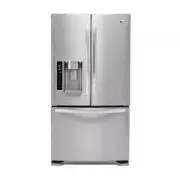
The appearance and specifications listed in this guide may vary due to constant product improvements. 40 KEY DIMENSIONS AND SPECIFICATIONS Bottom-Freezer Refrigerator Models LFX25975 Description Electrical Requirements Min. / Max. Water Pressure Dimensions Net Weight Refrigerator Storage Capacity Fr...
Page 41 - THIS LIMITED WARRANTY DOES NOT COVER:
41 LG ELECTRONICS U.S.A., INC. LG REFRIGERATOR LIMITED WARRANTY - U.S.A Should your LG Refrigerator ("Product") fail due to a defect in materials or workmanship under normal home use, during the warranty periodset forth below, LG will at its option repair or replace the product. This limited...
Page 42 - LG REFRIGERATOR LIMITED WARRANTY - Canada; Product; Replacement products and parts may be new or remanufactured.
42 LG ELECTRONICS CANADA, INC. LG REFRIGERATOR LIMITED WARRANTY - Canada WARRANTY: Should your LG Refrigerator (" Product ") fail due to a defect in material or workmanship under normal home use during the warranty period set forth below, LG Canada will at its option repair or replace the Pr...