LG LBNC10551V - User Manual
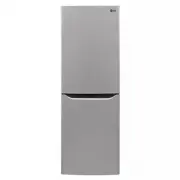
LG LBNC10551V Refrigerator – User Manual, read for free online in PDF format. We hope this helps you resolve any issues you may have. If you have further questions, please contact us through the contact form.


Table of Contents:
- Page 2 – SMART FUNCTIONS
- Page 4 – Do not use an extension cord.
- Page 5 – DISPOSAL
- Page 6 – The parts shown may vary depending on the model.; Note
- Page 7 – CONNECTION
- Page 8 – Dimensions and Clearances
- Page 9 – appropriate compartment.; TEMPERATURE CONTROL; while the function is running to manually turn it off.
- Page 10 – • When the refrigerator door is opened for more than 60 seconds; DOOR ALARM
- Page 11 – • Lift the front of the drawer cover and pull; REMOVAL AND INSTALLATION OF; • To install the drawer, follow the removal; NOTE
- Page 12 – To easily remove cubes, water the tray in; Freezer Storage Options
- Page 13 – CARE AND MAINTENANCE; FOODSTUFF STORAGE
- Page 14 – BEFORE SWITCHING ON:; REFRIGERATOR OPERATION FEATURES; CAUTION
- Page 17 – TROUBLE SHOOTING
- Page 19 – LG ThinQ Application; LG ThinQ; Installing the LG ThinQ Application; • This information is current at the time of; Smart DiagnosisTM Feature; Using Audible Diagnosis to; • Smart DiagnosisTM
OWNER'S MANUAL
FRIDGE&
FREEZER
Read this owner's manual thoroughly before operating the appliance and keep
it handy for reference at all times.
EN
ENGLISH
ES
ESPAÑOL
FR
FRANÇAIS
MFL69661730
Rev.04_040120
Copyright © 2017-2020 LG Electronics Inc. All Rights Reserved.
LBNC10551*
LBNC12551*
"Loading the manual" means you need to wait until the file loads and becomes available for online reading. Some manuals are very large, and the time they take to appear depends on your internet speed.
Was this manual helpful?
About this manual
- Brand
- LG
- Model
- LBNC10551V
- Document type
- User Manual
- Category
- Refrigerator
- Language(s)
- English
- Pages
- 26
- File size
- 12.4 MB
- Format
Summary
17 20 Express Reversing the Doors(Optional) General SMART FUNCTIONS
5 DISPOSAL Junked or abandoned refrigerators are dangerous, even if they are sitting for only a few days. When disposing of the refrigerator, remove the packing materials from the door or take off the doors but leave the shelves in place so that children may not easily climb inside. This appliance i...