Page 3 - ENGLISH; IMPORTANT SAFETY INSTRUCTIONS; READ ALL INSTRUCTIONS BEFORE USE; Your safety and the safety of others is very important.; DANgEr; WArNiNg; FIRE OR EXPLOSION HAZARD
3 ENGLISH IMPORTANT SAFETY INSTRUCTIONS READ ALL INSTRUCTIONS BEFORE USE w WArNiNg For your safety, the information in this manual must be followed to minimize the risk of fire or explosion, electric shock, or to prevent property damage, injury to persons, or death. Your safety and the safety of oth...
Page 4 - BASIC SAFETY PRECAUTIONS; CALIFORNIA SAFE DRINkINg WATER AND TOXIC ENFORCEmENT ACT; Do not store plastic, paper, or clothing that may
4 IMPORTANT SAFETY INSTRUCTIONS READ ALL INSTRUCTIONS BEFORE USE w WArNiNg For your safety, the information in this manual must be followed to minimize the risk of fire or explosion, electric shock, or to prevent property damage, injury to persons, or death. BASIC SAFETY PRECAUTIONS w WArNiNg To red...
Page 5 - gROUNDINg INSTRUCTIONS; SAFETY INSTRUCTIONS FOR INSTALLATION
5 ENGLISH IMPORTANT SAFETY INSTRUCTIONS READ ALL INSTRUCTIONS BEFORE USE w WArNiNg For your safety, the information in this manual must be followed to minimize the risk of fire or explosion, electric shock, or to prevent property damage, injury to persons, or death. gROUNDINg INSTRUCTIONS w WArNiNg ...
Page 6 - dryer. Failure to follow these instructions can result in
6 IMPORTANT SAFETY INSTRUCTIONS READ ALL INSTRUCTIONS BEFORE USE w WArNiNg For your safety, the information in this manual must be followed to minimize the risk of fire or explosion, electric shock, or to prevent property damage, injury to persons, or death. SAFETY INSTRUCTIONS FOR INSTALLATION w WA...
Page 7 - SAFETY INSTRUCTIONS FOR CONNECTINg ELECTRICITY; SAVE THESE INSTRUCTIONS
7 ENGLISH IMPORTANT SAFETY INSTRUCTIONS READ ALL INSTRUCTIONS BEFORE USE w WArNiNg For your safety, the information in this manual must be followed to minimize the risk of fire or explosion, electric shock, or to prevent property damage, injury to persons, or death. SAFETY INSTRUCTIONS FOR CONNECTIN...
Page 8 - PRODUCT FEATURES; STEAM FuNCTiONS
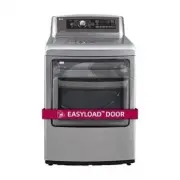
8 PRODUCT FEATURES EASY-TO-uSE CONTrOL PANEL Rotate the cycle selector knob to select the desired dry cycle. Add cycle options or adjust settings with the touch of a button. 2-WAY EASY-ACCESS rEVErSiBLE DOOr The LG EasyLoad™ can be tilted open from the top, hamper-style, allowing you to easily load ...
Page 9 - INTRODUCING YOUR DRYER; NOTE; Included Accessories; Accessories; -Way Reversible Door; Optional Accessories
9 ENGLISH INTRODUCING YOUR DRYER Parts and AccessoriesParts Control panel Leveling feet reversible door Lint filter Terminal block access panel (Electric models) gas connection location (gas models) Power cord location (gas models) Exhaust duct outlet NOTE • Contact LG Customer Service at 1-800-243-...
Page 10 - Control Panel Features; Button; Cycle Selector knob; Operation
10 Control Panel Features Following are instructions for starting and using your new dryer. Please refer to specific sections of this manual for more detailed information. w WArNiNg To reduce the risk of fire, electric shock, or injury to persons, read this entire manual, including the Important Saf...
Page 11 - Display
11 ENGLISH Display The display shows the settings, estimated time remaining, options, and status messages for your dryer. When the dryer is turned on, the light in the display will illuminate. w WArNiNg To reduce the risk of fire, electric shock, or injury to persons, read this entire manual, includ...
Page 12 - INSTALLATION INSTRUCTIONS; Preview Installation Order
12 INSTALLATION INSTRUCTIONS Preview Installation Order Checking and choosing the proper location Leveling the dryer Connecting electric dryers Venting the dryer Plugging in the power cord and grounding Connecting gas dryers Test run installation test (refer to page 32.) Press and hold 120V 240V iNS...
Page 13 - Installation Location Requirements; Clearances; Connecting
13 ENGLISH Installation Location Requirements w WArNiNg Read all installation instructions completely before installing and operating your dryer! It is important that you review this entire manual before installing and using your dryer. Detailed instructions concerning electrical connections, gas co...
Page 14 - Leveling the Dryer; • To reduce the risk of injury to persons, adhere to all
14 Clearances (cont.) Recommended Installation Spacing For Cabinet Installation • For cabinet installation with a door, minimum ventilation openings in the top of the cabinet are required. *Required spacing**For side or bottom venting, 2 inches (5.1 cm) spacing is allowed. Leveling the Dryer w WArNi...
Page 15 - Service calls to reverse the door are not; Reversing the Door
15 ENGLISH Before you begin The door reversal procedure consists of four main parts:• Removing and reinstalling the door and hinges (steps 1, 2 and 20) • Removing and reversing components on the dryer cabinet (step 3) • Removing and reversing components on the door cover (steps 4 and 5) • Removing a...
Page 16 - NOT; Switch the door strike and the blank cover.
16 iNSTALLATiON iNSTruCTiONS d. Reverse the hinge and the hinge bracket at the bottom of the cabinet. Remove the two screws from the hinge bracket at bottom right and remove the hinge bracket. Remove the lower of the two screws behind the hinge bracket. Do NOT remove the upper screw behind the hinge...
Page 17 - Inner Structure of Door; Reverse the components inside the door.
17 ENGLISH Reversing the Door (continued) iNSTALLATiON iNSTruCTiONS Inner Structure of Door (before reversing - right hinge swing) Top interlock buttons upper hinge assembly upper hinge pivot glass lower hinge assembly lower hinge bracket lower hinge filler upper hinge filler bumpers top lock rod si...
Page 18 - Reverse the upper hinge assembly and hinge; Lift out the two top interlock buttons.
18 iNSTALLATiON iNSTruCTiONS b. While sliding the lock rod right, lift the right end up and out of the guides. 11. Remove the upper hinge pivot. Once the top lock rod has been removed, the hinge pivot can easily be removed from the hinge assembly on the upper left and set aside. 12. Reverse the uppe...
Page 19 - Reverse the lower hinge bracket and hinge
19 ENGLISH b. Rotate the lower hinge assembly 180 degrees and install it on the right side using the two screws removed in step a. c. Flip over the lower hinge bracket and release the tabs on the back locking the hinge filler to the hinge bracket. d. Rotate the hinge filler 180 degrees and snap it b...
Page 21 - Installing the Side Vent Kit; industry recommended safety procedures including
21 ENGLISH Installing the Side Vent Kit w WArNiNg • Use a heavy metal vent.• Do not use plastic or thin foil duct.• Clean old ducts before installing this dryer.• To reduce the risk of injury to persons, adhere to all industry recommended safety procedures including the use of long sleeved gloves an...
Page 22 - Venting the Dryer; outside. Failure to follow these instructions can result
22 Venting the Dryer w WArNiNg To reduce the risk of fire, electric shock, or injury to persons when using this appliance, follow basic precautions, including the following: iNSTALLATiON iNSTruCTiONS • Do not crush or collapse ductwork. Failure to follow these instructions can result in fire or deat...
Page 24 - Connecting Gas Dryers
24 Connecting Gas Dryers w WArNiNg To reduce the risk of fire, electric shock, or injury to persons when using this appliance, follow basic precautions, including the following: Electrical requirements for gas models only w WArNiNg To reduce the risk of fire, electric shock, or injury to persons whe...
Page 26 - Connecting Electric Dryers
26 Connecting Electric Dryers w WArNiNg To help prevent fire, electric shock, serious injury, or death, the wiring and grounding must conform to the latest edition of the National Electrical Code, ANSI/NFPA 70 and all applicable local regulations. Please contact a qualified electrician to check your...
Page 27 - USA only
27 ENGLISH Connecting Electric Dryers (cont.) USA only w WArNiNg • Connect the power cord to the terminal block. Connec teach power cord wire to the terminal block screw that has the same colored wire. For example, connect the black power cord wire to the terminal block screw with the black wire. Fa...
Page 28 - Ground Wire
28 w WArNiNg • Connect the power cord to the terminal block. Connect each power cord wire to the terminal block screw that has the same colored wire. For example, connect the black power cord wire to the terminal block screw with the black wire. Failure to follow these instructions may result in a s...
Page 31 - Special Requirements for; gAS mODELS
31 ENGLISH Special Requirements for Manufactured or Mobile Homes Any installation in a manufactured or mobile home must comply with the Manufactured Home Construction and Safety Standards Title 24 CFR, Part 3280 or Standard CAN/CSA Z240 MH and local codes and ordinances. If you are uncertain whether...
Page 34 - HOW TO USE; Operating the Dryer
34 HOW TO uSE HOW TO USE Operating the Dryer Turn On the Dryer Press the Power button to turn on the dryer. The cycle LEDs will illuminate and a signal will sound, if turned on. Refer to page 10. 3 Begin the cycle Press the Start/Pause button to begin the cycle. The cycle can be paused at any time e...
Page 35 - Check the Lint Filter Before Every; Loading the Dryer
35 ENGLISH HOW TO uSE Following are instructions for starting and using your new dryer. Please refer to specific sections of this manual for more detailed information. Check the Lint Filter Before Every Load Always make sure the lint filter is clean before starting a new load; a clogged lint filter ...
Page 36 - Using the LG EasyLoadTM; Swing Door; • Do not place heavy items on or lean against the top; • Do not attempt to pull the hamper door open more
36 Using the LG EasyLoad™ Swing Door Use the swing door when unloading, or when loading bulkier items, for easy access to the drum.To open the swing door, insert your fingers into the handle recess on the top of the door on the side opposite the hinge and pull the door open. w WArNiNg When the door ...
Page 37 - Cycle Guide
37 ENGLISH Cycle Guide Sensor dry cycles Sensor dry cycles utilize LG’s unique dual sensor system to detect and compare the moisture level in clothes and in the air and adjust the drying time as needed to ensure superior results. The dryer automatically sets the dryness level and temperature at the ...
Page 38 - Cycle guide
38 Special functions The option buttons also activate special functions, including Child Lock and Rack Dry. Select the option by pressing the option button. Press and hold the option button for special features marked with the asterisk (*), such as Child Lock. * Rack Dry Use Rack Dry with items, suc...
Page 39 - Custom Program; Steam Functions; Do not fill the steam feeder with liquids such as
39 ENGLISH Special Functions. (cont.) Energy Saver This option helps to reduce the energy consumption in the Normal cycle, depending on the load size.When the Energy Saver option is selected, the cycle begins with an air dry section and the drying time is increased. Custom Program If you have a spec...
Page 41 - Steam Cycle Guide
41 ENGLISH Steam Cycle Guide Steam Default Time Temp. Control Dry Level Fabric State Fabric Type maximum Amount St eam S anitar y Tm 39 minutes Dry Comforter Bedding Single (1 each) Children’s clothing 3 lbs. St eam F resh Tm 20 minutes Dry Comforter Single (1 each) Shirts* 5 each + Reduce Static ...
Page 42 - Tag on; Turning on the Smart Phone’s NFC Function; using the Tag On Function; Tag On position
42 Tag on - The Tag On function allows you to conveniently use the LG Smart Diagnosis™ , Cycle Download, Laundry Stats and Tag On Cycle Set features to communicate with your appliance right from your own smart phone. To use the Tag On functions: 1. Download the LG Smart Laundry&DW App to your sm...
Page 43 - Check the diagnosis results; Using Tag On with Applications; Tag On Diagnosis; Install Lg Smart Laundry & DW application on a
43 ENGLISH 4. Touch the Tag On logo. - When a Tag On screen appears (see at right), tap your smart phone on the Tag On icon on the right side of the dryer’s control panel. - If it isn’t recognized, touch [ ] on the upper right of the Tag On screen on your LG Smart Laundry&DW application to see t...
Page 44 - Call Center
44 Call Center If you receive a diagnosis from either the Tag On Diagnosis or Smart Diagnosis application that is unclear or directs you to call the LG Service Center, follow these instructions: 1. Select Press to Call Lg Service on the Smart Diagnosis™ Result screen. 2. Select your country. 3. Agre...
Page 45 - Select a cycle to download.; Tag On Cycles Download; Install the Lg Smart Laundry&DW application on a
45 ENGLISH 5 Select a cycle to download. - You can also check the existing cycles already downloaded. 6. Touch the Tag On logo. - When a Tag On screen appears (see at right), tap your smart phone on the Tag On icon on the right side of the dryer’s control panel. - If it isn’t recognized, touch [ ] o...
Page 46 - Status
46 Laundry Stats Laundry Stats can monitor the Flow Sense™ result in case your home exhaust system is clogged. Laundry Stats can also tell you details of your last ten cycles. 1. Select Tag On by using the top icons or the bottom icons. 2. Select Laundry Stats. 4. Touch the Tag On logo. - When a Tag...
Page 47 - run Cycle Again; Select the Run Cycle Again
47 ENGLISH run Cycle Again 1. Select the Run Cycle Again button. - The most used cycle or most recent cycle can be immediately started by selecting the Run Cycle Again button. 2. Touch the Tag On logo. - When a Tag On screen appears(shown at right), tap your smart phone on the Tag On icon on the rig...
Page 48 - Tag On Cycle Set; tap your smart phone to
48 Tag On Cycle Set Tag On Cycle Set allows you to automatically adjust the cycle and settings based on your needs. 1. Select Tag On by using the top icons or the bottom icons. 2. Select Tag On Cycle Set. 3. Touch the Tag On logo. - When a Tag On screen appears(shown at right), tap your smart phone ...
Page 49 - MAINTENANCE; Regular Cleaning; Unplug the dryer before cleaning to avoid the risk
49 ENGLISH MAINTENANCE Regular Cleaning w WArNiNg To reduce the risk of fire, electric shock, or injury to persons when using this appliance, follow basic precautions, including the following: • Unplug the dryer before cleaning to avoid the risk of electric shock. Failure to follow this warning can ...
Page 50 - TROUBLESHOOTING; Before Calling For Service; Problem
50 TROUBLESHOOTING Before Calling For Service Your dryer is equipped with an automatic error-monitoring system to detect and diagnose problems at an early stage. If your dryer does not function properly or does not function at all, check the following before you call for service. Problem Possible Ca...
Page 53 - Steam DryerTM models DLEX5780*E DLgX5781*E; SPECIFICATIONS; User Support Videos
53 ENGLISH Steam Dryer™ models DLEX5780*E DLgX5781*E Description Steam Dryer Electrical requirements Please refer to the rating label regarding detailed information. Gas requirements NG 4-10.5 inches WC LP: 8–13 inches WC (Gas Models only) Max. water pressure 21.8 ~ 116 psi (150 ~ 800 kPa) Dimension...
Page 54 - USING Smart Diagnosis; Audible Diagnosis
54 USING Smart Diagnosis TM Audible Diagnosis Should you experience any problems with your dryer, it has the capability of transmitting data to your Smart Phone using the LG Smart Laundry Application or via your telephone to the LG call center. Smart Diagnosis™ cannot be activated unless your dryer ...
Page 57 - ManUal de propieTario; secadora; guardelo a mano para futuras consultas.; esP; Copyright © 2017 LG Electronics Inc. Todos los Derechos Reservados.
ManUal de propieTario secadora lea este manual de usuario detenidamente antes de la utilizacion y guardelo a mano para futuras consultas. esP aÑol dlex5780*e dlgx5781*e www.lg.com Copyright © 2017 LG Electronics Inc. Todos los Derechos Reservados. MFL67731040_sp_170712.indd 1 2017.7.12 5:22:11 PM
Page 59 - ol; insTRUcciones iMPoRTanTes de seGURidad; LEA TODAS LA INSTRUCCIONES ANTES DE USAR; Su Seguridad y la de los demás son de suma importancia.; peligro; de la secadora y aumentarán el riesgo de incendio.; adverTencia; RIESGO DE INCENDIO O EXPLOSIÓN
3 es Pa Ñ ol insTRUcciones iMPoRTanTes de seGURidad LEA TODAS LA INSTRUCCIONES ANTES DE USAR w adverTencia Por su seguridad, debe seguir la información indicada en este manual para minimizar el riesgo de incendio o explosión, descarga eléctrica, o para prevenir daños a la propiedad, lesiones persona...
Page 60 - PRECauCIONES báSICaS DE SEGuRIDaD; LEy EjECutIva PaRa La SEGuRIDaD DEL aGua POtabLE y LOS tÓXICOS; No coloque objetos pesados ni se apoye sobre la
4 insTRUcciones iMPoRTanTes de seGURidad LEA TODAS LA INSTRUCCIONES ANTES DE USAR w adverTencia Por su seguridad, debe seguir la información indicada en este manual para minimizar el riesgo de incendio o explosión, descarga eléctrica, o para prevenir daños a la propiedad, lesiones personales o muert...
Page 61 - INStRuCCIONES DE CONEXIÓN a tIERRa; INStRuCCIONES ImPORtaNtES PaRa La INStaLaCIÓN; niños. Los materiales de los envoltorios pueden resultar
5 es Pa Ñ ol insTRUcciones iMPoRTanTes de seGURidad LEA TODAS LA INSTRUCCIONES ANTES DE USAR w adverTencia Por su seguridad, debe seguir la información indicada en este manual para minimizar el riesgo de incendio o explosión, descarga eléctrica, o para prevenir daños a la propiedad, lesiones persona...
Page 63 - INStRuCCIONES ImPORtaNtES PaRa; GuaRDE EStaS INStRuCCIONES
7 es Pa Ñ ol insTRUcciones iMPoRTanTes de seGURidad LEA TODAS LA INSTRUCCIONES ANTES DE USAR w adverTencia Por su seguridad, debe seguir la información indicada en este manual para minimizar el riesgo de incendio o explosión, descarga eléctrica, o para prevenir daños a la propiedad, lesiones persona...
Page 64 - caRacTeRÍsTicas del PRodUcTo
8 caRacTeRÍsTicas del PRodUcTo panel de conTrol FÁcil para Usar Gire el mando selector de ciclo para seleccionar el ciclo de secado que desee. Añada opciones de ciclo o ajuste los valores tocando un botón pUerTa reversible de FÁcil acceso de doble vÍa La puerta de doble LG EasyLoad™ de apertura tipo...
Page 65 - la inTRodUcción de la secadoRa; noTa; accesorios incluidos; accesorios; accesorios opcionales
9 es Pa Ñ ol la inTRodUcción de la secadoRa Partes y accesoriosPartes noTa • Póngase en contacto con el Departamento de atención al cliente de LG, en el número 1-800-243-0000 (1-888- 542-2623 en Canadá) si falta alguno de los accesorios. • Para su seguridad, y con el fin de ampliar la vida útil de s...
Page 66 - características del panel de control; botón; Perilla Selecto Ra De Cicios; botones De ajuste De Cicios; operation
10 características del panel de control A continuación encontrará instrucciones para comenzar a usar su secadora nueva. Para más información por favor consulte las secciones específicas de este manual. w adverTencia Para reducir el riesgo de incendios, descargas eléctricas o heridas, lea este manual...
Page 67 - Pantalla; tie mpo res tan teres tan te es timado (Estimated time Remaining); Indicador De Cerradura a Prueba De Niños (Child Lock); Recordatorio De Limpie filtro (Clean filter Reminder)
11 es Pa Ñ ol Pantalla La pantalla muestra los ajustes, el tiempo restante estimado, las opciones y los mensajes de estado correspondientes a su secadora. Cuando se gira el secador, la luz en la exhibición iluminará. w adverTencia Para reducir el riesgo de incendios, descargas eléctricas o heridas, ...
Page 68 - insTRUcciones PaRa la insTalación; vista previa del orden de instalación
12 insTRUcciones PaRa la insTalación vista previa del orden de instalación comprobación y elección de la ubicación adecuada nivelación de la secadora cómo conectar las secadoras eléctricas ventilación de la secadora conexión del enchufe y la toma de tierra conexión de secadoras a gas prueba de funci...
Page 69 - Requisitos del lugar de instalación; ofrezca un servicio fiable y duradero.; espacios de instalación; Requisitos
13 es Pa Ñ ol Requisitos del lugar de instalación w adverTencia Siga las instrucciones de funcionamiento y cuidado incluidas en este manual y conseguirá que su secadora ofrezca un servicio fiable y duradero. Es importante que revise todo este manual antes de instalar y usar su secadora. Se proporcio...
Page 70 - nivelación de la secadora; Para reducir el riesgo de lesiones personales,
14 espacios de instalación (cont.) Separación recomendada para la instalación en un habitáculo cerrado • Al realizar la instalación en un habitáculo cerrado debe haber salidas de ventilación mínimas en la parte superior e inferior del lugar. *Espacio requerido** Para la ventilación lateral e inferio...
Page 71 - Las llamadas al servicio técnico para invertir; cambio de la dirección de apertura de la Puerta
15 es Pa Ñ ol insTrUcciones para la insTalaciÓn antes de comenzar El procedimiento consiste en cuatro partes principales: • Retirada y nueva instalación de la puerta y las bisagras (pasos 1, 2 y 20) • Retirada e inversión de los componentes del mueble de la secadora (paso 3) • Retirada e inversión d...
Page 72 - Levante y separe la tapa de la puerta.; Cambie el cierre de la puerta y la placa ciega; cambio de la dirección de apertura de la Puerta (continuación)
16 insTrUcciones para la insTalaciÓn d. Invierta la bisagra y el soporte de la bisagra de la parte inferior del gabinete. Afloje los dos tornillos del soporte de la bisagra de la parte inferior derecha y remueva el soporte de la bisagra. Extraiga el tornillo inferior de los dos tornillos situados de...
Page 73 - Invierta los componentes del interior de la puerta; estructura interior de la puerta
17 es Pa Ñ ol insTrUcciones para la insTalaciÓn cambio de la dirección de apertura de la Puerta (continuación) 6. Invierta los componentes del interior de la puerta Ahora, retirará e invertirá los diferentes componentes del interior de la puerta. Vea abajo un diagrama detallado y la identificación d...
Page 75 - Instale la barra de bloqueo lateral; Reinstale la barra de bloqueo superior.; Invierta el soporte de la bisagra inferior y el
19 es Pa Ñ ol pestañas insTrUcciones para la insTalaciÓn cambio de la dirección de apertura de la Puerta (continuación) placa de bisagra superior tornillo Tornillos conjunto de bisagra inferior b. Gire la el ensamble de la bisagra inferior 180 grados e instálela en el lado derecho utilizando los dos...
Page 76 - Reinstale los botones de interbloqueo superiores.; Reinstale la tapa de la puerta.; ahora, tome el pivote de la bisagra superior extraído
20 insTrUcciones para la insTalaciÓn cambio de la dirección de apertura de la Puerta (continuación) Dos tornillos grandes Dos tornillos pequeños botones de enclavamiento amortiguadores Asegúrese de que la parte superior de la barra de bloqueo lateral quede junto a la barra de bloqueo superior y que ...
Page 77 - instalación del kit de ventilación lateral; • Para reducir el riesgo de lesiones personales,
21 es Pa Ñ ol instalación del kit de ventilación lateral w adverTencia • utilice material para ventilación de metal pesado.• No utilice conductos de plástico o aluminio delgado.• Limpie los conductos antiguos antes de instalar esta secadora. • Para reducir el riesgo de lesiones personales, cumpla co...
Page 78 - cónexión del conducto de ventilación de la secadora
22 cónexión del conducto de ventilación de la secadora w adverTencia Para reducir el riesgo de incendio, descargas eléctricas o heridas al usar su electrodoméstico, siga las precauciones básicas, incluyendo lo siguiente: • No aplaste ni doble el sistema de conducto. Si no se siguen estas instruccion...
Page 80 - conexión de secadoras a gas; conectado a tierra adecuadamente. Si no se cumple con
24 conexión de secadoras a gas w adverTencia Para reducir el riesgo de incendio, descargas eléctricas o heridas al usar su electrodoméstico, siga las precauciones básicas, incluyendo lo siguiente: requisitos eléctricos para modelos a gas únicamente w adverTencia Para reducir el riesgo de incendio, d...
Page 81 - mantenimiento o compañía de gas. Si no se cumple
25 es Pa Ñ ol conexión de secadoras a gas (cont.) w adverTencia Para reducir el riesgo de incendio, descargas eléctricas o heridas al usar su electrodoméstico, siga las precauciones básicas, incluyendo lo siguiente: • La instalación y el mantenimiento deben proveerse por un instalador calificado, ag...
Page 82 - cómo conectar las secadoras eléctricas; la secadora. Si no se cumple con esto se podrá producir
26 cómo conectar las secadoras eléctricas w adverTencia Para ayudar a evitar incendios, descargas eléctricas, heridas graves o muerte, el cableado e instalación a tierra deben cumplir con la última edición del Código Eléctrico Nacional, ANSI/NFPA 70 y todas las regulaciones locales aplicables. Por f...
Page 83 - tierra por el conductor neutro.
27 es Pa Ñ ol cómo conectar las secadoras eléctricas (cont.) sólo ee.UU. w adverTencia • Conecte el cable de alimentación a la caja de terminales. Conecte cada uno de los conductores del cable de alimentación al tornillo de la caja de terminales que tenga el conductor del mismo color. Por ejemplo, c...
Page 84 - a tierra por el conductor neutro.; Alambre de
28 w adverTencia • Conecte el cable de alimentación a la caja de terminales. Conecte cada uno de los conductores del cable de alimentación al tornillo de la caja de terminales que tenga el conductor del mismo color. Por ejemplo, conecte el conductor negro del cable de alimentación al tornillo de la ...
Page 85 - mínimo y terminales de bucle cerrado o de horquilla
29 es Pa Ñ ol cómo conectar las secadoras eléctricas (cont.) sólo ee.UU. w adverTencia • Conecte el cable de alimentación a la caja de terminales. Conecte cada uno de los conductores del cable de alimentación al tornillo de la caja de terminales que tenga el conductor del mismo color. Por ejemplo, c...
Page 87 - Requisitos especiales para viviendas; mODELOS a GaS
31 es Pa Ñ ol Requisitos especiales para viviendas móviles o prefabricadas Cualquier instalación en una vivienda móvil o prefabricada debe realizarse de conformidad con los Estándares de seguridad y construcción de viviendas prefabricadas, Título 24 CFR, Parte 3280 o estándar CAN/ CSA Z240 MH y con ...
Page 88 - Test de instalación; activar el test de instalación:
32 Test de instalación (verificación del conducto) Una vez haya instalado la secadora, haga este test para asegurarse de que las condiciones del sistema de evacuación son las adecuadas para el funcionamiento correcto de la secadora. Este test tiene como objetivo mostrarle si existe algún problema im...
Page 89 - HS
33 es Pa Ñ ol Test de instalación (verificación del conducto) (cont.) • Compruebe el código de error antes de llamar al servi - cio técnico • Compruebe las condiciones del conducto Si se iluminan las 4 barras tras el test, compruebe el sistema de evacuación en busca de restricciones o daños. Repare ...
Page 90 - cóMo UsaR; Funcionamiento de la secadora; noTe
34 cóMo UsaR Funcionamiento de la secadora Encender La Secadora Presione el botón Encendido/Apagado (Power) para encender la secadora. Si se enciende, los LEDs de ciclo se iluminarán y se emitirá un aviso sonoro. Consulte la página 10. 3 Iniciar El Ciclo Presione el botón Inicio/Pausa(Start/Pause) p...
Page 91 - Revise el filtro de pelusa antes de; cómo cargar la secadora; residuos de aceite. Si no se cumple con esto se podrá
35 es Pa Ñ ol A continuación encontrará instrucciones para comenzar a usar su secadora nueva. Para más información por favor consulte las secciones específicas de este manual. Revise el filtro de pelusa antes de cada uso Asegúrese siempre de que el filtro de pelusa esté limpio antes de iniciar una c...
Page 92 - Uso de la función lG easyloadTM; Puerta batiente; • No intente abrir la puerta de tipo cesto más de 40; • No coloque objetos pesados ni se apoye sobre la
36 Uso de la función lG easyload™ Puerta batiente Utilice la puerta batiente para la descarga o carga de ropa voluminosa, ya que permite un fácil acceso al tambor. Para abrir la puerta batiente, inserte los dedos en el hueco de la manivela en la parte superior de la puerta, en el lado opuesto a las ...
Page 93 - Guía de ciclos
37 es Pa Ñ ol Guía de ciclos ciclos de secado con sensor (sensor dry) Los ciclos de secado con sensor utilizan el sistema exclusivo de sensor doble de LG para detectar y comparar el nivel de humedad en las prendas y en el aire, y programar el tiempo de secado del modo necesario para asegurar resulta...
Page 94 - Funciones especiales; configuraciones del ciclo y opciones
38 Funciones especiales Los botones de opción también activan las funciones especiales, incluyendo, SEGURO A PRUEBA DE NIÑOS (Child Lock), SECADO EN PARRILLA (Rack Dry).Seleccione la opción deseada presionando el botón. Al pulsar y mantener presionado el botón se activarán las características especi...
Page 95 - No llene el alimentador de vapor con líquidos tales como; Programa personalizado; Funciones de vapor
39 es Pa Ñ ol cÓMo Usar 2. Extraiga el alimentador de vapor. 3. Llene el alimentadorr con agua hasta la capacidad máxima 4. Colóquelo de nuevo en el compartimento cuadrado y ponga la tapa. w adverTencia • No llene el alimentador de vapor con líquidos tales como gasolina, solventes para limpieza en s...
Page 96 - Steam freshTM
40 Funciones de vapor (cont.) La nueva tecnologia de vapor de LG le permite inyectar las telas con un chorro giratorio de vapor caliente para refrescar las prendas, reducir la estatica, y facilitar el planchado. Simplemente seleccione el ciclo Steam Fresh™ o agregue la opción vapor a los ciclos sele...
Page 97 - Guía de ciclo de vapor; St
41 es Pa Ñ ol Guía de ciclo de vapor vapor tiempo programado por la fábrica Control temp. Nivel de Secado Estado de tela tipo de tela Cantidad máx. St eam S anitar y tm 39 Min. Seca Camisas, Ropa de cama Camisas (1 cada) Ropa de niños 3 Ibs. St eam fr esh tm 20 Min. Seca Edredón Camisas (1 cada) C...
Page 98 - activación de la función nFc del smartphone; Utilizar la Función Tag on; Posición Tag on
42 Tag on - La función Tag On le permite utilizar cómodamente las funciones LG Smart Diagnosis™, Descarga de ciclos, Estadísticas de lavado y Ajuste de ciclo Tag On para comunicarse con su aparato desde su propio smartphone. Para utilizar las funciones Tag On: 1. Descargue la aplicación LG Smart Lau...
Page 99 - Compruebe los resultados; Utilizar Tag on con aplicaciónes; diagnóstico Tag on; Instale la aplicación LG Smart Laundry&DW en un
43 es Pa Ñ ol 4. toque el logotipo tag On. - Cuando aparezca una pantalla Tag On (como se muestra a la derecha), ponga el smartphone sobre el icono Tag On del lado derecho del panel de control de la lavadora. - Si no es reconocido, toque [ ] en el ángulo superior derecho de la pantalla Tag On de la ...
Page 100 - diagnóstico con el centro de asistencia; en la pantalla de resultados
44 diagnóstico con el centro de asistencia Si recibe un diagnóstico ya sea de la aplicación de Tag On Diagnosis (Diagnóstico Tag On) o de Smart Diagnosis (Diagnóstico Inteligente) que no es claro o que lo dirige a llamar al Centro de Servicios LG, siga estas instrucciones: 1. Seleccione Pulse para l...
Page 101 - Seleccione un ciclo para su; El nuevo ciclo se ha; descarga del ciclo Tag on
45 es Pa Ñ ol 5 Seleccione un ciclo para su descarga. - También puede comprobar los ciclos existentes ya descargados. 6. toque el logotipo tag On. - Cuando aparezca una pantalla Tag On (como se muestra a la derecha), ponga el smartphone sobre el icono Tag On del lado derecho del panel de control de ...
Page 102 - estadísticas de lavado; iconos superiores o los; el estado de deTecciÓn de caUdal; el sistema de salida de su
46 estadísticas de lavado Estadística de lavado puede monitorear los resultados de la Detección de Caudal (Flow Sense™) en caso que el sistema de desagüe de su vivienda esté atascado. Las estadísticas de lavado también le proporcionan detalles de los últimos diez ciclos. 1. Seleccione tag On con los...
Page 103 - ejecutar ciclo de nuevo; Seleccione el botón Ejecutar; Compruebe si se ha iniciado
47 es Pa Ñ ol ejecutar ciclo de nuevo 1. Seleccione el botón Ejecutar ciclo de nuevo. - El Ciclo Más Usado o el Ciclo Más Reciente puede ser iniciado inmediatamente seleccionando el botón Ejecutar Ciclo de nuevo 2. toque el logotipo tag On. - Cuando aparezca una pantalla Tag On (a la derecha), ponga...
Page 104 - ajuste de ciclo Tag on; iconos superiores o lo iconos; del panel de control de la
48 ajuste de ciclo Tag on Ajuste de Ciclo Tag On le permite ajustar automáticamente el ciclo y su configuración según las necesidades su ropa. 1. Seleccione tag On con los iconos superiores o lo iconos inferiores. 2. Seleccione ajuste de Ciclos tag On. 3. toque el logotipo tag On. - Cuando aparezca ...
Page 105 - limpieza regular; Desenchufe la secadora antes de limpiar la misma para
49 es Pa Ñ ol ManTeniMienTo limpieza regular w adverTencia Para reducir el riesgo de incendio, descargas eléctricas o heridas al usar su electrodoméstico, siga las precauciones básicas, incluyendo lo siguiente: • Desenchufe la secadora antes de limpiar la misma para evitar el riesgo de descargas elé...
Page 106 - ResolUción de PRobleMas; antes de llamar a mantenimiento; Problema
50 resolUciÓn de probleMas ResolUción de PRobleMas antes de llamar a mantenimiento Su secadora está equipada con un sistema de monitoreo de errores automático para la detección y el diagnóstico de problemas en una etapa temprana. Si su secadora no funciona adecuadamente o no funciona en lo absoluto,...
Page 109 - modelos de Steam DryerTM DLEX5780*E DLGX5781*E; esPeciFicaciones
53 es Pa Ñ ol modelos de Steam Dryer™ DLEX5780*E DLGX5781*E Descripción Secadora con vapor Requisitos eléctricos Consulte la placa de clasificación para información en detalles. Requisitos de gas NG: 4 a 10,5 pulgadas WC LP: 8 a 13 pulgadas WC (Solo modelos a gas) Presión máx. de agua 150 ~ 800 kPa ...
Page 110 - UTilización del smart diagnosisTM; diagnóstico sonoro
54 UTilización del smart diagnosis™ diagnóstico sonoro Si tuviera algún problema con su secadora, la misma posee la capacidad de transmitir datos a un teléfono inteligente utilizando la aplicación Smart Laundry de LG o mediante el teléfono al Centro de atención telefónica de LG. Smart Diagnosis™ no ...
Page 116 - this product qualifies for energy star in
1-800-243-0000 usa 1-888-542-2623 canada lg customer information center register your product online! www.lg.com this product qualifies for energy star in the “factory default (home use)” setting.changing the factory default settings or enabling other features may increase power consumption that cou...