LG 65QNED816RE - User Manual
LG 65QNED816RE TV – User Manual, read for free online in PDF format. We hope this helps you resolve any issues you may have. If you have further questions, please contact us through the contact form.
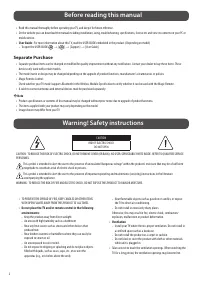
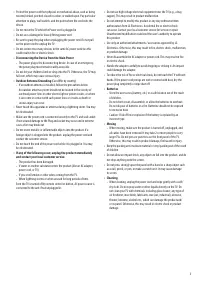
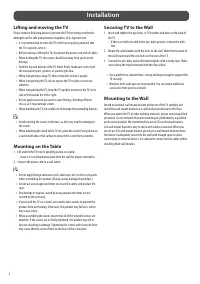
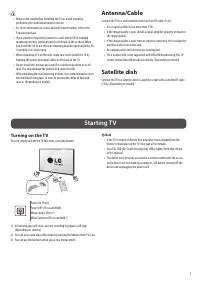
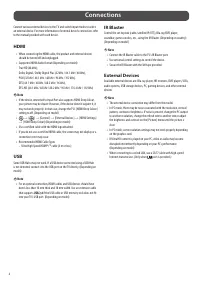
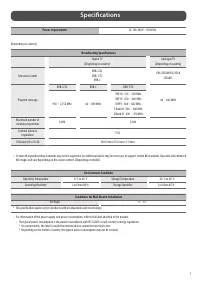
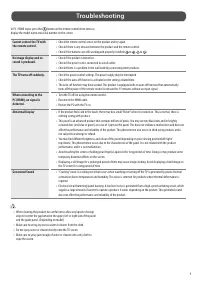
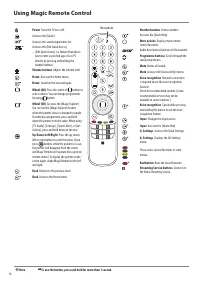
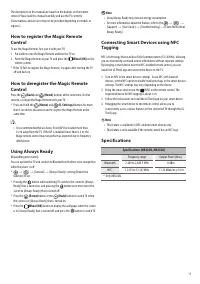
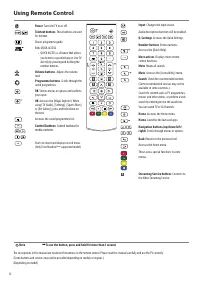
Table of Contents:
- Page 2 – Before reading this manual; Separate Purchase; Warning! Safety instructions
- Page 4 – Installation; Lifting and moving the TV
- Page 5 – Satellite dish; Starting TV; Turning on the TV
- Page 6 – Connections; HDMI; USB; IR Blaster; External Devices
- Page 7 – Specifications
- Page 8 – Product Information; Open Source Software Notice
- Page 9 – Troubleshooting
- Page 10 – Using Magic Remote Control
- Page 12 – Using Remote Control
ENGLISH
_in
de
x
Please read this manual carefully
before operating your set and retain it
for future reference.
www.lg.com
Copyright © 2023 LG Electronics Inc.
All Rights Reserved.
The model and serial number of the product are
located on the back and on one side of the product.
Record them below in case you ever need service.
Model
Serial No.
LED TV*
Safety and Reference
OWNER’S MANUAL
* LG LED TV applies LCD screen with LED backlights.
*MFL719464032301REV00*
"Loading the manual" means you need to wait until the file loads and becomes available for online reading. Some manuals are very large, and the time they take to appear depends on your internet speed.
Was this manual helpful?
About this manual
- Brand
- LG
- Model
- 65QNED816RE
- Document type
- User Manual
- Category
- TV
- Language(s)
- English
- Pages
- 12
- File size
- 314 KB
- Format
Summary
2 Before reading this manual • Read this manual thoroughly before operating your TV, and keep it for future reference. • On the website you can download the manual including installation, using, troubleshooting, specifications, license etc and view its contents on your PC or mobile device. • User Gu...
4 Installation Lifting and moving the TV Please note the following advice to prevent the TV from being scratched or damaged and for safe transportation regardless of its type and size. • It is recommended to move the TV in the box or packing material that the TV originally came in. • Before moving o...
5 • Remove the stand before installing the TV on a wall mount by performing the stand attachment in reverse. • For more information of screws and wall mount bracket, refer to the Separate purchase. • If you intend to mount the product to a wall, attach VESA standard mounting interface (optional part...





