LG 55LF5700 - User Manual
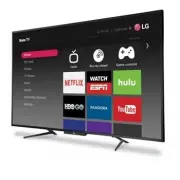
LG 55LF5700 TV – User Manual, read for free online in PDF format. We hope this helps you resolve any issues you may have. If you have further questions, please contact us through the contact form.


Your TV has four VESA mounting holes on
the back. If you attach a wall-mount bracket
to the back of your TV,
the bracket must be
securely attached, using all four holes
.
If you do not use all four mounting holes,
your TV may fall and cause property damage
or personal injury. See the documentation
that came with your wall mount for complete
mounting instructions.
Quick Setup Guide
| 55LF5700
55" 1080p, 60Hz, LED TV
2
MAKING CONNECTIONS
How do I watch TV (cable, satellite, or antenna) or connect a device such as a DVD or Blu-ray disc player, game console, or tablet?
FEATURES
START HERE
How do I attach the stands to my TV? (not for wall mounting)
You’ll need
: Soft surface and Phillips screwdriver.
WALL MOUNT
How do I prepare my TV for wall mounting?
(not for use with a TV stand)
You’ll need
: Soft surface and Phillips screwdriver.
3
CONNECTING AUDIO DEVICES
How do I connect my TV to external speakers?
USING DIGITAL AUDIO
Note:
See the instructions that came with your speakers for more information.
B
Align the the TV stands with the screw holes on the bottom of the TV, then secure
the stands to the TV with the four provided screws.
A
Carefully place your TV face-down on a
cushioned, clean surface.
Before using your new product, please read these
instructions to prevent any damage.
AUDIO/VIDEO OUT
CABLE
WHICH CABLES
DO YOU HAVE?
OR
A
Carefully place your TV face-down on a cushioned, clean surface.
B
See the instructions that came with your wall mount for more information about how to correctly mount your TV.
Multi-purpose jacks
: You can plug any device that uses HDMI into any HDMI jack. However,
certain devices must be connected to the
ARC
jack. See the instructions that came with your
ARC-enabled device for more information.
HDMI
(BEST)
Best video quality
AV
(GOOD)
COAXIAL
(GOOD)
Power indicator
Remote control sensor
A
B
B
FIND YOUR USER GUIDE ONLINE!
Go to http://www.lg.com/us .
Enter the TV model number in the
Search By Product
field, then press
ENTER
.
STOP
Do not plug your power cord in until all
other devices have been connected.
!
INCLUDED ACCESSORIES
Remote control and two AAA batteries
TV stands
M5
screws
(4 pcs.)
Power cord
WHAT YOU NEED
(not included)
Wireless router*
(needed for streaming)
Internet connection*
(needed for streaming)
A
Phillips screw driver
SOUNDBAR
OPTICAL
INPUT
1
M U T E
* Subscription or other payment
may be required to access
certain content.
VESA Mounting Pattern
VESA mount (mm): 400 × 200
-
M6 Type screws (not included)
AAA
+
AAA
+
L
R
M5
screws
X4
M5
screws
ANTENNA / CABLE
3
RESET
USB IN
HDMI 3
IN
OPTICAL
DIGITAL
AUDIO
OUT
ANTENNA / CABLE
HDMI1 (ARC) HDMI 2
AV IN
VIDEO
HDMI IN
LEFT
RIGHT
ANTENNA / CABLE
HDMI1 (ARC) HDMI 2
AV IN
VIDEO
HDMI IN
LEFT
RIGHT
OPTICAL
DIGITAL
AUDIO
OUT
HDMI 3
IN
HDMI1 (ARC) HDMI 2
HDMI IN
"Loading the manual" means you need to wait until the file loads and becomes available for online reading. Some manuals are very large, and the time they take to appear depends on your internet speed.
Was this manual helpful?
About this manual
- Brand
- LG
- Model
- 55LF5700
- Document type
- User Manual
- Category
- TV
- Language(s)
- English
- Pages
- 2
- File size
- 698.5 KB
- Format