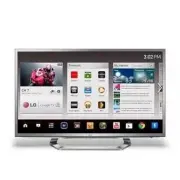
Page 2 - ENG; ENGLISH; Table of Contents; BEfORE uSE
2 ENG ENGLISH TABLE OF CONTENTS Table of Contents 4 BEfORE uSE 4 LICENSES 5 IMPORTANT SAFETY INSTRUCTIONS 10 Viewing 3D Imaging 12 Unpacking 14 Optional Extras 15 Parts and buttons 16 Remote Control Functions 16 - Inserting batteries 19 - Registering the Remote Control 19 - How to use the zoom in/ou...
Page 4 - BEfORE uSE; LICENSES; NOTE
4 ENG ENGLISH Before Use Manufactured under license from Dolby Laboratories. “Dolby” and the double-D symbol are trademarks of Dolby Laboratories. HDMI, the HDMI logo and High-Definition Multimedia Interface are trademarks or registered trademarks of HDMI Licensing LLC. Manufactured under license un...
Page 5 - IMPORTANT SAFETY INSTRUCTIONS
5 ENG ENGLISH Before Use IMPORTANT SAFETY INSTRUCTIONS Always comply with the following precautions to avoid dangerous situations and ensure peak performance of your product. TO REDUCE THE RISK OF ELECTRIC SHOCK DO NOT REMOVE COVER (OR BACK). NO USER SERVICEABLE PARTS INSIDE. REFER TO QUALIFIED SERV...
Page 8 - Dot Defect
8 ENG ENGLISH Before Use y y If you smell smoke or other odors coming from the TV, unplug the power cord and contact an authorized service center. y y Do not press strongly upon the panel with your hand or a sharp object such as a nail, pencil or pen, or make a scratch on it. y y Keep the product aw...
Page 10 - Viewing 3D Imaging; WARNING
10 ENG ENGLISH Before Use Viewing 3D Imaging WARNING Viewing Environment y y Viewing Time- When watching 3D contents, take 5 - 15 minute breaks every hour. Viewing 3D contents for a long period of time may cause headache, dizziness, fatigue or eye strain. Those that have a photosensitive seizure or ...
Page 11 - CAUTION
11 ENG ENGLISH Before Use CAUTION Viewing Environment y y Viewing Distance- Maintain a distance of at least twice the screen diagonal length when watching 3D contents. If you feel discomfort in viewing 3D contents, move further away from the TV. Viewing Age y y Infants / Children- Usage/ Viewing 3D ...
Page 12 - Unpacking
12 ENG ENGLISH Before Use Unpacking Check your product box for the following items. If there are any missing accessories, contact the local dealer where you purchased your product. The illustrations in this manual may differ from the actual product and item. y y The items supplied with your product ...
Page 14 - Optional Extras
14 ENG ENGLISH Before Use Optional Extras Optional extras can be changed or modified for quality improvement without any notification. Contact your dealer for buying these items. AG-F3** Cinema 3D Glasses The model name or design may be changed manufacturer’s circumstances or policies.
Page 15 - Parts and buttons
15 ENG ENGLISH Before Use Parts and buttons Touch buttons 2 Description ꔰ / I Turns the power on or off. INPUT Changes the input source. SETTINGS Accesses the main menus, or saves your input and exits the menus. OK ⊙ Selects the highlighted menu option or confirms an input. - + Adjusts the volume le...
Page 16 - Remote Control Functions; Inserting batteries
16 ENG ENGLISH Before Use Remote Control Functions Inserting batteries When you use the remote control for the first time, you should insert the batteries to remote control. 1. Open the battery cover as shown below. 2. Eject the battery holder. 3. Place the batteries into the holder. 4. Insert the h...
Page 18 - Search
18 ENG ENGLISH Before Use QWERTY Side - Back * Search , Back , Menu , OK : Operate as same keys on front side tV (fN+1) Activate TV player app pIp (fN+4) Activate/Deactivate PIP INfO (fN+7) Show channel information (available only on Live TV) Ext1 pWR (fN+2) Turn on/off external device 1 Ext 2 pWR (...
Page 19 - Registering the Remote Control; How to register the Remote Control; How to use the zoom in/out; Press and hold the zoom button for 2; Precautions to Take when Using
19 ENG ENGLISH Before Use Registering the Remote Control The Remote Control operates by pairing with your TV. Once you purchased the TV, please register the Remote Control as follows; How to register the Remote Control Press the Wake-up pointer button to pair the remote control. How to Re-register t...
Page 20 - INStaLLatION; Lifting and moving the TV
20 ENG ENGLISH Installation INStaLLatION Lifting and moving the TV When moving or lifting the TV, read the following to prevent the TV from being scratched or damaged and for safe transportation regardless of its type and size. y y Avoid touching the screen at all times, as this may result in damage...
Page 21 - Setting up the TV; Attaching the stand
21 ENG ENGLISH Installation Setting up the TV Put your TV on a pedestal stand and mount the TV on a table or wall. Attaching the stand 3 2 4 5 CAUTION y y When attaching the stand to the TV set, place the screen facing down on a cushioned table or flat surface to protect the screen from scratches. y...
Page 22 - Mounting on a table
22 ENG ENGLISH Installation Mounting on a table 1 Lift and tilt the TV into its upright position on a table.- Leave a 10 cm (4 inch) (minimum) space from the wall for proper ventilation. 10 cm 10 cm 10 cm (4 inches) 10 cm 2 Connect the power cord to a wall outlet. y y Do not place the TV near or on ...
Page 23 - Mounting on a wall
23 ENG ENGLISH Installation Mounting on a wall Attach an optional wall mount bracket at the rear of the TV carefully and install the wall mount bracket on a solid wall perpendicular to the floor. When you attach the TV to other building materials, please contact qualified personnel. We recommend tha...
Page 24 - Tidying cables; Cable holder; Cable management clip
24 ENG ENGLISH Installation Tidying cables 1 Gather and bind the cables with the cable holder. Cable holder 2 Fix the cable management clip firmly to the TV. Cable management clip y y Do not move the TV by holding the cable holder and cable management clip, as the cable holders may break, and injuri...
Page 25 - CONNECtIONS; Connecting to an antenna or cable; Copper wire
25 ENG ENGLISH Connections CONNECtIONS Connect various external devices to the TV and switch input modes to select an external device. For more information on an external device’s connection, refer to the manual provided with each device. Available external devices are: HD receivers, DVD players, VC...
Page 26 - Network connection; Wireless Network Connection; Internet connection; Wired router
26 ENG ENGLISH Connections Network connection Connect the TV to a router with a LAN cable. Or, connect with Wi-Fi by accessing Network Setup in the initial Setup Wizard. For seamless internet streaming LG recommends a stable 4 Mbps broadband speed and 1.5 Mbps as a minimum. Wireless Network Connecti...
Page 27 - Connection Overview
27 ENG ENGLISH Connections Connection Overview Connect various external devices to the ports on the TV back panel. 1 Find an external device you want to connect to your TV as shown on the following illustration. 2 Check the connection type of the external device. 3 Go to the appropriate illustration...
Page 28 - Connecting to a HD receiver, DVD, or VCR player; HDMI Connection; HDMI is the best way to connect a device.
28 ENG ENGLISH Connections Connecting to a HD receiver, DVD, or VCR player Connect a HD receiver, DVD, or VCR player to the TV and select an appropriate input mode. HDMI Connection HDMI is the best way to connect a device. Transmits the digital video and audio signals from an external device to the ...
Page 29 - DVI to HDMI Connection
29 ENG ENGLISH Connections DVI to HDMI Connection Transmits the digital video signal from an external device to the TV. Connect the external device and the TV with the DVI-HDMI cable as shown in the following illustration. To transmit an audio signal, connect an audio cable. (RGB/HDMI-PC) AUDIO (RGB...
Page 30 - Component Connection; IN
30 ENG ENGLISH Connections Component Connection Transmits the analog video and audio signals from an external device to the TV. Connect the external device and the TV with the component cable as shown in the following illustration. y y If cables are installed incorrectly, it could cause the image to...
Page 31 - Composite Connection
31 ENG ENGLISH Connections Composite Connection Transmits the analog video and audio signals from an external device to the TV. Connect the external device and the TV with the composite cable as shown in the following illustration. IN COMPONENT AV VIDEO AUDIO Y P B P R VIDEO AUDIO VCR / DVD/ Blu-Ray...
Page 32 - Connecting to a PC; HDMI Connection, DVI to HDMI Connection or RGB Connection; Choose method A, B or C to make connection.; SF; Method a: HdMI Connection
32 ENG ENGLISH Connections Connecting to a PC y y It is recommended to use the TV with the HDMI connection for the best image quality. y y Depending on the graphics card, DOS mode may not work if a HDMI to DVI Cable is in use. y y In PC mode, there may be noise associated with the resolution, vertic...
Page 33 - Method B: dVI to HdMI Connection; Method C: RGB Connection
33 ENG ENGLISH Connections AUDIO OUT DVI OUT (RGB/HDMI-PC) AUDIO (RGB/DVI) AUDIO (*Not Provided) PC (*Not Provided) 2 3 1 4 / DVI IN Method B: dVI to HdMI Connection RGB OUT (PC) AUDIO OUT (PC) RGB (RGB/HDMI-PC) AUDIO (PC) RGB (RGB/DVI) AUDIO (*N ot P ro vided) (*N ot P ro vided) PC Method C: RGB Co...
Page 34 - Connecting to an Audio System; Digital Optical Audio Connection; Digital Audio System
34 ENG ENGLISH Connections Connecting to an Audio System Use an optional external audio system instead of the built-in speaker. y y If you use an optional external audio device instead of the built-in speaker, set the TV speaker feature to off. NOTE Digital Optical Audio Connection Transmits the dig...
Page 35 - Connecting to a USB; USB IN; USB
35 ENG ENGLISH Connections Connecting to a USB Connect a USB storage device such as a USB flash memory, external hard drive, or a USB memory card reader to the TV. USB Hu b HDD IN USB 1 2 3 USB IN USB (*Not Provided) y y Some USB Hubs may not work. If a USB device connected using a USB Hub is not de...
Page 36 - Turning the TV on for the first; Setting the Mode
36 ENG ENGLISH Using (Basic) uSING (BaSIC) Turning the TV on for the first time When you turn the TV on for the first time, the Initial setting screen appears. Select a language and customize the basic settings. 1 Connect the power cord to a power outlet. The Power indicator turns on and the TV swit...
Page 37 - Accessing Home Menu; Home
37 ENG ENGLISH Using (Basic) Accessing Home Menu Press Home to access the Home menu. Current watching channel screen Input List & Settings Next page Launcher Bar Channel description
Page 38 - Setting up channels
38 ENG ENGLISH Using (Basic) Setting up channels Storing channels To store channels automatically, 1 Press Home to access the Home menu. 2 Go to All Apps > Settings > Channel setting > Auto Tuning . 3 Select Start to start automatic tuning. The TV scans and saves available channels automati...
Page 39 - Checking current program info; MENU; INFO
39 ENG ENGLISH Using (Basic) Checking current program info Press MENU and select INFO to view the information of the currently program while you are watching. The following information appears at the screen. ꔒ MPAA PG ꔥ Multilingual ꔨ ꔯ Caption ꔷ 1080i ▶ Next ꔀ Ch. Change ꔉ Watch 3/01/2012 10:10 PM ...
Page 40 - Adjusting aspect ratio; Set by Program
40 ENG ENGLISH Using (Basic) Adjusting aspect ratio Resize an image to view its optimal size while you are watching TV. 1 Press Home to access the Home menu. 2 Go to All Apps > Settings > Picture & sound > Picture adjustment . 3 Press the Navigation buttons to scroll to Aspect Ratio and...
Page 41 - Using the input list
41 ENG ENGLISH Using (Basic) Using the input list Selecting an input source 1 Go to All Apps > Settings > Input List - The connected device displays on each input source. y y You can also access the input source list by selecting Input List in the Settings menu. NOTE 2 Press the Navigation but...
Page 42 - Using the customer support; Testing the Picture / Sound
42 ENG ENGLISH Using (Basic) Using the customer support Testing the Picture / Sound To execute picture and sound tests. 1 Press Home to access the Home menu. 2 Go to All Apps > Settings > Option > Customer Support . 3 Select Picture test or Sound test . 4 If you have any problem, select Yes...
Page 43 - appLICatIONS; Google Chrome; Getting started
43 ENG ENGLISH Applications appLICatIONS Google Chrome Getting started 1 Select the Google Chrome in Home or in All Apps , or simply type a URL or search query directly into the search bar. Use the SEARCH key to open the search bar. 2 While using Google Chrome, press the Menu key to manage your brow...
Page 44 - Bookmarks; Safety and security settings; Advanced settings
44 ENG ENGLISH Applications Bookmarks Bookmarking allows you to save websites without having to remember URLs. Your web bookmarks are located within your Google Chrome browser for easy access while you’re surfing the web. To Bookmark a Webpage: 1 Open Google Chrome. 2 Navigate to the webpage you wan...
Page 45 - Google Play; Getting Started; How to download or remove apps
45 ENG ENGLISH Applications Google Play Getting Started The Google Play offers easy access to Android applications available on Google TV. These have been created by developers all around the world, and have been rated by your fellow users. Google Accounts and the Google Play The first time you open...
Page 46 - Charges; Returning apps
46 ENG ENGLISH Applications Charges When to Expect Charges Once you place an order, charges generally post to your credit/debit card within a few days. Check your receipt in the Purchase History section of your account to see if your card has been charged or the exact date your credit/debit card was...
Page 47 - Live TV
47 ENG ENGLISH Applications After the 15 minute return period: If you're unsatisfied with an application after the 15 minute return period has expired, we recommend contacting the developer directly. You may find developers' contact information here: 1 Go to Google Play and select the app in questio...
Page 48 - D World; When watching 3D imaging; When using 3D Glasses
48 ENG ENGLISH Applications 3D World This TV can display in 3D via 3D broadcasting or when the TV is connected to a compatible device, such as a Blu-ray 3D Player. The viewer must wear compatible 3D glasses in order to see these images in 3D format. When watching 3D imaging y y To watch the TV in 3D...
Page 49 - Setting 3D Imaging; All Apps; OK
49 ENG ENGLISH Applications Setting 3D Imaging 1 Go to All Apps > Settings > 3D settings 2 Select one of the following options and press OK (Wheel). 3D Settings Turn on the power by 3D Check the box to turn on the power by 3D. 3D Mode Select one of the 3D mode. 3D Depth Adjusts the stereoscopi...
Page 50 - Media Player; Options
50 ENG ENGLISH Applications Media Player Play back audio/video/image files. 1 Insert a USB device containing files into the USB jack. 2 Go to All Apps > Media Player . 3 Select a file from the list and press OK . Keys available during playback ► Starts or re-starts playback (video/music playback)...
Page 51 - Netflix
51 ENG ENGLISH Applications Netflix Sign in to your Netflix® account to browse by genre, search for titles, manage your Instant Queue and review Netflix® recommendations all from your Google TV. If you do not have a Netflix® account, you will need to create a new account to use this feature. For mor...
Page 53 - YouTube
53 ENG ENGLISH Applications YouTube Full-length feature films from many major Hollywood studios are now available for rent on YouTube. Discover a universe of related remixes, clips, and behind the scenes footage with YouTube Movie Extras. On Google TV, navigate to YouTube.com/Movies to browse and se...
Page 54 - SEttINGS; The Main Menus; Settings; Settings
54 ENG ENGLISH Settings SEttINGS The Main Menus You can review or edit your TV settings by typing Settings into the Search bar or by navigating to Settings in All Apps . You will be able to review or update the TV settings including: Network Manage internet connection. Video input Set up TV service ...
Page 55 - Network; Video input
55 ENG ENGLISH Settings Network Manage Internet connection. Ethernet You can set up the status of the wired network connection. Wi-Fi You can select an available Wi-Fi network from the list of Wi-Fi networks found in your area or set up a new Wi-Fi network. Status You can check the network informati...
Page 58 - Storage
58 ENG ENGLISH Settings Storage Unmount USB storage, view available storage. Internal memory Total View the total internal memory size. Available View the available memory size. External access via FTP Enable FTP access Set the FTP server to be disabled or enabled. Media storage View the connected s...
Page 59 - Accessibility; Option; About
59 ENG ENGLISH Settings Accessibility Manage accessibility options. Accessibility services TalkBack Check the box to provide audible explanations for Google TV features. Accessibility scripts Download accessibility scripts Allow applications to download accessibility scripts from Google. Option Mana...
Page 60 - appENdIx; Updating the TV system
60 ENG ENGLISH Appendix appENdIx Updating the TV system Download and install the latest system through network signal to enhance or change the product function, or add new features. To check the current firmware version or update the firmware, 1 Go to All Apps > Settings > About > System up...
Page 61 - Cleaning Your TV; Power cord; Preventing “Image burn” or
61 ENG ENGLISH Appendix Cleaning Your TV y y Make sure to turn the power off and disconnect the power cord and all other cables first. y y When the TV is left unattended and unused for a long time, disconnect the power cord from the wall outlet to prevent possible damage from lightning or power surg...
Page 62 - IR Blaster Guide
62 ENG ENGLISH Appendix IR Blaster Guide Universal remote control setting enables user to control multiple devices with a single remote controller. In order to continue the setting, please check, if IR Blaster and other devices are connected with TV properly. When audio amplifier is connected: 1 Con...
Page 68 - Troubleshooting
68 ENG ENGLISH Appendix Troubleshooting General Problem Solution Cannot control the TV with the remote control. y y Check the remote control sensor on the product and try again. y y Check if the batteries are still working and properly installed ( to , to ). No image display and no sound is produced...
Page 70 - Specifications
70 ENG ENGLISH Appendix Specifications Product specifications may be changed without prior notice due to upgrade of product functions. Power requirement AC 100 ~ 240 V ~ 50 / 60 Hz Television System NTSC-M, ATSC, 64 & 256 QAM Program Coverage VHF 2-13, UHF 14-69, CATV 1-135, DTV 2-69, CADTV 1-13...
Page 75 - Open Source Software Notice
75 ENG ENGLISH Appendix Open Source Software Notice To obtain the source code under GPL, LGPL, MPL and other open source licenses, that is contained in this product, please visit http://opensource.lge.com. In addition to the source code, all referred license terms, warranty disclaimers and copyright...
Page 76 - Privacy Notice for the Google TV
76 ENG ENGLISH Appendix Privacy Notice for the Google TV Google takes privacy very seriously, and we work hard to ensure that we provide users with transparency, choice, and control whenever decisions regarding their personal information are involved. Our basic privacy approach is to make it easy fo...
Page 77 - Google TV Safety
77 ENG ENGLISH Appendix Google TV Safety There are no content-based parental controls on your Google TV device to limit what television programs can be accessed through your Google TV, however, if you have controls set up through your set-top box or through a V-Chip, they will continue to work for T...