LG 32LF500B - User Manual
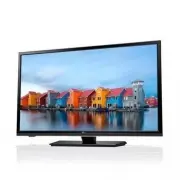
LG 32LF500B TV – User Manual, read for free online in PDF format. We hope this helps you resolve any issues you may have. If you have further questions, please contact us through the contact form.


Table of Contents:
- Page 2 – ENGLISH; IMPORTANT SAFETY INSTRUCTIONS; CAUTION; WARNING; Wash hands after handling.
- Page 3 – Warning
- Page 5 – Dot Defect; Preventing image burn or burn-in on your
- Page 6 – For USA and Canada; FCC NOTICE; - Increase the separation between the equipment and the receiver.; NOTE TO CABLE/TV INSTALLER; building, as close to the point of the cable entry as practical.; For USA; LG Recycling Policy; to conserving natural resources and protecting the environment.
- Page 7 – LICENSES; Manufactured under license from Dolby Laboratories.; NOTE
- Page 8 – ASSEMBLING AND PREPARING; Unpacking
- Page 9 – Parts and Buttons; Setting Button; Using the keyboard buttons; You can operate the TV by pressing the keyboard buttons.; Adjusting the menu; Basic functions
- Page 10 – Lifting and Moving the TV; Setting Up The TV; Attaching the stand; Cover
- Page 11 – Mounting on a wall; Mounting on a table
- Page 13 – Connecting to an antenna or cable; VHF Antenna; Copper wire
- Page 14 – Other connections; Digital Audio; USB; DVI to HDMI
- Page 15 – REMOTE CONTROL
- Page 16 – SETTINGS; To set up the channels automatically; Adjusts the difference between the; Tint; Adjust the tint of the picture.; Sharpness; Adjusts the sharpness level of; Color; Adjusts the richness of colour.; To set additional picture options
- Page 18 – Warning when using USB storage devices
- Page 21 – Cleaning your TV; outlet to prevent possible damage from lightning or power surges.; detergent. Then wipe immediately with a dry cloth.; Power cord; Remove the accumulated dust or dirt on the power cord regularly.
- Page 22 – Off Time
- Page 23 – THE CONSUMER ELECTRONICS INDUSTRY CARES; TUNE IN TO SAFETY; MOVING AN OLDER TELEVISION TO A NEW PLACE IN; PROPER TELEVISION PLACEMENT MATTERS
- Page 24 – LG Customer Information Center; Register your product Online!
OWNER’S MANUAL
LED TV*
* LG LED TV applies LCD screen with LED backlights.
Please read this manual carefully before operating your TV
and retain it for future reference.
www.lg.com
32LF500B
0773-CE360008-L202
"Loading the manual" means you need to wait until the file loads and becomes available for online reading. Some manuals are very large, and the time they take to appear depends on your internet speed.
Was this manual helpful?
About this manual
- Brand
- LG
- Model
- 32LF500B
- Document type
- User Manual
- Category
- TV
- Language(s)
- English
- Pages
- 24
- File size
- 5.9 MB
- Format
Other Manuals for LG 32LF500B
Summary
2 ENGLISH IMPORTANT SAFETY INSTRUCTIONS IMPORTANT SAFETY INSTRUCTIONS Always comply with the following precautions to avoid dangerous situations and ensure peak performance of your product. CAUTION RISK OF ELECTRIC SHOCK DO NOT OPEN TO REDUCE THE RISK OF ELECTRIC SHOCK DO NOT REMOVE COVER (OR BACK)....
3 ENGLISH IMPORTANT SAFETY INSTRUCTIONS • Only use attachments/accessories specified by the manufacturer. • Use only with the cart, stand, tripod, bracket, or table specified by the manufacturer, or sold with the apparatus. When a cart is used, use caution when moving the cart/apparatus combination ...
5 ENGLISH IMPORTANT SAFETY INSTRUCTIONS • Dot Defect The panel is a high technology product with resolution of two million to six million pixels. In a very few cases, you could see fine dots on the screen while you’re viewing the TV. Those dots are deactivated pixels and do not affect the performanc...