LG 22LS4D - Manual

This user manual covers an LG LCD TV’s setup, operation, and maintenance, focusing on connectivity, controls, installation, and troubleshooting. The document details how to connect external devices like DVD players, antennas, or VCRs via labeled diagrams, ensuring proper cable management and port compatibility for various models. It also includes front- and back-panel control explanations, safety precautions for mounting (wall or stand), and instructions for configuring initial settings–such as language selection and menu navigation–to optimize viewing experience. Additionally, it addresses troubleshooting common issues like reception problems or remote failures, alongside maintenance tips for cleaning and preventing damage during setup.


Table of Contents:
- Page 1 – Product Identification and Access Information
- Page 2 – External Device Connection Instructions
- Page 3 – External Device Port Layout Illustration
- Page 4 – Product Safety Instructions
- Page 5 – Front Panel Controls and Indicators
- Page 6 – Rear Panel Ports and Connections
- Page 7 – TV Stand Assembly Instructions
- Page 8 – TV Stand Installation and Detachment
- Page 9 – Cable Management Instructions
- Page 10 – TV Mounting Safety and Earthing
- Page 11 – TV Mounting Installation Guidelines
- Page 12 – Antenna System Setup
- Page 13 – Remote Control Operation and Battery Installation
- Page 14 – Initial Setup and Configuration
- Page 15 – On-Screen Menu Navigation Systems
- Page 16 – Auto Programme Tuning Feature
- Page 17 – Maintenance and Troubleshooting Guide
- Page 18 – Video and Audio Troubleshooting Solutions
- Page 19 – Picture Mode and Model Weight Specifications
- Page 20 – Digital UK Switchover Re-tuning Procedure
Please read this manual carefully before operating
your TV.
Retain it for future reference.
Record model number and serial number of the TV.
Refer to the label on the back cover and quote this
information.
To your dealer when requiring service.
Extended Owner’s Manual that contains advanced fea-
tures of these LG TV-sets is located on CD-ROM in
electronic version.
To read it You need to open chosen files by using
Personal Computer (PC) equipped with CD-ROM drive.
P
P // N
N O
O :: M
M FF LL 3
3 4
4 4
4 4
4 1
1 6
6 5
5 2
2 (( 0
0 9
9 0
0 1
1 -- R
R E
E V
V 0
0 1
1 ))
P
P rr ii n
n tt ee d
d ii n
n K
K o
o rr ee aa
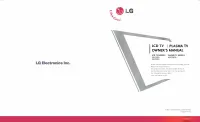
LCD TV
OWNER’S MANUAL
Trade Mark of the DVB Digital Video
Broadcasting Project (1991 to 1996)
LCD TV MODELS
1
1 9
9 LL S
S 4
4 D
D**
2
2 2
2 LL S
S 4
4 D
D**
3
3 2
2 LL G
G 2
2 0
0** **
3
3 7
7 LL G
G 2
2 0
0** **
4
4 2
2 LL G
G 2
2 0
0** **
1
1 9
9 LL G
G 3
3 0
0** **
2
2 2
2 LL G
G 3
3 0
0** **
2
2 6
6 LL G
G 3
3 0
0** **
3
3 2
2 LL G
G 3
3 0
0** **
3
3 2
2 LL G
G 3
3 2
2** **
3
3 7
7 LL G
G 3
3 0
0** **
4
4 2
2 LL G
G 3
3 0
0** **
4
4 2
2 LL G
G 3
3 2
2** **
3
3 2
2 LL G
G 5
5** ** **
3
3 7
7 LL G
G 5
5 0
0** **
4
4 2
2 LL G
G 5
5 0
0** **
4
4 7
7 LL G
G 5
5 0
0** **
5
5 2
2 LL G
G 5
5 0
0** **
II D
D N
N u
u m
m b
b ee rr (( ss )) :: 5499: 22LS4D-ZD
5507: 19LS4D-ZD
5629: 32LG2000-ZA
5721: 26LG3050-ZA
5630: 37LG2000-ZA
5631: 42LG2000-ZA
5088: 19LG3000-ZA
5090: 22LG3000-ZA
5080: 26LG3000-ZA
5089: 32LG3000-ZA
5087: 37LG3000-ZA
5086: 42LG3000-ZA
5085: 32LG5000-ZA
5084: 37LG5000-ZA
5083: 42LG5000-ZA
5082: 47LG5000-ZA
5081: 52LG5000-ZA
5385: 52LG5010-ZD
5386: 47LG5010-ZD
5387: 42LG5010-ZD
5388: 37LG5010-ZD
5389: 32LG5010-ZD
5390: 52LG5020-ZB
5391: 47LG5020-ZB
5392: 42LG5020-ZB
5393: 37LG5020-ZB
5394: 32LG5020-ZB
5395: 52LG5030-ZE
5396: 47LG5030-ZE
5397: 42LG5030-ZE
5398: 37LG5030-ZE
5399: 32LG5030-ZE
5671: 32LG5700-ZF
5820: 19LG3050-ZA
5818: 22LG3050-ZA
5879: 19LG3060-ZB
5880: 22LG3060-ZB
5878: 32LG5600-ZB
6507: 32LG3200-ZA
6511: 42LG3200-ZA
"Loading the manual" means you need to wait until the file loads and becomes available for online reading. Some manuals are very large, and the time they take to appear depends on your internet speed.
Was this manual helpful?
About this manual
- Brand
- LG
- Model
- 22LS4D
- Document type
- Manual
- Category
- TV
- Language(s)
- English
- Pages
- 20
- File size
- 7.9 MB
- Format
Summary
Listing of compatible TV models, instructions for reading the manual before operation, recording serial numbers, and access to an extended electronic manual via CD-ROM.
Instructions and diagrams for connecting external devices such as DVD/STB, VCR, and antenna to the television, noting potential image differences from the TV.
Diagrams illustrating the physical locations of ports and cable setups for connecting external devices like antennas, VCRs, and DVD/STB to the television.