LG 15Z95P-P - User Manual
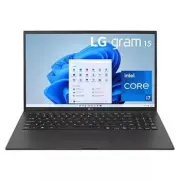
LG 15Z95P-P Laptop – User Manual, read for free online in PDF format. We hope this helps you resolve any issues you may have. If you have further questions, please contact us through the contact form.


Table of Contents:
- Page 2 – ENGLISH; Before Reading the simple owner’s manual; Check the components before use.; Contents
- Page 3 – Names of Parts; Front; Notes
- Page 4 – LAN Adapter; Connecting to the Power; The AC adapter is used to power and charge the PC.; Precautions Regarding Battery; Precautions When Using the Battery
- Page 5 – System Shutdown / Power Off; Press the Start button [; Troubleshooting; Information on the Support and Update of Windows; The screen color does not properly display�; When the AC adapter is connected, the AC adapter lamp turns on.; Do not bend the cable for the AC adapter too much.; Precautions When Using the AC Adapter
- Page 6 – Battery take-back information
- Page 7 – MEMO
15Z95P Series
www.lg.com
Copyright © 2021 LG Electronics Inc. All Rights Reserved
SIMPLE OWNER’S MANUAL
NOTEBOOK
For the safe and convenient use of the product, please read this simple owner’s manual before use.
For the convenience of users, LG Easy Guide / LG TroubleShooting are provided as electronic manuals.
The images in the simple owner’s manual may differ depending on the language selected and are subject to change without prior notice.
MFL71859925
"Loading the manual" means you need to wait until the file loads and becomes available for online reading. Some manuals are very large, and the time they take to appear depends on your internet speed.
Summary
1 Before Reading the simple owner’s manual ENGLISH To obtain the source code under GPL, LGPL, MPL, and other open source licenses that have the obligations to disclose source code, that is contained in this product, and to access all referred license terms, copyright notices and other relevant docum...
2 Names of Parts ENGLISH Left Right HDMI Port USB-C™ Port 1 (USB 4.0 Gen 3x2 / Thunderbolt™ / Can connect to a LAN adapter / Power Port) Headphone Port (4-pole Ear Microphone Port 3 ) 1 Depending on the specifications of the device connected to the USB-C™ port, it acts as a USB or Thunderbolt™ port....
3 Precautions Regarding Battery ENGLISH Guide on Battery Usage When the PC is not used for an extended period of time, keep the battery level at about 50 % to increase the battery lifespan. Use the Extend Battery Life function in the LG Control Center. You can limit the battery charge to 80 % of the...


