LG 15Z90RT-K - User Manual
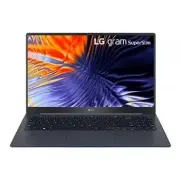
LG 15Z90RT-K Laptop – User Manual, read for free online in PDF format. We hope this helps you resolve any issues you may have. If you have further questions, please contact us through the contact form.


Table of Contents:
- Page 2 – Precautions before Product Use; Checking the Components; Contents
- Page 3 – Product Tour; Front; NOTE
- Page 4 – System Shutdown / Power Off; Connecting LAN Adapter
- Page 5 – While Using the Product; Guide on Battery Usage
- Page 6 – Pre-Tech Support Checklist; Troubleshooting
- Page 7 – Appendix; Registered Trademark and Open Source Information
- Page 8 – Battery take-back information
15Z90RT Series
www.lg.com
Copyright © 2023 LG Electronics Inc. All Rights Reserved
OWNER’S MANUAL
NOTEBOOK
For the safe and convenient use of the product, please read this owner’s manual before use.
MFL72012125
"Loading the manual" means you need to wait until the file loads and becomes available for online reading. Some manuals are very large, and the time they take to appear depends on your internet speed.
Summary
1 Precautions before Product Use ENGLISH Precautions before Product Use For the convenience of users, LG PC Manuals are provided in an electronic format. LG PC User Manual in the Various functions menu of LG Quick Guide to run it. For more information on how to use the product, refer to the LG Easy ...
2 Product Tour ENGLISH Product Tour Front IR LED Keyboard Webcam Touchpad Webcam Operation Status Lamp Power Button [ ] Built-in Microphone NOTE • You can use hot keys to use Windows more conveniently. For details, refer to the LG Easy Guide of the LG PC Manuals. Left Right USB-C™ Port 1 (USB 4.0 Ge...
3 Connecting LAN Adapter ENGLISH When the AC adapter is connected, the AC adapter lamp turns on. Status Power Lamp On When the AC adapter is connected and charging is complete. Blinking When the AC adapter is connected and is charging. Off The AC adapter is not connected. • If you try to turn on the...


