Page 3 - S A F E T Y I N F O R M A T I O N; General Safety; Customer Support; Caution: Risk of Leaks and; R E A D A N D S AV E T H E S E
3 S A F E T Y I N F O R M A T I O N • Only use the humidifier as described in this manual. • Place the humidifier and cord so that it will not be knocked over. Do not place near large pieces of furniture or in high-traffic areas. • When not in use, turn the humidifier off and disconnect from power b...
Page 4 - handle the power cord or; do not; use; Do not; bypass
4 Plug & Cord • Ensure that the plug fits properly into a polarized socket. • Do not handle the power cord or plug with wet hands. Keep the plug and power cord away from liquids. • Your humidifier has a polarized plug (one prong is wider than the other), which fits into a polarized outlet only o...
Page 5 - G E T T I N G T O K N O W Y O U R S M A R T H U M I D I F I E R; Back
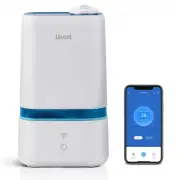
5 G E T T I N G T O K N O W Y O U R S M A R T H U M I D I F I E R A. Nozzles B. Nozzle Cover C. Water Tank Handle D. Mist Outlet E. Water Tank F. Cleaning Brush G. Cleaning Brush Storage H. Base I. WiFi ® Button J. Control Button K. Insulation Ring L. Transducer M. Float Housing N. Float O. Mist Tub...
Page 6 - G E T T I N G S T A R T E D; Remove all packaging.
6 G E T T I N G S T A R T E D 1. Remove all packaging. 2. Choose a hard, flat location for the humidifier at least 12 in / 30 cm away from any walls. The surface must be water-resistant. [ Figure 1.1 ] 3. Mist should be directed away from walls, furniture, bedding, and appliances. [ Figure 1.2 ] Fig...
Page 7 - CAUTION; fill with hot
7 Filling & Refilling (cont.) Figure 1.5 Figure 1.6 Figure 1.7 Figure 1.8 Figure 1.9 • Do not add water directly into the base chamber. [ Figure 1.6 ] CAUTION Note: We recommend using purified or distilled water to fill the tank. 3. Fill the tank with room-temperature water. [ Figure 1.5 ] Do no...
Page 8 - or Google Play Store.; V E S Y N C A P P S E T U P; Log In
8 Filling & Refilling (cont.) Figure 1.10 Figure 2.1 Note: Due to ongoing updates and improvements, the VeSync app may be slightly different than shown in the manual. In case of any differences, follow the in-app instructions. Note: For Android™ users, choose “Allow” to use VeSync. Note: You mus...
Page 9 - U S I N G Y O U R S M A R T H U M I D I F I E R; Plug in the humidifier.
9 U S I N G Y O U R S M A R T H U M I D I F I E R 1. Plug in the humidifier. 2. Tap to turn your humidifier on. Tap repeatedly to cycle through mist settings: Auto Mode, Low, Medium, High, and Off. [ Figure 3.1 ] 3. Rotate the nozzles to adjust the direction of the mist. [ Figure 3.2 ] 4. When your ...
Page 10 - Button
10 Button Color Auto Mode Button Button Color Function Green Low mist setting is selected Cyan Medium mist setting is selected Blue High mist setting is selected White Auto Mode is selected Red No water in tank or tank not on base Off Humidifier is off Display lights have been turned off White (Flas...
Page 11 - Remote Control; VeSync App Functions
11 Note: The VeSync app is continually updated and app features will expand. The VeSync app allows you to access additional smart functions, including those listed below. Remote Control • Cycle through mist levels and turn on Auto Mode from your phone. • Turn display lights on/off from your phone. •...
Page 12 - Important Tips; Never; pour water directly into the; Only; add water to the
12 Figure 3.4 Figure 3.5 Figure 3.6 Important Tips Your humidifier must have the correct level of water in the base chamber to work properly. If there is too much water in the base chamber, the humidifier cannot create mist. • Never pour water directly into the base chamber. Only add water to the wa...
Page 13 - Place the aroma box into the humidifier.
13 Using the Aroma Box 1. Push the aroma box at the back of the base and pull it out. [ Figure 3.7 ] Your humidifier can be used for aromatherapy. Figure 3.8 Figure 3.7 Preventing Leaks • Make sure the silicone sealing ring around the water tank cap is secured at all times. • Twist and secure the ca...
Page 14 - C A R E & M A I N T E N A N C E; Cleaning; Unplug the humidifier.
14 Figure 4.1 Figure 4.2 Figure 4.3 C A R E & M A I N T E N A N C E Note: • All maintenance should be done on a water-resistant surface, such as a kitchen counter. • Change the water daily to avoid bacteria growth. • Use a tissue or cloth to clean the nozzles regularly. • If not using the humidi...
Page 15 - To descale the humidifier:
15 5. To descale the humidifier: a. Fill the tank with 3 US cups / 710 mL of distilled white vinegar. [ Figure 4.4 ] b. Replace the tank cap and swish the vinegar around the tank. [ Figure 4.5 ] c. Place the tank on the base and soak for 15–20 minutes. Vinegar will drain into the base chamber and lo...
Page 17 - Cleaning the Aroma Pad
17 Cleaning the Aroma Pad 1. Press the aroma box to release it from the base, and pull it out. [ Figure 4.12 ] Note: Do not pour liquid cleaners or detergents into the aroma pad or box. 2. Remove the aroma pad and rinse under warm, running water. [ Figure 4.13 ] 3. Dry with a clean cloth and place i...
Page 19 - Humidifier doesn’t turn on.; T R O U B L E S H O O T I N G
19 Problem Possible Solution Humidifier doesn’t turn on. Plug in the humidifier and turn it on. Add purified or distilled water to the water tank. Little or no mist comes out. Turn the mist level to a higher setting. Fill the water tank. There may be too much water in the base chamber. Empty the bas...
Page 20 - If your problem is not listed,; Problem; Make sure the water tank is properly in place (see; Getting; Set mist level to a lower setting.; Clean the humidifier (see; Place the water tank properly on the base.
If your problem is not listed, please contact Customer Support (see page 24) . TRO UBLE S HOOT ING ( CO N T. ) Problem Possible Solution Humidifier makes a loud or unusual noise. Make sure the water tank is properly in place (see Getting Started , page 6). Set mist level to a lower setting. Empty th...
Page 21 - V E S Y N C A P P T R O U B L E S H O O T I N G; My humidifier is offline.; Delete
21 V E S Y N C A P P T R O U B L E S H O O T I N G Why isn’t my humidifier connecting to the VeSync app? • Make sure your phone has Bluetooth® turned on and is not currently connected to another Bluetooth device. • During the setup process, you must be on a secure 2.4 GHz WiFi® network. Confirm that...
Page 23 - W A R R A N T Y I N F O R M A T I O N
23 Terms & Policy Arovast Corporation (“Arovast”) warrants this product to the original purchaser to be free from defects in material and workmanship, under normal use and conditions, for a period of one year from the date of original purchase. Arovast agrees, at our option during the warranty p...
Page 24 - C U S T O M E R S U P P O R T; Arovast Corporation; Support Hours; A T T R I B U T I O N S
24 C U S T O M E R S U P P O R T If you have any questions or concerns about your new product, please contact our helpful Customer Support Team. Arovast Corporation 1202 N. Miller St., Suite AAnaheim, CA 92806 Email: [email protected] Toll-Free: (888) 726-8520 Mon–Fri, 9:00 am–5:00 pm PST/PDT Suppor...
Page 25 - N O T E S
Page 27 - Connect with us @LevoitLifestyle