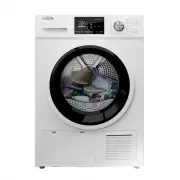
Page 2 - KIT INSTALLATION; CONTENTS
SAFETY AND PRECAUTIONS .................................................................2 WHAT YOU NEED TO KNOW ABOUT SAFETY INSTRUCTIONS................................2 IMPORTANT SAFETY SYMBOLS AND PRECAUTIONS............................................2 IMPORTANT SAFETY INSTRUCTIONS.................
Page 3 - SAFETY AND PRECAUTIONS; WARNING
SAFETY AND PRECAUTIONS SAFETY AND PRECAUTIONS 2 I n t ro d u c t i o n Congratulations on the purchase of your new Insignia dryer. Insignia dryers feature the latest in design and capabilities and will provide reliable and trouble-free performance. WHAT YOU NEED TO KNOW ABOUT SAFETY INSTRUCTIONS Thi...
Page 5 - E l e c t r i c re q u i re m e n t s; WARNING-To reduce the risk of fire or explosion
4 SAFETY AND PRECAUTIONS 21.Keep the area around the exhaust opening and surrounding areas free from lint, dust, and dirt.22.The interior of the dryer and exhaust duct should be cleaned periodically by qualified service personnel.23.Do not place items exposed to cooking oils in your dryer. Items con...
Page 6 - CAUTION; This may result in injury.
5 SAFETY AND PRECAUTIONS CAUTION 1. Do not sit on top of the dryer.2. Because of continuing product improvements, Midea America reserves the right of change specifications without notice. For complete details, see theInstallation Instructions packed with your product before selecting cabinetry,makin...
Page 7 - INSTALLATION REQUIREMENTS; E l e c t r i c a l
6 INSTALLATION REQUIREMENTS INSTALLATION REQUIREMENTS IMPORTANT TO INSTALLER P l e a s e re a d t h e f o l l o w i n g i n s t r u c t i o n s c a re f u l l y b e f o re i n s t a l l i n g t h e d r y e r. T h e s e i n s t r u c t i o n s s h o u l d b e k e p t f o r f u t u re re f e re n c e....
Page 8 - Alcove or closet; Sides
7 INSTALLATION REQUIREMENTS WARNING Alcove or closet installations or wall insert/recessed Minimum clearances between the dryer and adjacent walls or other surfaces : No other fuel-burning appliance should be installed in the same closet as the dryer. Sides 1 in. (25.4mm) Rear 2 in.(50.8mm) Top 2 in...
Page 9 - U n d e rc o u n t e r i n s t a l l a t i o n
8 INSTALLATION REQUIREMENTS A C B D U n d e rc o u n t e r i n s t a l l a t i o n E F A B C D E F ≥ 35.5in.( ≥ 901mm) 1 in. (25mm) 23.4 in. (595mm) 1 in. (25mm) 42.2in.(1072mm) 33.5in.(850mm)
Page 10 - I n s t a l l a t i o n w i t h s t a c k e d w a s h i n g m a c h i n e a n d d r y e r
9 INSTALLATION REQUIREMENTS I n s t a l l a t i o n w i t h s t a c k e d w a s h i n g m a c h i n e a n d d r y e r A B C D E F G H I J K N OT E The front of the closet must have two unobstructed air openings for a combined minimum total area of 72 sq.in. (465 sq.cm) with a minimum clearance of 3 ...
Page 11 - S t a c k; The stacking kit includes the following parts:
10 INSTALLATION REQUIREMENTS S t a c k K i t I n s t a l l a t i o n I n s t r u c t i o n 1.The stacking kit includes the following parts: Rubber pad x1 Rubber sheet x2 Rubber pad x1 Connecting bracket L x1 Support piece x4 Screw x10 Connecting bracket R x1 2 . Rubber pad attaching position Attach ...
Page 12 - Support piece installation
11 INSTALLATION REQUIREMENTS 3 . Support piece installation Install the support at the bottom of the dryer, as shown in the figure below: Screw the two feet on the front of the dryer to the minimum distance (clockwise rotation) 4 . Method for stacking clothes dryer and washing machine Lift the dryer...
Page 13 - DRAIN SYSTEM; I n s t a l l a t i o n; Take the hose out of the holder; ELECTRIC REQUIREMENTS
12 INSTALLATION REQUIREMENTS DRAIN SYSTEM The following parts are optional for specific models.If your dryer has following parts, please wear gloves and install them as per the instruction below. Condensing drain hose C onnector I n s t a l l a t i o n 1. Take the hose out of the holder . 2.Disconne...
Page 14 - E l e c t r i c a l c o n n e c t i o n s; E l e c t r i c m o d e l s - C a n a d a o n l y; Note: A power cord is NOT p rovided with U.S. electric model dryers
13 E l e c t r i c m o d e l s - U. S. o n l y The dryers require a 120/240 volt, 60Hz AC approved electrical service. The electric service requirements can be found on the data label located on the back. A 30-amperefuse or circuit breaker on both sides of the line is required.- If a power cord is u...
Page 15 - GROUNDING; electric shock only during servicing.; M I D E A; customer care center at; INSTALLATION INSTRUCTION
14 GROUNDING - For products sold in the U.S., your dryer has an optional cord with an equipment- grounding conductor and a grounding plug, which is sold separately. For products sold in Canada, your dryer is equipped with a cord having an equipment-grounding conductor and a grounding plug.- The plug...
Page 16 - REMOVING FROM THE PACKAGE; PARTS IDENTIFICATION
15 INSTALLATION INSTRUCTION REMOVING FROM THE PACKAGE INSTALLATION INSTRUCTION 1. Unpack your dryer and inspect it for shipping damage. Make sure you have received all the items shown below.2. To prevent personal injury or strain, wear protective gloves whenever lifting or carrying the unit. Packagi...
Page 17 - TOOLS NEEDED IN INSTALLATION; STEP 1 Choose the proper location
16 INSTALLATION INSTRUCTION TOOLS NEEDED IN INSTALLATION Pliers Flat screwdriver Level Cutting knife Adjustable wrench that opens to 1 " ( 25 mm ) Phillips screwdriver Tools needed: Tape measure INSTALLATION STEPS For the proper installation, we recommend that you hire a qualified installer. 1. ...
Page 18 - Fo u r w i re o u t l e t; Center terminal block screw
17 INSTALLATION INSTRUCTION 3-Wire system connections1. Connect the grounding wire of the power cord to the external screw. If there is no the power cord 2. Remove the two side terminal block screw and connect the other wires to the outer terminal screws. Be sure to cross the screw through the termi...
Page 19 - the cover with a screw.; S YS T E M C O N N E C T I O N .; is required for new or remodeled; STEP 3; strap terminals, make sure they are tightened.
18 INSTALLATION INSTRUCTION 5. 6. Tighten the strain relief screws.Insert the tab of the terminal block cover into your dryer’s rear panel slot. Secure the cover with a screw. Ring-type terminals are recommended. If using strap terminals, make sure they are tightened. WARNING U. S. M o d e l s :R i ...
Page 20 - STEP 4
19 INSTALLATION INSTRUCTION loosen lock Adjustable legs level STEP 4 Power on Make sure all electrical connections are complete. Plug in your dryer. STEP 5 Final check - Make sure the dryer is plugged into an electrical outlet and is properly grounded.- The dryer is leveled and is sitting firmly on ...
Page 21 - OPERATING INSTRUCTION
20 OPERATING INSTRUCTION CONTROL PANEL OPERATING INSTRUCTION WA R N I N G IMPORTA NT SAFETY INSTRUCTIONS before operating the appliance . To reduce the risk of fire , electric shock , or injury to persons , read the 1 - Po w e r b u t t o n Press to turn your dryer on or into stand-by situation. If ...
Page 22 - - Ti m e A d j u s t
21 OPERATING INSTRUCTION 5 - D e l a y This function is used for delaying clothes drying time within 24 hours. The delay time means the programme will start after x hours. When the delay programme starts, the time starts to countdown on the display and the delay icon blinks. 6 - Ti m e A d j u s t T...
Page 23 - DRYING A LOAD OF LAUNDRY
22 OPERATING INSTRUCTION DRYING A LOAD OF LAUNDRY STEP 1: Power on your dryer- Press this Power button to power your dryer on. STEP 2: Load your dryer- Place only one wash load in your dryer at a time.- Mixed loads of heavy and light weight fabrics will dry differently,which may result in lightweigh...
Page 26 - Control Lock; Do not operate your dryer without the lint filter in
25 OPERATING INSTRUCTION Control Lock This function is useful to prevent children from playing with the unit. - Press and hold the “ ”and “Damp Alert” buttons simultaneously for 3 seconds to activate this function. The blue “Control Lock” light will turn ON.- Press and hold the “ ” and “Damp Alert” ...
Page 27 - regularly will increase drying time and energy consumption.
26 OPERATING INSTRUCTION regularly will increase drying time and energy consumption. • Disconnect the power cord before cleaning!• Do not operate the dryer without the filter!• Clean the base filter after each fifth cycle to prevent fluff accumulation inside the dryer. • The fluff accumulated on the...
Page 28 - - Use the Normal cycle and dry only one blanket at a time for
27 OPERATING INSTRUCTION SPECIAL LAUNDRY TIPS Items Drying guide Bedspreads &Comforters - Follow the care label instructions or dry in Bulky cycle.- Make sure the item is thoroughly dry before using or storing.- May require repositioning to ensure even drying. Blankets - Use the Normal cycle and...
Page 29 - MAINTENANCE; Control panel
MAINTENANCE 28 Control panel - Clean with a soft, damp cloth. Do not use abrasive substances.- Do not spray cleaners directly on the panel.- The control panel finish may be damaged by some laundry pre-treatment soil and stain remover products. Apply such products away from your dryer and wipe upany ...
Page 30 - TROUBLESHOOTING INSTRUCTIONS
TROUBLESHOOTING INSTRUCTIONS 29 CHECK THESE SOLUTIONS IF YOUR DRYER If your dryer has any problems as followings, you can check as the solutions listed below before making a service call. This will help you save time and money. Problem Solution The unit doesn't start - Make sure the door is latched ...
Page 31 - If the “water full“ icon is still flashing after you have
30 - Seams, pockets, and other similarly heavy areas may not be completely dry when the rest of the load has reached theselected dryness level. This is normal. Select the Time Drysetting if desired. - If one heavy item is dried with a lightweight load, such as one towel with sheets, it is possible t...
Page 33 - Fa b r i c C a re C h a r t
32 APPENDIX Fa b r i c C a re C h a r t The following symbols provide garment care direction. The Clothing care labels include symbols for washing, bleaching, drying and ironing, or dry cleaning when necessary. The use of symbols ensures consistency among garment manufacturers of domestic and import...