Kenwood LZ-601- User Manual

Kenwood LZ-601– User Manual, read for free online in PDF format. We hope this helps you resolve any issues you may have. If you have further questions, please contact us through the contact form.


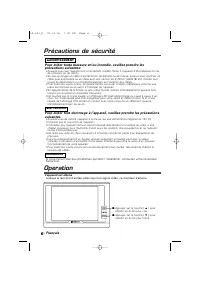
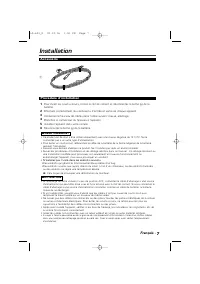
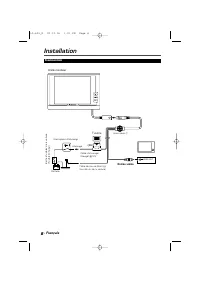
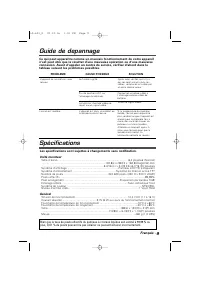



Table of Contents:
- Page 2 – Safety Precautions; To prevent injury and/or fire, take the following precautions:; NOTE; Operation; Power On
- Page 3 – Installation; Accessorie; WARNING; Installation Procedure
- Page 4 – Connection; Video input; Fuse
- Page 5 – Troubleshooting Guide; Specifications subject to change without notice.
- Page 6 – Précautions de sécurité; REMARQUE
- Page 7 – Accessoire; ATTENTION; Procédure d’installation
- Page 8 – Connexion; Entrée vidéo; Fusible
- Page 9 – SOLUTION
LZ-601
6.4-inch LCD MONITOR
INSTRUCTION MANUAL
MONITEUR LCD 6,4 pouces
MODE D’EMPLOI
© PRINTED IN JAPAN B64-2286-00 (K)(DT)
Take the time to read through this instruction manual.
Familiarity with installation and operation procedures will help
you obtain the best performance from your new monitor.
For your records
Record the serial number, found on the back of the unit, in the
spaces designated on the warranty card, and in the space provided
below. Refer to the model and serial numbers whenever you call
upon your KENWOOD dealer for information or service on the
product.
Model LZ-601 Serial number
LZ-601_K 02.12.16 1:00 PM Page 1
"Loading the manual" means you need to wait until the file loads and becomes available for online reading. Some manuals are very large, and the time they take to appear depends on your internet speed.
Other Manuals for Kenwood LZ-601
Summary
2 Safety Precautions - English To prevent injury and/or fire, take the following precautions: • Ensure that the unit is securely installed. Otherwise it may fly out of place during collisions and other jolts. • When extending the ignition or ground wires, make sure to use automotive-grade wires or o...
3 Installation English - Accessorie 1 To prevent short circuits, remove the key from the ignition and disconnect the · terminal of the battery. Make the proper input and output cable connections for each unit. Connect the wiring harness cables in the following order: ground, ignition. Connect the wi...
4 Installation - English Connection – + VIDEO OUT (3A) Accessory 1 Ignition wire (Red) ª 12V Ignition key switch Car fuse box (Main fuse) ACC Ground wire (Black) · (To car chassis) Battery Monitor Unit Video input Fuse LZ-601_K 02.12.16 1:00 PM Page 4


