Kenmore PG-40409S0LB-COSG - User Manual
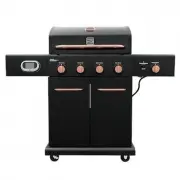
Kenmore PG-40409S0LB-COSG Grill – User Manual, read for free online in PDF format. We hope this helps you resolve any issues you may have. If you have further questions, please contact us through the contact form.


Reminders:
Both thermometer and tank sensor must be powered on to view tank sensor
data. Confirm batteries are installed correctly and sufficiently charged.
Need Help?
Visit Kenmore.com/smart for additional details.
Watch Kenmore Smart app videos on
kenmore.com/smartgrill
download the app
Download the Kenmore Smart
™
app to your device
and create a profile.
Visit
Kenmore.com/smart
for
additional details.
select
pair
hint
|
Make sure all devices are powered on. Confirm that Bluetooth is enabled
on your smart device.
1
2
3
4
connect now.
for smarter living
gas grill with
smart thermometer
and tank sensor
™
Welcome
Get started by adding a product to
your account
Home
A.
From the Home screen
Tap the
(+)
to add
a new product.
B.
Tap on the
icon.
A.
Kenmore Smart app will scan
for devices.
set up is complete
B.
Once the app syncs with your grill,
press the button on the thermometer,
and then name your grill.
For Android users, pull down to refresh
after naming the thermometer.
Batteries included – 2 AA for thermometer, 3 AA for tank sensor.
Apple, the Apple logo and iPhone are trademarks of Apple Inc., registered in the U.S. and other countries.
App Store is a service mark of Apple Inc. Google Play and Android are trademarks of Google Inc.
The Bluetooth® word mark and logos are registered trademarks owned by Bluetooth SIG, Inc. and any use of such marks by
Kenmore
is under license. Other trademarks and trade names are those of their respective owners.
C.
Turn on the thermometer
and tank sensor. Press and
hold the thermometer power
button for two seconds.
"Loading the manual" means you need to wait until the file loads and becomes available for online reading. Some manuals are very large, and the time they take to appear depends on your internet speed.


