Page 3 - Airplane
3 Safety requirements Please read these instructions carefully. Improper use of the device is dangerous, and in some cases is illegal. More information is given in this user’s guide. Electrical shock, fire or explosion prevention Use only genuine batteries and chargers. Do not touch the device w...
Page 4 - Introduction; Work with the device; Installing the battery
4 Others Keep your phone, and all parts and accessories, out of the reach of small children and pets. All magnetic objects (such as credit cards, magnetic media, etc.) should be kept outside the device. This might damage both the i tems above and the phone itself. Long telephone conversation m...
Page 6 - Messaging
6 Saving a contact 1. In Screen timeout mode, dial the number you want to save. 2. Tap the left functional key, in the pop-up menu select «Save a contact». 3. Enter the caller’s name, tap «Options» and «Save». Using the application «Contacts» If you have a list of saved contacts, it makes it easy to...
Page 7 - Settings
7 o To open an image, select the file, tap then a central joystick key or «Options» - «View» o To delete an image, select the file first, then tap «Options» - «Delete» o To delete all the images, tap «Options» - «Delete all the files» o To change the storage of search, tap «Options» - «Storage», sel...
Page 8 - Руководство Пользователя; SHENZHEN CHENGRUN COMMUNICATION EQUIPMENT CO.,LTD
8 Руководство Пользователя E2 WWW.KENEKSI.COM SHENZHEN CHENGRUN COMMUNICATION EQUIPMENT CO.,LTD ADD: 402, West Wing, Huamei Building,Zhenxing Road, Futian District, Shenzhen, China
Page 10 - Правила безопасности; Наушники
10 Правила безопасности Ознакомьтесь с инструкцией внимательно. Неправильное использование устройства опасно, а в некоторых случаях незаконно. Более подробную информацию Вы получите из данного руководства пользователя. Предотвращение поражения электрическим током, возгорания или взрыва Используйте...
Page 11 - Работа с устройством; Установка батареи
11 Оберегайте контакты батареи от замыкания металлическими и токопроводящими предметами. Утилизируйте батарею согласно местным законам и правилам утилизации. Держите батарею в недоступном для детей и домашних животных месте. Не роняйте устройство и батарею. Если Вы уронили устройство на жест...
Page 13 - Данные абонента; Контакты; Сигнал о входящем сообщении; Настройки и приложения; Будильник
13 1. Нажмите кнопку «Вызов» - откроется список недавних вызовов. В списке недавних вызовов отображается до 30 номеров, Вы можете выбрать любой из них для повторного набора. Принятие вызова 1. Во время входящего вызова нажмите кнопку «Вызов» для принятия вызова. 2. Для завершения вызова нажмите соот...
Page 15 - Настройки; Звуки
15 o При воспроизведении трека, звук настраивается клавишами «*» и «#» Настройки Звуки Звук можно настроить в разделе меню «Профили». Здесь можно выбрать один из предустановленных профилей. Значения параметров некоторых из этих профилей можно откорректировать. Телефон Такие настройки как: язык и...
Page 16 - Iнструкцiя користувача
16 Iнструкцiя користувача E2 WWW.KENEKSI.COM SHENZHEN CHENGRUN COMMUNICATION EQUIPMENT CO.,LTD ADD: 402, West Wing, Huamei Building,Zhenxing Road, Futian District, Shenzhen, China
Page 18 - Застережні заходи щодо використання телефону і аксесуарів.
18 Правила безпеки Ознайомтеся з інструкцією уважно. Неправильне використання пристрою небезпечно, а в деяких випадках протизаконно. Більш детальну інформацію Ви отримаєте з даного керівництва користувача. Запобігання ураження електричним струмом, пожежі або вибуху Використовуйте тільки оригінальн...
Page 19 - Інформація по догляду за батареєю; Передмова; Важлива інформація
19 Інформація по догляду за батареєю Не обов'язково розряджати батарею повністю перед зарядкою. Використовуйте тільки рекомендовані виробником телефону зарядні пристрої та акумулятори. Забороняється: розбирати, згинати, деформувати, проколювати батарею. Використання пошкодженої батареї може пр...
Page 20 - Робота з пристроєм; Увімкнення і вимкнення телефону
20 Перш ніж почати користуватися телефоном, ознайомтеся з цим керівництвом. Тут надається інформація за доступними функціями Вашого пристрою. Інформація, наведена в цьому посібнику користувача, може не відповідати деяким функціям телефону, так як це залежить від встановленого програмного забезпе...
Page 23 - Налаштування
23 Відеоплеєр Програма знаходиться в меню «Мультимедіа». o Щоб відтворити відео, виберіть файл, потім натисніть центральну кнопку джойстика або «Опції» - «Відтворити» o При відтворенні відео, звук налаштовується клавішами «*» і «#» o Для видалення відео, спочатку виберіть файл, потім «Опції» - «Ви...
Page 24 - Пайдаланушы Нұсқаулығы
24 Пайдаланушы Нұсқаулығы E2 WWW.KENEKSI.COM SHENZHEN CHENGRUN COMMUNICATION EQUIPMENT CO.,LTD ADD: 402, West Wing, Huamei Building,Zhenxing Road, Futian District, Shenzhen, China
Page 26 - Қауіпсіздік ережелері; Электр тоғының соғуын, тұтануды немесе жарылуды болдырмау
26 Қауіпсіздік ережелері Нұсқаулықпен зейін қойып танысыңыз. Құрылғыны дұрыс пайдаланбау қауіпті, ал кейбір жағдайларда – заңсыз. Анағұрлым толық ақпаратты Сіз осы Пайдаланушы нұсқаулығынан аласыз . Электр тоғының соғуын, тұтануды немесе жарылуды болдырмау Түпнұсқалық батареялар мен қуаттандыру құ...
Page 27 - Басқасы; Сӛз басы; Батареяны орналастыру
27 Басқасы Телефонды, керек-жарақтарды және ұсақ толымдаушыларды үй жануарлары мен балалар үшін қолжетімсіз жерде сақтаңыз. Құрылғының жанында несие карталары, магниттік толықтырғыштар және т.б. сияқты магниттелген заттарды сақтамаңыз. Бұл осы заттардың да, телефонның да зақымдалуына әкеп соғуы ...
Page 30 - Күйлеулер
30 o Жарқылды, экспозицияны, кереғарлықты және т.б. күйлеу үшін «Опциялар» - «Күйлеулер» тармағын басыңыз. Керекті тармақты таңдап, керекті мағынаны енгізіңіз. o Фотосурет ауқымын ұлғайту/кішірейту үшін джойстиктің жоғары/тӛмен батырмаларын басыңыз. o Фотосуретті түсіру үшін джойстиктің ортаңғы баты...
Page 32 - Ghidul utilizatorului
32 Ghidul utilizatorului E2 WWW.KENEKSI.COM SHENZHEN CHENGRUN COMMUNICATION EQUIPMENT CO.,LTD ADD: 402, West Wing, Huamei Building,Zhenxing Road, Futian District, Shenzhen, China
Page 33 - Cuprins
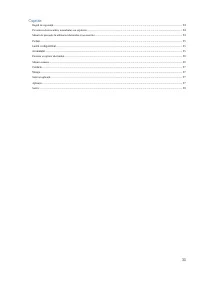
33 Cuprins Reguli de siguranță .................................................................................................................................................................................................. 34 Prevenirea electrocutării, incendiului sau exploziei .....................
Page 35 - Prefață; Informația importantă; Lucrul cu dispozitivul
35 Altele Păstrați telefonul, accesoriile și detaliile mici la îndemîna copiilor și animalelor de companie. Nu păstrați obiecte magnetizate așa ca carduri de credit, carduri magnetice etc. alături de aparat. Acest lucru poate duce la deteriorarea ca de obiecte date așa și de telefon. O lungă p...
Page 36 - Pornirea și oprirea telefonului; Măsuri comune; Accesarea meniului
36 1. Conectați un capăt al încărcătorului la telefon (port pentru încărcare), iar celălalt (conector) – la o priză electrică. 2. Durata de încărcare depinde de energia rămasă a acumulatorului. Nivelul de încărcare a bateriei Nivelul de încărcare a bateriei este afișat în partea de sus a ecranului. ...
Page 37 - Date de abonat; Contacte; Salvarea contactelor; Mesaje; Notificare de mesaje primite
37 1. În timp ce primiți un apel apăsați butonul "Apel" pentru a-l accepta. 2. Pentru a termina apelul, apăsați pe butonul corespunzător. Date de abonat În timp ce se primește sau se efectuează un apel sunt afișate datele de abonat - numărul de telefon și numele (dacă datele acestea sunt sto...
Page 39 - Setări
39 • Video player Aplicația se află în meniul "Multimedia". o Pentru a reda un videoclip, selectați fișierul, apoi apăsați pe butonul central al joystick-ului sau "Opțiuni" - "Redare" o La redarea unui clip video, sunetul poate fi schimbat cu tastele "*" si "#"...
Page 40 - • Securitate
40 Setările cum ar fi: limba, data și ora, luminozitatea afișajului, fundalul de ecran, metoda de introducere - se află în meniul "Setări - Telefon" • Securitate Setările de securitate (blocarea cartelei SIM, telefonului) se află în meniul "Setări - Securitate" Descrierile de funcții...