Kapro 842-GREEN - User Manual
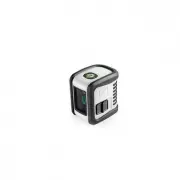
Kapro 842-GREEN Laser Level – User Manual, read for free online in PDF format. We hope this helps you resolve any issues you may have. If you have further questions, please contact us through the contact form.


3
FEATURES
• This laser tool automatically determines the horizontal
and vertical plans.
• The laser projects intersected horizontal and vertical
lines.
• Max. indoor working range - 15 m (50’).
• Self-levels in automatic mode when the laser is
positioned within its self-leveling range.
• Visual warning (blinking) when the laser is out of
leveling range falls.
• Manual mode allows angular layout/marking.
• Locking mechanism to protect the pendulum during
transportation.
• 1/4" tripod adaptor.
NOTE
This device contains precision components
that are sensitive to external shock, impact
or drop that may compromise its functionality
–handle with care to maintain its accuracy.
Prolaser Bambino GREEN
®
Model No. 842G
User Manual
15m/50'
2AA
INCLUDED
Thank you for purchasing Kapro’s 842G Prolaser
®
Bambino
GREEN. You now own one of the most advanced laser tools
available. This manual will show you how to get the most
out of your laser tool.
APPLICATIONS
The 842G Prolaser
®
Bambino GREEN is a laser level with
one green diode. The laser is innovatively designed for a very
broad range of professional and DIY jobs, including:
• Aligning tiles, marble, cabinets, borders, moldings and
trimmings
• Marking lay out for doors, windows, rails, stairs, fences
gates, decks and pergolas installation.
• All types of DIY jobs, including hanging shelves,
hanging hooks, pictures, curtains and more
NOTE
Keep this user manual for future reference.
2
CONTENTS
• Features
3
• Safety instructions
4-5
• Battery installation & Safety
6
• Overview
7
• Operating instructions
8-9
• Maintenance
10
• Field calibration test
11-16
• Specifications
17
• Warranty
18
4
SAFETY INSTRUCTIONS
WARNING
This product is emitting radiation that is classified
As class II according to EN 60825 -1
The laser radiation can cause serious eye injury
• Do not stare into the laser beam
• Do not position the laser beam so that it unintentionally
blinds you or others.
• Do not operate the laser level near children or let
children operate the laser level.
• Do not look into a laser beam using magnifying optical
devices such as binoculars or a telescope, as this will
increase the level of eye injury.
WARNING:
This product contains lead in solder and
certain Electrical parts contain chemicals which are
known to the State of California to cause cancer,
birth defects or other Reproductive harm.
(California Health & Safety Code Section 25249.6- Proposition 65)
NOTE
The green goggles are intended to enhance
the visibility of the laser beam. They will not
protect your eyes against laser radiation.
5
• Do not remove or deface warning labels on the laser level.
• Do not disassemble the laser level, laser radiation can
cause serious eye injury.
• Do not drop the laser.
• Do not use solvents to clean the laser.
• Do not use in temperatures below -10°C or above 45°C
(14°F / 113°F)
• Do not operate the laser in explosive atmospheres such as
cause ignition.
• When not in use, turn off the power, engage the pendulum
lock and place the laser in the carrying pouch.
• Make sure the pendulum lock mechanism is engaged
before transporting the laser.
NOTE
If the pendulum lock mechanism is not
engaged before transportation, internal
mechanical damage may occur.
6
1. Push the latch and open the battery cover.
2.Insert 2 new AA batteries of the same brand according to
the polarity diagram on the inside of the battery compartment.
3. Close the battery cover.
BATTERY INSTALLATION & SAFETY
NOTE
If the laser level will not be used for a long
period of time, remove the batteries from
the battery compartment. This will battery
leakage and corrosion damage.
SAFETY INSTRUCTIONS
BATTERY INSTALLATION & SAFETY
WARNING:
Batteries can deteriorate, leak or explode, and
1. Do not shorten the battery terminals.
2. Do not charge Alkaline batteries.
3. Do not mix old and new batteries.
4. Do not through batteries into household waste.
6. Defective or dead batteries must be disposed of according
to local regulations.
7. Keep the batteries out of reach from children.
7
OVERVIEW
1. On/Off Locking Switch
2. Laser output window
3. Manual Mode button
4. Operation LED indicator
5. Battery cover
6. ¼” Tripod mount
8
OPERATING INSTRUCTIONS
Working in Automatic Mode (self-leveling):
In automatic mode the laser level will level itself in the
range of ±3° and will project crossed horizontal and
vertical laser beams.
1. Remove the laser from the pouch and place it on a
2. Push the locking switch #1 to the position.
The laser level will generate the crossed horizontal
and vertical lines and the green LED will light up.
3. If the initial slope of the laser is beyond ±3° the laser
more leveled surface.
4. Before moving the laser level switch the locking switch
#1 back to the position, this will lock the
pendulum and protect your laser.
9
OPERATING INSTRUCTIONS
Working in Manual Mode:
In manual mode the self-leveling mechanism of the 842G
is disabled (button #1 is in OFF position) and the laser lines
can be set at any slope required.
1. To activate the Manual mode, long press the #3 button.
The laser will project blinking cross lines and the red
LED will light up.
2. Tilt the laser to the desired slope.
3. To turn the manual mode off, press the Manual mode
button again.
4. While in Manual mode turning the locking switch #1
from to position will turn off the Manual mode.
The automatic self – leveling will be activated if the
laser level is within the self – leveling range.
OPERATING INSTRUCTIONS
"Loading the manual" means you need to wait until the file loads and becomes available for online reading. Some manuals are very large, and the time they take to appear depends on your internet speed.


