Kahomvis GBK-QPW1-AF14 - User Manual
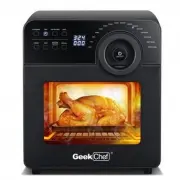
Kahomvis GBK-QPW1-AF14 Air Fryer – User Manual, read for free online in PDF format. We hope this helps you resolve any issues you may have. If you have further questions, please contact us through the contact form.

2
Specification
Model No.
GAF14
Rated Voltage
120V~60Hz
Rated Power
Oven Capacity
N.W.
1700W
14.5L / 15
QT
9.8KGS / 21.6Lbs
Product Dimension
393x330x381mm/15.5 x 13.0 x 15.0(
I
nch)
Specific
ation
1.After selecting the cooking program, the cooking time and tem-
perature can be adjusted and press " " or " " switch as the first
step.
3
Saf
ety Ins
truc
tions
CAUTION
IMPORTANT SAFETY INSTRUCTIONS
1.Do not immerse the power cord, plug or housing in water or under the tap
during cleaning, to avoid of making damage or occurring danger.
2.To protect against the risk of electrical shock, do not immerse any part of
the appliance in water or other liquid. Do not rinse the appliance under a
tap. Proper maintenance is recommended after each use.
3.Do not cover the air and outlet of the appliance during working.
4.Some parts of the appliance have high temperature during operation,
e.g. basket, toast rack, tray etc. Please use the handle, tong or oven mitts
instead of hand touching directly.
5.The appliance’s outer surface and door may become hot during use.
Do not touch the hot surfaces. Use handles or dials. Extreme caution must
be used when moving the appliance. Let the appliance cool to room
temperature before handling or moving.
6.Make sure that your output voltage corresponds the voltage stated on the
rating label of the appliance.
7.Before using, please check the power cord of appliance and the accessories,
do not use with any damage.
8.Do not let cord hang over the sharp edge of counter.
9.Do not plug in the appliance or operate the control panel with wet hands.
10.Do not place or use the appliance on or near combustible materials,
such as tablecloth, curtain or wallpaper, in order to avoid something burning.
11.Do not place the appliance or power cord on or near a hot gas or electric burner,
or a heated oven. Heat from an external source will damage the appliance.
12.External power cord connection is not allowed.
4
Saf
ety Ins
truc
tions
13.Do not place any combustible materials in the cooking chamber, such as
paper, cardboard, plastic, Styrofoam or wood, or any other materials that
are not oven safe and may catch fire or melt, and may result in burns.
14.The appliance should be placed on a stable, non-combustible, level surface.
15.Do not place the appliance against wall or other appliances, leave at least
5”of free space on the back, sides, and above the appliance.
16.Do not place anything on the top of appliance.
17.Do not use the appliance beyond the specification of this manual.
18.Do not use this product in the unattended.
19.When in operation, hot air is released through the air vents. Keep your
hands and face at a safe distance from the steam and the air vents. Also
be careful of hot steam and air when you remove the basket, tray and
toast rack from the appliance.
20. While cooking, the internal temperature of the appliance reaches several
hundred degrees. To avoid personal injury, never place unprotected hands
inside the appliance until it has cooled to room temperature. Exercise
caution and avoid the hot steam and air when opening the oven door.
21.Once cooking done and taking out the cooking pan, the heating elements
will be with very high temperature. Do not touch it.
22.After using the fryer, please press the ON/OFF switch, then pull the plug
from the socket, avoid direct strong pulling from the powe cord.
23.Unplug the appliance from outlet when it is not in use or before cleaning.
Allow it to cool down first. And then make cleaning.
24.Do not use any accessories or attachments not authorized by Home Easy
Ltd. The use of attachments not recommended by the manufac turer
maycause a risk of injury, fire or electric shock
25.This appliance is intended to be used in household. Do not use outdoors.
26.Clean and wipe dry the basket, toast rack and tray, before putting the food
inside.
27.Always unplug the appliance while not using.
28.If the supply cord or plug is damaged, it must be replaced by the
manufacturer, its service agent or similarly qualified persons in order to
avoid the hazards.
29.This appliance is not to be used by children or by persons with reduced
physical, sensory, or mental capabilities. Close supervision is necessary
when this appliance is used near children and these individuals. Children
should not use or play with this appliance.
30.Do not clean the appliance with metal scouring pads or steel wool. Pieces
can break off and touch electrical parts, causing a risk of electric shock,
burns and/or injury.
31.Appliances are not intended to be operated by means of an external timer
or separate remote-control system.
32.Should the appliance emit black smoke, press ON/OFF switch and unplug
immediately. Wait for smoking to stop and unit to cool before removing
accessories.
PRODUCT STRUCTURE DIAGRAM
PRODUCT COMPONENTS
Pr
oduc
t Component
s
5
1.Housing
2.Control panel
3.ON/OFF switch
4.Power cord
5.Cooking chamber
6.Oven door
7.Cage tong
8. Chicken fork
9. Wire rack
10.Mesh basket
12.Mesh tray
11.Drip tray
13.Baking cage
14.Skewer rack
Insert the mesh tray into the cooking chamber according to the
directions shown in the picture below:
6. Mesh Tray
7. Baking Cage
8. Skewer Rack
Oper
ation Ins
truc
tions
8
1.Please always keep the drip tray on the bottom of the cooking chamber for
gathering oil from the fried food.
1. Remove all packaging materials, stickers and labels.
2. Clean the basket and all other accessories with hot water, cleaning agent
and a non-abrasive sponge.
3. Wipe the inside and outside of the appliance with a damp cloth.
2.Don't keep the food close to the heating elements, keep the distance of 2
at a minimum, because the food may get bigger after heating, depending
on the actual situation.
3.There is a safety switch as shown in the below picture.
4. Only when the door is closed completely, the machine can work properly.
If not, the display window will show “--”when press the“ON/OFF”
switch.
Note:
Oper
ation Ins
truc
tions
9
Before First Use
1. In standby mode, turn the knob to select the cooking programs,
the corresponding indicator light will be on, the unit starts to work
after pressing the "ON/OFF" switch.
Cooking
Programs
Cake
360℉ 30 mins.
100℉-450℉
1 min-1 hour
1 min-1 hour
1 min-1 hour
1 min-1 hour
100℉-450℉
100℉-450℉
100℉-450℉
15 mins.
10 mins.
12 mins.
360℉
360℉
360℉
1 min-1 hour
100℉-450℉
6mins.
430℉
Fish
Pizza
Steak
Toast
Proof
Default
Temp.
Default
Time Temp. Range
Time
Range
Heating
Mode
2. The cooking program default time and temperature settings are
as shown in the below table. The cooking time and temperature
can be adjusted according to the actual needs by manual setting.
Note: The larger serving of roasted chicken or food, the more
time and temperature it’ll take, according to the actual situa-
tion.
Oper
ation Ins
truc
tions
Cooking Program Selection
11
1 min-90 mins
100℉
90 mins.
100℉
Wings
1 min-1 hour
100℉-450℉
15 mins.
400℉
Cookie
1 min-1 hour
100℉-450℉
12 mins.
12 mins.
360℉
Defrost
1 min-1 hour
100℉-450℉
10 mins.
180℉
180℉
360℉
Skewer
Chicken
1 min-1 hour
1 min-1 hour
100℉-450℉
100℉-450℉
15 mins.
30 mins.
30 mins.
400℉
430℉
Popcorn
1 min-1 hour
1 min-1 hour
1 min-1 hour
100℉-450℉
100℉-450℉
8 mins.
430℉
Dehydrate
Keep Warm
Vegetables
10 mins-8 hours
100℉-450℉
100℉-450℉
20 mins.
430℉
1 min-1 hour
French Fries
100℉-450℉
8 hours.
160℉
Oper
ation Ins
truc
tions
13
2.To use the chicken forks as shown below:
Note:
DIY Function
Preset Function
1.The total weight of roasted chicken should not exceed 2.7lb.
Please use the frying basket if its weight more than 2.7lb
2.It is better to make a few holes in the chicken legs when cooking
since the meat is too thick and difficult to have well cooked.
Press " " key and the unit goes into the manual setting mode.
The default temperature setting is 250℉ and time setting is 20
minutes. After pressing the "ON/OFF" switch, the unit starts to
work. By pressing the "ON/OFF " switch again, the unit stops the
working. After selecting this mode, the cooking time can be
adjusted to 1 hour and the adjustable range of temperature is 100
℉-450℉.
1.Press " " key and the display screen shows the preset time.
Turn the "ON/OFF" switch to increase and decrease the preset
time and the interval of the time adjustment is 10 minutes and the
adjustable range of time is 10 minutes-9 hours and 50 mins.
2.After selecting the preset time, press the "ON/OFF" switch to
start the preset mode. During the preset process, only the
"ON/OFF" and “LIGHT” switches can be operated and the other
keys will be locked. The preset mode can be stopped by pressing
the "ON/OFF" switch.
Cleaning and Maintenance
Cle
aning and Maint
enanc
e
14
1.Clean the basket, wire rack, drip tray etc. with hot soapy water
after using. They are NOT dishwasher safe.
2.Clean the appliance housing and the cooking chamber with
damp cloth.
3.Don’t immerse the power cord, plug and the appliance’s body
into water or other liquid which it may cause damage of appliance,
fire, electric shock or injury to persons.
4.Dry all parts and surfaces thoroughly before use. Make sure that
all parts and surfaces are completely dry before connecting the
appliances to a wall outlet.
5.Keep to store the appliances in cool, clean and dry place.
Note: Be sure to unplug this oven and let it cool to room
temperature before cleaning.
3.Only the cooking program has been selected, the unit can be
gone into the preset time mode.
Control Panel
Oper
ation Ins
truc
tions
Operation Instructions for Acces-
sories
6
The appliance with built-in safety switch. Only the front door has been
closed at the correct position, it can be switched to standby mode.
Opening front door, put drip tray into the unit according to the direc-
tions shown in the picture below:
1. Place the appliance on a
level surface. Keep at least 5”
of free space from the back and
sides, and pay attention to
keep machine away from
curtains/wall covering and
other combustible materials.
2. Drip Tray
7
Insert the wire rack into the unit according to the directions shown in
the picture below:
* Choose proper accessories for different cooking purpose.
* Please use oven mitts to take out the drip tray, wire rack and
mesh tray etc. after cooking finished.
3. Wire Rack
Put the food into the mesh basket and put it into the cooking cham-
ber, and then close the door.
As below pictures:
4. Mesh Basket
As shown in the picture below usage for chicken fork, skewer
rack and baking cage:
5. Cage Tong
Note:
Oper
ation Ins
truc
tions
左右不可侵入区域8mm
Kool Solutions For Your Life
HOME EASY LTD warrants to the original consumer or purchaser
this Geek Chef Air Fryer Oven is free from defects in material or
workmanship for a period of One (1) year from the date of
purchase. If any such defect is discovered within the warranty
period, HOME EASY LTD, at its discretion, will repair or replace the
Product at no cost. This limited warranty is good only to the origi-
nal purchaser of the product and effective only when used in
United States.
For warranty or repair service: Call 844-801-8880 and choose the
appropriate prompt, or email [email protected]. Please have
your Product’s model number, your name, address, city, state,
zip code and phone number ready.
NO OTHER WARRANTY IS APPLICABLE TO THIS PRODUCT. THIS
WARRANTY IS IN LIEU OF ANY OTHER WARRANTY, EXPERSS OR
IMPLIED. INCLUDING WITHOUT LIMITATION, ANY WARRANTY OF
MERCHANTABILITY OR FITNESS FOR A PARTICULAR PURPOSE. TO
THE EXTENT ANY IMPLIED WARRANTY IS REQUIRED BY LAW. IT IS
LIMITED IN DURATION TO THE EXPRESS WARRANTY PERIOD
ABOVE. NEITHER THE MANUFACTURER NOR ITS U.S.DISTRIBUTOR
SHALL BE LIABLE FOR ANY INCIDENTAL, CONSEQUENTIAL, INDI-
RECT, SPECIAL, OR PUNITIVE DAMAGES OF ANY NATURE. INCLUD-
ING WITHOUT LIMITATION. LOST REVENUES OR PROFITS, OR ANY
OTHER DAMAGE WHETHER BASED IN CONTRACT, TORT, OR OTH-
ERWISE, SOME STATES AND/OR TERRITORIES DO NOT ALLOW THE
EXCLUSION OR LIMITATION OF INCIDENTAL OR CONSEQUENTIAL
DAMAGES OR LIMITATIONS ON HOW LONG AN IMPLIED WARRANTY
LASTS. SO THE ABOVE EXCLUSION OR LIMITATION MAY NOT APPLY
TO YOU. THIS WARRANTY GIVES YOU, THE ORIGINAN PURCHASER,
SPECIFIC LEGAL RIGHTS AND YOU MAY ALSO HAVE OTHER RIGHTS
THAT VARY FROM STATE TO STATE OR TERRITORY TO TERRITORY.
1.Failure of product to perform during power failures and interrup-
tions or inadequate electrical service
2.Damage caused by transportation or handling.
3.Damage caused to the product by accident, vermin, lightning,
winds, fire, floods, or acts of God.
4.Damage resulting from accident, alteration, misuse, abuse, or
improper installation, repair, or maintenance. Improper use
includes using an external device that alters or converts the
voltage or frequency of electricity
5.Any unauthorized product modification, repair by unauthorized
repair center, or use of non-approved replacement parts.
6.Abnormal cleaning and maintenance as described in the user's
manual.
7.Use of accessories or components that are not compatible with
this product.
TROUBLESHOOTING
LIMITED WARRANTY
THIS LIMITED WARRANTY DOES
NOT APPLY TO
Limit
ed W
arr
anty
16
Limit
ed W
arr
anty
The cost of repair or replacement under these excluded
circumstances shall be borne by the consumer.
Trouble Shoo
ting
15
17
PROBLEM
PROBABLE CAUSE
SOLUTION
White smoke is
coming from the
oven.
Error code “E1”
appears on
display.
Cooking food with
excess fat.
Water is vaporizing
producing steam.
Seasoning on food has
blown into heating
elements.
Temp. sensor open
circuit.
Contact Customer
Service.
Error code “E2”
appears on
display.
Temp. sensor short
circuit.
Contact Customer
Service.
Avoid frying foods with
high fat.
Check the cooking pan for
excess oil or fat and remove
as needed after cooking.
Pat dry moist food ingredi-
ents before air frying. Don’
Spray vegetables and meats
before adding seasoning so
let it to adhere on the ingre-
dients.
2.To adjust the cooking temperature, press " " switch, the
display screen will flash. Turn the switch knob to increase and
decrease the cooking temperature. The interval of the tempera-
ture adjustment is 10℉ and the adjustable range of temperature is
100℉-450℉. (except for Dehydrate function with 120℉-160℉.)
Rotating Function
Pause Function
Oper
ation Ins
truc
tions
Setting of Cooking Time and
Temperature
12
3.To adjust the cooking time, press " " switch, the display screen
will flash. Turn the switch knob to increase and decrease the
cooking time. The interval of the time adjustment is one minute
and the adjustable range of time for the normal programs is 1-60
mins. (except for Dehydrate function with 10 mins-8 hours and
Proof function with 1-90 mins.)
1.Press " " switch to start the rotisserie function and press this
switch again to cancel the rotating function.
During cooking mode, the unit will stop automatically if the oven
door has been opened. In this case, only "ON/OFF" " " " "
switches could be operated, and the other keys will be locked.
Close the oven door, the unit will restart the working.
Note:
For safety purposes, if the door is open during cooking and
not closed within 10 minutes, the oven will go into the shutdown
mode.
Tip:
During cooking, turn the food regularly to ensure the food
evenly cooked on both sides.
Note:
During cooking, all the accessories are very hot and can not
be touched directly by hand.
1.When the power is turned on, the buzzer rings, and the display
screen and all indicator lights will be turned on and then lapses
into darkness.
2.Press the "ON/OFF" switch, display screen lights up, the unit
goes into the standby mode.
3.In the standby mode, except "ON/OFF", "LIGHT" and "MANUAL"
switches, other keys will be locked.
4.The unit will be automatically shut down after 60 seconds if no
any operation.
5.Turn the switch knob into the cooking program mode, select the
required function, press the knob, and then the unit will go into the
working mode.
7.During the cooking program selection mode, press " "key, the
indicator light will be on and the “ROTISSERIE” function starts to
work. Press " "key, the indicator light and the oven lamp will be
on. The “ROTISSERIE” function will be stopped and the oven
lamp will be off if press these keys again.
8.The heating elements can be selected by pressing " " or " "
switch on the control panel. If the top and bottom heating elements
have been turned off, there will be a alarm sound if the "ON/OFF"
switch is pressed. There’ll be no response by pressing " " or " "
keys when the unit is in the working mode.
9.During the working process, press the "ON/OFF" switch, the fan will
run for one minute before stopping and the unit will go into the
standby mode. If the oven door is opened, the fan will immediately
stop working, the unit goes into the shutdown mode.
6.In the process of working or the function selection mode, if you
want to adjust the time and temperature, press " " or " "
switch, the time or temperature displayed at the display screen will
flash. During flashing, turn the knob to adjust the temperature and
time accordingly.
Oper
ation Ins
truc
tions
10
Operating Instructions
Model: GAF14
Toll Free:1-844-801-8880
IMPORTANT:Read the instructions carefully before
operating the appliance and keep them for future
reference.
User Manual
Air Fryer Oven
不可侵入区域6.5mm
73mm
30mm
5mm
13mm
封面
3
2
6
5
Safety Instructions
Product Components
14
Table of c
ont
ent
s
Operation Instructions
Product Specification
15
16
Limited Warranty
Cleaning and Maintenance
Trouble Shooting
尺寸:148*210mm
装订,封面160G双胶纸,内页100G双胶纸
"Loading the manual" means you need to wait until the file loads and becomes available for online reading. Some manuals are very large, and the time they take to appear depends on your internet speed.


