Page 3 - ENGLISH; Getting started, safety and warranty
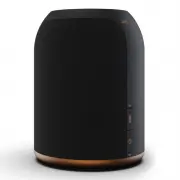
4 - ENGLISH ENGLISH - 5 ENGLISH Getting started, safety and warranty s-Living One s-Living Three 1 x s-Living One smart home speaker 1 x AC/DC power adapter 1 x User guide in multiple languages 1 x s-Living Three smart home speaker 3 x AC power cables for EU, US and UK plugs 1 x User guide in multip...
Page 4 - The speaker modes
6 - ENGLISH ENGLISH - 7 FIRE UP YOUR s-LIVING SPEAKER FIRE UP YOUR s-LIVING SPEAKER 1. Connect power to your speaker. Use included AC/DC power adapter for s-Living One or AC power cables for s-Living Three, and connect to an AC power outlet. 2. Press power button for 2-3 seconds to power ON the spea...
Page 5 - Power on; LED INDICATIONS AND START UP
8 - ENGLISH ENGLISH - 9 LED INDICATIONS AND START UP Pairing button (Pairing mode) Power LED System LED Power button Power on Search state Setup mode or pairing mode Playback state Idle mode / network standby mode (sleep mode) During start up (power ON the speaker) the power LED will flash fast. Not...
Page 6 - Voice messages from your speaker
10 - ENGLISH ENGLISH - 11 SETUP MODE VOICE MESSAGES “Wi-Fi setup mode” or “Bluetooth pairing mode” is needed for either connecting the speaker to a Wi-Fi network or connecting a new Bluetooth device to the speaker. (See page 12) • For “Wi-Fi setup”, the speaker will automatically enter “setup mode” ...
Page 7 - Bluetooth playback
12 - ENGLISH ENGLISH - 13 CONNECT TO WI-FI OR BLUETOOTH PAIRING USING YOUR SPEAKER FOR PLAYBACK Wi-Fi setup Wi-Fi playback Bluetooth playback AUX playback Bluetooth pairing Using the Google Home App Using Apple setup methods There are two methods of connecting your speaker to a Wi-Fi network, while ...
Page 8 - Touch panel control -
14 - ENGLISH ENGLISH - 15 USING YOUR SPEAKER USING YOUR SPEAKER 1. Volume 3. Next / Previous 2. Play/Pause 4. EQ 5. Presets Touch panel control - see next page for image reference 1. Slide in circles over the dots, to adjust the volume. Clockwise is “Volume up”. Counterclockwise is “Volume down”. 2....
Page 9 - General
16 - ENGLISH ENGLISH - 17 MAIN TECHNICAL SPECIFICATIONS MAIN TECHNICAL SPECIFICATIONS s-Living One s-Living Three General Technical Both models Technical General • 2-way compact desktop mono speaker • 15V DC power input • 1,8KG. Ø140mm x 185mm • Power out.: 1x10W tweeter, 1x20W woofer • Amp.: TPA311...
Page 10 - WARRANTY AND SAFETY INFORMATION; Warranty
18 - ENGLISH ENGLISH - 19 WARRANTY AND SAFETY INFORMATION Warranty Safety Your JAYS s-Living speaker(s) is of course covered by warranty according to regional laws depending on country of purchase. Please always consult your local dealer about warranty issues. • Only use a compatible power source to...
Page 11 - DANSK; Kom godt i gang, sikkerhed og garanti; INDHOLD I KASSEN
20 - DANSK DANSK - 21 DANSK Kom godt i gang, sikkerhed og garanti s-Living One s-Living Three 1 x s-Living One Wi-Fi multirums højttaler 1 x AC/DC strøm adapter 1 x Brugervejledning på forskellige sprog 1 x s-Living Three Wi-Fi multirums højttaler 3 x AC strøm kabler til EU, US eller UK stik 1 x Bru...
Page 12 - Sådan starter du
22 - DANSK DANSK - 23 OPSTART AF DIN s-LIVING HØJTTALER OPSTART AF DIN s-LIVING HØJTTALER 1. Tilslut højttaleren til strøm. Til s-Living One skal du benytte den medfølgende AC/DC strøm adapter, og til s-Living Three benyt ét af de medfølgende AC kabler. 2. Tryk på power knappen i 2-3 sekunder for at...
Page 13 - Søge tilstand; LED INDIKATIONER OG OPSTART
24 - DANSK DANSK - 25 LED INDIKATIONER OG OPSTART Parrings knap (Parrings tilstand) Power LED System LED Power knap Tænd (Power on) Søge tilstand Setup tilstand (Wi-Fi) eller Bluetooth parrings tilstand Afspilnings tilstand Pause tilstand / netværks standby mode (sleep mode) Ved opstart (når højttal...
Page 14 - Højttaleren har følgende talebeskeder
26 - DANSK DANSK - 27 SETUP TILSTAND ELLER BLUETOOTH PARRINGS TILSTAND TALE BESKEDER ”Wi-Fi setup tilstand” eller ”Bluetooth parrings tilstand” er nødvendigt for enten at forbinde Højttaleren til et Wi-Fi netværk eller for at forbinde en ny Bluetooth enhed til højttaleren. (se side 28) • Højttaleren...
Page 15 - Bluetooth afspilning
28 - DANSK DANSK - 29 FORBIND HØJTTALEREN TIL WI-FI ELLER BLUETOOTH PARRING SÅDAN AFSPILLER DU MUSIK Wi-Fi setup tilstand Wi-Fi afspilning Bluetooth afspilning AUX afspilning Bluetooth parring Tilslut ved at bruge Google Home App Tilslut ved at bruge iOS (WAC) eller Apple Home Når højttaleren er i ”...
Page 16 - Styring via touch panelet – se næste side for illustrationer
30 - DANSK DANSK - 31 SÅDAN BRUGER DU DIN HØJTTALER SÅDAN BRUGER DU DIN HØJTTALEREN 1. Volumen 3. 3. Næste / Forrige 2. Play/Pause 4. EQ 5. Presets Styring via touch panelet – se næste side for illustrationer 1. Rotér med fingeren cirkler ovenpå prikkerne for at justere volumen. Rotér med uret for ”...
Page 17 - Generelt
32 - DANSK DANSK - 33 VIGTIGE TEKNISKE SPECIFIKATIONER VIGTIGE TEKNISKE SPECIFIKATIONER s-Living One s-Living Three Generelt Teknisk Begge modeller Teknisk Generelt • 2-vejs kompakt desktop mono højttaler • 15V DC power input • 1,8KG. Ø140mm x 185mm • Power out.: 1x10W tweeter, 1x20W woofer • Amp.: ...
Page 18 - GARANTI OG SIKKERHEDSINFORMATION; Garanti
34 - DANSK DANSK - 35 GARANTI OG SIKKERHEDSINFORMATION Garanti Sikkerhed Din JAYS s-Living højttaler er selvfølgelig omfattet af garanti i henhold til lovgivningen, i det land hvori den er købt. Kontakt altid din lokale forhandler vedrørende eventuelle garantispørgsmål. • Benyt kun kompatible strømk...
Page 19 - SVENSKA; Bruksanvisning, Säkerhet och Garanti; INNEHÅLL I RUTAN
36 - SVENSKA SVENSKA - 37 SVENSKA Bruksanvisning, Säkerhet och Garanti s-Living One s-Living Three 1 x s-Living One smart-home högtalare 1 x AC/DC-strömadapter 1 x Bruksanvisning på flera språk 1 x s-Living Three smart-home högtalare 3 x AC/DC-strömadapter för EU, US och UK-eluttag 1 x Bruksanvisnin...
Page 20 - Högtalarlägen
38 - SVENSKA SVENSKA - 39 STARTA UPP DIN s-LIVING HÖGTALARE STARTA UPP DIN s-LIVING HÖGTALARE 1. Anslut ström till din högtalare. Använd den medföljande AC/DC-strömadaptern för s-Living One eller AC- strömkabel för s-Living Three och anslut sedan till ett eluttag. 2. Tryck och håll inne strömknappen...
Page 21 - Ström på; LED-LAMPOR OCH UPPSTART
40 - SVENSKA SVENSKA - 41 LED-LAMPOR OCH UPPSTART Parkopplings-knapp (Parkopplingsläge) Ström LED-lampa System LED-lampa Strömknapp Ström på Sökläge Uppstartläge eller parkopplingsläge Uppspelningsläge Viloläge / nätverksviloläge Under uppstarten (starta högtalaren) blinkar LED-lampan snabbt.Anmärkn...
Page 22 - Röstmeddelanden från din högtalare
42 - SVENSKA SVENSKA - 43 UPPSTARTLÄGE RÖSTMEDDELANDEN “Wi-Fi uppstartläge” eller “Bluetooth-uppstartläge” krävs för att antingen ansluta högtalaren till ett Wi-Fi nätverk eller ansluta en ny Bluetooth-enhet till högtalaren (Se sida 44). • För Wi-Fi uppstartläge kommer högtalaren automatiskt gå in i...
Page 23 - Bluetooth-uppspelning
44 - SVENSKA SVENSKA - 45 När högtalaren är ansluten till ett Wi-Fi nätverk kan du använda någon av de följande streaming-teknikerna för uppspelning. Apple AirPlay: Kräver en Apple-enhet. Vänligen se Apples hemsida för instruktioner gällande AirPlay. Inbyggd Chromecast: Detta stödjs av många enheter...
Page 24 - Kontroller på touch-panelen –
46 - SVENSKA SVENSKA - 47 ANVÄND DIN HÖGTALARE ANVÄND DIN HÖGTALARE 1. Volym 3. Nästa / Föregående 2. Spela / Pausa 4. EQ 5. Förinställningar Kontroller på touch-panelen – se nästa sida för bildreferens 1. Svep i cirklar över prickarna för att justera volymen. Medurs för att höja volymen. Moturs för...
Page 25 - Allmänt
48 - SVENSKA SVENSKA - 49 HUVUDSAKLIGA TEKNISKA SPECIFIKATIONER HUVUDSAKLIGA TEKNISKA SPECIFIKATIONER s-Living One s-Living Three Allmänt Tekniskt Båda modellerna Tekniskt Allmänt • 2-vägs kompakt monohögtalare • 15V DC in-effekt • 1,8KG. Ø140mm x 185mm • Strömförsörjning.: 1x10W diskant, 1x20W bas ...
Page 26 - GARANTI OCH SÄKERHETSINFORMATION
50 - SVENSKA SVENSKA - 51 GARANTI OCH SÄKERHETSINFORMATION Garanti Säkerhet Din JAYS s-Living-högtalare är naturligtvis täckt av garanti enligt regionala lagar beroende på inköpsland. Kontakta alltid din lokala återförsäljare vid garantiproblem. • Använd endast en kompatibel strömkälla för att driva...
Page 27 - DEUTSCH; Erste Schritte, Sicherheit und Garantie; INHALT IN DER BOX
52 - DEUTSCH DEUTSCH - 53 DEUTSCH Erste Schritte, Sicherheit und Garantie s-Living One s-Living Three 1 x s-Living One Smart Home Speaker 1 x Netzteil 1 x Benutzerhandbüch in mehreren Sprachen 1 x s-Living Three Smart Home Speaker 3 x Netzkabel für EU-, US- und UK-Stecker 1 x Benutzerhandbüch in meh...
Page 28 - Lautsprecher-Betriebsarten
54 - DEUTSCH DEUTSCH - 55 STARTEN SIE IHREN s-LIVING-LAUTSPRECHER STARTEN SIE IHREN s-LIVING-LAUTSPRECHER 1. Schließen Sie Ihren Lautsprecher an die Stromversorgung an. Verwenden Sie das mitgelieferte Netzteil für den s-Living One oder die Netzkabel für den s-Living Three zum Anschluss an eine Netzs...
Page 29 - Einschalten; LED-ANZEIGEN UND HOCHFAHREN
56 - DEUTSCH DEUTSCH - 57 LED-ANZEIGEN UND HOCHFAHREN Kopplungs-Schalter (Kopplungs-Modus) Betriebs-LED System LED Ein/Aus-Schalter Einschalten Suchmodus Setup- oder Kopplungs-Modus Wiedergabe-Modus Ruhemodus/Netzwerk-Standby-Modus (Schlafmodus) Während des Hochfahrens (EINSCHALTEN des Lautsprechers...
Page 30 - SPRACHMELDUNGEN; Sprachmeldungen von Ihrem Lautsprecher
58 - DEUTSCH DEUTSCH - 59 SETUP-MODUS SPRACHMELDUNGEN Der „Wi-Fi-Setup-Modus“ oder der „Bluetooth-Kopplungsmodus“ ist erforderlich, um den Lautsprecher entweder mit einem Wi-Fi-Netz zu verbinden oder ein neues Bluetooth-Gerät mit dem Lautsprecher zu koppeln (Siehe Seite 60). • Der Lautsprecher wechs...
Page 31 - Über die Google Home App
60 - DEUTSCH DEUTSCH - 61 MIT WLAN VERBINDEN ODER BLUETOOTH-KOPPLUNG LAUTSPRECHER ZUR WIEDERGABE NUTZEN Wi-Fi-Setup Wi-Fi-Wiedergabe Bluetooth-Wiedergabe AUX-Wiedergabe Bluetooth-Kopplung Über die Google Home App Über Apple-Setup-Methoden Wenn sich der Lautsprecher im „Wi-Fi-Setup-Modus“ befindet, g...
Page 32 - Steuerung über ein Touchpanel –
62 - DEUTSCH DEUTSCH - 63 GEBRAUCH IHRES LAUTSPRECHERS GEBRAUCH IHRES LAUTSPRECHERS 1. Lautstärke 3. Weiter / Zurück 2. Wiedergabe / Pause 4. EQ 5. Voreinstellungen Steuerung über ein Touchpanel – siehe Bildreferenz auf der nächsten Seite 1. Fahren Sie zum Einstellen der Lautstärke in einer kreisför...
Page 33 - Allgemein
64 - DEUTSCH DEUTSCH - 65 WICHTIGE TECHNISCHE DATEN WICHTIGE TECHNISCHE DATEN s-Living One s-Living Three Allgemein Technisch Beide modelle Technisch Allgemein • Kompakter Zwei-Wege-Mono- Desktop-Lautsprecher • 15 V DC Eingangsspannung • 1,8 kg Ø 140 mm x 185 mm • Ausgangsleistung: 1 x 10 W Hochtöne...
Page 34 - GARANTIE UND SICHERHEITSHINWEISE; Garantie
66 - DEUTSCH DEUTSCH - 67 GARANTIE UND SICHERHEITSHINWEISE Garantie Sicherheit Sie haben selbstverständlich auf Ihre(n) JAYS s-Living-Lautsprecher Garantie, entsprechend den regionalen Vorschriften und abhängig von dem Land, in dem der Lautsprecher gekauft wurde. Wenden Sie sich in Garantiefällen bi...
Page 35 - FRANÇAIS; CONTENU DANS LA BOÎTE
68 - FRANÇAIS FRANÇAIS - 69 FRANÇAIS Premiers pas, sécurité et garantie. s-Living One s-Living Three 1 x enceinte intelligente s-Living One 1 x adaptateur secteur CA/CC 1 x guide de l’utilisateur en plusieurs langues 1 x enceinte intelligente s-Living Three 3 x câble d’alimentation CA pour les prise...
Page 36 - Les modes de l’enceinte
70 - FRANÇAIS FRANÇAIS - 71 ALLUMEZ VOTRE ENCEINTE s-LIVING ALLUMEZ VOTRE ENCEINTE s-LIVING 1. Mettez votre enceinte sous tension. Utilisez l’adaptateur secteur CA/CC fourni pour s-Living One ou les câbles d’alimentation CA pour s-Living Three, et connectez-les à une prise électrique. 2. Appuyez sur...
Page 37 - Mettre sous tension; INDICATIONS LED ET MISE EN MARCHE
72 - FRANÇAIS FRANÇAIS - 73 INDICATIONS LED ET MISE EN MARCHE Bouton de jumelage (mode de jumelage) LED d’alimentation LED du système Bouton d’alimentation Mettre sous tension État de recherche Mode de configuration ou mode de jumelage État de lecture Mode repos / Mode veille réseau (mode veille) Lo...
Page 38 - Messages vocaux provenant de votre enceinte
74 - FRANÇAIS FRANÇAIS - 75 MODE DE CONFIGURATION MESSAGES VOCAUX Le « mode de configuration Wi-Fi » ou le « mode de jumelage Bluetooth » est nécessaire, soit pour connecter l’enceinte à un réseau Wi-Fi, soit pour connecter un nouvel appareil Bluetooth à l’enceinte (Voir la page 76). • Pour la « con...
Page 40 - Panneau de commande tactile -
78 - FRANÇAIS FRANÇAIS - 79 UTILISATION DE VOTRE ENCEINTE UTILISATION DE VOTRE ENCEINTE 1. Volume 3. Suivant / Précédent 2. Lecture / Pause 4. EQ 5. Pré-réglages Panneau de commande tactile - voir la page suivante pour une image de référence 1. Faites glisser en cercles sur les points, pour régler l...
Page 41 - Générales
80 - FRANÇAIS FRANÇAIS - 81 PRINCIPALES SPÉCIFICATIONS TECHNIQUES PRINCIPALES SPÉCIFICATIONS TECHNIQUES s-Living One s-Living Three Générales Techniques Les deux modèles Techniques Générales • Enceinte de bureau mono compact à 2 voies • Puissance d’entrée 15V CC • 1,8KG. Ø140 mm x 185 mm • Sortie d’...
Page 42 - INFORMATIONS SUR LA GARANTIE ET LA SÉCURITÉ
82 - FRANÇAIS FRANÇAIS - 83 INFORMATIONS SUR LA GARANTIE ET LA SÉCURITÉ Garantie Sécurité Votre ou vos enceintes JAYS s-Living sont bien entendu couvertes par une garantie conformément aux lois régionales en fonction du pays d’achat. Consultez toujours votre revendeur local concernant les questions ...
Page 43 - РУССКИЙ; Начало работы, безопасность и гарантийные обязательства.; СОДЕРЖИМОЕ В КОРОБКЕ
84 - РУССКИЙ РУССКИЙ - 85 РУССКИЙ Начало работы, безопасность и гарантийные обязательства. s-Living One s-Living Three Умная бытовая акустическая колонка s-Living One — 1 шт.Адаптер питания от сети и аккумулятора — 1 шт.Руководства пользователя на нескольких языках — 1 шт. Умная бытовая акустическая...
Page 44 - Режимы работы колонки
86 - РУССКИЙ РУССКИЙ - 87 ВКЛЮЧИТЕ СВОЮ КОЛОНКУ s-LIVING ВКЛЮЧИТЕ СВОЮ КОЛОНКУ s-LIVING 1. Подключите питание к колонке. Используйте прилагаемый адаптер питания от сети и аккумулятора для s-Living One или кабели питания переменного тока для s-Living Three и подключите к розетке переменного тока. 2. ...
Page 45 - Включение питания; СВЕТОДИОДНАЯ ИНДИКАЦИЯ И ЗАПУСК
88 - РУССКИЙ РУССКИЙ - 89 СВЕТОДИОДНАЯ ИНДИКАЦИЯ И ЗАПУСК Кнопка сопряжения (режим сопряжения) Светодиодный индикатор питания Системный светодиодный индикатор Кнопка питания Включение питания Состояние поиска Режим настройки или сопряжения Состояние воспроизведения Дежурный режим и режим ожидания се...
Page 46 - Голосовые сообщения от вашей колонки
90 - РУССКИЙ РУССКИЙ - 91 РЕЖИМ НАСТРОЙКИ ГОЛОСОВЫЕ СООБЩЕНИЯ Режим настройки Wi-Fi или режим сопряжения по Bluetooth необходим либо для подключения колонки к сети Wi-Fi, либо для подключения нового устройства Bluetooth к колонке (см. стр. 92). • Для настройки Wi-Fi колонка автоматически перейдет в ...
Page 49 - Общие
96 - РУССКИЙ РУССКИЙ - 97 ОСНОВНЫЕ ТЕХНИЧЕСКИЕ ХАРАКТЕРИСТИКИ ОСНОВНЫЕ ТЕХНИЧЕСКИЕ ХАРАКТЕРИСТИКИ s-Living One s-Living Three Общие Технические данные Обе модели Технические данные Общие • 2-полосная компактная настольная монофоническая колонка • 15 В пост. тока • 1,8 кг Ø 140 × 185 мм • Выходная мо...
Page 50 - Гарантийные обязательства
98 - РУССКИЙ РУССКИЙ - 99 ИНФОРМАЦИЯ О ГАРАНТИЙНЫХ ОБЯЗАТЕЛЬСТВАХ И БЕЗОПАСНОСТИ Гарантийные обязательства Безопасность Для колонок JAYS s-Living действуют гарантийные обязательства в соответствии с законодательством, принятым в стране приобретения. По вопросам гарантии обращайтесь к вашему регионал...
Page 51 - US COMPLIANCE INFORMATION; CANADA COMPLIANCE INFORMATION
100 - ENGLISH ENGLISH - 101 US COMPLIANCE INFORMATION This device complies with Part 15 of the FCC Rules. Operation is subject to the following two conditions: (1) This device may not cause harmful interference, and (2) This device must accept any interference received, including interference that m...