Impecca WTL5500AS697 - User Manual
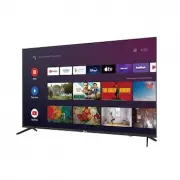
Impecca WTL5500AS697 TV – User Manual, read for free online in PDF format. We hope this helps you resolve any issues you may have. If you have further questions, please contact us through the contact form.


55” Ultra HD 4K SMART TV
Instantly enjoy endless entertainment with the Impecca 55” Frameless LED TV! Experience breathtaking picture
quality for stunning clarity, deep contrast, and vivid colors. This TV is HDR-compatible, so you can enjoy HDR movies
and TV shows. Dolby Vision enhances picture quality with an expanded range of contrast and superior brightness.
Connect easily with three HDMI inputs, and multiple input/output options. Search for movies and shows across
thousands of available apps, get entertainment recommendations, access media playback controls, change the
temperature, dim the lights, and so much more. Ask questions and see the answers on your TV, including Google
Photos, your calendar, sports scores, and more. Even automate and control your smart devices. The Google Assistant
is always on and ready to help, relax, and enjoy! Get your TL5500AS today!
Features
• Intuitive Android OS, access to unlimited TV Apps & movies via Google play store
• 55” FRAMELESS Full Glass design
• 4K HDR High Dynamic Range UHD Picture Quality
• Full-function Remote with Google Assistant voice Recognition
• Google Play, Netflix, VUDU, YouTube, Prime video, movies, Chromecast built-in
• 3428x2160 Crisp Resolution with deep blacks and rich colors
• Integrated stereo speakers + Dolby Audio
• Free standing & Wall mountable
• Multiple languages supported: English, French, Spanish
• Google Assistant Built-in
55” Ultra HD 4K SMART TV
Powered by androidtv
TL5500AS
866-954-4440
www.impecca.com
Impecca™ is a registered trademark of Luzerne Trading Co. Wilkes-Barre PA, All rights reserved. All other trademarks are the property of their respective owners.
Used by Luzerne Trading Co. solely for descriptive purposes.
Simply Impeccable
DOLBY
AUDIO
RJ45
HDTV
HDMI
USB
OPTICAL
"Loading the manual" means you need to wait until the file loads and becomes available for online reading. Some manuals are very large, and the time they take to appear depends on your internet speed.


