iLIVING ILG8EOSC18 - User Manual
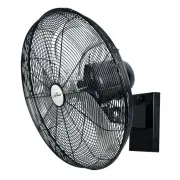
iLIVING ILG8EOSC18 Fan – User Manual, read for free online in PDF format. We hope this helps you resolve any issues you may have. If you have further questions, please contact us through the contact form.

2
3
4
1
2023.04
ASSEMBLY INSTRUCTIONS
OWNER'S MANUAL
Warranty
Information
Register
your
product at our website
:
Or
visit
iLivingUSA
.
com
/
register
-
product
Feedback
Love
it
?
Help
us
make
the
product
more
for
you
.
Let us know
with
a
customer review
.
Please
visit
:
https
://
www
.
amazon
.
com
/
review
/
review
-
your
-
purchases
#
At
iLiving USA
,
we
are
committed to bringing top quality products to
our customers
.
iLIVING USA
860
Mahler Road
,
Burlingame
CA
94010
Tel
:
1
-
800
-
317
-
1688
:
service
@
ilivingusa
.
com
Like
us
on
:
https
://
www
.
.
com
/
ilivingusa
/
Follow
us
on
:
@
iLIVINGUSA
Check out our website
:
www
.
ilivingusa
.
com
Warranty
This fan comes with a 1-YEAR LIMITED COMPONENT WARRANTY. If your unit
does not appear to be working properly, please contact our service center by calling
1-800-317-1688.
Prior to your call, we encourage you to visit our service-related website
www.ilivingusa.com for troubleshooting tips and service instructions if needed
OUTDOOR RATED WATER RESISTANT
WALL MOUNTED FAN
MODELS:
ILG8EOSC18
ILG8EOSC20
VERY IMPORTANT SAFETY INFORMATION:
●
This fan is suitable for outdoor use.
●
This appliance is not intended for use by persons (including children) with
reduced physical, sensory or mental capabilities, or lack of experience and
knowledge, unless they have been given supervision or instruction
concerning use of the appliance by a person responsible for their safety.
●
Children should be supervised to ensure that they do not play with the
appliance.
●
If the supply cord is damaged, it must be replaced by the manufacturer, its
service agent or similarly qualified persons in order to avoid a hazard.
Do not use an extension cord with this fan.
●
To reduce the risk of injury to persons, install wall mounting fan at least
2.1m (7 feet) above the floor.
CAUTION:
To reduce the risk of electric shock, connect only to an outlet
provided with a ground fault circuit interrupting device.
DANGER:
Do not submerge motor
in water
or allow motor to be exposed to
water. Personal injury and/or death could result.
Never handle the fan or motor with wet hands or when standing on wet or
damp surface or in water. Fatal electrical shock could occur.
WARNING:
Electric shock hazards—may cause severe personal injury or
death. For your safety, turn off the electrical power supply before installing,
moving, or servicing your fan to avoid any possible electrical shock hazards.
Never make adjustments to the fan when in power is on.
WARNING:
Risk of electrical shock---This fan is supplied with a grounding conductor and
GFCI type plug. To reduce the risk of electrical shock, make sure that it is
connected only to a PROPERLY grounded outlet.
Use only on GFCI protected receptacles.
Do not under any circumstances remove the power plug’s ground prong or
ground fault unit. For your personal safety, the fan must be grounded.
The fan is equipped with a power supply with ground fault circuit interrupting
device. Removal or tampering of power cord will void warranty.
Never use an extension cord to connect the fan to an outlet. All installations
must be made into a grounded outlet.
UNPLUG THE FAN WHEN NOT IN USE.
WARNING:
To reduce the risk of fire or electrical shock, do not use this fan
with any solid state speed control device. This appliance has a 3-prong plug.
To reduce the risk of electrical shock, this plug is intended to fit in an outlet
only one way. If this does not fit outlet, contact a qualified electrician.
Do not attempt to bypass this procedure.
Screw
Front guard
Blade
Set screw
Screws
Rear
guard
Motor
Pivot bolt
Supporting connector
Knob
Nut /
spring washer
washer
/
Position screw
Shaft
Wall mounting bracket
Bracket base
Oscillation knob
Oscillation knob
Oscillation knob
Figure A
Figure B
1. TO MAKE THE FAN OSCILLATE:
Press down the oscillation knob at
the top of the fan head.
(
See Figure A.)
2. TO STOP THE FAN OSCILLATE:
Pull up the oscillation knob at the
top of the fan head.
(See Figure B.)
1
3
4
2
BEFORE ASSEMBLING FAN TO MOUNTING BRACKET
MAKE CERTAIN THAT THE BRACKET SUPPORT
WALL CAN SUPPORT FAN.
CAUTION.
!
CLEANING
WARNING:
Unplug from electrical supply source before cleaning.
1. Use soft damp cloth then wipe with dry cloth.
2. Do not use harmful cleaners to paints or plastics.
3. Do not bend the blades.
RATING:
ILG8EOSC18: 120V~ 60Hz, 1.0A, 115W
ILG8EOSC20: 120V~ 60Hz, 1.0A, 120W
SPEED CONTROL:
Select air speed by setting switch to either high(3) - medial(2) - low(1) - off(0) .
Stet 1:
Stet 2:
Stet 3: Install supporting connector of the fan motor on the wall mounting bracket
with position screw, pivot bolt, washer spring washer and nut, tighten firmly.
Stet 4: Then assembling the rear guard, blade, front guard to the fan motor.
Drill two holes in the wall according to the installing size on the bracket base.
Attach the bracket base mounting to strong wall with expansion bolt.
Hang the Wall mounting bracket upward onto the bracket base.
Assembling the knob to mounting bracket, tighten firmly.
SETTING OSCILLATING MODE:
OPERATING INSTRUCTIONS
"Loading the manual" means you need to wait until the file loads and becomes available for online reading. Some manuals are very large, and the time they take to appear depends on your internet speed.
Was this manual helpful?
About this manual
- Brand
- iLIVING
- Model
- ILG8EOSC18
- Document type
- User Manual
- Category
- Fan
- Language(s)
- English
- Pages
- 1
- File size
- 1.1 MB
- Format


