iLive GPXISBW240BDL - User Manual
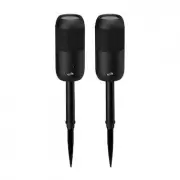
iLive GPXISBW240BDL Wireless Speaker – User Manual, read for free online in PDF format. We hope this helps you resolve any issues you may have. If you have further questions, please contact us through the contact form.


Battery Charging
To charge the internal battery, plug the USB charging cable
into the DC Power Input on the speaker and a powered on
computer or USB power adapter (not included) and standard
power outlet. Charging time is approximately 3 hours. Battery
life is approximately 20 hours at 50% volume.
When the battery is low
a voice will announce “Low Battery,”
then the unit will automatically power OFF.
While the unit is charging
it will display a solid red light. When
the battery is fully charged the light will turn off.
Outdoor Bluetooth Speaker with Removable Stake
User’s Guide for Model ISBW240 v2687-02
CONNECT
SPEAKERS
M
//
Controls
Overview
Aux In & Micro SD
Features
• Waterproof
• Bluetooth wireless 5.0: range 33 ft.
• Party Plus Mode
• 360 degree sound
• Built-in microphone
• Solar Panel
• Built-in rechargeable battery: approximately 20 hrs
playtime at 50% volume
• Micro-USB port for battery recharge
Aux In
Requires a 3.5mm audio cable (included).
1. Connect a 3.5mm audio cable to the
Aux In
on the unit
and the
audio output
on an audio device. The unit will
automatically change to Aux in mode.
2. Use the controls on the connected device to select and
play audio. Be sure the volume on your connected device
is audible when you begin playing.
1.
Mode:
Press to change source modes to Bluetooth, Aux
in, FM radio. Press and hold for 5 seconds to enter into
Party Plus mode.
2.
Microphone
3.
Volume/Skip+/Prev- :
Press to adjust volume level. Press
and hold to previous / next track.
4.
Charging/Bluetooth Indicator LED:
Light will turn solid
red when charging and will turn off when fully charged.
Flashing red when low battery. Flashing blue when in
Bluetooth mode. Solid Blue light when in Aux in mode.
5.
:
Press and hold to enter into pairing mode manually.
6.
Power/Play/Pause:
Press and hold to power ON or OFF.
Press to play/pause audio. Press to answer phone calls.
1
2
4
6
5
3
Includes
• 3.5mm audio cable
• Micro-USB to USB charging cable
• Stakes
Using the Stakes
The stakes allow you to stabilize these
speakers on the ground for use outdoors.
1. Remove the stakes from the casing
2. Insert the stake into the bottom of
the casing as shown below.
3. Insert the stake into the bottom of
the speaker and stick the stake into
the ground.
Solar Panel
Note: The solar
panel charges at
a VERY slow rate.
Therefore it is best
as a supplemental
charging method.
Micro SD
1. Load a Micro SD memory card into the Micro SD port.
2. The speaker will automatically switch to SD mode.
3. Use the controls on your device to select and play audio
from the connected drive.
DC IN
AUX IN
Micro SD
Aux In
DC IN
AUX IN
CONNECT
SPEAKERS
M
/
DC IN
AUX IN
"Loading the manual" means you need to wait until the file loads and becomes available for online reading. Some manuals are very large, and the time they take to appear depends on your internet speed.