Page 3 - Preface; Purpose of the user manual
3 Preface Thank you for choosing the i-mop® Lite, the auto scrubber that cleans faster, cleaner, safer, greener, and is better for everyone. The i-mop Lite's compact design allows you to clean right to the edge and under obstacles, minimizing manual scrubbing. The battery operated i-mop Lite is equi...
Page 4 - Reading guide; Symbol; ATTENTION
4 Reading guide The following symbols and terms are used throughout this manual to alert the reader to safety issues and important information: Symbol Term Explanation WARNING Indicates a hazardous situation which, if the safety instructions are not followed, can lead to injuries of the operator or ...
Page 5 - Content
5 Content Preface .................................................................................................................................................................... 3 Purpose of the user manual ...........................................................................................
Page 7 - Introduction; Intended use of the product; ALWAYS
7 1 Introduction The i-mop® Lite is an easy and safe machine to use. This manual helps you to get started and explains the operation and maintenance procedure. You will be pleasantly surprised by the fast and effective use of the battery operated i-mop Lite. The batteries must be fully charged befor...
Page 8 - Non-intended use of the product; WARNING; Lifespan; CAUTION; Modifications
8 1.2 Non-intended use of the product WARNING Non-intended use can have consequences for the safety of operators and bystanders and will void the warranty on the product. • NEVER operate the i-mop® Lite near flammable dusts, liquids or vapors. • NEVER operate the i-mop Lite when flammable or poisono...
Page 9 - Specifications
9 1.5 Specifications Product size: 120 x 43 x 38 cm Product size in park position: 120 x 43 x 34 cm Weight (including Battery): 12.5 kg Li-on battery: DC (18V, 12.48Ah, 250Wh) Battery capacity: 1 Battery Operation time of batteries: 45 min Brush pressure: 13 kg Brush speed: 500 rpm Solution tank cap...
Page 11 - Description
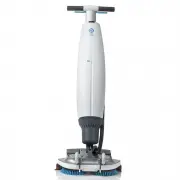
11 2 Description The compact i-mop® Lite consists of two main parts: • The body that contains the motor, cleaning solution tank, recovery tank, handle with triggers and control panel. • The scrub deck that contains the brushes and squeegee. The i-mop Lite can be folded into a park position; this is ...
Page 12 - Safety; General safety instructions; Sweep before scrub; Battery
12 3 Safety Safety comes first. Therefore, please take your time to read and understand these safety inst ructions. Improper use can case cause harm or void the manufacturer’s warranty. 3.1 General safety instructions 3.1.1 Sweep before scrub Remove loose objects from the floor that can be propelled...
Page 13 - Risks during operation; Dress safely; Careful when parking; Risks after operation; Remove battery
13 3.2 Risks during operation 3.2.1 Dress safely Do not wear a necktie, scarf, or any loose or dangling clothing or jewelry while operating this i-mop® Lite. These can tangle in rotating parts, causing serious injury or death. 3.2.2 Mark the job site WARNING During operation the cleaning solution ca...
Page 14 - Transport and storage; General; Park position
14 4 Transport and storage 4.1 General CAUTION Always keep the body of the i-mop® Lite in an upright position when filling the cleaning solution tank or inserting the battery. Before storage or transport, drain the machine and remove the battery after each use. 4.2 Park position The park position is...
Page 15 - Transport outside
15 4.3 Transport outside When outside: 1. Put the i-mop® Lite in park position (see 4.2). 2. Carry the i-mop Lite with one hand while holding the handle (Figure 6, pos 1) with your other hand. CAUTION The transport wheels are not designed to roll over dirty surfaces, sand can cause the wheels to blo...
Page 16 - Transport in a vehicle; Improper use will void the warranty.
16 4.4 Transport in a vehicle The preferred way to transport your i-mop® Lite is in an upright position and safely secured. 1. Make sure both tanks are empty. 2. Put the i-mop Lite in park position (see 4.2). 3. Remove the batteries. 4. Lift the i-mop Lite into the vehicle. 5. Secure the i-mop, usin...
Page 17 - Assembly and installation; Unboxing
17 5 Assembly and installation The i-mop® Lite does not require much assembly. Most importantly, you will have to attach the brushes and squeegee. 5.1 Unboxing The i-mop Lite body is packed in a single box. The battery and charger are delivered in a separate box and can be ordered separately. Figure...
Page 18 - Assembly; Charge the battery
18 5.2 Assembly 5.2.1 Charge the battery Charge the battery according to the instructions in the battery charger manual. Make sure the battery is charged monthly. 5.2.2 Attach the brushes To attach the brushes: 1. Put the i-mop Lite in park position (see 4.2). 2. Hold the scrub deck firmly with one ...
Page 19 - Attach the squeegee; Install cleaning solution tank
19 5.2.3 Attach the squeegee Figure 10 To attach the squeegee: 1. Hold the scrub deck firmly with one hand. 2. Align the pins on the scrub deck (Figure 10, pos 2) with the holes on the squeegee (Figure 10, pos 1). 3. Push the left side of the squeegee in place. 4. Push the right side of the squeegee...
Page 20 - Install recovery tank
20 5.2.5 Install recovery tank 1. Put the tank (Figure 12, pos 1) on the i-mop® Lite with the bottom first. 2. Position the tank on the nipples. 3. Push the tank in place, the magnet will lock the recovery tank in place. Figure 12
Page 21 - Operation; Before you start; Insert the battery
21 6 Operation 6.1 Before you start Check the brushes and squeegee for wear and tear (see chapter 7 on maintenance). 6.1.1 Insert the battery Figure 13 1. Put the i-mop® Lite in park position (see 4.2). 2. Push the battery (Figure 13, pos 1) in the battery slot. A click signals the battery is locked...
Page 22 - Fill the cleaning solution tank; Operation procedure; Walking to the job site
22 6.1.2 Fill the cleaning solution tank 1. Remove the stopper. 2. Pour in a maximum of 0.79 gal/ 3 L of cleaning fluid. 3. Replace stopper and make sure it seals tight. 4. Put the i-mop® Lite in park position (see 4.2). 5. Put the tank on the i-mop Lite with the valve first (Figure 14, pos 1). 6. P...
Page 23 - At the job site
23 1. Put the i-mop® Lite in park position (see 4.2). 2. Hold the handle with one hand (Figure 15, pos 1). 3. Don't forget to bring a wet floor marker. 4. Walk slowly and pay extra attention if you pull the i-mop Lite over obstacles. 5. To lift the i-mop Lite over obstacles, always use two hands. • ...
Page 27 - Cleaning and storage; Flush the system
27 6.3 Cleaning and storage 6.3.1 Flush the system Be sure to flush the tanks out completely. To thoroughly flush out any solution in the lines and valves: 1. Refill solution tank with 0.5 to 1 liter of clean water. 2. Press the Brush and Cleaning solution and Vacuum buttons on the control panel. 3....
Page 28 - Clean the filter; Remove the battery
28 6.3.3 Clean the filter 1. Put the i-mop® Lite in park position (see 4.2). 2. Remove the recovery tank. 3. Release the blue suction filter (Figure 22, pos 1) from beneath the rubber holder by tilting it slightly and pulling it out. 4. Clean the filter. 5. Place the filter back in the rubber holder...
Page 29 - Check the brushes and squeegee; Store in an upright position
29 6.3.5 Check the brushes and squeegee 1. Check to see if both brushes are clean and intact, see 7.1 on how to remove them. • Clean them under fresh water or replace them if necessary. • Replace brushes if the yellow wear indicator is the same height as other bristles. 2. Check to see if the squeeg...
Page 30 - Maintenance; Brush replacement
30 7 Maintenance CAUTION Remove the battery before executing any cleaning or maintenance task. CAUTION Always keep the body of the i-mop Lite in an upright position when replacing brushes or squeegee. 7.1 Brush replacement Figure 25 The brushes are attached to the scrub deck via a bayonet fitting. 1...
Page 31 - Squeegee replacement; Detach the squeegee
31 7.2 Squeegee replacement The squeegee blades come in pairs and wear out over time. When you notice the floor is no longer being dried properly, replace the squeegee blades. 7.2.1 Detach the squeegee 1. Put the i-mop® Lite in park position (see 4.2). 2. Hold the scrub deck firmly with one hand. 3....
Page 32 - Replace vacuum hose
32 7.2.3 Attach the squeegee Figure 27 To attach the squeegee: 1. Hold the scrub deck firmly with one hand. 2. Align the pins on the scrub deck (Figure 27, pos 2) with the holes on the squeegee (Figure 27, pos 1). 3. Push the left side of the squeegee in place. 4. Push the right side of the squeegee...
Page 33 - Accessories
33 7.6 Accessories The i-mop® Lite can be equipped with different brushes and polishing pads. The use of these accessories is only allowed by experienced and trained operators as some polishing pads can be abrasive and can cause damage to the floor surface when applied incorrectly. For more informat...
Page 34 - Troubleshooting; Problem
34 8 Troubleshooting Problem Cause Solution No power No battery Insert battery Empty battery Charge battery Battery incorrectly placed Remove and reinstall battery Insufficient/no water flow Wrong program Check the operating mode on the control panel Eco mode on Check the ECO mode light on the contr...
Page 35 - Decommissioning and disposal
35 9 Decommissioning and disposal ATTENTION It is the responsibility of the i-mop® Lite owner to dispose of the product responsibly. At the end-of-life the i-mop Lite still contains valuable resources and needs to be disposed of according to your local laws and regulations regarding recycling of ele...
Page 36 - Attachments; CE Certificate