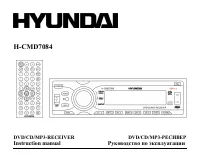
Page 2 - Table of contents
2 Dear customer! Thank you for purchasing our product. For safety, it is strongly recommended to read this manual carefullybefore connecting, operating and/or adjusting the product and keep the manual for reference in the future. Table of contents Table of contents .....................................
Page 3 - Important safeguards; BEFORE USING
3 Important safeguards Using the device at temperature below -10º may cause the breakage of the device. BEFORE USING PLEASE HEAT UP THE PASSENGER COMPARTMENT TO THE RECOMMENDED TEMPERATURE! Read carefully through this manual to familiarize yourself with this high-quality sound system. Disconnect the...
Page 4 - Installation; Insert fingers into the groove in the front of frame and remove it.; Removing the unit
4 Installation Din front-mount (method 1) After inserting the holder into the dashboard, select the appropriate tab and bend them inwards to secure theholder in place. Insert fingers into the groove in the front of frame and remove it. Insert the levers supplied with the unit to the grooves at both ...
Page 5 - Install the front panel
5 Din rear-mount (method 2) Installation using the screw holes at both sides of the unit.1. Select a position where the screw holes of the main unit are fitted for aligned, and tighten the screws at 2 positions at each sides.Use either truss screws (5 x 8mm) or flush surface screws (4 x 8mm), depend...
Page 6 - Electrical connection; ISO socket; ISO connector
6 Electrical connection ISO socket ISO connector ISO connector ISO socket
Page 7 - Using the ISO Connector; Location; Connector A
7 Do not interchange the connection of the wiring!!!For some car models you may need to modify wiring of the supplied power cord. Contact your authorized cardealer before installing this unit. Using the ISO Connector 1. If your car is equipped with the ISO connector, then connect the ISOconnectors a...
Page 8 - Panel controls; Front panel; Press to select radio mode or playback mode.
8 Panel controls Front panel 1. POWER button Press POWER button to turn the power on, press again to turn the power off. 2. MODE button Press to select radio mode or playback mode. 3. VOL knob/ SEL button Rotate VOL button clockwise to increase the volume level; rotate anticlockwise to decrease the ...
Page 10 - Back of the front panel; Disc slot: insert a disc for playback here
10 Back of the front panel Press the REL button to open the panel and press EJECT button to eject the disc. Note: Pressing the RESET hole will erase the clock setting and stored stations. Panel status indicator lights up when you slide the panel down; flashes when you remove the panel. Disc slot: in...
Page 11 - Remote control; Press it to select the RDS station.
11 Remote control 1. AF button Press it to select the RDS station. 2. POWER button Press to turn on or off the unit. 3. ST/ AUDIO button During radio mode, press it to select the mono or stereochannel; during DVD mode, press it to select the audiolanguage. 4. LOC/ SUB-T button During radio mode, pre...
Page 14 - Changing the battery; Press the catch and at the same time pull out the battery tray.
14 Changing the battery 1. Press the catch and at the same time pull out the battery tray. 2. Insert the 1 x lithium battery, type CR 2025 3V battery with the stamped (+) mark facingupward. Insert the battery tray into the remote control. Warning: Store the battery where children cannot reach. If a ...
Page 15 - Glossary; Title
15 Glossary PBC (PlayBack Control) Playback Control is a menu recorded on the disc with SVCD or VCD2.0 format. For the discs contained PBC, itcan playback interactive software with the menu displayed on TV. And if the disc contains still images, it canplayback high definition of still image. Title T...
Page 16 - Features; Fully compatible
16 Features Fully compatible Fully compatible with the most popular discs formats such as DVD, CD, CD-R (containing MP3, JPEG),CD-RW represented in the market. Upgrade intelligently Support the function of upgrading the software for playing discs of new formats to keep up with the marketcompetition....
Page 17 - Compatible discs; DVD Video
17 Compatible discs DVD Video DVD disc include video and audio data. The data can contained by the 12 cm diameter of DVD disc is 7 times ofone can contained by the common CD-R disc. Its maximum continuous playback time can be up to 2 hours (oneof double-sided disc can be up to 4 hours). DVD disc sor...
Page 19 - General operation; Reset the unit; If turning off the power all the settings of each mode will be saved.
19 General operation Reset the unit Operating the unit for the first time or after replacing the car battery, you must reset the unit.Press REL button on the panel to open the panel and press the RESET hole with a point object to restore the unitto the original factory settings. Power button Press P...
Page 21 - Setting the time; RDS will adjust to the current.; Mode setting
21 Setting the time Displaying time: Press DSP button on the RC or DISP button on the panel to display the current time on theLCD, it returns to original after 3 seconds. Setting time: Press and hold DSP button on the RC or DISP button on the panel until the two points in themiddle of the clock stop...
Page 22 - Digital tuner; Band selection
22 Digital tuner Note: RDS (Radio Data System) service availability varies with areas. Please understand if RDS service is not available in you area, the following service is not available, either. Band selection Press POWER to power on, then press SOURCE button on the RC or MODE button on the panel...
Page 23 - Displaying the information
23 To recall a station: - Select a band (if needed)- Press a Preset button (1-6) briefly to recall the stored stationOR:During radio mode press the , buttons on the RC to select upward or downward stored stations. AMS function (Auto Memory Store) Preset scan: press AMS button for less than 1 second ...
Page 24 - Mono/ Stereo mode setting; STEREO reception is charged when ST and
24 AF function (Alternative Frequencies) Press AF button on the RC to turn on or turn off the AF function. After turning on, if the RDS signal is week oreven no signal, the unit will search the RDS stations in the existed frequencies or in the whole band.AF blinking on the LCD at the same time.When ...
Page 27 - The current selected music is highlighted.
27 Loading a disc 1. Press REL button on the panel to slide down the panel. Insert the disc with the printed side facing upward into the slot. 2. Press REL button to slide down the panel. Press EJECT button on the panel to eject the disc. Playing a disc When the disc/ USB device has been already loa...
Page 28 - button to replay the current play.
28 Pausing playback When pressing the PLAY/ PAUSE button on the panel or PAUSE button on the RC during playback, pause modeis set. Press again to resume playback. Stop playback For DVD/ VCD discs: 1. During playback press STOP button to pause the playing, the unit can memorize the play point.2. Pres...
Page 29 - Press RPT button to repeat the current track.; Inserting the number of track; The continuously pressing should be within every 3 seconds.
29 Scanning forward and backward 1. Press the / buttons on the RC to fast the playing when playing in forward/ backward direction. 2. Change the playing speed to X2, X4, X8, X16 and normal for every pressing the button. Note: During the disc playback when Fast/ Reverse Playback gets to the beginning...
Page 32 - Changing the subtitle; The; Changing an audio language; The number in the; Intro playback; Press again to select the current track.
32 Changing the subtitle For DVD discs only. Press LOC/SUB-T on the RC to select the sub-title when the main unit is in play mode.There are 3 supported subtitles: Subtitles 1 => Subtitles 2 => Subtitles OFF. Note: The mark on a DVD's package indicates it features multi-subtitle recordings. The...
Page 34 - System setup; General page; Wide
34 System setup 1. Press SETUP button on the RC to enter the setup menu. In Setup mode, press SETUP key again to quit the setup page. 2. Use the buttons to choose the setup page: General page, Dolby setup, Preference page, Exit. 3. Press the button to enter the setup page selected.4. Use the and but...
Page 35 - Dolby setup; DUAL MONO; Choose the mode of the audio output:; DYNAMIC RANGE
35 CAPTIONS This function doesn't work when the disc without caption. If the caption is Off, press SUBTITLE key onthe remote controller to make caption on. The default setup is On. SCREEN SAVER If the Screen saver is set On and the unit is switched on without a disc playing for 3 minutes, a movingpi...
Page 36 - Preference setup; TV TYPE; the TV system is auto switched according to the disc; PARENTAL; with the least limits when playing.
36 Preference setup TV TYPE This unit is suitable for all kinds of TV systems. You canselect one of the PAL, NTSC or Multi. Auto: the TV system is auto switched according to the disc system. NTSC: this system is used in USA, Taiwan, Japan etc. PAL: this system is used in China, Europe, Hong Kong etc...
Page 37 - Reset to the initial factory setups.; Exit; Select the Exit page to exit the Setup menu.
37 PASSWORD CHANGE The password option is initialized as locked, and you cannotset the ratings limit or change the password. In order to theParental feature works, the password mode must be turned on.If you want to set the ratings limit, you will need to enter thedefault password, which is 8888, the...
Page 39 - Handling discs; Dirty, scratched or warped discs may cause skip ping or noise.; Cleaning; Cleaning the cabinet
39 Handling discs Dirty, scratched or warped discs may cause skip ping or noise. Handle the disc only by the edges. To keep clean do not touch its surface. Discs should be stored in their cases after use to avoid scratches. Do not expose discs to direct sunlight, high humidity, high temperature or d...
Page 40 - Troubleshooting guide; Symptom
40 Troubleshooting guide Symptom Cause Solution GeneralNo power The car ignition is not on.The fuse is blown. If the power supply is properly connected to the caraccessory switch the ignition key to ACC .Replace the fuse. DiscDisc cannot be loaded. Presence of disc inside the player. Remove the disc...
Page 41 - Specification; DVD Deck Specification
41 Specification Specifications are subject to change without notice. Mass and dimension are approximate. General. Power supply: 14.4 V DC Current consumption/Fuse: max. 15 A/ 15 A Maximum power output: 50 W x 4 channels Dimensions (W x H x D) 178 x 50 x 192 mm Working temperature range: -10º - +60º...
Page 47 - ISO
47 !!! . . ISO 1. ISO, , . 2. ISO , . , . A B 1 (+)--- 2 (-)--- 3 (+)--- 4 12 (+)/ (-)--- 5 / (+)--- 6 ((-)--- 7 ACC+/ (+)--- 8 (-)---
Page 56 - icture CD Photo CD
56 DVD, CD, CD-R ( MP3, JPEG), CD-RW, . , . , 2- , , . icture CD, Photo CD icture CD Photo CD . . (Screen Saver) (Screen Saver). 5 , Screen Saver. .
Page 57 - DVD; SVCD; DVCD; CDDA
57 DVD Video DVD- . DVD ( ! 12 ) 7 , CD-R . 2 ( 4 ). 4 DVD- : , , , . SVCD SVCD MPEG2. , VCD. . SVCD . VCD2.0 VCD1.1 VCD2.0 . , VCD2.0, ( ). VCD1.1 Picture CD , CD, . VCD1.1 ( ! 12 ) 74 . DVCD DVCD. DVCD VCD . DVCD . CDDA CD-DA. CD-DA . CD-DA ( ! 12 ) 74 .
Page 58 - JPG
58 MP3/JPEG CD-R/CD-RW/CD-ROM MP3/JPG, JPG 3 , . CD-R/CD-RW CD-R/CD-RW ISO9660, 3, JPG, JPEG, Ac3, PCM, MPG, MPE. DVD+/-R DVD+/-R UDF, 3, JPG, JPEG, Ac3, PCM, MPG, MPE.
Page 60 - LOUD
60 3 , , . EQ SEL, : VOL/ BAL/ FAD. BAS/ TRE . MUTE PTY/ MU , . VOL +/-, . LOUD LOUD , LOUD. , . Loud . , . EQ TA/ EQ , : POP, CLASS, ROCK OFF ( .) ( ) , , . , : / / OFF ( .)
Page 66 - USB
66 CD USB CD, DVD/DVCD/SVCD/VCD/ MP3/WMA/CD-R/CD-RW/DVD±R/MPEG4/DivX/JPEG playback. : 448. : 8. 99. - 99 59 . MP3 : 8 48 ( 44,1 ). P3 : 32 - 320 ( 128 ). : *.ACC, *.DLF, *.M3U, *.PLS, MP3 PRO, DRM. . USB USB USB . USB. . : MP3 USB ( ). 1. FAT 12/ FAT 16/ FAT 32 - FAT 12/ 16 ( 200 , 500 ), - FAT 32 (...
Page 69 - SLOW
69 3 : 1. , . 2. , . 1. , . 2. : X2, X4, X8, X16, . : , / , . SLOW , . : DVD : 1/2, 1/4, 1/8 , 1/2, 1/4, 1/8 . VCD : 1/2, 1/4, 1/8 , . R , : DVD : => => . CD, MP3, VCD : RPT, . .
Page 70 - CD; GOTO; OSD
70 . , 15, 10+, 5. 15 . : 3 . DVD/ VCD : 1. GOTO , . : Title/ Chapter/ Sound/ Captions/ Angle/ Title time/ Chapter time/ Repeat playing/ Time option. 2. , ENTER. 3. , , . CD : 1. 2 GOTO , : : --:--. 2. . DVD . OSD , : => => => => .
Page 71 - SYSTEM; VCD
71 DVD . ZOOM , : X2, X3, X4, . SYSTEM DVD VCD , (PAL NTSC) ( ). P/N , : PAL, NTSC, . : DVD . DVD: 1. MENU TITLE , , . 2. , , , ENTER, . VCD : 1. TITLE , PBC. 2. , . . 3. , , , ENTER PLAY, . 4. STOP, . 5. , TITLE. : PBC SVCD, DVD 2.0.
Page 72 - ANGLE
72 DVD : ANGLE , : Angle 1 => Angle 2 => Angle 3 ( ). : DVD , . . ANGLE, , . DVD . SUB-T , . : DVD , . . DVD : ST/AUDIO , , . 3 : Audio 1 => Audio 2 => Audio 3.
Page 73 - Intro; INT
73 : , . . VCD : ST/AUDIO , : => => . Intro CD . 10 . 1. INT . . 2. INT , . CD/ VCD . . 1. RDM . . 2. RDM , .
Page 76 - DOLBY
76 DVD , . , DVD , , . . , . , SUBTITLE . - . , , . DOLBY : . c : , 5,1- , . .: . .: . . : .
Page 77 - FULL; PAL
77 FULL . OFF ( .) . , . . PAL : , , . NTSC : , , . : , . , , . , . , . ST/AUDIO , LOC/SUB-T . . , , , .