Page 2 - Table of contents
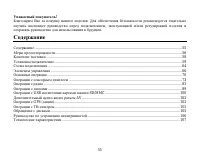
2 Dear customer! Thank you for purchasing our product. For safety, it is strongly recommended to read this manual carefullybefore connecting, operating and/or adjusting the product and keep the manual for reference in the future. Table of contents Table of contents .....................................
Page 3 - Important safeguards
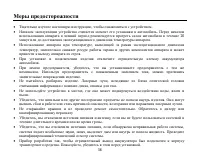
3 Important safeguards Read carefully through this manual to familiarize yourself with this high-quality sound system.The beginning of operation is the moment of the unit installation. Before use the device in winter it isrecommended to heat up the passenger compartment during 20 seconds or to the o...
Page 4 - Accessories
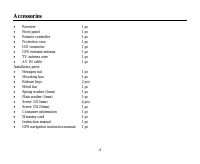
4 Accessories Receiver 1 pc Front panel 1 pc Remote controller 1 pc Protective case 1 pc ISO connector 1 pc GPS external antenna 1 pc TV antenna wire 1 pc AV IN cable 1 pc Installation parts: Hexagon nut 1 pc Mounting box 1 pc Release keys 2 pcs Metal bar 1 pc Spring washer (5mm) 1 pc Plain washer (...
Page 5 - Installation; Remove the mechanism transit screw before installation
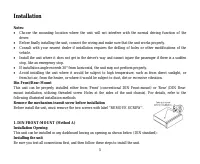
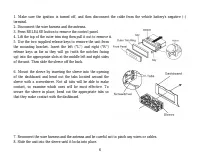
5 Installation Notes: Choose the mounting location where the unit will not interfere with the normal driving function of thedriver.Before finally installing the unit, connect the wiring and make sure that the unit works properly.Consult with your nearest dealer if installation requires the drilling ...
Page 7 - Dismantling the unit
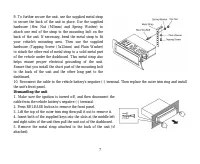
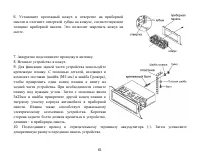
7 9. To further secure the unit, use the supplied metal strapto secure the back of the unit in place. Use the suppliedhardware (Hex Nut (M5mm) and Spring Washer) toattach one end of the strap to the mounting bolt on theback of the unit. If necessary, bend the metal strap to fityour vehicle's mountin...
Page 8 - REMOVING AND PROTECTING DETACHABLE FRONT PANEL
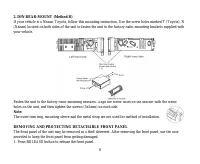
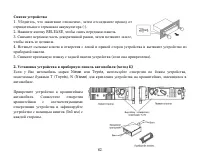
8 2. DIN REAR-MOUNT (Method B) If your vehicle is a Nissan, Toyota, follow this mounting instruction. Use the screw holes marked T (Toyota), N(Nissan) located on both sides of the unit to fasten the unit to the factory radio mounting brackets supplied withyour vehicle. Fasten the unit to the factory...
Page 9 - TO ATTACH THE FRONT PANEL
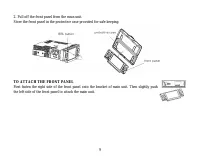
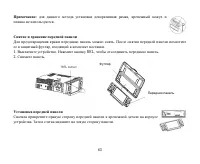
9 2. Pull off the front panel from the main unit.Store the front panel in the protective case provided for safe keeping. TO ATTACH THE FRONT PANEL First fasten the right side of the front panel onto the bracket of main unit. Then slightly pushthe left side of the front panel to attach the main unit.
Page 10 - Electrical Connection; after braking the car.
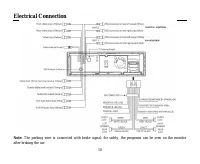
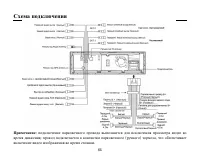
10 Electrical Connection Note: The parking wire is connected with brake signal; for safety, the programs can be seen on the monitor after braking the car.
Page 11 - Connecting the reversing line to taillight on the car
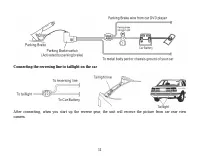
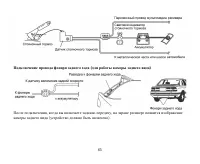
11 Connecting the reversing line to taillight on the car After connecting, when you start up the reverse gear, the unit will receive the picture from car rear viewcamera.
Page 12 - Unit controls; Front panel
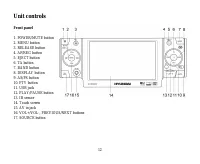
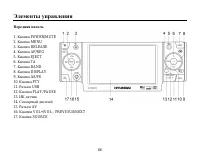
12 Unit controls Front panel 1. POWER/MUTE button2. MENU button3. RELEASE button4. AF/REG button5. EJECT button6. TA button7. BAND button8. DISPLAY button9. AS/PS button10. PTY button11. USB jack12. PLAY/PAUSE button13. IR sensor14. Touch screen15. AV in jack16. VOL+/VOL-, PREVIOUS/NEXT buttons17. S...
Page 13 - Inner panel
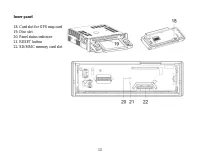
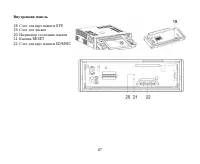
13 Inner panel 18. Card slot for GPS map card19. Disc slot20. Panel status indicator21. RESET button22. SD/MMC memory card slot
Page 15 - Changing the battery
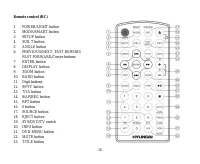
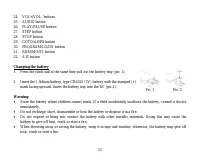
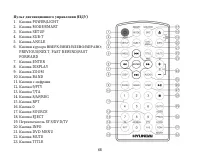
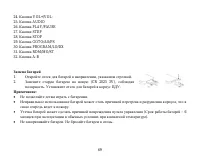
15 24. VOL+/VOL- buttons25. AUDIO button26. PLAY/PAUSE button27. STEP button28. STOP button29. GOTO/AS/PS button30. PROGRAM/LO/DX button31. RDM/MO/ST button32. A-B button Changing the battery 1. Press the catch and at the same time pull out the battery tray (pic. 1). 2. Insert the 1 lithium battery,...
Page 16 - General operations; Reset the Unit; will erase some memorized functions.; Turning the Unit On/Off
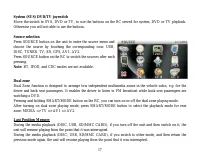
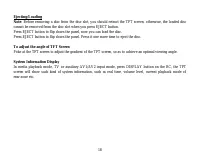
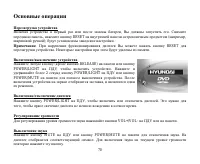
16 General operations Reset the Unit Operating the unit for the first time or after replacing the car battery, you must reset the unit. Remove the frontpanel at first, and then press RESET button on the inner panel of the unit with a pointed object, (such as aballpoint pen) to set the unit to initia...
Page 19 - Using the touch screen control; Source menu
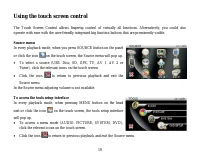
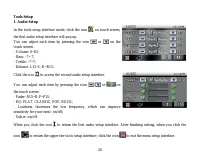
19 Using the touch screen control The Touch Screen Control allows fingertip control of virtually all functions. Alternatively, you could alsooperate with ease with the user-friendly integrated big function buttons that are prominently visible. Source menu In every playback mode, when you press SOURC...
Page 24 - Note
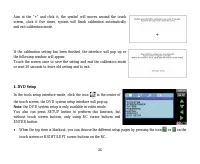
24 Aim at the “+” and click it, the symbol will moves around the touchscreen, click it five times, system will finish calibration automaticallyand exit calibration mode. If the calibration setting has been finished, the interface will pop up orthe following window will appear.Touch the screen once t...
Page 26 - Select this format when connected to a widescreen TV.; Password
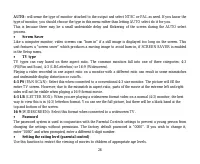
26 AUTO: will sense the type of monitor attached to the output and select NTSC or PAL as need. If you know the type of monitor, you should choose the type in this menu rather than letting AUTO select do it for you.This is because there may be a small undesirable delay and flickering of the screen du...
Page 28 - Digital Setup; Line out mode, with digital dialog normalization.
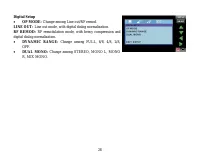
28 Digital Setup OP MODE: Change among Line out/RF remod. LINE OUT: Line out mode, with digital dialog normalization. RF REMOD: RF remodulation mode, with heavy compression and digital dialog normalization. DYNAMIC RANGE: Change among FULL, 6/8, 4/8, 2/8, OFF. DUAL MONO: Change among STEREO, MONO L,...
Page 29 - Radio Operations; To switch to radio mode
29 Radio Operations To switch to radio mode Briefly press SOURCE button on the unit or press SOURCE/SRC on the RC to select the radio mode. Or click the icon on the touch screen to select the radio mode. The radio control interface will pop up. To select a radio band In radio mode, repeatedly press ...
Page 30 - Automatic tuning mode; Briefly press FAST FORWARD/FAST REWIND buttons on the RC or; To store/recall a preset radio stations; on the touch
30 Automatic tuning mode Briefly press FAST FORWARD/FAST REWIND buttons on the RC or / on the touch screen, the automatic search will start. It will search upward or downward for the strong signal radio station within thecurrent band. When a stable radio station signal has been captured, the automat...
Page 34 - Emergency broadcast
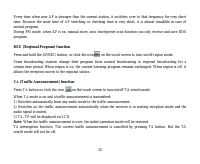
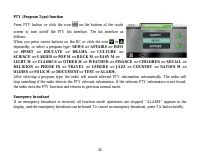
34 PTY (Program Type) function Press PTY button or click the icon on the bottom of the touch screen to turn on/off the PTY list interface. The list interface asfollows:When you press cursor buttons on the RC or click the icon or repeatedly, to select a program type: NEWS => AFFAIRS => INFO =&g...
Page 35 - Disc operations; Discs for playback
35 Disc operations Discs for playback This unit can play disc types: DVD/DVD±R/DVD±RW/CD/CD-R/CD-RW.Compatible with formats: DVD/SVCD/VCD/MP3/WMA/HDCD/CDDA/MPEG4(DivX)/Picture-CD/JPEG.The following file types are supported:Audio files: MP3 (*.mp3) WMA (*.wma) Video files: MP4 (*.avi, DIVX3.11/4.0/5....
Page 37 - Playing forward and backward; FAST FORWARD/FAST REWIND buttons on the RC or click the icon; Stopping playback; on the RC or click the icon; Repeat Play
37 Playing forward and backward In DVD, VCD, MPEG4, MP3, CD disc, or the MP3/WMA file stored in the USB/SD/MMC playback, press FAST FORWARD/FAST REWIND buttons on the RC or click the icon / on the touch screen to fast rewind or fast forward playback.Fast rewind/forward speed with each pressing of bu...
Page 39 - : On some disc, you can select the items with the numeric button.; Multi-subtitle Language Function
39 Disc Menu Operations Menu-driven playback is possible while playing a disc with menu-driven feature or when playing a VCD withthe PBC (PlayBack Control).1. Press TITLE/PBC button, a title list or disc menu will appear on the touch screen.2. Use cursor buttons on the RC to select an item on the me...
Page 40 - : some discs only contain one audio channel.
40 Not all discs will allow changing the audio language during playback. In these cases, select audio languagefrom the DVD's menu. For VCD/SVCD Some VCD/SVCD discs have multiple audio channels; you can select the desired audio channel to play bypressing AUDIO button. STEREO: Normal stereo (left / ri...
Page 43 - GOTO Function
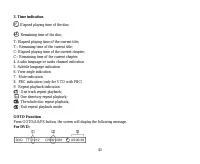
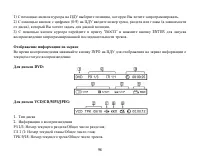
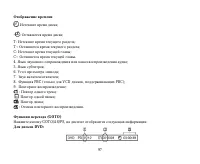
43 3. Time indication : Elapsed playing time of the disc; : Remaining time of the disc; T: Elapsed playing time of the current title;T-: Remaining time of the current title;C: Elapsed playing time of the current chapter;C-: Remaining time of the current chapter.4. Audio language or audio channel ind...
Page 45 - Notes
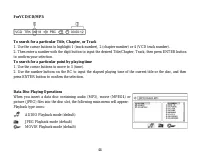
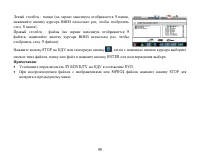
45 Click upper left part of touch screen to activate the main control screen ofdata disc playing.Left column - folder(s). (9 folders can be displayed at a time).Right column - files. (9 files can be displayed at a time). Press STOP button on the RC, or click icon on the touch screen, then use the cu...
Page 47 - Using the SD/MMC card
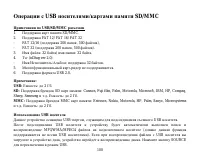
47 Notes: Use the USB adaptor cable, if necessary.The operations of playing MP3/WMA/MPEG4 files in the USB is the same as the operations ofMP3/WMA/MPEG4 disc.When reading the USB device, be sure not to touch or remove it from the USB port.If following the instruction above, the unit can't read the f...
Page 48 - AV In Operations; button or click the icon
48 AV In Operations This DVD player is equipped with an Audio / Video Auxiliary input jack,so you can connect audio/video device you wish to use in this car DVDplayer.1) To connect with a mobile audio/video system by using the auxiliaryA/V input cable.2) Press SOURCE button on the RC to access or ex...
Page 49 - TV Operations; Switch to TV mode
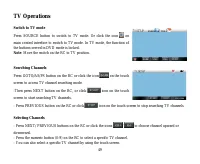
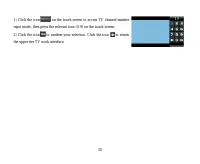
49 TV Operations Switch to TV mode Press SOURCE button to switch to TV mode. Or click the icon on main control interface to switch to TV mode. In TV mode, the function ofthe buttons served in DVD mode is locked. Note : Move the switch on the RC to TV position. Searching Channels Press GOTO/AS/PS but...
Page 51 - Handling and cleaning discs; Cleaning
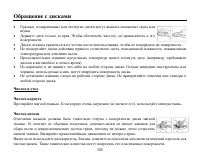
51 Handling and cleaning discs Dirty, scratched or warped discs may cause skip ping or noise.Handle the disc only by the edges. To keep clean do not touch its surface.Discs should be stored in their cases after use to avoid scratches.Do not expose discs to direct sunlight, high humidity, high temper...
Page 52 - Troubleshooting guide; Symptom
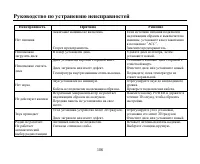
52 Troubleshooting guide Symptom Cause Solution No power The car ignition is not on. The fuse is blown. If the power supply is properly connected to thecar accessory switch the ignition key to “ACC”.Replace the fuse. Disc cannot be loaded. Presence of disc inside the player. Remove the disc in the p...
Page 53 - Specification; General
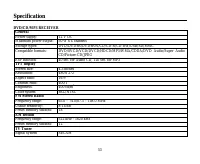
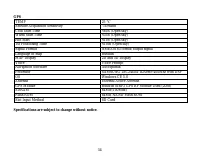
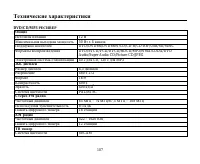
53 Specification DVD/CD/MP3 RECEIVER General Power supply: 12 V DC Maximum power output: 50 W x 4 channelsStorage types: DVD/DVD±R/DVD±RW/CD/CD-R/CD-RW/USB/SD/MMC Compatible formats: DVD/SVCD/VCD/DVCD/HDCD/MP3/WMA/CDDA/DVD Audio/Super AudioCD/Picture-CD/JPEG ESP function: 40 sec. for Audio CD, 120 s...
Page 55 - USB
55 ! . , . .................................................................................................................................................... 55 ............................................................................................................................... 56 .........
Page 59 - DIN
59 : , . , , . , . 30° , . , , , . , , , , , , , , . « » « » : DIN , DIN, , . .
Page 60 - RELEASE
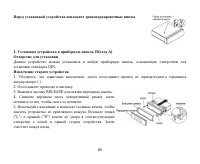
60 1. ( ) , DIN. 1. , , (-). 2. . 3. RELEASE . 4. , , . 5. , . ("L") ("R") . .
Page 62 - Nissan
62 1. , , (-). 2. RELEASE, . 3. , , . 4. . 5. ( ). 2. ( ) Nissan Toyota, , T (Toyota), N (Nissan) , . . (5x5 ) .
Page 72 - TFT; TV
72 , USB SD/MMC, , , . , USB SD/MMC, , , , . : , . EJECT, ; ; . TFT , . , USB SD/MMC, TV AV1/AV2, DISPLAY ; , , .
Page 73 - SOURCE; “Tools”
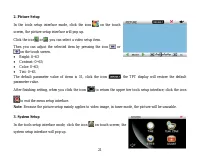
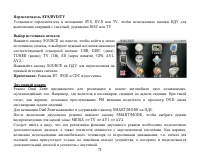
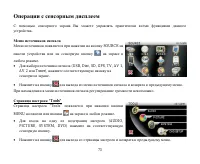
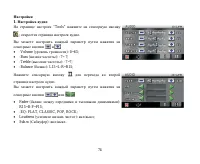
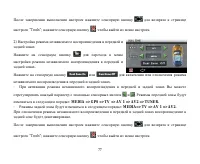
73 . SOURCE . (USB, Disc, SD, GPS, TV, AV 1, AV 2 Tuner), . . . “Tools” “Tools” MENU . (AUDIO, PICTURE, SYSTEM, DVD) . .
Page 78 - GPS
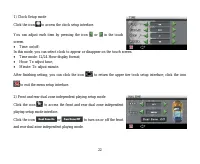
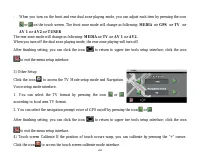
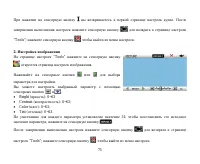
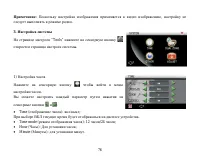
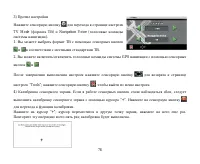
78 3) TV Mode ( ) Navigation Voice ( ). 1. . 2. GPS . “Tools”; , . 4) . , “+”. . “+”; , . ; .
Page 79 - DVD
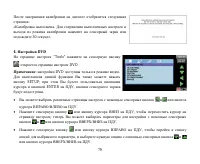
79 : . 30 ». 4. DVD “Tools” ; DVD. : DVD . SETUP; ENTER , . . , ; . , , .
Page 80 - ENTER
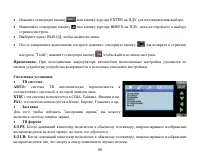
80 ENTER . , . , . “Tools”; , . : ; . : , . NTSC: , , . PAL: , , . “ ” . 4:3 PS : , , . 4:3 LB: , , .
Page 81 - DIVX
81 16:9: , . . – 0000. . . OK, . . , , , . . . . DIVX ( ) . , . , .
Page 82 - OP
82 : ( ), . SPDIF/RAW: , . SPDIF/PCM: , . : . OP : RF. , . . : . : . : . : .
Page 85 - RDS
85 : AS/PS GOTO/AS/PS . , 5 , . , . FM . , , . RDM/MO/ST . (LOCAL/DX) , , , LOCAL ( ). DX ). PROGRAM/LO/DX . RDS RDS ( ) . , RDS , . : PI, PS, TP, PTY, TA AF. PI: .
Page 87 - TA
87 , , AF. FM, AF, RDS. REG ( ) AF/REG , . . , . , . ( ) , TA. : 1) , . 2) , . 3) «TA», «TP». : . TA: TA. TA .
Page 90 - EJECT
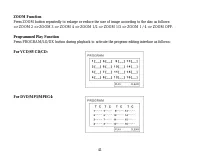
90 EJECT, . . . . EJECT . DVD, VCD, MPEG4, MP3, CD, MP3/WMA USB SD/MMC PLAY/PAUSE , . . : DVD. DVD, VCD, MPEG4, MP3, CD, MP3/WMA USB SD/MMC PREVIOUS/NEXT / .
Page 94 - ANGLE
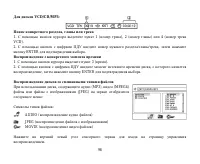
94 . DVD. VCD/SVCD VCD/SVCD AUDIO. : ( ) . .: . .: . . : ( ) . : . , , . ANGLE. : , . ANGLE . : . : 1. : . 2. : , . .
Page 97 - VCD
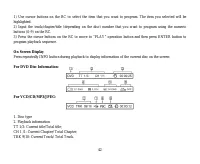
97 : ; - : ; T: ; T-: ; C: ; C-: . 4. ; 5. ; 6. ; 7. ; 8. PBC ( VCD , PBC); 9. ; : ; : ; : ; : . (GOTO) GOTO/AS/PS, : DVD:
Page 102 - AV
102 AV , . 1) AV . 2) SOURCE , AV1 AV2. . GPS ( ) GPS GPS- . SOURCE , GPS. GPS GPS . : GPS- , . . SD/MMC GPS- ; GPS- GPS .
Page 107 - SECAM
107 DVD/CD/MP3 12 50 4 DVD/DVD±R/DVD±RW/CD/CD-R/CD-RW/USB/SD/MMCDVD/SVCD/VCD/DVCD/HDCD/MP3/WMA/CDDA/DVDAudio/Super Audio CD/Picture-CD/JPEG 40 CD, 120 3 4,3 480 27216:9400:1400 2 PAL/NTSC FM 65 – 74 /87,5 – 108 8-14 18 AM 522 – 1620 12 SECAM