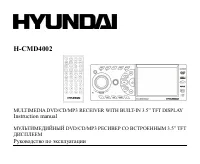
Page 2 - Table of contents
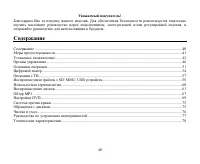
2 Dear customer! Thank you for purchasing our product. For safety, it is strongly recommended to read this manual carefullybefore connecting, operating and/or adjusting the product and keep the manual for reference in the future. Table of contents Table of contents .....................................
Page 3 - Important safeguards; BEFORE USING
3 Important safeguards Using the device at temperature below -10º may cause the breakage of the device. BEFORE USING PLEASE HEAT UP THE PASSENGER COMPARTMENT TO THE RECOMMENDED TEMPERATURE! Read carefully through this manual to familiarize yourself with this high-quality sound system. Disconnect the...
Page 4 - Installation/ connection; Installation opening
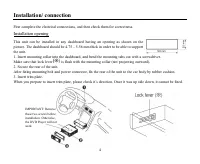
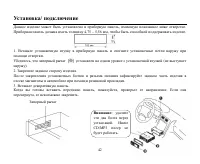
4 Installation/ connection First complete the electrical connections, and then check them for correctness. Installation opening This unit can be installed in any dashboard having an opening as shown on thepicture. The dashboard should be 4.75 5.56 mm thick in order to be able to supportthe unit.1. I...
Page 5 - Detachable control panel; Detaching the control panel; Press OPEN button to flip down the panel.; Attaching the control panel; Insert the right side of the control panel into the main unit.
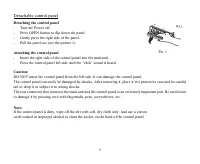
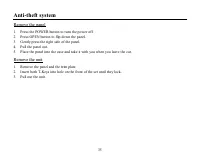
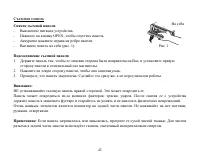
5 Detachable control panel Detaching the control panel Turn the Power off. Press OPEN button to flip down the panel. Gently press the right side of the panel. Pull the panel out (see the picture 1). Attaching the control panel Insert the right side of the control panel into the main unit. Press the ...
Page 6 - Electrical connection
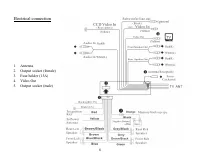
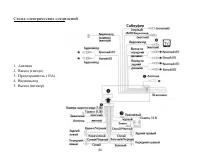
6 Electrical connection 1. Antenna2. Output socket (female)3. Fuse holder (15A)4. Video Out5. Output socket (male)
Page 7 - Using the ISO Connector; Location; Connector A
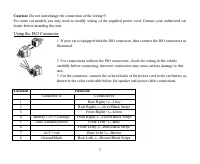
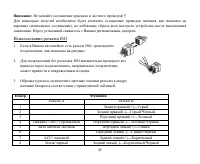
7 Caution: Do not interchange the connection of the wiring!!! For some car models you may need to modify wiring of the supplied power cord. Contact your authorized cardealer before installing this unit. Using the ISO Connector 1. If your car is equipped with the ISO connector, then connect the ISO c...
Page 8 - Panel controls; Front panel; Press it to choose equalizer mode.
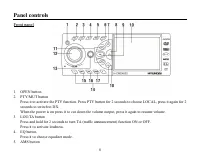
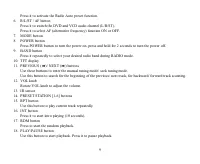
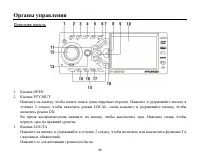
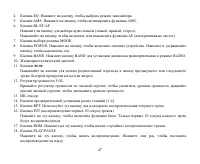
8 Panel controls Front panel 1. OPEN button2. PTY/MUT button Press it to activate the PTY function. Press PTY button for 2 seconds to choose LOCAL, press it again for 2seconds to switch to DX.When the power is on press it to cut down the volume output, press it again to resume volume. 3. LOU/TA butt...
Page 10 - Remote control
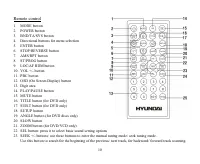
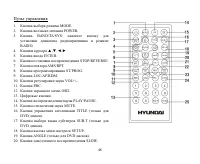
10 Remote control 1. MODE button2. POWER button3. BND/TA/SYS button4. Directional buttons for menu selection5. ENTER button6. STOP/REVERSE button7. AMS/RPT button8. ST/PROG button9. LOC/AF RDM button10. VOL +/- button11. PBC button12. OSD (On Screen Display) button13. Digit area14. PLAY/PAUSE button...
Page 11 - Changing the battery; Press the catch and at the same time pull out the battery tray.
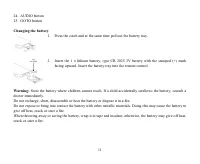
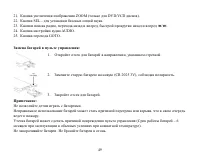
11 24. AUDIO button25. GOTO button Changing the battery 1. Press the catch and at the same time pull out the battery tray. 2. Insert the 1 x lithium battery, type CR 2025 3V battery with the stamped (+) mark facing upward. Insert the battery tray into the remote control. Warning: Store the battery w...
Page 12 - Back of the front panel; Press the OPEN button on the front panel to flip it down.
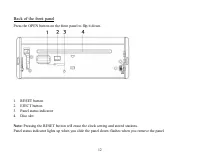
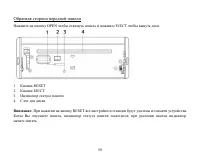
12 Back of the front panel Press the OPEN button on the front panel to flip it down. 1. RESET button2. EJECT button3. Panel status indicator4. Disc slot Note: Pressing the RESET button will erase the clock setting and stored stations. Panel status indicator lights up when you slide the panel down; f...
Page 13 - General operation; Reset the unit; Press POWER button on the unit or on the RC to turn the unit on.; Volume control; Press the VOL once, then rotate to adjust the volume level.
13 General operation Reset the unit Operating the unit for the first time or after replacing the car battery, you must reset the unit.Press OPEN button on the panel to open the panel and press the RESET button to restore the unit to the originalfactory settings. Power button Press POWER button on th...
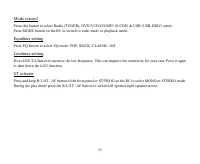
Page 14 - If turning off the power all the settings of each mode will be saved.; Mute control
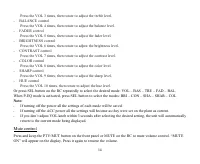
14 Press the VOL 3 times, then rotate to adjust the treble level. - BALANCE control Press the VOL 4 times, then rotate to adjust the balance level. - FADER control Press the VOL 5 times, then rotate to adjust the fader level. - BRIGHTNESS control Press the VOL 6 times, then rotate to adjust the brig...
Page 16 - Digital tuner; Band selection; Press the; Programming tuner stations; buttons
16 Digital tuner Note: RDS (Radio Data System) service availability varies with areas. Please understand if RDS service is not available in you area, the following service is not available, either. Band selection Press MODE button to select Radio mode.Press BAND button on the front panel or BND/TA/S...
Page 18 - Press PTY button for the 3; time to switch the PTY function off.
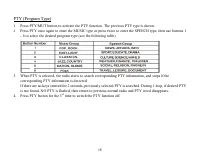
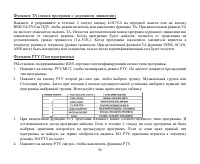
18 PTY (Program Type) 1. Press PTY/MUT button to activate the PTY function. The previous PTY type is shown. 2. Press PTY once again to enter the MUSIC type or press twice to enter the SPEECH type, then use buttons 1- 6 to select the desired program type (see the following table). 3. When PTY is sele...
Page 19 - TV operations; TV tuning; For TV Tuning in SECAM please kindly pay attention as per follows:; will automatically engage into the SD mode.
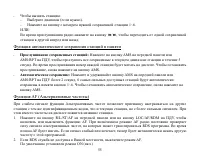
19 TV operations TV tuning At first, press MODE button to switch the set to TV mode, then press AMS/RPT to auto-scan TV station fromlow frequency to high frequency and TV station will be automatically stored in to memory. When Auto-Tuning isdone, you can use the remote control 0-9 key to select your...
Page 21 - Glossary; Title
21 Glossary PBC (PlayBack Control) PlayBack Control is a menu recorded on the disc with SVCD or VCD2.0 format. For the discs contained PBC, itcan playback interactive software with the menu displayed on TV. And if the disc contains still images, it canplayback high definition of still image. Title T...
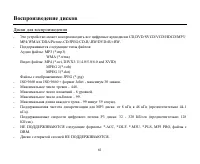
Page 22 - Disc operations; Discs for playback; Max. Track number is 448; Loading a disc
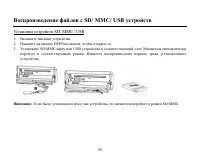
22 Disc operations Discs for playback This unit can play all digital audio CD, DVD/SVCD/VCD/HDCD/MP3/MP4/WMA/CDDA/Picture-CD/JPEG/CD-R/-RW/DVD±R/±RW. The following file types are supported:Audio files: MP3 (*.mp3) WMA (*.wma)Video files: MP4 (*.avi, DIVX3.11/4.0/5.0/6.0 and XVID) MPEG 2(*.vob) MPEG ...
Page 24 - GOTO function; buttons or the digit buttons.; MENU selector
24 Random playback (for CD/VCD/MP3 discs) During disc playback, press the RDM button to start random playback of the disc. Press again to cancel. Intro playback (for CD/VCD discs) You can play the beginning of every track for 10 seconds in sequence. Press the INT button on the front panel tostart in...
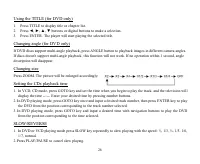
Page 26 - Changing size; Press ZOOM. The picture will be enlarged accordingly:; Setting the CDs playback time; from the position corresponding to the time selected.
26 Using the TITLE (for DVD only) 1. Press TITLE to display title or chapter list.2. Press , , , buttons or digital buttons to make a selection.3. Press ENTER. The player will start playing the selected title. Changing angle (for DVD only) If DVD discs support multi-angle playback, press ANGLE butto...
Page 27 - MP3 overview; The unit may not play tracks in the order of Track numbers.
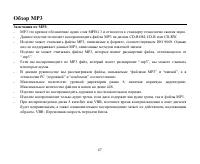
27 MP3 overview Notes on MP3: MP3 is short for MPEG Audio Layer 3 and refers to an audio compression technology standard. This product allows playback of MP3 files on CD-ROM, CD-R or CD-RW discs. The unit can read MP3 files written in the format compliant with ISO 9660. However it does not support t...
Page 28 - Notes on creating your own CD-R or CD-RW containing MP3 files:; DO NOT store more than 448 MP3 files per disc.
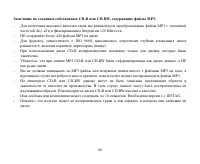
28 Notes on creating your own CD-R or CD-RW containing MP3 files: To enjoy high quality sound, we recommend converting to MP3 files with a sampling frequency of 44.1 kHzand a fixed bit rate o f 128 kbps. DO NOT store more than 448 MP3 files per disc. For ISO 9660 - compliant format, the maximum allo...
Page 29 - DVD setup; System setup; Setting TV system
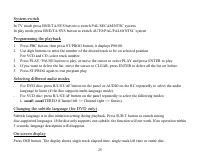
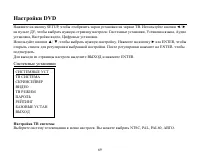
29 DVD setup Press SETUP button on the remote control to display DVD setup screen.Use the cursor buttons to select the desired setup menu: System setup, Language setup, Audio setup, Video setup,Digital setup. Press ENTER button to enter it.Use the cursor buttons to select the desired setting. Press ...
Page 30 - bottom side of the TV screen when play the wide screen picture.; Setting Password; The rating can be selected only under the password setting status.; Default setting; If this item is selected, the unit will become the original setting.
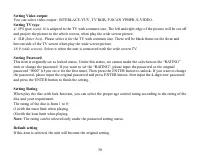
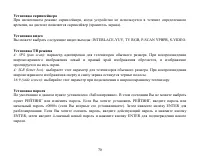
30 Setting Video output You can select video output: INTERLACE-YUV, TV RGB, P-SCAN YPBPR, S-VIDEO. Setting TV type 4: 3PS (pan scan): It is adapted to the TV with common size. The left and right edge of the picture will be cut off and project the picture to the whole screen, when play the wide scree...
Page 31 - Language setup; Setting OSD Language
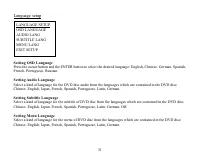
31 Language setup Setting OSD Language Press the cursor button and the ENTER button to select the desired language: English, Chinese, German, Spanish,French, Portuguese, Russian. Setting Audio Language Select a kind of language for the DVD disc audio from the languages which are contained in the DVD...
Page 32 - Audio setup; Audio Output; Select the digital output format.; Key; Select the KEY and adjust the size.
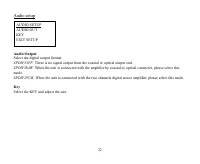
32 Audio setup Audio Output Select the digital output format. SPDIF/OFF: There is no signal output from the coaxial or optical output end. SPDIF/RAW: When the unit is connected with the amplifier by coaxial or optical connecter, please select this mode. SPDIF/PCM: When the unit is connected with the...
Page 33 - Video setup; Setting Brightness; Set the brightness of the video output with UP/DOWN buttons.; Setting Contrast; Set the contrast of the video output with UP/DOWN buttons.; Setting hue; Set the hue of the video output with UP/DOWN buttons.; Setting Saturation; Set the saturation of the video output with UP/DOWN buttons.; Setting Sharpness; Set the sharpness of the video output with UP/DOWN buttons.
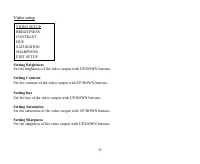
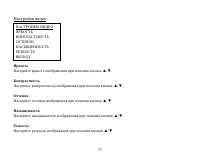
33 Video setup Setting Brightness Set the brightness of the video output with UP/DOWN buttons. Setting Contrast Set the contrast of the video output with UP/DOWN buttons. Setting hue Set the hue of the video output with UP/DOWN buttons. Setting Saturation Set the saturation of the video output with ...
Page 34 - Digital setup; Output Mode; Select the output mode:; Dynamic Range; Select the audio channel from STEREO, MONO L, MONO R and MIX MONO.; Regional code setting
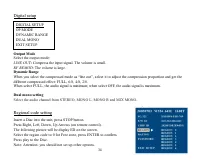
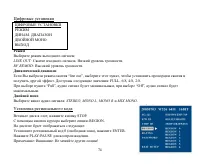
34 Digital setup Output Mode Select the output mode: LINE OUT : Compress the input signal. The volume is small. RF REMOD : The volume is large. Dynamic Range When you select the compressed mode as line out , select it to adjust the compression proportion and get thedifferent compressed effect: FULL,...
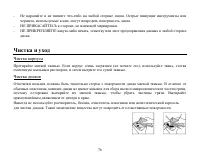
Page 36 - Handling discs; Dirty, scratched or warped discs may cause skip ping or noise.; Cleaning; Cleaning the cabinet
36 Handling discs Dirty, scratched or warped discs may cause skip ping or noise. Handle the disc only by the edges. To keep clean do not touch its surface. Discs should be stored in their cases after use to avoid scratches. Do not expose discs to direct sunlight, high humidity, high temperature or d...
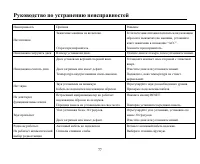
Page 37 - Troubleshooting guide; Symptom
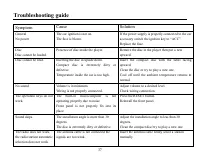
37 Troubleshooting guide Symptom Cause Solution GeneralNo power The car ignition is not on.The fuse is blown. If the power supply is properly connected to the caraccessory switch the ignition key to ACC .Replace the fuse. DiscDisc cannot be loaded. Presence of disc inside the player. Remove the disc...
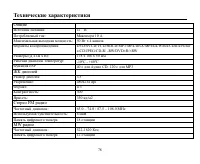
Page 38 - Specification; General; Current consumption:; TFT display; MW section; Preset memory stations:
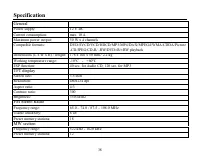
38 Specification General Power supply: 12 V DC Current consumption: max. 10 A Maximum power output: 50 W x 4 channels Compatible formats: DVD/SVCD/VCD/HDCD/MP3/MP4/DivX/MPEG4/WMA/CDDA/Picture-CD/JPEG/CD-R/ -RW/DVD±R/±RW playback Dimensions (L x W x H) / weight: 178 x 166 x 50 mm / 2.2 kg Working tem...
Page 45 - ISO
45 : !!! , ( ), . . ISO 1. ISO, , . 2. ISO , . 3. , . A B 1 (+)--- 2 (-)--- 3 (+)--- 4 12 (+)/ (-)--- 5 / (+)--- 6 (-)--- 7 ACC+/ (+)--- 8 (-)---
Page 51 - VOL
51 OPEN. . RESET, . : , , . POWER, . : , , . VOL + , . VOL - , . : VOL/BASS/TREBLE/BALANCE/FADER/BRIGHTNESS/CONTRAST/COLOR/SHARP/HUE.- VOL , . - ( DSP)
Page 62 - OPEN
62 1. . 2. OPEN , . 3. . 4. EJECT, . / , , , PLAY/PAUSE, . PLAY/PAUSE , . , . . . PLAY/PAUSE . 1. 9 , . 2. : , . 3. 1-9, 0, 10+ . 9 : 2 , : 2, 4, 8, 20. PLAY/PAUSE, .
Page 63 - DVD; GOTO
63 : , , . R AMS/RPT , : VCD/CD/MP3 : RPT ONE ( . ) => RPT OFF ( ). DVD : RPT CHAP ( ) => RPT TITL ( ) => RPT ALL ). RPT. ( CD/VCD/MP3) RDM, . , . Intro ( CD/VCD) 10 . INT, . , . GOTO , , . 1. GOTO, : => => => . . 2. .
Page 64 - VCD
64 3. ENTER, . PBC ( ) ( VCD ) VCD PBC, 1- . 1. , . 2. , 9 / : . 3. , PLAY/ PAUSE, . 4. STOP , VCD. 5. , . , , , . ENTER PLAY/PAUSE . BND/TA/SYS PAL/SECAM/NTSC. BND/TA/SYS AUTO/PAL/PAL60/NTSC. 1. PBC, ST/PROG, 00:00. 2. , . VCD CD .
Page 65 - AUDIO
65 3. PLAY/ PAUSE «PLAY» ENTER, . 4. , «CLEAR» ENTER. 5. ST/PROG, . DVD : R/L/ST/AF AUDIO , ( , ). VCD : R/L/ST/AF , : L R STEREO ( ). ( DVD ) . SUB.T . , . 5 , . OSD. , . ( DVD ) 1. TITLE, . 2. , , , . 3. ENTER. / .
Page 71 - ENTER
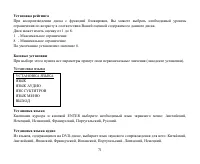
71 , . 1 8: 1 - . 8 - . 8. ( ). ENTER : , , , , , . , DVD- , : , , , , , , , .
Page 78 - ESP; FM
78 : 12 : 10 : 50 4 : DVD/SVCD/VCD/HDCD/MP3/MP4/DivX/MPEG4/WMA/CDDA/Picture-CD/JPEG/CD-R/ -RW/DVD±R/±RW ( ): 178 166 50 : -10º - +60º ESP 40 CD, 120 3 : 3,5 : 480 234 dpi : 4:3 : 300 : 350 2 FM : 65.0 74.0 / 87.5 108.0 MHz : 6 18 MW : 522-1620 12
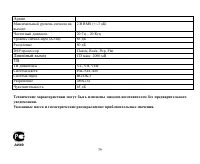
Page 79 - DSP
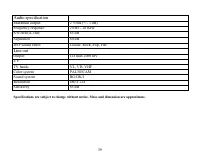
79 . . : 2 RMS (+/-3 ) : 20 20 (A-vtd): 85 80 DSP Classic, Rock, Pop, FlatCD . 2000 VL, VH, VHFPAL/SECAMBG/DK/I480x23465