Hyundai H-CDM8051 - User Manual
Hyundai H-CDM8051 Car Radio – User Manual, read for free online in PDF format. We hope this helps you resolve any issues you may have. If you have further questions, please contact us through the contact form.


Table of Contents:
- Page 2 – Table of contents
- Page 3 – Important safeguards
- Page 4 – Installation/Connections; Installation opening
- Page 5 – Electrical connections
- Page 6 – Panel controls
- Page 7 – Button tips; AMS: Auto Memory Store; Radio; Menu Function; DSP mode
- Page 8 – VOL LAST / ADJUST MODE; MP3 Play back; MP3 Track search
- Page 9 – MP3 Overview; Notes on MP3; Notes on creating your own CD-Rs or CD-RWs containing MP3 files
- Page 10 – Handling compact discs
- Page 11 – Cleaning; Cleaning the cabinet; Components
- Page 12 – Troubleshooting guide; General
- Page 13 – Specification
- Page 19 – DSP
- Page 20 – SEEK 1⁄2
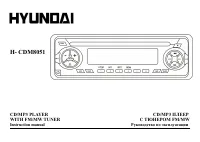
H- CDM8051
CD/MP3 PLAYER CD/MP3
WITH FM/MW TUNER
FM/MW
Instruction manual
"Loading the manual" means you need to wait until the file loads and becomes available for online reading. Some manuals are very large, and the time they take to appear depends on your internet speed.
Summary
2 Dear customer! Thank you for purchasing our product. For safety, it is strongly recommended to read this manual carefully before connecting, operating and/or adjusting theproduct and keep the manual for reference in the future. Table of contents Table of contents .....................................
3 Important safeguards · Read carefully through this manual to familiarize yourself with this high-quality sound system. · Use only in a 12-volt DC negative-ground electrical system. · Disconnect the vehicle's negative battery terminal while mounting and connecting the unit. · When replacing the fus...
4 Installation/Connections First complete the electrical connections, and then check them for correctness. Installation opening This unit can be install in any dashboard having an opening as shown below. The dashboard should be 4.75 5.56 mm thick in order to be able to support theunit. 1. Insert mou...









