Page 2 - Table of contents
2 Dear customer! Thank you for purchasing our product. For safety, it is strongly recommended to read this manual carefully before connecting,operating and/or adjusting the product and keep the manual for reference in the future. Table of contents Table of contents .....................................
Page 3 - Important safeguards
3 Important safeguards · Read carefully through this manual to familiarize yourself with this high-quality sound system. · Use only in a 12-volt DC negative-ground electrical system. · Disconnect the vehicle's negative battery terminal while mounting and connecting the unit. · When replacing the fus...

Page 4 - Installation/Connections
Page 7 - Electrical connections
Page 8 - Panel controls
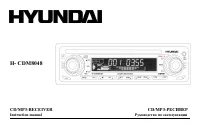
8 Panel controls 1. Disc eject.2. Volume Up (+) / Down (-). Push to select VOL/ BAS/ TRE/ BAL/ FAD. Push more than 2 seconds to Menu mode.MP3 track/ file/ character search ESP 45s/120s3. Disk tray4. Display5. 1-6 radio preset: press to tune in a preset station. Hold for more than 2 seconds to store ...
Page 10 - Menu Function
10 Menu Function Press the POWER button to turn the unit on, the display will show a message to indicate it is ready to use. Press the BAND for the radio mode, press MODE to select between Aux, Radio mode and CD/MP3 play. Press the POWER button again toturn the unit off. VOLUME CONTROLA. The volume ...
Page 11 - DSP mode
11 BEEP ON/OFF mode Press SEL button for 2 seconds, the display will show DSP OFF.Press the SEL button continuously until the display show BEEP ON, press the volume up/down button to toggle between it and BEEPOFF, then leave the unit idle for your desired setting to take effect. LOUD mode Press the ...
Page 14 - MP3 Play back
14 MP3 Play back CD Electronic Shock Protection 12or 45 seconds The electronic shock protection is ideal for driving uneven road.Press the Sound Select button for 2 seconds, the display will show "DSP OFF". Press the button again so that "ESP 12" will beshown on the display indicatin...
Page 15 - MP3 Overview; Notes on MP3; Notes on creating your own CD-Rs or CD-RWs containing MP3 files
15 MP3 Overview Notes on MP3 · MP3 is short for MPEG Audio Layer 3 and refers to an audio compression technology standard. · This product allows playback of MP3 files on CD-ROM, CD-R or CD-RW discs. · The unit can read MP3 files written in the format compliant with ISO 9660. However it does not supp...
Page 17 - Handling compact discs; Cleaning; Cleaning the cabinet
17 Handling compact discs · Dirty, scratched or warped discs may cause skip ping or noise. · Handle the disc only by the edges. To keep clean do not touch its surface. · Discs should be stored in their cases after use to avoid scratches. · Do not expose discs to direct sunlight, high humidity, high ...
Page 18 - Components
18 Components 1. Nut 5 mm 1 pc2. Spring washer 2 pcs3. Screw M5x25 mm 1 pc4. Screw 1 pc5. Plain washer 2 pcs6. Strap 1 pc7. Operating instructions 1 pc.8. Key 2 pcs.9. Mounting collar 1 pc.10. Wire connector 1 pc.11. Removable face plate case 1 pc.12. Trim plate 1 pc.
Page 19 - Troubleshooting guide; General
19 Troubleshooting guide General No power or no sound Car's engine switch is not on. Turn your car's key to ACC or ON.Cable is not correctly connected. Check connection.Fuse is burnt. Replace fuse. Check volume or mute on / off.If above solutions cannot help, press the RESET button. Disc Disc is ins...
Page 20 - Specification
20 Specification Specifications are subject to change without notice. Mass and dimension are approximate. General. Power supply: 12V DC (11V-16V), Test voltage 14.4V, negative ground Maximum power output: 50Wx4 channels Rated power output (RMS): 25Wx4 channels (4 10% T.H.D.) Suitable speaker impedan...