Hyundai H-CDM8024 - User Manual
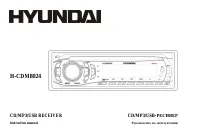
Hyundai H-CDM8024 Car Radio – User Manual, read for free online in PDF format. We hope this helps you resolve any issues you may have. If you have further questions, please contact us through the contact form.
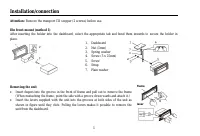
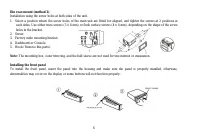
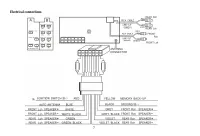
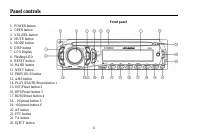
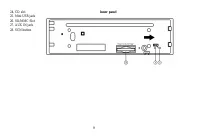
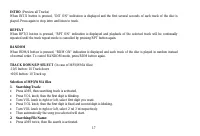

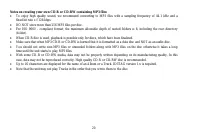
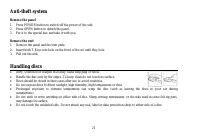
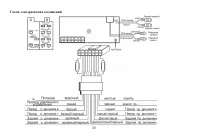
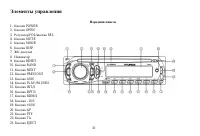
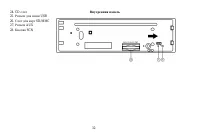
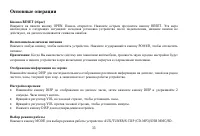


Table of Contents:
- Page 2 – Table of contents
- Page 3 – Important safeguards
- Page 4 – Accessories
- Page 5 – Installation/connection; Removing the unit
- Page 6 – Installing the front panel
- Page 7 – Electrical connections
- Page 8 – Panel controls; Front panel
- Page 9 – Inner panel
- Page 10 – General operations; Reset the unit; Mode
- Page 13 – Digital tuner operations; MODE; BAND
- Page 20 – Notes on creating your own CD-R or CD-RW containing MP3 files:
- Page 21 – Handling discs
- Page 22 – Cleaning; Cleaning the cabinet
- Page 23 – Troubleshooting guide; Symptom
- Page 24 – Specification; General
- Page 38 – PTY
- Page 43 – WMA
- Page 48 – FM
H-CDM8024
CD/MP3/USB RECEIVER
CD/MP3/USB-
Instruction manual
"Loading the manual" means you need to wait until the file loads and becomes available for online reading. Some manuals are very large, and the time they take to appear depends on your internet speed.
Summary
2 Dear customer! Thank you for purchasing our product. For safety, it is strongly recommended to read this manual carefully beforeconnecting, operating and/or adjusting the product and keep the manual for reference in the future. Table of contents Table of contents .....................................
3 Important safeguards Read carefully through this manual to familiarize yourself with this high-quality sound system.Disconnect the vehicle's negative battery terminal while mounting and connecting the unit.When replacing the fuse, be sure to use one with an identical amperage rating. Using a fuse ...
4 Accessories Mounting partsReceiver 1 pc Front panel 1 pc Front panel case 1 pc Customer information 1 pc Warranty card 1 pc Instruction manual 1 pc USB adapter cable 1 pc









