Hyundai H-1549 - User Manual
Hyundai H-1549 Radio – User Manual, read for free online in PDF format. We hope this helps you resolve any issues you may have. If you have further questions, please contact us through the contact form.
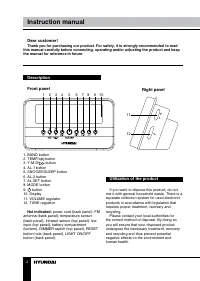
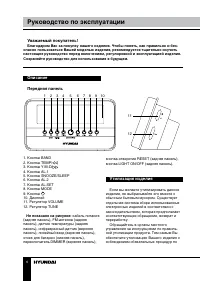


Table of Contents:
- Page 2 – Instruction manual; Description; Right panel
- Page 3 – Important safeguards
- Page 4 – Alarm operation
- Page 5 – Radio operation
- Page 6 – Руководство по эксплуатации; Уважаемый покупатель!; Не показано на рисунке:; Утилизация изделия
- Page 7 – Питание от сети переменного тока
- Page 8 – Операции с радио
- Page 9 – Выбор сигнала будильника
- Page 10 – Комплект поставки
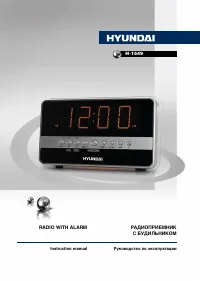
РАДИОПРИЕМНИК
С БУДИЛЬНИКОМ
RADIO WITH ALARM
Руководство по эксплуатации
Instruction manual
H-1549
"Loading the manual" means you need to wait until the file loads and becomes available for online reading. Some manuals are very large, and the time they take to appear depends on your internet speed.
Summary
2 Instruction manual Dear customer! Thank you for purchasing our product. For safety, it is strongly recommended to read this manual carefully before connecting, operating and/or adjusting the product and keep the manual for reference in future. Description Front panel 1. BAND button2. TEMP/ button ...
3 Instruction manual Important safeguards • The instruction manual contains important operating and maintenance instructions. For your safety, it is necessary to refer the manual. Keep the manual for use in future. • Do not hit or drop the unit.• Do not expose the unit to vibration, direct sunlight,...
4 Instruction manual activated. The radio will turn off automatically after the preset time period elapses. • To cancel the sleep function, press button. Alarm operation Setting the alarm • Press and hold AL.SET button. Press it repeatedly to cycle through alarm settings in following order: Alarm 1 ...