Hyundai H-1411 - User Manual
Hyundai H-1411 Car Radio – User Manual, read for free online in PDF format. We hope this helps you resolve any issues you may have. If you have further questions, please contact us through the contact form.
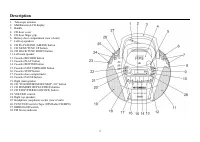
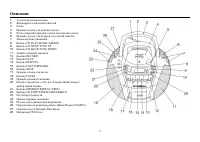
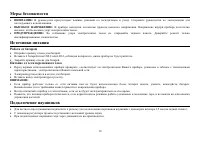
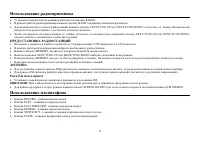
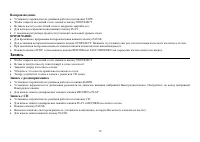
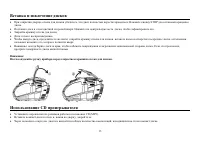
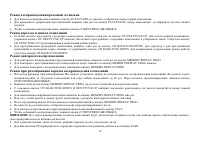
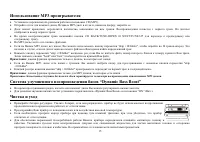
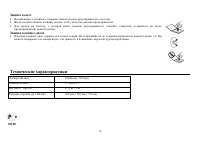
Table of Contents:
- Page 2 – Description
- Page 3 – Important safeguards; Power supply; Battery operation; Stereo headphone connecting
- Page 4 – Radio operation; RADIO STATION MEMORY; Cassette playback
- Page 5 – Cassette tape recording; Recording from radio; Insertion & removal of discs
- Page 6 – Compact disc operation; Skip and search mode; Repeat mode
- Page 7 – Program mode; MP3 operation
- Page 8 – Erase protection; CD protection; Specification
- Page 11 – Fm Fm stereo
- Page 12 – CD
- Page 15 – Dynamic Bass Boost
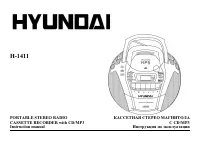
H-1411
PORTABLE STEREO RADIO
CASSETTE RECORDER with CD/MP3 CD/MP3
Instruction manual
"Loading the manual" means you need to wait until the file loads and becomes available for online reading. Some manuals are very large, and the time they take to appear depends on your internet speed.
Other Manuals for Hyundai H-1411
Summary
2 Description 1. Telescopic antenna2. Multifunction LCD display3. Handle4. CD door cover5. CD door finger grip.6. Battery door compartment (rear of unit)7. Left top speakers8. CD PLAY/BAND (AM/FM) button9. CD NEXT/TUNE UP button10. CD BACK/TUNE DOWN button11. Left main speaker12. Cassette RECORD but...
3 Important safeguards · ATTENTION: The owner s manual contains important operating and maintenance instructions. For your safety, it is necessary to refer to the manual. · DANGEROUS VOLTAGE: Uninsulated dangerous voltage that may be of sufficient magnitude to constitute a risk of electrical shock t...
4 Radio operation · Set FUNCTION switch to RADIO position. · Select your desired broadcasting band by pressing BAND button. · Press NEXT/TUNE-UP button or NEXT/TUNE-UP button and then release the button when the fast scanning starts. The frequency will continue tochange and will automatically stop w...









