Hyundai H-1410 - User Manual
Hyundai H-1410 Car Radio – User Manual, read for free online in PDF format. We hope this helps you resolve any issues you may have. If you have further questions, please contact us through the contact form.
Table of Contents:
- Page 3 – Power supply; BATTERY OPERATION; Stereo headphone connecting; RADIO STATION MEMORY
- Page 4 – Cassette recorder operation; CASSETTE PLAYBACK; Compact disc operation
- Page 5 – MP3 operation; RECORDING FROM RADIO
- Page 6 – RECORDING FROM CD; Maintenance and care; ERASE PROTECTION
- Page 7 – Specification
- Page 10 – FM FM
- Page 11 – CD
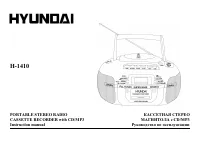
H-1410
PORTABLE STEREO RADIO
CASSETTE RECORDER with CD/MP3
CD/MP3
Instruction manual
"Loading the manual" means you need to wait until the file loads and becomes available for online reading. Some manuals are very large, and the time they take to appear depends on your internet speed.
Summary
2 Power supply BATTERY OPERATION · Open the battery compartment cover. · Insert 6 batteries (UM-1). Please observe correct battery polarities or the set will not work. · Close the battery compartment cover. AC OPERATION · Before the first connecting of the appliance check that voltage indicated on t...
3 · Press NEXT/TUNE-UP button or BACK/TUNE-DOWN button to choose the desired channel. · Press MEM button again, then the desired station is stored in channel. The display shows the channel of the desired station. · Repeat steps for storing various stations to other channels. ANTENNA · For FM recepti...
4 SKIP AND SEARCH MODE · Press the NEXT button once to skip to next track. Keep pressing to search for a particular at high speed forward. Release the button to resume normal play. · Press the BACK button once to skip back to previous track. Keep pressing to search for a particular point at high spe...









