Hunter 51314 - User Manual
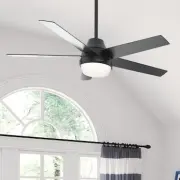
A ceiling fan installation manual covers the full process of setting up Hunter Aerodyne models like 51314 or 51315, including safety precautions for electrical work and battery handling. The guide addresses key topics such as selecting proper installation locations–accounting for room dimensions, ceiling height, and obstruction distances–and mounting options for standard or angled ceilings. It also details wiring configurations (single/dual switches), assembly of the fan’s components (canopy, blades, motor, light kit), remote control setup, and troubleshooting common operational issues like malfunctions or wobbling. Compatibility with HomeKit is noted as a key feature.


Table of Contents:
- Page 1 – Product Identification and Support Information
- Page 2 – Safety Warnings and Installation Tools
- Page 3 – Package Contents and Parts Identification
- Page 4 – Installation Location Guidelines
- Page 5 – Bracket and Downrod Installation
- Page 6 – Hanging Procedure
- Page 7 – Wiring Instructions
- Page 8 – Blade and Canopy Attachment
- Page 9 – Light Kit Assembly
- Page 10 – Remote Control Setup
- Page 11 – Smart Setup and Downrod Replacement
- Page 12 – Troubleshooting and Warranty Information
Installation Manual
©2020 Hunter Fan Co.
Model: 51314 Matte Black
51315 Matte Silver
Fan weight ±2 lbs: 21.6 lbs (9.8 kg)
Aerodyne
PG3963 r110420
HomeKit Sticker
"Loading the manual" means you need to wait until the file loads and becomes available for online reading. Some manuals are very large, and the time they take to appear depends on your internet speed.
Was this manual helpful?
About this manual
- Brand
- Hunter
- Model
- 51314
- Document type
- User Manual
- Category
- Ceiling Fan
- Language(s)
- English
- Pages
- 12
- File size
- 10.5 MB
- Format
Summary
Identification details for Hunter Aerodyne ceiling fans, including model numbers, weight specifications, and compatibility information.
Safety precautions regarding electrical work and battery handling, along with the required tools for installation.
Detailed list of components included in the package, diagrams for parts, and guidance on identifying hardware using symbols.


