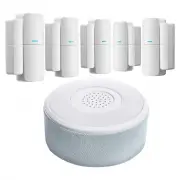
Page 2 - Siren Base Station; Contact Sensor
Say hello to Alarm. Siren Base Station The gateway of the Alarm system. Bridges all of your Alarm devices to the Home Zone Smart App, so you can manage your alarm system remotely. Connects to the USB power cable (included) Contact Sensor Alerts you when a door or a window is opened. A contact sensor...
Page 3 - What’s in the box
Double-sided tape x 5sets Round Double-sided tape x 1pc User manualx1 Sirenx1 Contact sensorsx5 Adapterx1 USB cablex1 What’s in the box 3
Page 4 - General Information; Siren
The siren gateway can allow users to update and manage the alarm system via internet and Home Zone Smart APP. • Know which contact sensor is triggered • Manage and monitor the alarm system remotely • Built-in 120dB siren. Sound volume can be managed by APP. • Supports up to 20 sensors. • Setup sched...
Page 5 - System Overview
System Overview Power on/off switch Charging port Reset button LED indicator flashes quickly (2 times per second): Siren is in Wi-Fi configuration mode LED indicator flashes slowly (once every 2 seconds): Siren is in AP pairing mode Note: Pressing and holding the Reset button will reset the Wi-Fi co...
Page 6 - Connect
Connect Download Set up Router Home Zone Smart App is available for both iOS and Android OS. Search the name 'Home Zone Smart' in the App Storeor Android Market. This device only supports 2.4GHz frequency and does not support 5GHz. Please ensure router is set for 2.4GHz band before connecting your d...
Page 7 - Registration process
Registration process Step 1 : Open the Home Zone Smart APP, click "Register", read the "Privacy Policy" and click "Agree". Step 2 : Input a valid Email address and click "Continue". Input Verification Code, then log in the App s e c u r i t y TM 7
Page 8 - Set up your Siren Base Station.
Set up your Siren Base Station. The Siren Base Station can bridge all of your contact sensors and Send alert notice through the APP to your mobile device if you have activated the alarm kit. Place your Siren Base Station in a central location in your house. DO NOT install it on the floor. Use the in...
Page 9 - Add Siren Base Station to Home Zone Smart App.
1. Launch the app and tap the Plus ( + ) in the upper right 2. Select Security Alarm. Add Siren Base Station to Home Zone Smart App. 9
Page 11 - Setup Contact Sensors
11 In the app, tap Accessories at the bottom to set up the contact sensor. Tap Sensors and then tap (+ Add), You will hear beeping sound from siren.Now separate the Contact Sensor as shown in Fig.2. Setup Contact Sensors 1. Connect Pull out the battery tag and line up the Contact Sensor (sensor and ...
Page 13 - The gap between the sensor and magnet must be approx. less than
Contact Sensor Note: The gap between the sensor and magnet must be approx. less than 1cm when entry way is closed. These contact sensors contain (1)23A 12V Alkaline battery. When the battery expires, it must be disposed of properly. Please contact your local waste disposal authority for correct proc...
Page 14 - Understanding Entry & Exit Delay; Exit Delay
Understanding Entry & Exit Delay 14 Exit Delay gives you a set window of time to leave your house once you’ve armed the alarm system. You’ll hear a beeping sound to remind you that there is a set time window to exit your house and close the door. When the Exit Delay ends, your Alarm starts Armed...
Page 15 - How to Share with Family Users
Tap icon and then tap Share Device, Select Add Sharing to add users’ account you would like to share device access.( Shared users must create a Home Zone Smart APP account in advance.) How to Share with Family Users 15
Page 16 - FCC
This device complies with Part 15 of the FCC Rules. Operation is subject to the following two conditions: (1) this device may not cause harmful interference, and(2) this device must accept any interference received, including interference that may cause undesired operation. This device complies with...