Hisense 65U6GR - User Manual
Hisense 65U6GR – User Manual, read for free online in PDF format. We hope this helps you resolve any issues you may have. If you have further questions, please contact us through the contact form.


Table of Contents:
- Page 3 – Your easy way to endless entertainment
- Page 4 – WELCOME TO THE HISENSE FAMILY!; Congratulations on the purchase of your new Hisense Roku TV! This
- Page 5 – Packaged contents; TV; check ALL; Required tools and devices; Please check foam for accessories before discarding.
- Page 6 – Buttons and ports on the Hisense Roku TV; Back View of the TV; Power Input
- Page 7 – STEP 1. Attach the TV stand or wall mount bracket (not; Attach the TV Stand
- Page 8 – Attach the wall mount bracket (not included)
- Page 9 – STEP 2. Connect devices to your TV; TV label Port
- Page 11 – Buttons on your TV remote; Maximum playback of 90 minutes.
- Page 12 – STEP 3. Begin using your remote; Power up your TV remote by inserting the included batteries.; CAUTION; compartment. If chemicals touch your skin, wash it immediately.; Using Your Cable Set-top Box or Satellite Receiver; provider’s universal remote control at
- Page 13 – Text-to-Speech and Video Description functionalities on the TV
- Page 14 – Choose from over 140 sports channels like ESPN, Red Bull TV and more.
- Page 15 – Roku doesn’t charge for activation support – beware of scams.; Hisense; automatically receives regular software; STEP 4. Complete guided setup and activation; Tip: Have your wireless network name and password handy.
- Page 16 – STEP 5. Personalize your Home screen; Easily switch between streaming channels and inputs.
- Page 17 – Product specifications
- Page 19 – Quick problem-solving tips; then contact us at one of the phone numbers on Page 2.
- Page 21 – Certification and Compliance; FCC Notice; Declaration of Conformity; Responsible Party: Hisense USA Corporation
- Page 22 – Laboratories. Confidential unpublished works. Copyright ©
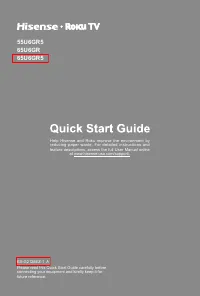
Help Hisense and Roku improve the environment by
reducing paper waste. For detailed instructions and
feature descriptions, access the full User Manual online
at www.hisense-usa.com/support/.
ES-G2126EZ-1 A
55U6GR5
65U6GR
65U6GR5
Please read this Quick Start Guide carefully before
connecting your equipment and kindly keep it for
future reference.
"Loading the manual" means you need to wait until the file loads and becomes available for online reading. Some manuals are very large, and the time they take to appear depends on your internet speed.
Was this manual helpful?
About this manual
- Brand
- Hisense
- Model
- 65U6GR
- Document type
- User Manual
- Language(s)
- English
- Pages
- 23
- File size
- 2.3 MB
- Format
Summary
1 Your easy way to endless entertainment *Payment required for some channel content. Channels can change and vary by country. † Roku search is for movies and TV shows and does not work with all channels. # Limitations apply to the Roku mobile app. Please see support.roku.com for device compatibility...
2 WELCOME TO THE HISENSE FAMILY! Congratulations on the purchase of your new Hisense Roku TV! This Quick Start Guide will walk you through a few easy steps to set up your TV. Because we value your business, we want to keep you in the know of 'all things Hisense'. Using your mobile phone, scan the Re...
3 Packaged contents Your package in which you purchased your new TV contains the following items: TV 2 AAA(1.5Vcc) batteries Remote Control 2 legs that form the TV stand Quick Start Guide (this document) 4 screws (M4×12)(55") 4 screws (M5×12)(65") Power cord Important Safety Information and ...