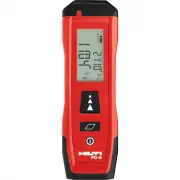
Page 3 - Original operating instructions
PD-I Original operating instructions Printed: 08.10.2018 | Doc-Nr: PUB / 5455126 / 000 / 01
Page 5 - English; Contents
English 1 Contents 1 Information about the documentation . . . . . . . . . . . . . . . . . . . . . . . . . . . . . . . . . . . . 2 1.1 About this documentation . . . . . . . . . . . . . . . . . . . . . . . . . . . . . . . . . . . . . . . . . . . . . 21.2 Explanation of symbols used . . . . . . . . ....
Page 6 - Information about the documentation; DANGER
2 English 6.2.3 Measuring volume . . . . . . . . . . . . . . . . . . . . . . . . . . . . . . . . . . . . . . . . . . . 13 6.2.4 Measure Pythagoras (2-point) . . . . . . . . . . . . . . . . . . . . . . . . . . . . . . . . . . . . 13 6.2.5 Measure Pythagoras (3-point) . . . . . . . . . . . . . . . . ....
Page 9 - Safety; Safety instructions
English 5 2 Safety 2.1 Safety instructions 2.1.1 General safety measures ▶ Check the product for damage before use. Have damage repaired by Hilti Service. ▶ Check the accuracy of the product if it has been dropped or subjected to other mechanical stresses. ▶ Although the product is designed for the ...
Page 10 - Description
6 English when working under such conditions, or if you are unsure. Likewise, Hilti cannot rule out the possibility of interference with other devices (e.g. aircraft navigation equipment). The product complies with the requirements of class A; the possibility of interference in a residential environ...
Page 11 - Technical data
English 7 Switching Bluetooth on or off Press the button and hold it down for 2 seconds. 3.4 Items supplied Laser range meter, belt pouch, wrist strap, 2x AAA battery (1.5 V), "Quick Start" guide, safety instructions, manufacturer's certificate, declaration of conformity Other system product...
Page 12 - Before use
8 English 5 Before use 5.1 Inserting the batteries Do not use damaged batteries. Make sure that battery polarity is correct. Change the batteries as soon as the indicator lights up, and always change the batteries as a pair. 1. Flip the contact spike forward. 2. Open the battery compartment. 3. Inse...
Page 14 - Measuring using a target plate; Operation; Overview of the functions
10 English 1. Flip the contact spike open through 90°. ➥ The contact spike can be used as an end stop. 2. Flip the contact spike open through 180°. ➥ The reference is changed automatically. 5.6 Measuring using a target plate Use the target plate to measure distance under the following unfavorable co...
Page 15 - Main functions
English 11 1. Measure distance (single measurement) → page 11. 2. Measure area → page 11. 3. Measure volume → page 13. 4. Pythagoras (2-point) → page 13. 5. Pythagoras (3-point) → page 14. 6. Layout function → page 14. 6.2 Main functions 6.2.1 Measure distance (single measurement) The laser switches...
Page 20 - Fault codes
16 English 6.3.3 Taking a continuous measurement (min/max) 1. Press the button and hold it down for 2 seconds to start measuring. The following values are shown on the display: • Maximum value • Minimum value • Current measured value 2. Press the button to stop measuring. The following values are sh...
Page 21 - Care, transport and storage; WARNING
English 17 Malfunction Possible cause Action to be taken 255 Incoming signal too weak, mea- surement takes too long. ▶ Change the target surface (e.g. white paper). 256 Incoming signal too high ▶ Change the target surface (e.g. white paper). 257 Target surface too bright ▶ Darken the target surface....
Page 22 - FCC statement / IC statement; CAUTION; Manufacturer’s warranty; Hilti
18 English 9 FCC statement / IC statement CAUTION This product has been tested and found to comply with the limits for a class B digital device, pursuant to part 15 of the FCC Rules. These limits are designed to provide reasonable protection against harmful interference in a residential installation...